Scheduling & Schedule Groups
Scheduling & Schedule Groups
| Section |
Description |
| Module Context |
Schedules are part of Routing and Architect decision logic in Genesys Cloud. |
| Purpose |
A schedule stipulates when a flow runs based on date, time, or event. |
| Primary Use |
Business hours, after-hours support, holidays, recurring events, maintenance windows, and special situations. |
| Admin Location |
Admin → Routing → Scheduling |
Study Notes
| Topic |
Explanation |
| Schedule |
A time-based object that determines when routing or flow logic is active. |
| Schedule Group |
Groups multiple schedules into Open, Closed, and Holiday categories for routing. |
| Architect Usage |
Architect uses schedules to determine how inbound and outbound interactions should be handled. |
| Recurrence Support |
Schedules can be one-time or repeating (daily, weekly, monthly, yearly, or custom iCal rule). |
| Evaluation Order |
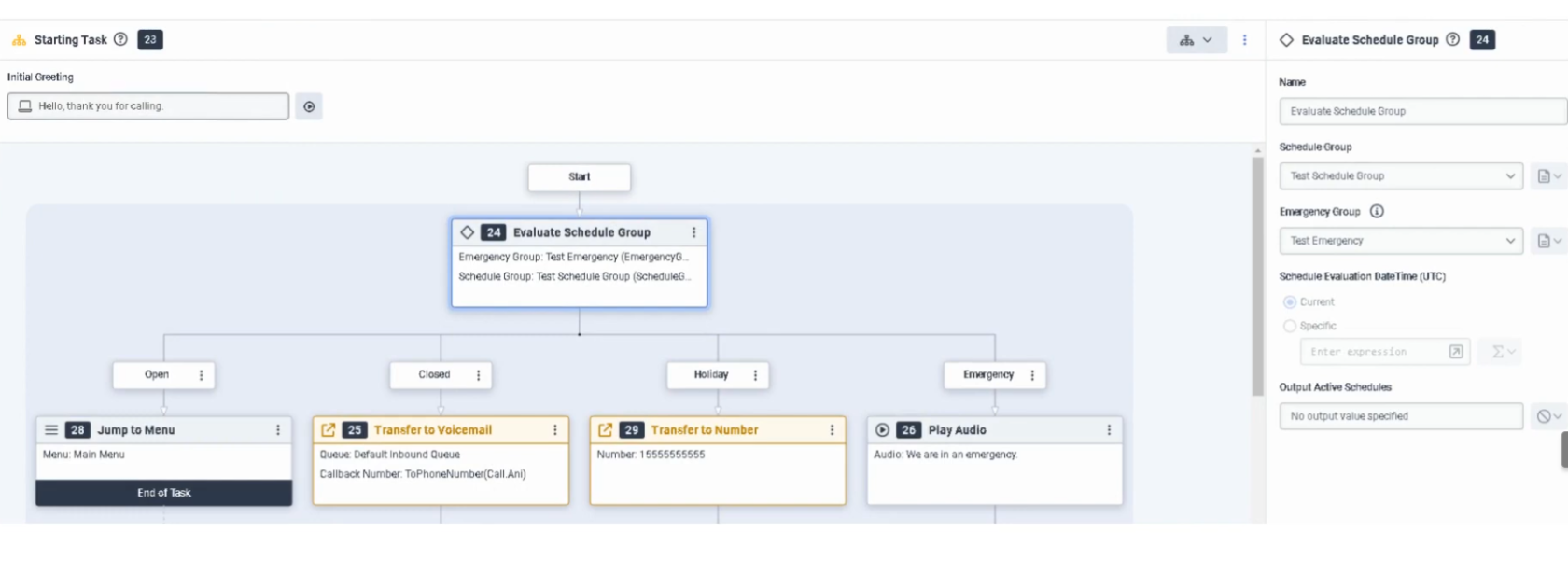
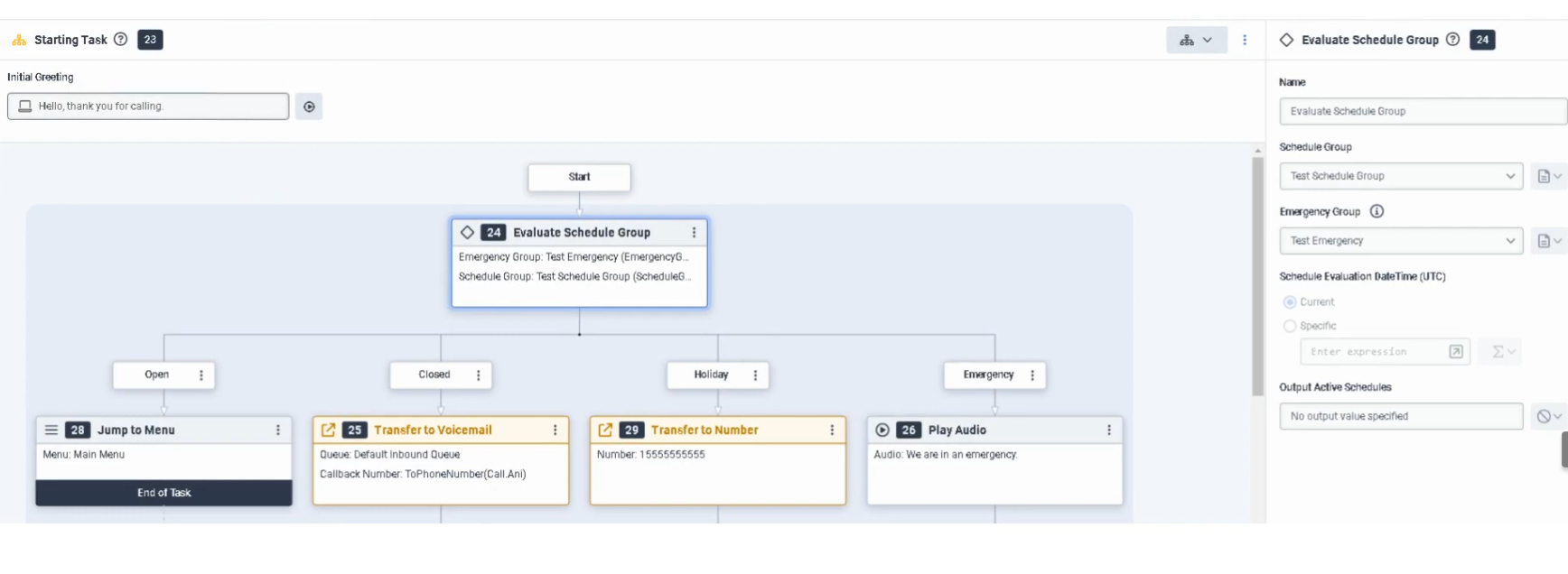
In Architect: Emergency → Holiday → Closed → Open |
| Default Branch |
If no schedule matches, Closed is the default branch in Evaluate Schedule Group. |
| Time Zone |
Set on the Schedule Group — most common misconfiguration is a wrong or missing time zone. |
Navigation
| Task |
Navigation |
| View Schedules |
Admin → Routing → Scheduling |
| Create Schedule |
Admin → Routing → Scheduling → Add Schedule |
| View Schedule Groups |
Admin → Routing → Scheduling → Schedule Groups |
| Use in Architect |
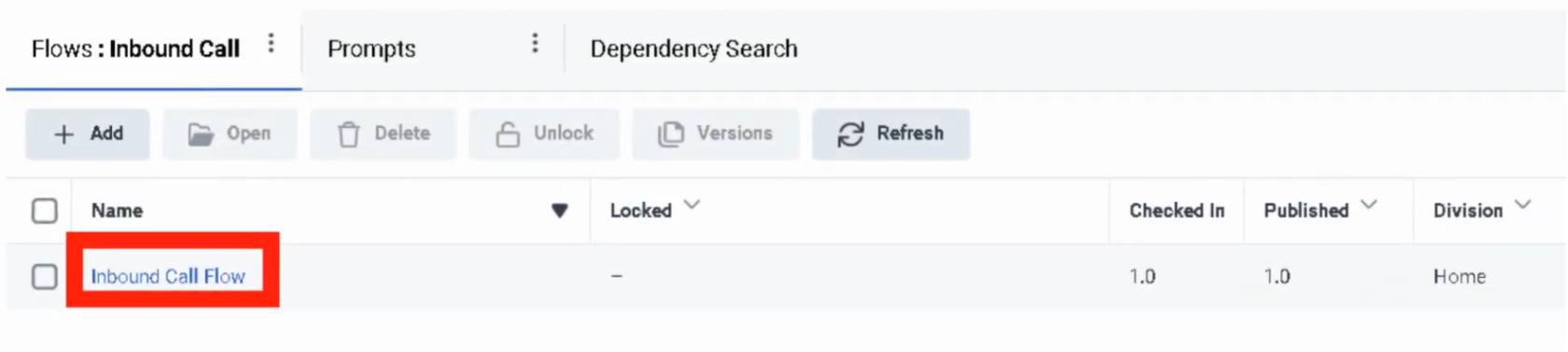
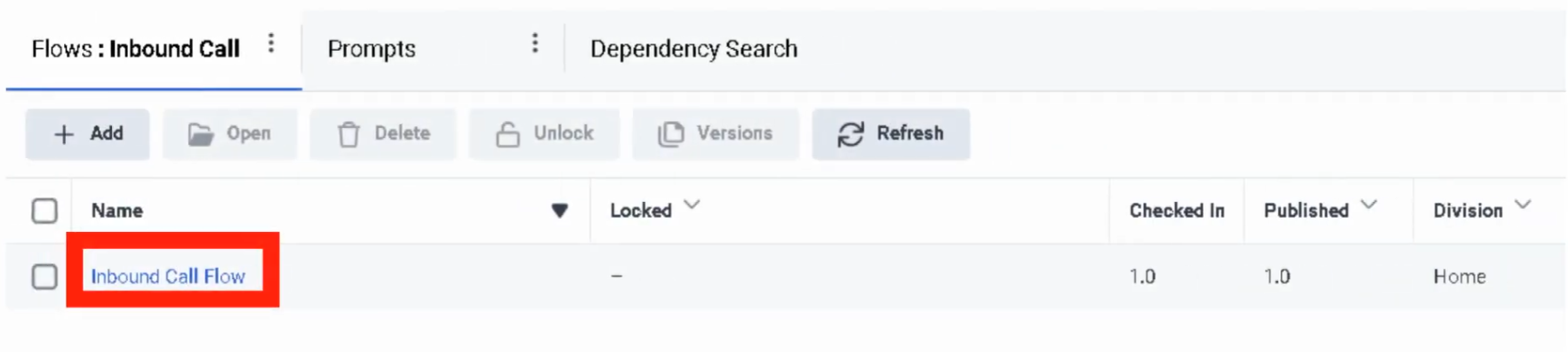
Architect → Open Flow → Add Evaluate Schedule Group action |
Schedule Configuration Fields
| Field |
Description |
Example |
| Schedule Name |
Unique name for the schedule |
US_Support_BusinessHours |
| Division |
Determines administrative ownership and access |
Home |
| Repeating Event |
Enables recurring schedule logic |
Enabled |
| Start Date |
Date when the schedule starts |
2026-03-01 |
| End Date |
Date when the schedule ends |
2026-12-31 |
| Start Time |
Time when the schedule starts |
08:00 |
| End Time |
Time when the schedule ends |
18:00 |
| All Day |
Enables full-day schedule instead of start/end times |
Disabled |
| Repeats Every |
Defines recurrence pattern |
Weekly |
| Start Option |
Defines when recurrence begins |
On Date |
| End Option |
Defines when recurrence stops |
No End Date |
| iCal Rule |
Advanced recurrence rule configuration |
FREQ=WEEKLY;BYDAY=MO,TU,WE,TH,FR |
Schedule Types
| Schedule Type |
Example |
| One-Time |
July_4_Closure |
| Daily |
After_Hours_Daily |
| Weekly |
Mon_Fri_BusinessHours |
| Monthly |
First_Monday_Maintenance |
| Yearly |
Christmas_Holiday |
| Advanced Rule |
FREQ=WEEKLY;BYDAY=MO,TU,WE,TH,FR |
Example business-hours schedule:
| Field |
Value |
| Name |
US_Support_BusinessHours |
| Repeating Event |
Enabled |
| Repeats Every |
Weekly |
| Days |
Monday–Friday |
| Start Time |
08:00 |
| End Time |
18:00 |
| End Option |
No End Date |
Schedule Group Configuration
| Component |
Description |
| Open Schedule |
Defines when the business is open |
| Closed Schedule |
Defines after-hours or closure periods |
| Holiday Schedule |
Defines holiday dates — overrides Open |
| Time Zone |
Applied at the Schedule Group level — determines when schedules activate |
| Emergency Group |
Separate object that overrides all schedule-based logic when activated |
⚠️ Most common misconfiguration: Setting the wrong time zone on the Schedule Group, causing callers to hit closed or holiday paths at unexpected times.
Architect Evaluation Order
Evaluate Schedule Group
        ↓
Emergency? (Emergency Group activated?)
        ↓
Holiday? (Current date/time matches a Holiday schedule?)
        ↓
Closed? (Current date/time outside Open schedule?)
        ↓
Open (Default — current date/time matches Open schedule)
If nothing matches, the Closed branch is taken by default.
Routing Architecture
Customer Interaction
        ↓
Call Route or Architect Flow
        ↓
Schedule / Schedule Group Evaluation
        ↓
Open / Closed / Holiday / Emergency
        ↓
Menu / Queue / Voicemail / External Transfer / Disconnect
Real Flow Scenarios
Scenario 1 — Business Hours Menu
Caller Enters Flow
      ↓
Evaluate Schedule Group
      ↓
Open
      ↓
Play Welcome Prompt → Send to Menu → Route to Agent
Scenario 2 — After-Hours Voicemail
Caller Enters Flow
      ↓
Evaluate Schedule Group
      ↓
Closed
      ↓
Play Closed Prompt → Route to Voicemail
Scenario 3 — Holiday Transfer
Caller Enters Flow
      ↓
Evaluate Schedule Group
      ↓
Holiday
      ↓
Play Holiday Prompt → Transfer to External Number
Scenario 4 — Emergency Shutdown
Caller Enters Flow
      ↓
Evaluate Schedule Group
      ↓
Emergency
      ↓
Play Issue Prompt → Disconnect Call
Implementation Steps
| Step |
Action |
| Step 1 |
Navigate to Admin → Routing → Scheduling |
| Step 2 |
Click Add Schedule |
| Step 3 |
Enter unique schedule name |
| Step 4 |
Select division |
| Step 5 |
Choose one-time or repeating event |
| Step 6 |
Configure start date, end date, and time range (or All Day) |
| Step 7 |
Configure recurrence settings if repeating |
| Step 8 |
Save the schedule |
| Step 9 |
Create a schedule group and assign schedules to Open / Closed / Holiday |
| Step 10 |
Set the correct time zone on the schedule group |
| Step 11 |
Use the schedule group in call routing or Architect |
Naming Convention
| Resource |
Example |
| Schedule |
US_Support_BusinessHours |
| Holiday Schedule |
US_Support_Christmas |
| Maintenance Schedule |
US_Support_MaintenanceWindow |
| Schedule Group |
US_Support_Main_SG |
Recommended pattern: <Region>_<Department>_<Purpose>
Best Practices
| Practice |
Reason |
| Use clear schedule names |
Makes routing easier to understand and maintain |
| Separate business hours and holidays into distinct schedules |
Improves flexibility and troubleshooting |
| Always use Schedule Groups for production routing |
Simplifies open/closed/holiday branching |
| Set the correct time zone on the Schedule Group |
Prevents incorrect routing behavior |
| Test all branches (Open, Closed, Holiday, Emergency) |
Ensures callers hear the correct experience |
| Review holiday schedules annually |
Keeps routing accurate over time |
Troubleshooting
| Issue |
Cause |
Resolution |
| Flow always routes Closed |
Time zone mismatch or no active Open schedule |
Verify schedule times and schedule group time zone |
| Holiday path never triggers |
Holiday schedule not assigned to group |
Add holiday schedule to schedule group |
| Emergency path does not work |
Emergency group not activated or not assigned to flow |
Verify emergency group setup and flow logic |
| Recurring schedule not firing |
Recurrence settings incorrect |
Review repeating event settings and end conditions |
| External transfer not reached |
Holiday branch misconfigured |
Check Architect holiday branch and external number |
| Schedule group unavailable in flow |
Permission or object visibility issue |
Confirm access and division permissions |
Interview Cheat Sheet
| Question |
Answer |
| What is a schedule in Genesys Cloud? |
A time-based object that determines when routing or flow logic is active |
| What can schedules be used for? |
Business hours, after-hours, holidays, recurring events, and special situations |
| What is a schedule group? |
A grouping of schedules into Open, Closed, and Holiday categories |
| What is the evaluation order in Architect? |
Emergency → Holiday → Closed → Open |
| What happens if nothing matches? |
Closed is the default path in Evaluate Schedule Group |
| What is the most common misconfiguration? |
Wrong time zone set on the Schedule Group |

No Comments