
OAuth Clients
| Topic | Detail |
|---|---|
| Navigation | Admin → Integrations → OAuth |
| Purpose | Register applications that need secure API access to Genesys Cloud without exposing user credentials |
| Standard | OAuth 2.0 authorization framework |
| Token Lifetime | 300 seconds (5 min) to 172,800 seconds (48 hrs) — SCIM integration up to 450 days |
✅ Verified against Genesys Cloud Resource Center — March 2026
Overview
An OAuth Client is an application registered in Genesys Cloud that can request access tokens to call Platform APIs. OAuth allows organizations to share information with applications without sharing user credentials, using scopes and roles to restrict access to specific resources.
OAuth is required for: Integrations, Data Actions, AppFoundry apps, custom external applications, and automation scripts.
Grant Types
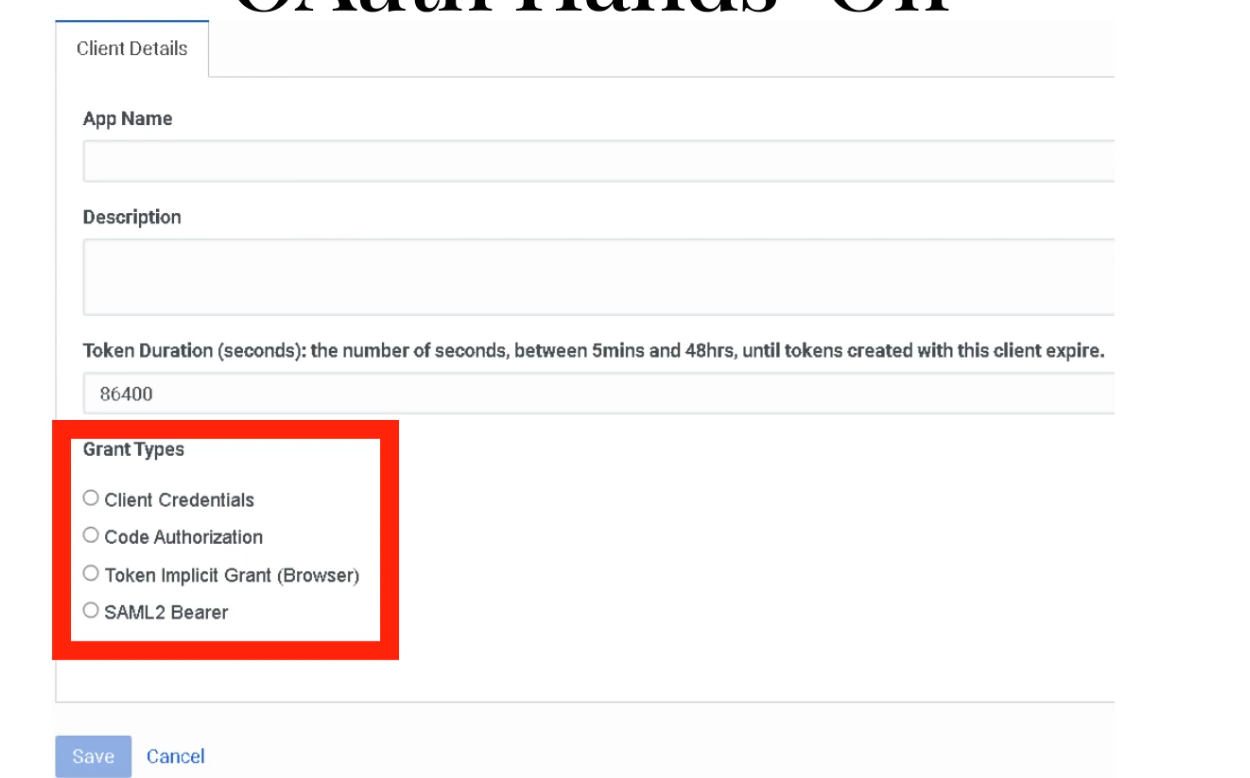
The grant type defines how an application obtains an access token. This is the most important decision when creating an OAuth client.
| Grant Type | Authentication Steps | Best For | Status |
|---|---|---|---|
| Client Credentials | Single-step — no user interaction | Server-to-server integrations, Data Actions, scheduled jobs, Windows Services | ✅ Current — most common for admin integrations |
| Authorization Code / PKCE | Two-step — user authenticates, then code exchanged for token | Server-side web apps, thin desktop clients, maximum security | ✅ Current — recommended for user-facing apps |
| SAML2 Bearer | Uses SAML assertion from Identity Provider | SSO-integrated environments | ✅ Current |
| Token Implicit Grant (Browser) | Single-step browser-based | Legacy JavaScript/desktop apps | ⚠️ DEPRECATED — see below |
⚠️ Implicit Grant Deprecation
| Date | Action |
|---|---|
| May 2026 | Token Implicit Grant option removed from new OAuth client creation |
| May 2027 | Existing OAuth clients using Implicit Grant stop working — must migrate |
| Action Required | Migrate all Implicit Grant clients to Authorization Code with PKCE before May 2027 |
PKCE (Proof Key for Code Exchange) is already supported in Genesys Cloud and is the recommended replacement — it provides stronger security by preventing authorization code interception.
Configuration Fields
| Field | Description | Notes |
|---|---|---|
| App Name | Display name shown during authorization | e.g., CRM_Integration_Client |
| Description | Brief purpose of this client | Optional but recommended for governance |
| Token Duration | Lifetime of access tokens in seconds | 300–172,800s; Genesys recommends 64,800s (18 hours) for agent workday alignment; HIPAA orgs enforce 15-min idle timeout |
| Grant Type | How the token is obtained | See Grant Types table above |
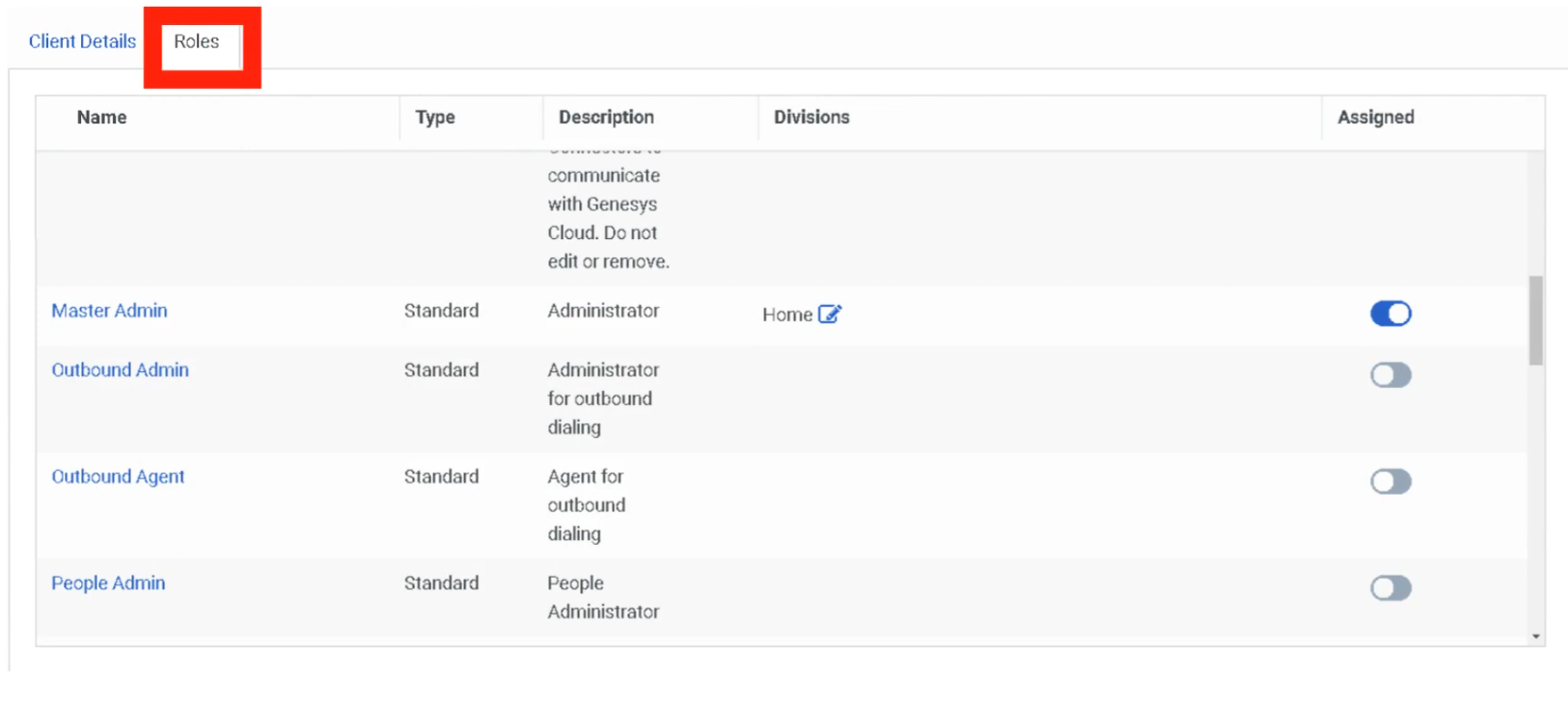
| Roles | Permissions assigned to this client | Only available for Client Credentials grant — Roles tab appears after selecting Client Credentials |
| Divisions | Scope of resource access per role | Assign alongside each role |
| Authorized Redirect URIs | Where auth codes are posted after login | Required for non-Client Credentials grants; max 125 URIs |
| OAuth Scopes | Fine-grained permission scopes | Required for non-Client Credentials grants |
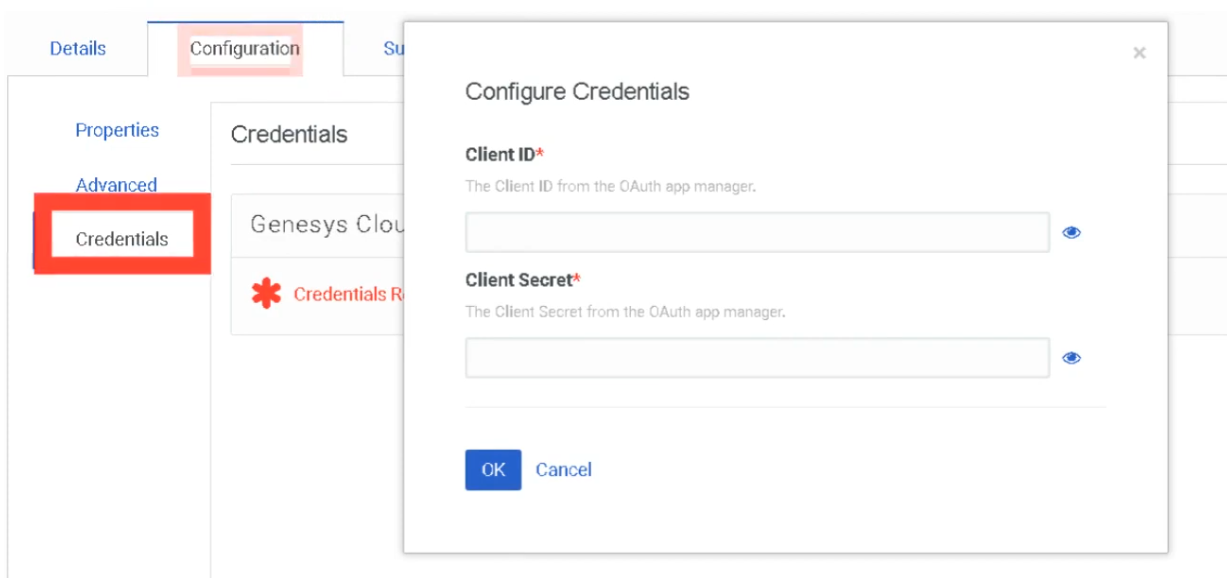
| Client ID | Auto-generated unique identifier | Copy and store — used in integration configuration |
| Client Secret | Auto-generated password for token requests | ⚠️ One-time viewable — only shown at creation or when regenerated; store securely immediately |
⚠️ Client Secret — Critical Security Note (November 2025)
The Client Secret is only visible once — at the moment of creation or when you explicitly regenerate it. It no longer appears in API responses after that point. If you lose it, you must regenerate a new one (which invalidates the old one).
Creating an OAuth Client
After selecting Client Credentials, the Roles tab appears — assign Master Admin or least-privilege role:
OAuth → Integration → Data Action → Architect Flow
The full integration chain shows how OAuth credentials power everything downstream:
OAuth Client Created (Client ID + Secret)
       ↓
Integration Configured (credentials entered here)
       ↓
Data Action Created (uses the integration)
       ↓
Architect Flow (calls the Data Action)
       ↓
Customer Interaction (result returned to flow)
Step 1 — Create the Integration
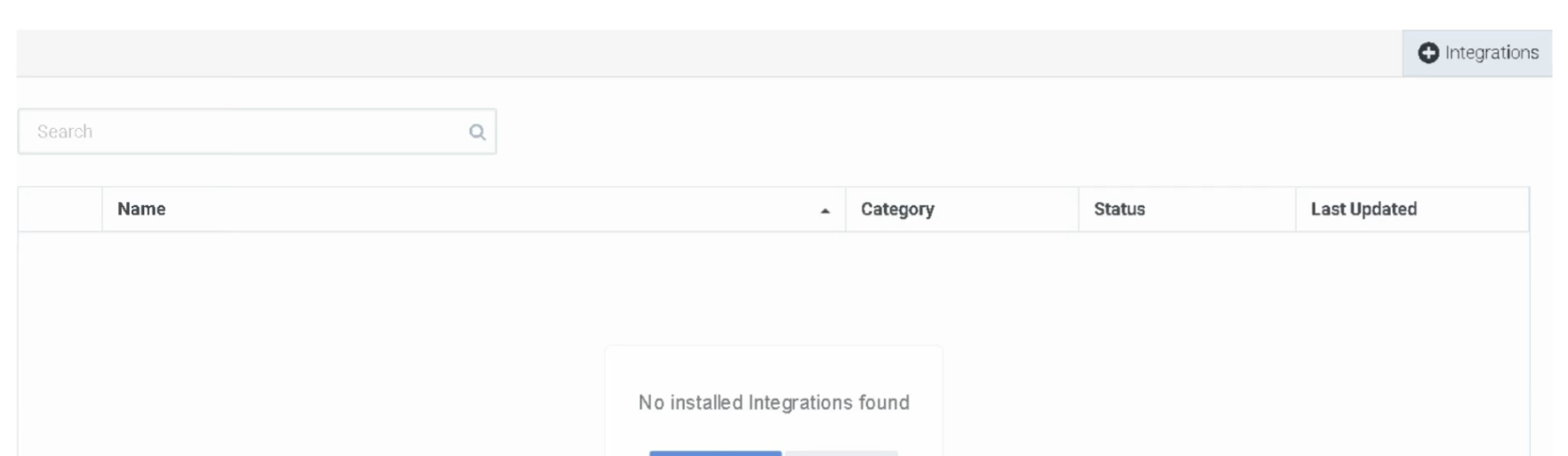
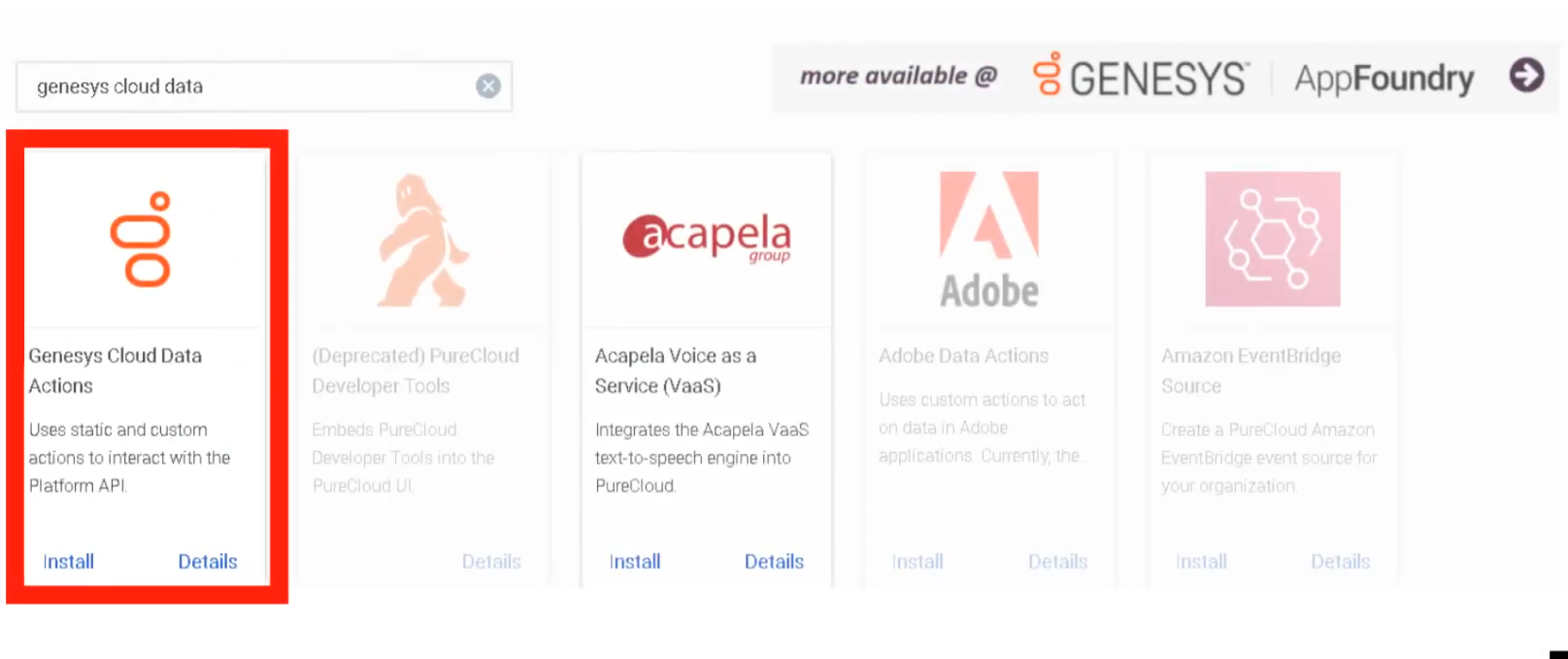
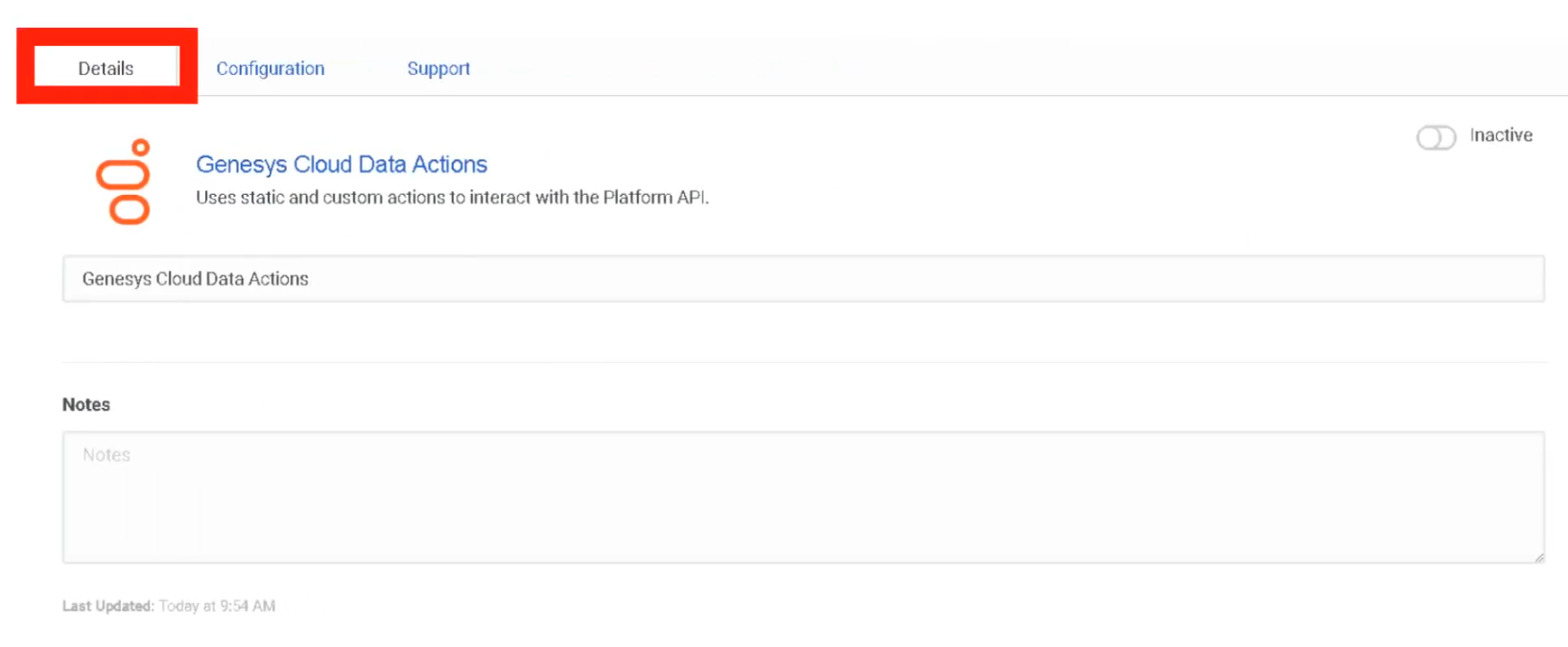
Enter the OAuth credentials into the Integration configuration:
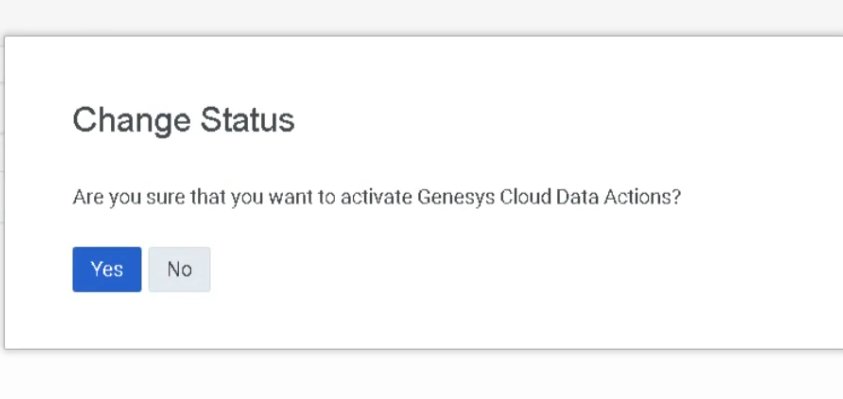
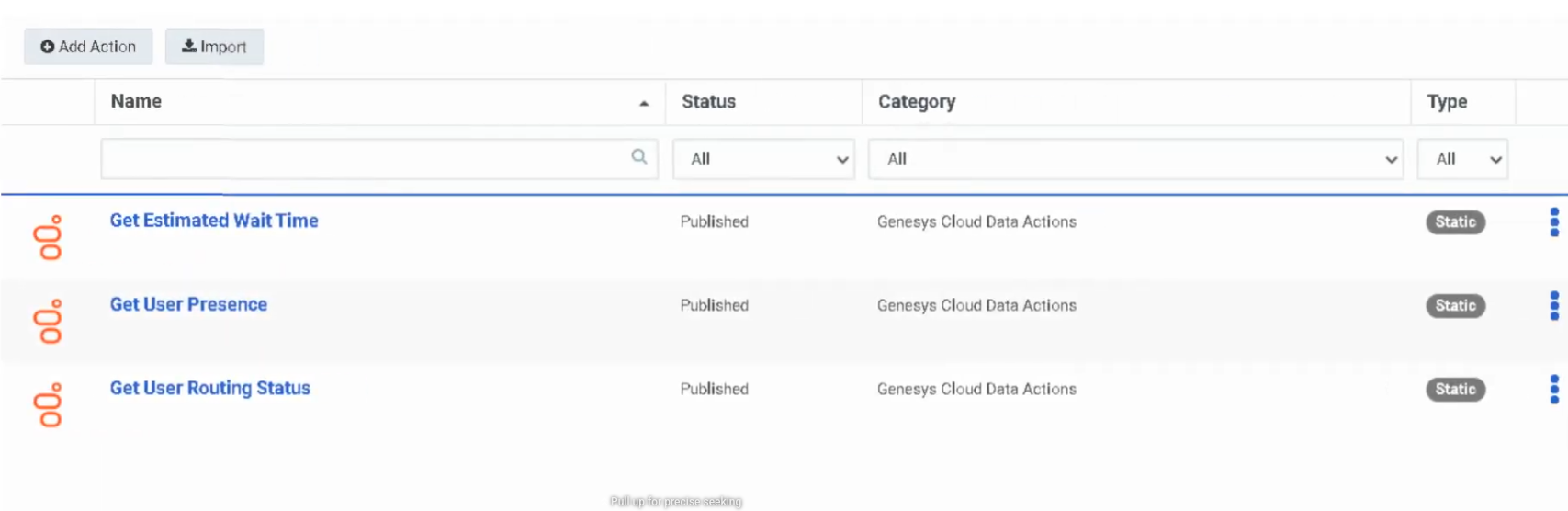
Step 2 — Create a Data Action
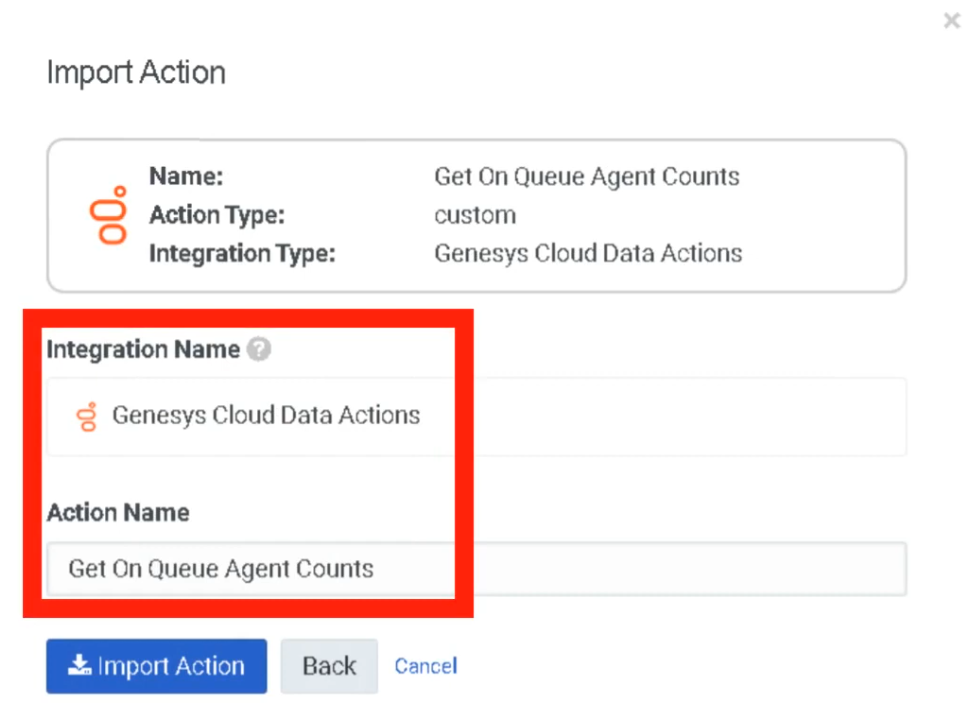
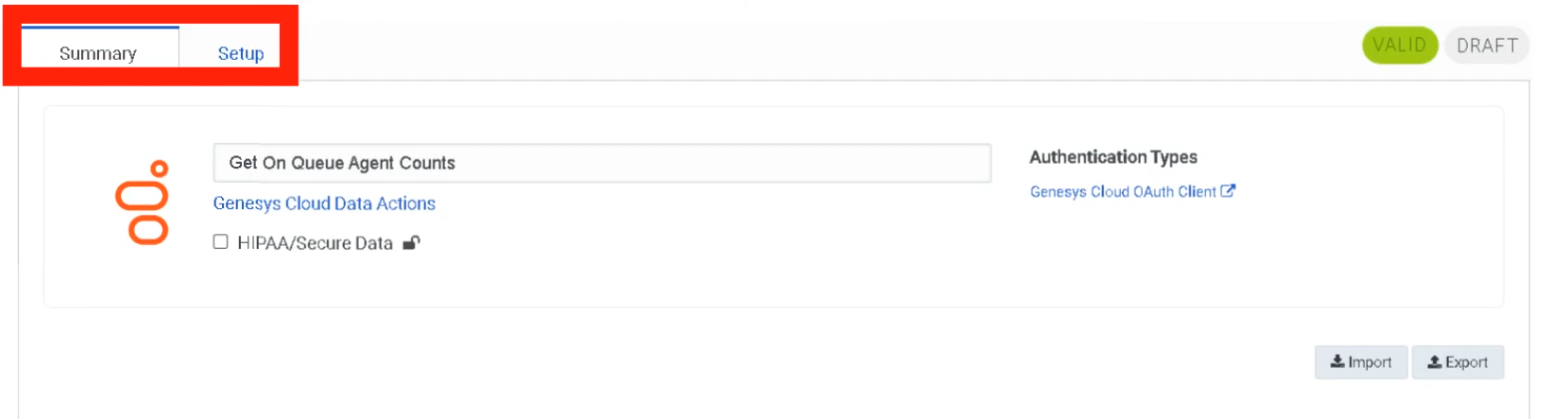
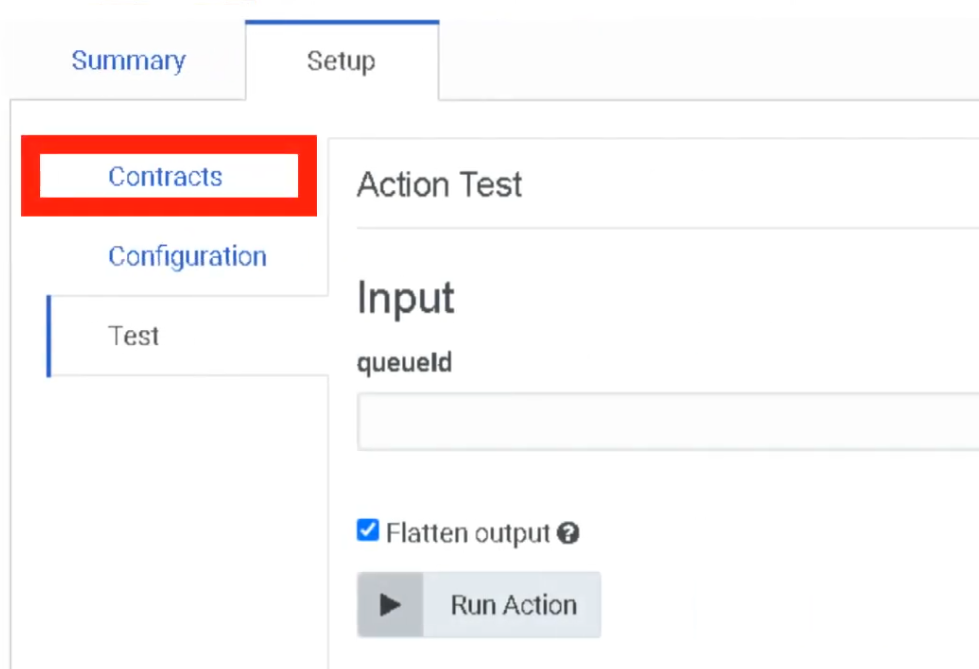
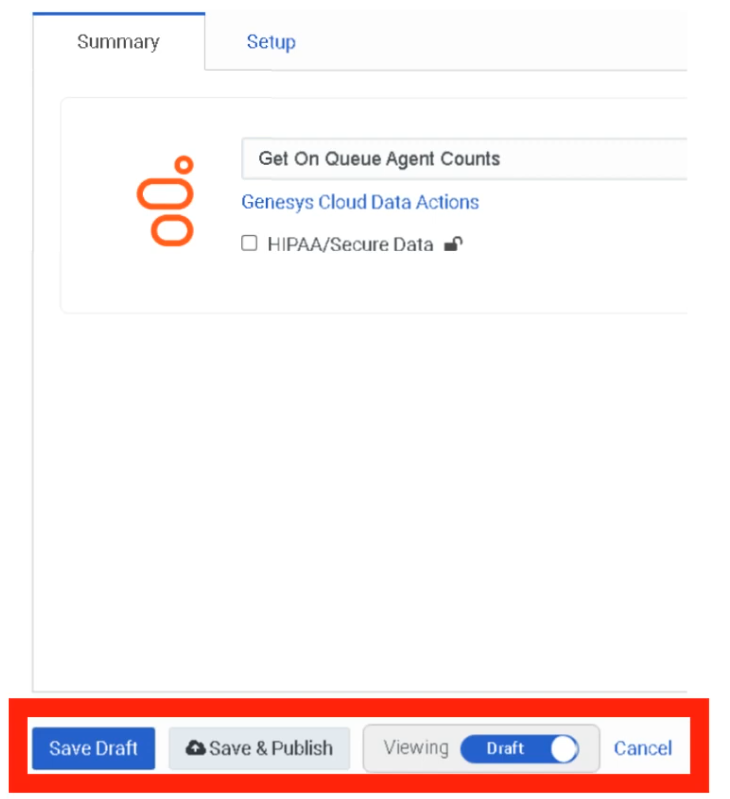
Token Request Example (Client Credentials)
POST /oauth/token
Host: login.mypurecloud.com
Authorization: Basic BASE64(client_id:client_secret)
Content-Type: application/x-www-form-urlencoded

grant_type=client_credentials
Security Best Practices
| Practice | Reason |
|---|---|
| Use least-privilege roles | Minimize blast radius if credentials are compromised |
| Store Client Secret in a secure vault immediately | It cannot be retrieved after creation — only regenerated |
| Set shortest acceptable token lifetime | Reduces window of exposure for a leaked token |
| Use PKCE instead of Implicit Grant | More secure — prevents authorization code interception |
| Rotate secrets periodically | Reduces risk from long-term credential exposure |
| Monitor via Platform Usage dashboard | Detect abnormal API call patterns |
| Document all OAuth clients | Maintain governance — know what every client is used for |
Troubleshooting
| Issue | Likely Cause | Resolution |
|---|---|---|
| Token request fails | Wrong Client ID or Secret | Verify credentials — regenerate secret if lost |
| API access denied | Role missing required permission | Assign correct role to OAuth client |
| Token expired | Lifetime exceeded | Reduce token duration or implement token refresh logic |
| Roles tab not visible | Grant type is not Client Credentials | Switch grant type — Roles only appear for Client Credentials |
| Secret not visible after creation | Expected — security change Nov 2025 | Copy at creation time; regenerate if lost |
| Integration fails after secret rotation | Old secret cached | Update integration configuration with new secret |
Interview Cheat Sheet
| Question | Answer |
|---|---|
| What is OAuth used for in Genesys Cloud? | Authenticate applications and authorize API access without exposing user credentials |
| What are the current supported grant types? | Client Credentials, Authorization Code / PKCE, SAML2 Bearer (Implicit Grant deprecated May 2026) |
| Which grant type is most common for admin integrations? | Client Credentials |
| When does the Roles tab appear? | Only after selecting Client Credentials as the grant type |
| What is the token lifetime range? | 300 seconds (5 min) to 172,800 seconds (48 hrs); SCIM up to 450 days |
| What is Genesys' recommended token duration? | 64,800 seconds (18 hours) — aligns with a typical agent workday |
| What happens to the Client Secret after creation? | It is only viewable once — copy it immediately; regenerate if lost |
| What is PKCE? | Proof Key for Code Exchange — replacement for Implicit Grant; prevents auth code interception |
| What is the max number of redirect URIs? | 125 |
| When must Implicit Grant clients migrate to PKCE? | By May 2027 |
No Comments