External Metrics
External Metrics (Genesys Cloud Performance and Engagement)
| Section |
Description |
| Feature Area |
Performance and Engagement |
| Admin Location |
Admin → Performance and Engagement → External Metrics Definitions |
| Primary Function |
Define externally sourced performance metrics so they can be loaded into an employee’s scorecard |
| Typical Use Cases |
Import CSAT, sales, revenue, quality indicators, or other third-party KPIs into performance management |
| Metric Units Mentioned in Training |
Number, Seconds, Percent, Currency |
| Transcript Focus |
Metric definition, unit selection, and rounding precision |
| Key Dependency |
Performance management / scorecards capability must be available in the organization. Genesys positions performance management as part of its WEM and agent performance tooling. :contentReference[oaicite:0]{index=0} |
External Metrics Definitions let administrators define the metadata for non-Genesys performance measures so those values can be incorporated into an employee scorecard. In the transcript, the instructor specifically calls out importing third-party data such as CSAT scores or sales and configuring each metric’s unit and rounding precision. Genesys documents performance management as part of the platform’s agent performance toolset, alongside scorecards, feedback, and related engagement features. :contentReference[oaicite:1]{index=1}
Summary Table
| Attribute |
Details |
| Feature Type |
Scorecard metric definition |
| Data Origin |
External / third-party systems |
| Business Purpose |
Enrich employee scorecards with business KPIs not generated natively by Genesys Cloud |
| Common Examples |
CSAT, sales, revenue, handle-time targets from external systems, business outcome metrics |
| Definition Inputs from Transcript |
Metric unit and rounding precision |
| Assignment / Data Load Method |
Not explicitly documented in Genesys UI documentation in the provided source set |
| Feature Family |
Performance Management / WEM :contentReference[oaicite:2]{index=2} |
Study Notes
| Topic |
Explanation |
| External Metric |
A KPI that originates outside native Genesys interaction analytics |
| Metric Definition |
The schema/metadata that tells Genesys how to interpret imported values |
| Scorecard |
Employee performance view where external metrics can appear |
| Metric Unit |
Defines how values are displayed and interpreted |
| Rounding Precision |
Controls display precision for the imported value |
| Business KPI Enrichment |
Allows scorecards to reflect broader business outcomes, not only contact center metrics |
Genesys positions performance management as a capability that helps improve agent performance and engagement through scorecards, feedback, and related tooling. External Metrics extends that model by allowing business data from outside Genesys to be represented in scorecards. :contentReference[oaicite:3]{index=3}
Transcript Implementation Notes
Source: Transcript
The instructor describes External Metrics Definitions as a way to import third-party data into an employee’s scorecard.
| Step |
Instruction |
| Step 1 |
Navigate to Performance and Engagement → External Metrics Definitions |
| Step 2 |
Create or define an external metric |
| Step 3 |
Choose the metric unit |
| Step 4 |
Configure rounding precision |
| Step 5 |
Use the definition so third-party KPI data can appear in an employee scorecard |
Transcript-derived guidance:
| Item |
Guidance |
| Recommended Use |
Use external metrics for KPIs like CSAT, sales, or other non-native performance measures |
| Metric Unit Selection |
Match the display type to the source data: number, seconds, percent, or currency |
| Precision Strategy |
Use rounding precision that preserves business meaning without cluttering scorecards |
| Character Limits |
Not explicitly documented in the transcript |
| Required Fields |
Metric unit is explicitly mentioned; other required fields are not explicitly documented in Genesys UI documentation |
Navigation
| Task |
Navigation Path |
| Open External Metrics Definitions |
Admin → Performance and Engagement → External Metrics Definitions |
| View existing definitions |
Admin → Performance and Engagement → External Metrics Definitions |
| Create metric definition |
Admin → Performance and Engagement → External Metrics Definitions → Create |
| Edit metric definition |
Admin → Performance and Engagement → External Metrics Definitions → Edit |
| Delete metric definition |
Admin → Performance and Engagement → External Metrics Definitions → Delete |
| Review scorecards |
Agent/Supervisor performance scorecard area; exact path not explicitly documented in Genesys UI documentation |
Configuration Fields (UI Form Fields)
Main Page
| UI Field |
Description |
Options |
| External Metric Definitions List |
Displays configured metric definitions |
Read-only |
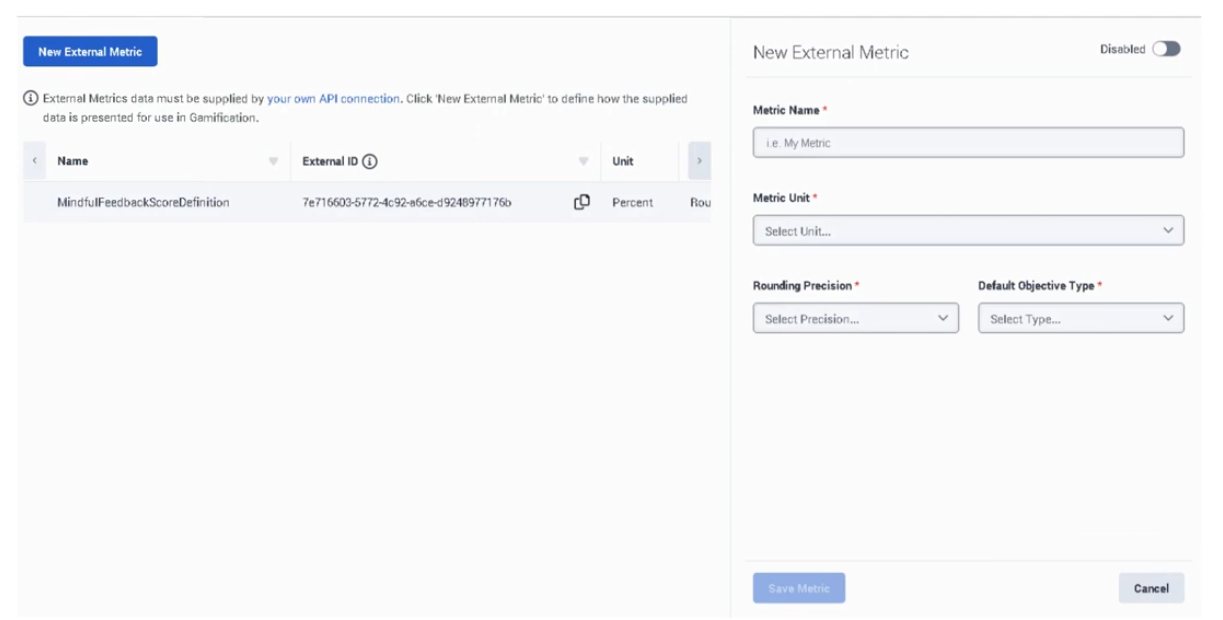
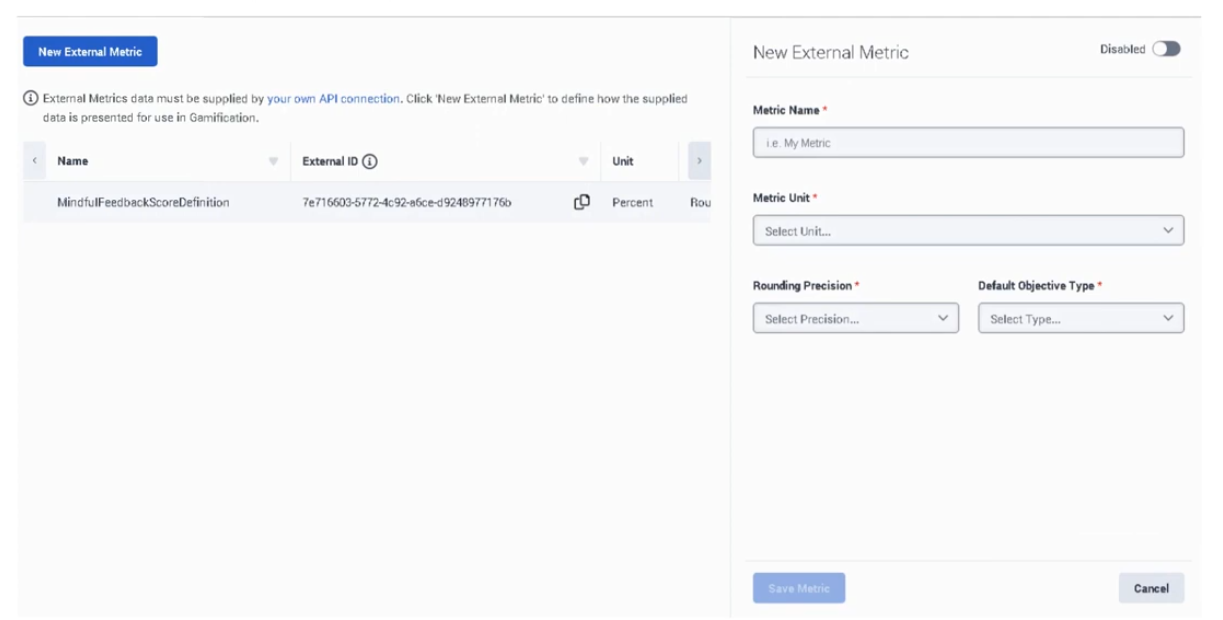
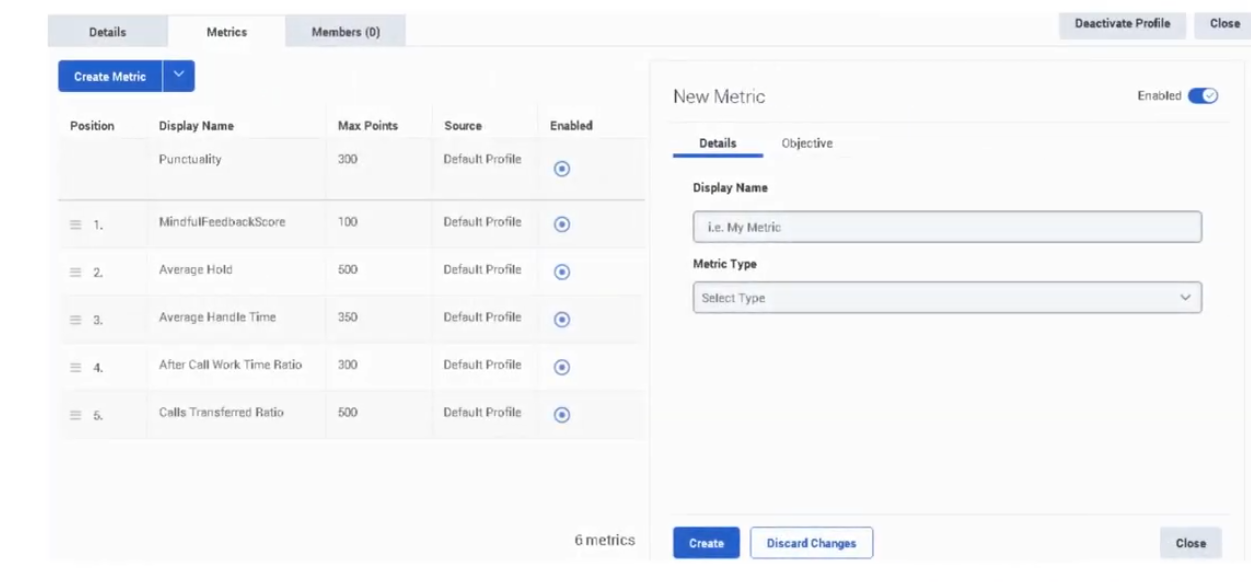
| Metric Name |
Name of the external metric |
Read-only in list |
| Metric Unit |
Unit associated with the metric |
Number / Seconds / Percent / Currency |
| Rounding Precision |
Display precision for the metric |
Numeric precision value |
| Search |
Search existing metric definitions |
Text |
| Create |
Start a new external metric definition |
Button |
| Edit |
Modify selected metric definition |
Button |
| Delete |
Remove selected metric definition |
Button |
| Refresh |
Reload definitions list |
Button |
Some list-view columns beyond Metric Name, Metric Unit, and Rounding Precision are not explicitly documented in Genesys UI documentation in the provided source set.
| UI Field |
Description |
Options |
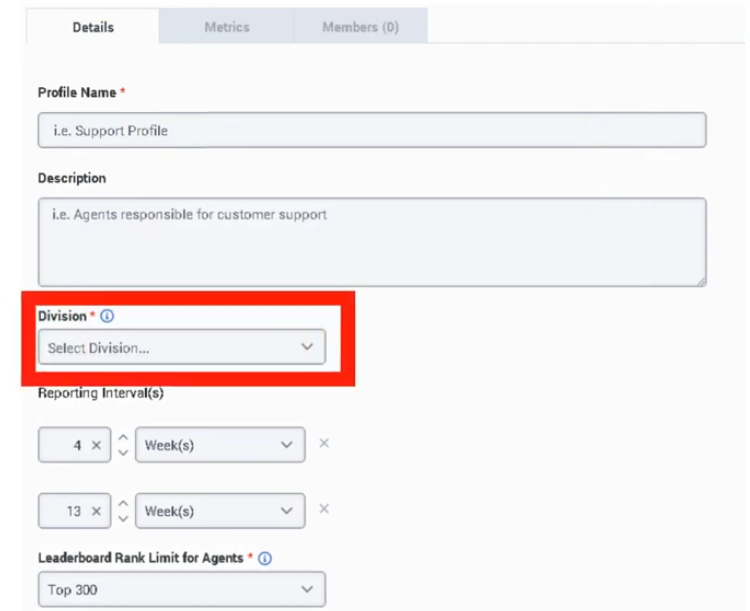
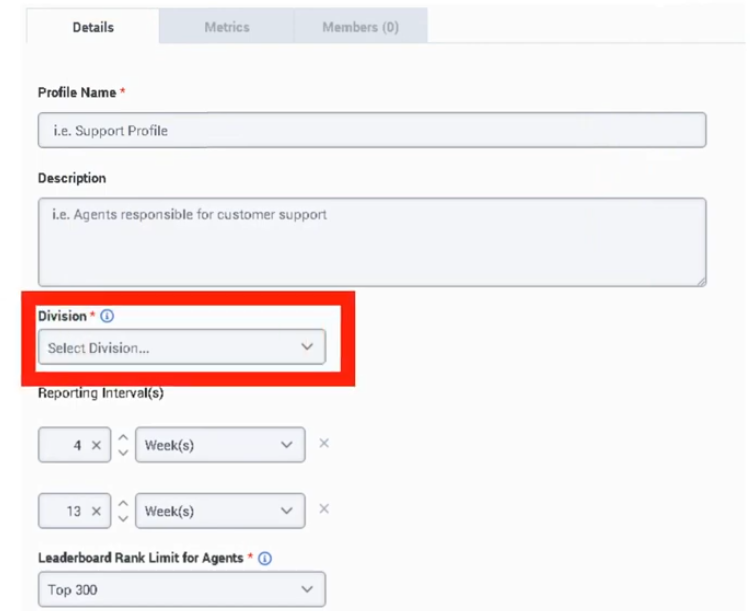
| Metric Name |
Unique name for the external metric definition |
Text |
| Description |
Explains what the metric represents |
Text area |
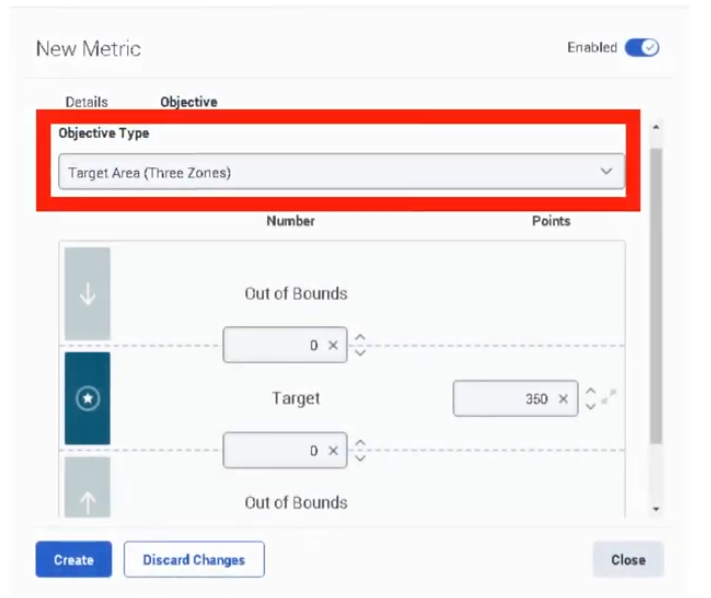
| Metric Unit |
Defines how the value is interpreted and displayed |
Number / Seconds / Percent / Currency |
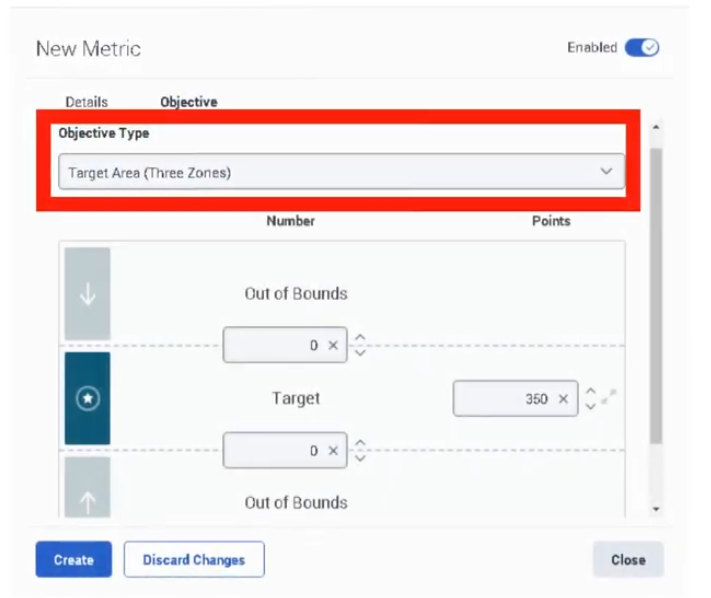
| Rounding Precision |
Number of decimal places or display precision |
Numeric field |
| Save |
Save the metric definition |
Button |
| Cancel |
Cancel changes |
Button |
Additional create/edit fields such as source mapping keys, import identifiers, or visibility controls are not explicitly documented in Genesys UI documentation in the provided source set.
Character limits for Metric Name and Description are not explicitly documented in Genesys UI documentation.
Tabs, Toggles, Dropdowns, Action Buttons
| Element Type |
Items |
| Dropdowns |
Metric Unit |
| Numeric Inputs |
Rounding Precision |
| Text Inputs |
Metric Name / Description |
| Buttons |
Create / Save / Cancel / Edit / Delete / Refresh |
| Tabs |
Not explicitly documented in Genesys UI documentation |
| Toggles |
Not explicitly documented in Genesys UI documentation |
Dependencies
| Component |
Purpose |
| Performance Management |
External metrics feed employee scorecards within performance tooling :contentReference[oaicite:4]{index=4} |
| Employee Scorecards |
Destination where defined external metrics are surfaced |
| Third-Party Data Source |
Provides the source KPI values |
| Identity / User Mapping |
Needed so imported values are tied to the correct employee |
| Data Load / Integration Process |
Needed to move metric values from external source into Genesys ecosystem; exact method not explicitly documented in Genesys UI documentation |
| Component |
Relationship |
| Scorecards |
External metrics are displayed as part of employee performance scorecards |
| Development and Feedback |
External metrics can help identify training needs |
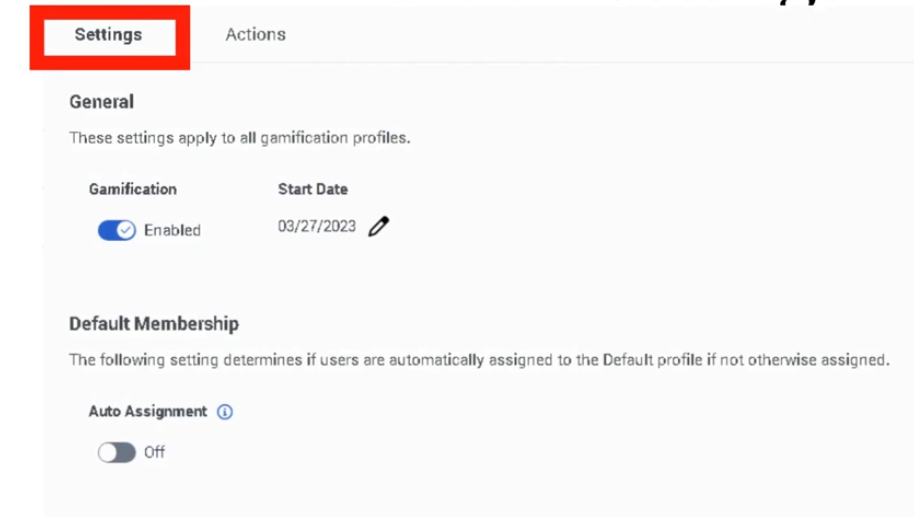
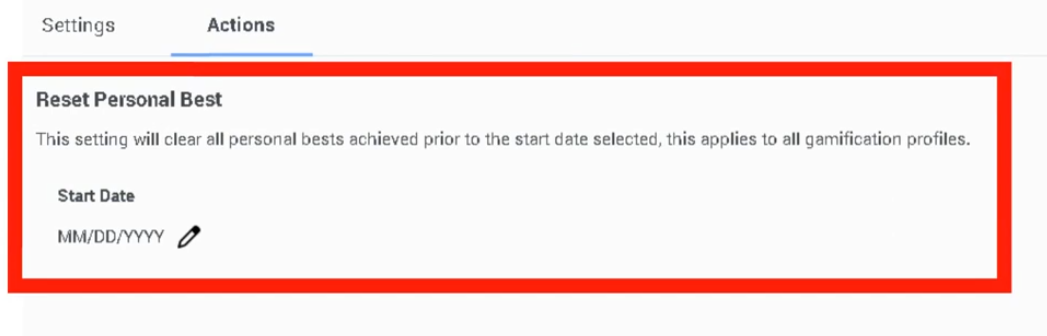
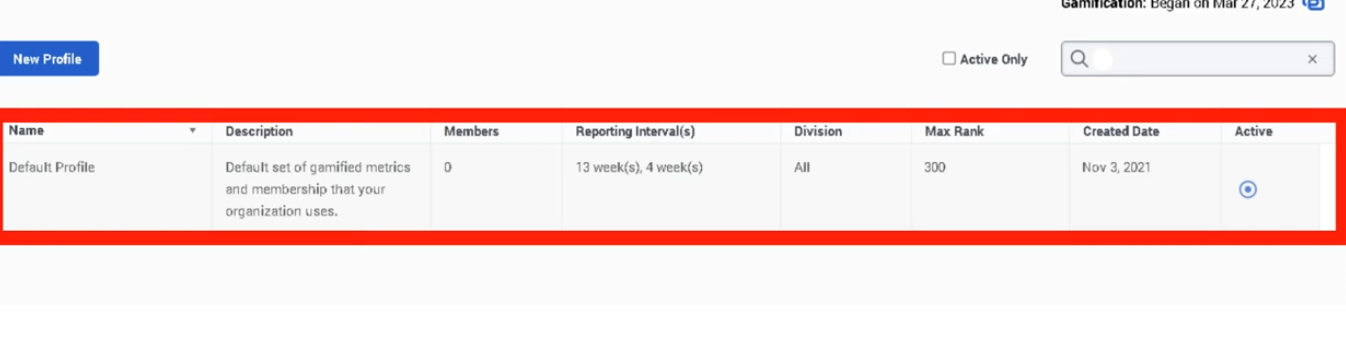
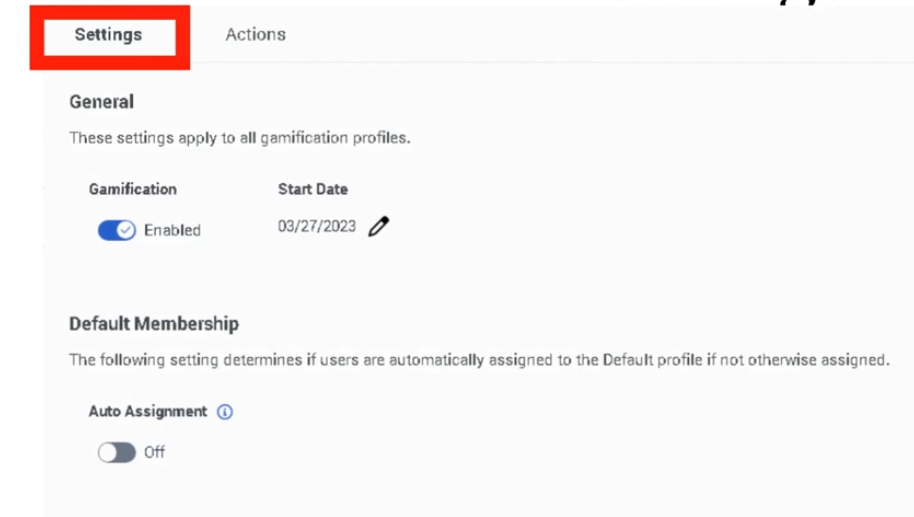
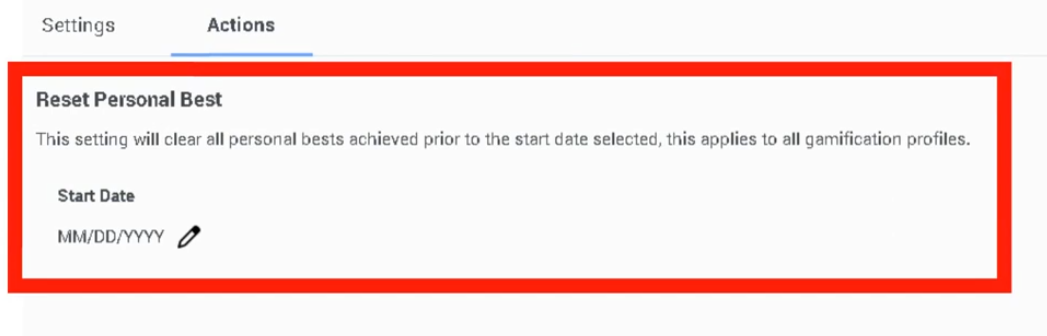
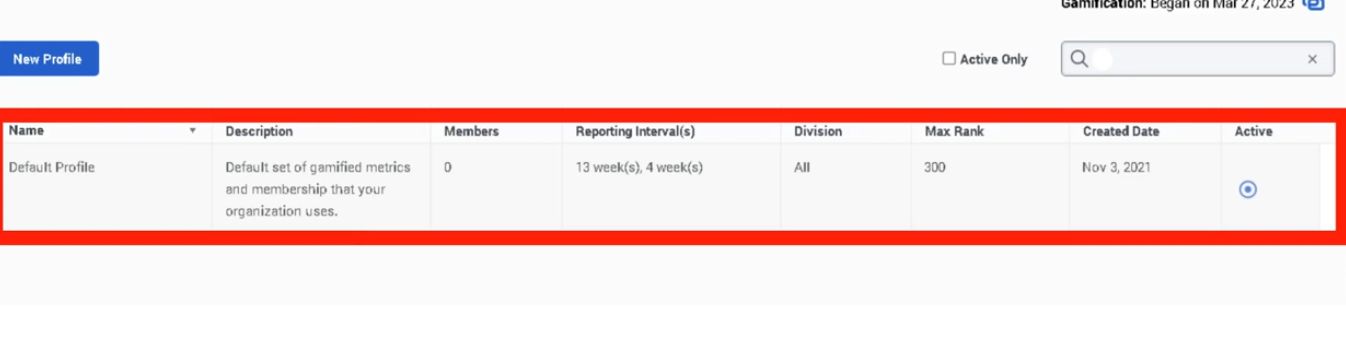
| Gamification |
External metrics may complement gamification goals in broader performance strategies |
| Reports, Views, and Dashboards |
Used to analyze performance impact across teams and time |
| Workforce Engagement Management |
External metrics fit into the broader performance and engagement toolset that Genesys associates with WEM/performance management. :contentReference[oaicite:5]{index=5} |
Integration Examples
| Integration |
Description |
| CRM Integration |
Import closed sales or revenue by employee from Salesforce or another CRM |
| Survey Platform Integration |
Import CSAT or post-contact survey outcome from an external survey system |
| ERP / Billing Integration |
Import collections, revenue, or billing accuracy metrics |
| Data Warehouse Feed |
Load curated KPI values from enterprise BI or analytics platforms |
Example integration workflow:
Third-Party System
        ↓
KPI Data Prepared Per Employee
        ↓
External Metric Definition Exists in Genesys
        ↓
Metric Values Loaded / Mapped
        ↓
Employee Scorecard Displays External KPI
| Topic |
Description |
| Performance Management |
Parent feature area for scorecards and engagement tooling ([Genesys Cloud Resource Center][1]) |
| Development and Feedback |
Use scorecard gaps to trigger targeted training assignments |
| Gamification |
Use performance metrics to motivate and reinforce goals |
| Reports, Views, and Dashboards |
Monitor performance trends using Genesys reporting capabilities ([Genesys Cloud Resource Center][1]) |
| Workforce Engagement Management |
Broader suite containing performance-related features ([Genesys Cloud Resource Center][1]) |
Implementation Checklist
| Task |
Status |
| Confirm performance management capability is available |
☐ |
| Identify external KPI source systems |
☐ |
| Define employee/user mapping strategy |
☐ |
| Create external metric definition |
☐ |
| Select correct metric unit |
☐ |
| Set rounding precision |
☐ |
| Validate scorecard display behavior |
☐ |
| Test import with pilot users |
☐ |
| Document data ownership and refresh cadence |
☐ |
Implementation Guide
| Step |
Action |
| Step 1 |
Identify the business KPI to import |
| Step 2 |
Confirm the KPI is tied to individual employees |
| Step 3 |
Navigate to Admin → Performance and Engagement → External Metrics Definitions |
| Step 4 |
Click Create |
| Step 5 |
Enter a Metric Name and optional Description |
| Step 6 |
Select the correct Metric Unit |
| Step 7 |
Set Rounding Precision |
| Step 8 |
Save the definition |
| Step 9 |
Validate that incoming data maps correctly to employee scorecards |
How to Implement
| Phase |
Description |
| KPI Design |
Decide which external KPI belongs in the scorecard |
| Definition Build |
Create the metric definition and choose display rules |
| Data Mapping |
Ensure values map to the correct employee identity |
| Validation |
Confirm value formatting and scorecard behavior |
| Rollout |
Expand from pilot to broader population |
| Governance |
Maintain owner, refresh frequency, and business definition |
Recommended unit selection:
| Data Type |
Recommended Unit |
| Count of events or items |
Number |
| Time-based KPI |
Seconds |
| Ratio or satisfaction rate |
Percent |
| Revenue / sales amount |
Currency |
Workflow
Business KPI Identified
        ↓
External Metric Definition Created
        ↓
Metric Unit and Precision Configured
        ↓
Third-Party Data Mapped to Employees
        ↓
Values Displayed in Scorecard
        ↓
Supervisor Uses Metric for Coaching / Performance Review
Architecture Diagram
External Business System
       ↓
KPI Extraction / Transformation
       ↓
Employee Mapping
       ↓
Genesys External Metric Definition
       ↓
Performance Scorecard
       ↓
Supervisor Review / Coaching / Gamification
Real Flow Scenarios
Scenario 1 – CSAT from External Survey Tool
External survey tool calculates CSAT by agent
        ↓
Admin defines metric = Customer Satisfaction
        ↓
Metric unit = Percent
        ↓
Rounding precision configured
        ↓
CSAT appears in employee scorecard
Scenario 2 – Sales Revenue from CRM
CRM stores closed sales by employee
        ↓
Admin defines metric = Sales Revenue
        ↓
Metric unit = Currency
        ↓
Values imported and mapped by employee
        ↓
Supervisor compares sales KPI to coaching results
Usage Scenarios
| Scenario |
Description |
| CX measurement |
Display CSAT or NPS-like results from an external survey platform |
| Sales enablement |
Bring revenue or conversion values into scorecards |
| Collections / recovery |
Measure payment recovery or settlement outcomes |
| Back-office QA |
Track externally measured accuracy or completion KPIs |
| Business outcome alignment |
Blend operational contact center performance with business KPIs |
Implementation Examples
| Example |
Configuration |
| CSAT Metric |
Unit = Percent / Precision = whole number or one decimal |
| Revenue Metric |
Unit = Currency / Precision = 2 decimals |
| Sales Count |
Unit = Number / Precision = 0 decimals |
| External Handle-Time Target |
Unit = Seconds / Precision based on reporting standard |
Design Example
Metric Name: Billing_CSAT
Description: Customer satisfaction result from external survey system
Metric Unit: Percent
Rounding Precision: 1
Data Source: Survey platform
Scorecard Audience: Billing agents
Best Practices
| Practice |
Reason |
| Define clear business ownership for each metric |
Prevents disputes over KPI meaning |
| Match the unit to the source data exactly |
Avoids misleading scorecard display |
| Keep rounding precision consistent across similar KPIs |
Improves readability and comparison |
| Pilot with a small user group first |
Validates mapping and formatting |
| Document employee mapping logic |
Prevents scorecard attribution errors |
| Use meaningful metric names |
Makes scorecards easier to interpret |
| Review refresh cadence with stakeholders |
Ensures expectations match data timeliness |
Source: Operational Best Practice
Naming Convention
| Resource |
Example |
| CSAT Metric |
CX_CSAT_Percent |
| Sales Metric |
Sales_Revenue_USD |
| Time Metric |
Service_Resolution_Seconds |
| Quality Metric |
BackOffice_Accuracy_Percent |
Naming pattern:
<BusinessArea>_<MetricName>_<Unit>
Examples:
Support_CSAT_Percent
Sales_Revenue_Currency
Collections_Payments_Number
Security Considerations
| Control |
Description |
| Role-Based Access |
Limit who can create and edit external metric definitions |
| Data Minimization |
Import only needed KPI values |
| Employee Mapping Controls |
Ensure values are attached to the correct user |
| Sensitive Financial Data Handling |
Treat currency and sales metrics as potentially confidential |
| Auditability |
Keep a record of metric purpose, owner, and source |
| Least Privilege |
Restrict integration accounts and administrative access |
Limitations / Constraints
| Constraint |
Description |
| Supported Units in Transcript |
Number / Seconds / Percent / Currency |
| Precision Setting |
Rounding precision is configurable per metric definition |
| Character Limits |
Not explicitly documented in Genesys UI documentation |
| Exact Import Method |
Not explicitly documented in Genesys UI documentation in the provided source set |
| Additional Advanced Fields |
Not explicitly documented in Genesys UI documentation in the provided source set |
| User Mapping Requirement |
External data must be attributable to the correct employee for scorecard usefulness |
| Scorecard Dependency |
External metrics are only useful if scorecards/performance tooling is enabled. Genesys positions performance management and scorecards as part of this feature family. ([Genesys Cloud Resource Center][1]) |
Troubleshooting
| Issue |
Cause |
Resolution |
| Metric not visible in scorecard |
Definition exists but values not loaded or not mapped |
Validate data pipeline and employee mapping |
| Incorrect number format |
Wrong unit selected |
Update metric unit to match source data |
| Too many decimals displayed |
Rounding precision not aligned |
Adjust rounding precision |
| Wrong employee receives KPI |
Mapping logic incorrect |
Review source identifiers and identity matching |
| Stakeholders dispute KPI meaning |
Poor naming/definition |
Update description and ownership documentation |
| Data arrives late |
Upstream integration or refresh issue |
Review source cadence and integration process |
Interview Cheat Sheet
| Question |
Answer |
| What is External Metrics Definitions? |
A feature used to define third-party KPIs so they can appear in employee scorecards |
| What metric units are mentioned in the training? |
Number, Seconds, Percent, Currency |
| What is rounding precision used for? |
It controls how imported values are displayed |
| Give examples of external metrics |
CSAT, sales, revenue, or other business KPIs |
| Is an API or import method a UI field? |
No, integrations belong under platform integration, not UI fields |
| Why use external metrics? |
To enrich scorecards with business outcomes not generated natively by Genesys |
Key Takeaways
| Topic |
Summary |
| External Metrics |
Bring third-party KPI values into employee scorecards |
| Metric Unit |
Determines how the KPI is displayed and interpreted |
| Rounding Precision |
Controls scorecard value presentation |
| Business Value |
Connects contact center performance with external business outcomes |
| Documentation Caveat |
Some advanced UI and import details are not explicitly documented in the provided official UI source set |
Screenshots


No Comments