
AZ-104 Azure - Storage Accounts
- Azure Queue: Message Based storage for microservices.
- Azure Table: Non-relational semi-structured data storage service.
- Azure Files: Cloud-based file-sharing service.
- Azure blob: object-oriented storage solutions (store jpgs, mp4s, etc).
| Type of storage account | Supported storage services | Redundancy options | Usage |
|---|---|---|---|
| Standard general-purpose v2 | Blob Storage (including Data Lake Storage1), Queue Storage, Table Storage, and Azure Files | Locally redundant storage (LRS) / geo-redundant storage (GRS) / read-access geo-redundant storage (RA-GRS) Zone-redundant storage (ZRS) / geo-zone-redundant storage (GZRS) / read-access geo-zone-redundant storage (RA-GZRS)2 |
Standard storage account type for blobs, file shares, queues, and tables. Recommended for most scenarios using Azure Storage. If you want support for network file system (NFS) in Azure Files, use the premium file shares account type. |
| Premium block blobs3 | Blob Storage (including Data Lake Storage1) | LRS ZRS2 |
Premium storage account type for block blobs and append blobs. Recommended for scenarios with high transaction rates or that use smaller objects or require consistently low storage latency. Learn more about example workloads. |
| Premium file shares3 | Azure Files | LRS ZRS2 |
Premium storage account type for file shares only. Recommended for enterprise or high-performance scale applications. Use this account type if you want a storage account that supports both Server Message Block (SMB) and NFS file shares. |
| Premium page blobs3 | Page blobs only | LRS ZRS2 |
Premium storage account type for page blobs only. Learn more about page blobs and sample use cases. |
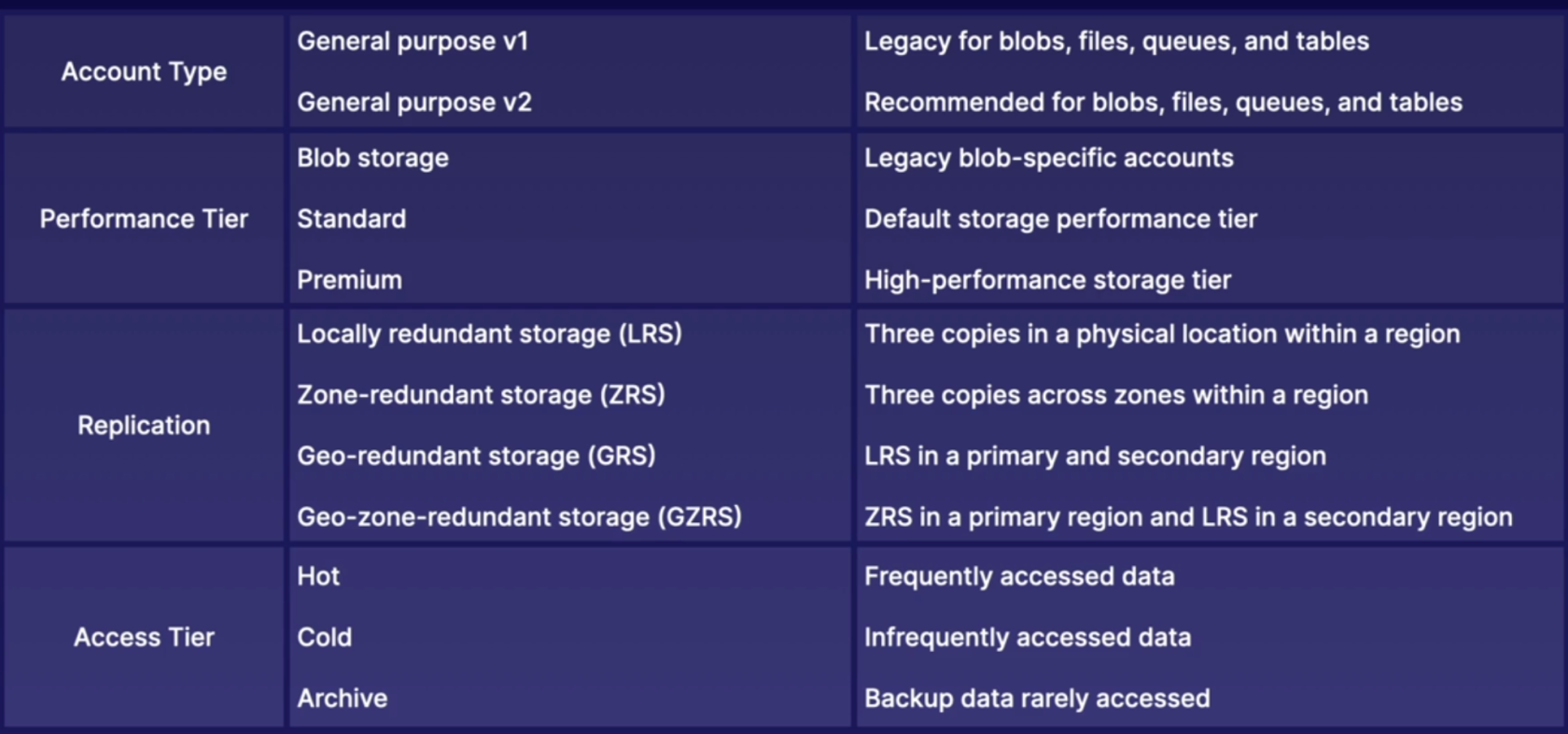
Storage accounts
- Account type: determines feature and costs.
- Performance tier: determines performance levels.
- Replication: determines infrastructure redundancy.
- Access tier: determines access level and data costs.
Azure Storage Redundancy
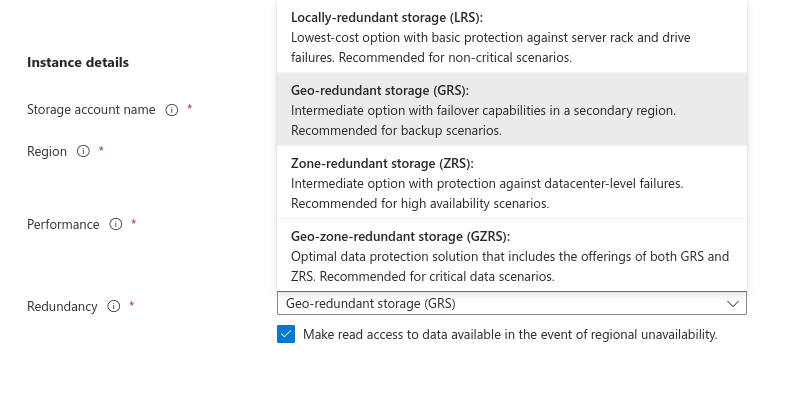
Locally redundant storage

Locally redundant storage (LRS) copies your data three times across separate racks of hardware in a datacenter inside one region. Even if there's a hardware failure or if there's maintenance work in the datacenter, this replication type ensures data is available for use.
LRS doesn't protect you from a datacenter-wide outage. If the datacenter goes down, you could lose your data.
Geographically redundant storage
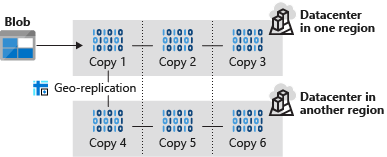
Read-access geo-redundant storage
With GRS, your secondary region isn't available for read access until the primary region fails. If you want to read from the secondary region, even if the primary region hasn't failed, use Read-access geo-redundant storage (RA-GRS) for your replication type.
Zone-redundant storage

Zone-redundant storage (ZRS) copies your data in three storage clusters in a single region. Each cluster is in a different physical location and is considered as a single availability zone. Each cluster uses its own separate utilities for things like networking and power. If one datacenter is experiencing an outage, your data remains accessible from another availability zone in the same Azure region.
Because all availability zones are in a single region, ZRS can't protect your data from a regional-level outage.
Geo-zone-redundant storage
Geo-zone-redundant storage (GZRS) combines the high availability benefits of ZRS with GRS. With this replication type, your data is copied across three availability zones in one region. Data is also replicated three times to another secondary region that's paired with it. This way, your zone-redundant data is also secure from regional-level outages.
Read-access geo-zone-redundant storage
Read-access geo-zone-redundant storage (RA-GZRS) uses the same replication method as GZRS, but lets you read from the secondary region. If you want to read the data that's replicated to the secondary region, even if your primary isn't experiencing downtime, use RA-GZRS for your replication type.
GZRS and RA-GZRS are currently available in the following regions:
- South Africa North
- Australia East
- East Asia
- Japan East
- Korea Central
- Southeast Asia
- Central India
- France Central
- Germany West Central
- North Europe
- Norway East
- Sweden Central
- Switzerland North
- UK South
- West Europe
- Canada Central
- Central US
- East US
- East US 2
- South Central US
- West US 2
- West US 3
- US Gov Virginia
- Brazil South
Paired regions
A paired region is where an Azure region is paired with another in the same geographical location to protect against regional outage. Paired regions are used with GRS and GZRS replication types.

Here's a list showing some of the regions that are paired together. You can get the full list at Azure paired regions.
| Region | Region | |
|---|---|---|
| Asia | East Asia | Southeast Asia |
| Australia | Australia East | Australia Southeast |
| Canada | Canada Central | Canada East |
| China | China North | China East |
| Europe | North Europe (Ireland) | West Europe (Netherlands) |
| Japan | Japan East | Japan West |
| North America | East US | West US |
| South Africa | South Africa North | South Africa West |
| UK | UK West | UK South |
Use cases for each replication type
The following table summarizes how many copies you get with each replication type and when you should use it.
| Replication type | Copies | Use case |
|---|---|---|
| LRS | 3 | Data remains highly available, but for compliance reasons, isn't allowed to leave the local datacenter. |
| GRS | 6 | App has access to the data, even if an entire region has an outage. |
| RA-GRS | 6 | App reads from multiple geographical locations, so you can serve users from a location that's closer to them. |
| ZRS | 3 | Need redundancy in multiple physical locations, but because of compliance, data isn't allowed to leave a region. |
| GZRS | 6 | App can access data, even if the primary region has failed, and your secondary region has a datacenter that's experiencing an outage, but you don't want to read from the secondary region unless the primary region is down. |
| RA-GZRS | 6 | Regularly read data from your secondary region, perhaps to serve users from a location closer to them, even if a datacenter is up in your primary region. |
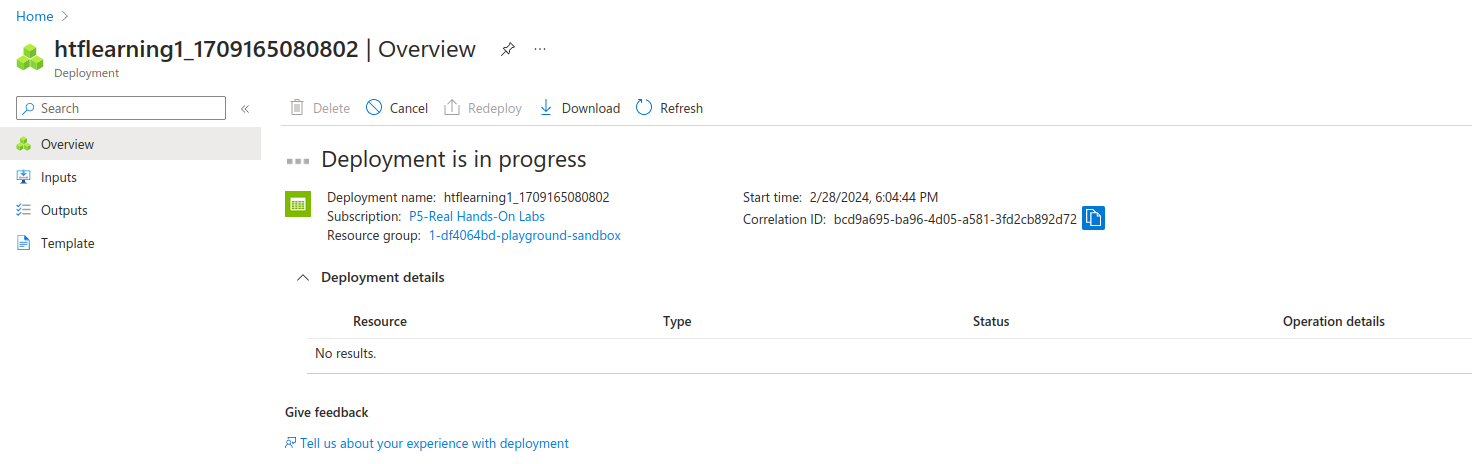
Creating a storage account
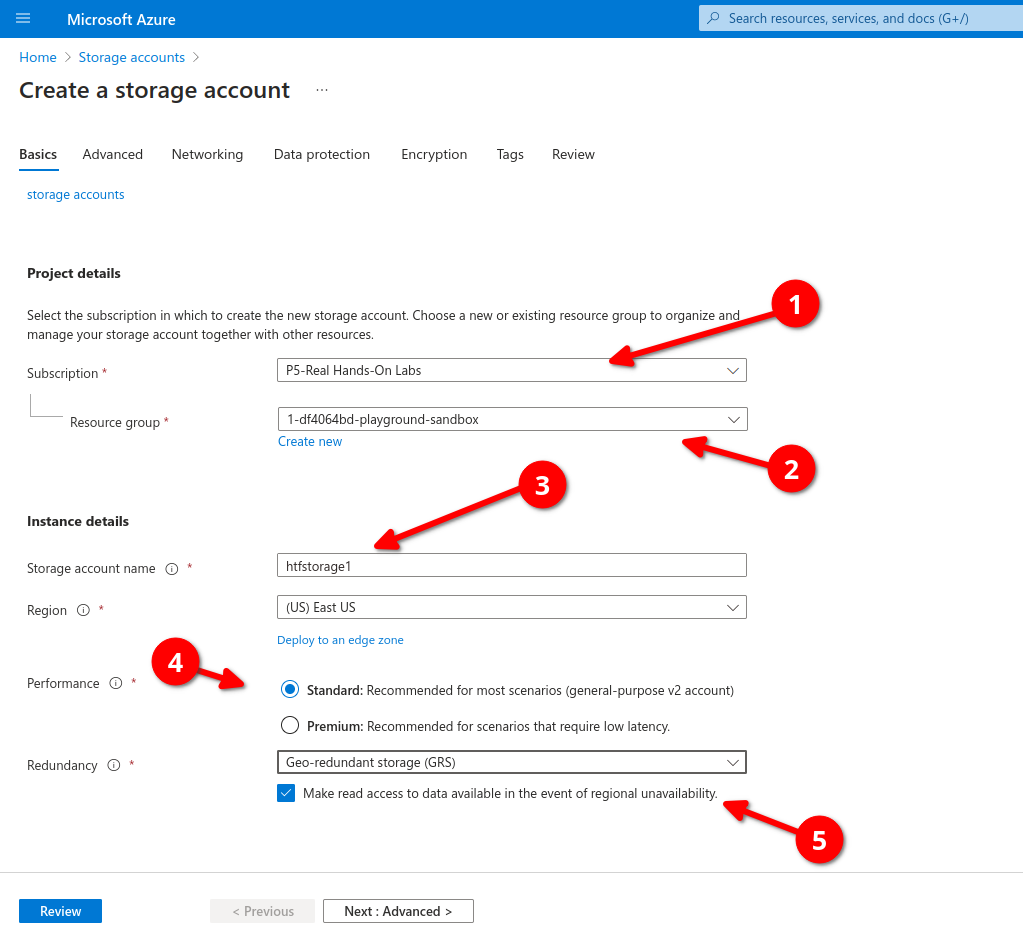
Select type of redundancy
No Comments