
AZ-104 Azure - Configuring Blob Lifecycle Management
Azure Blob Storage service feature that enables automation to manage lifecycle operations of blobs.
- Automate blob lifecycle: Easily manage blob life-cycles from frequent use to archive or deletion
- Move access tiers: Switch blobs between tiers to meet access or usage needs.
- Optimize cost: Save money by decreasing admin overhead and tiering blobs based on usage requirements.
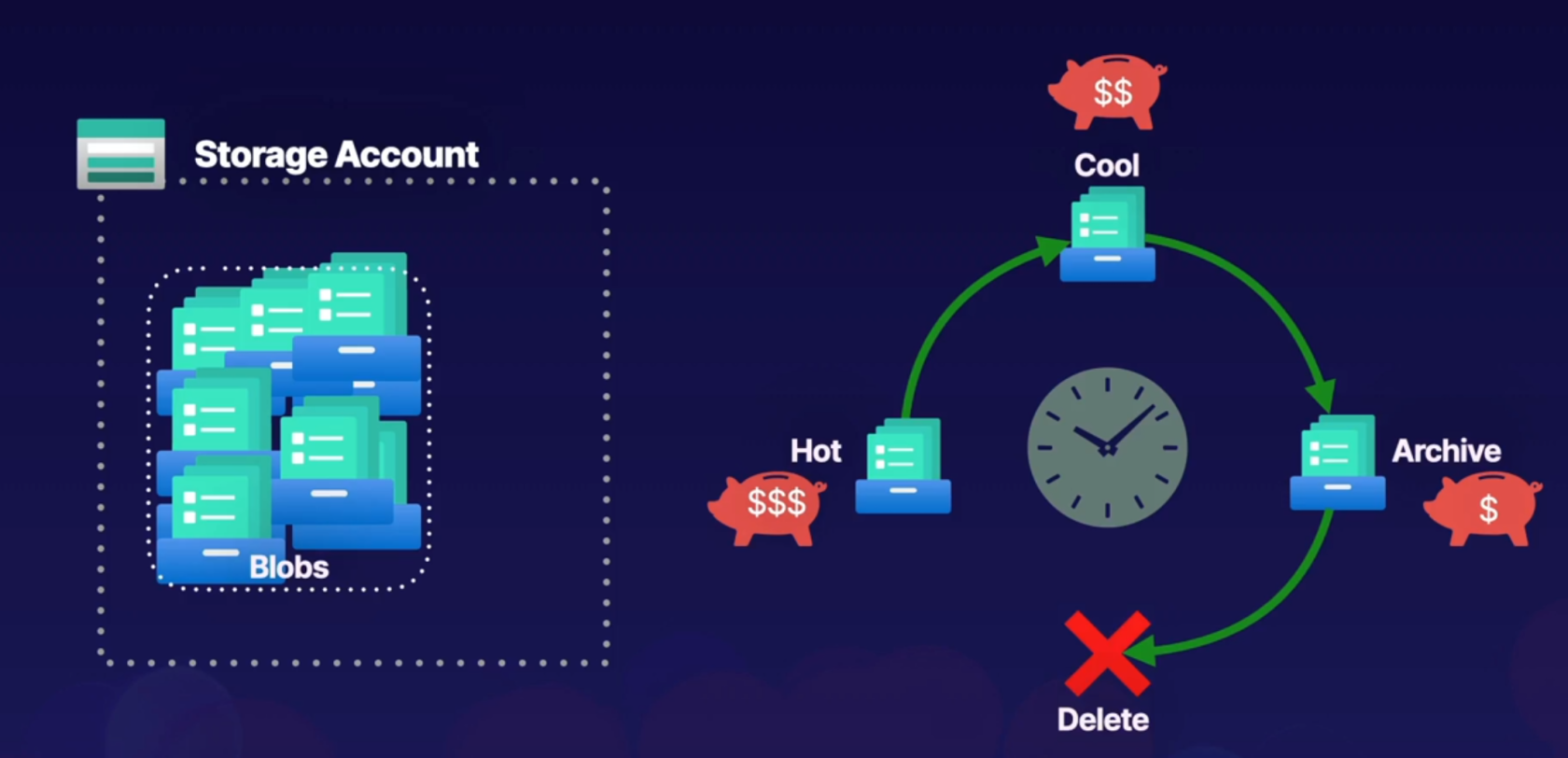
Let's add random files to our container and add a lifecycle rule
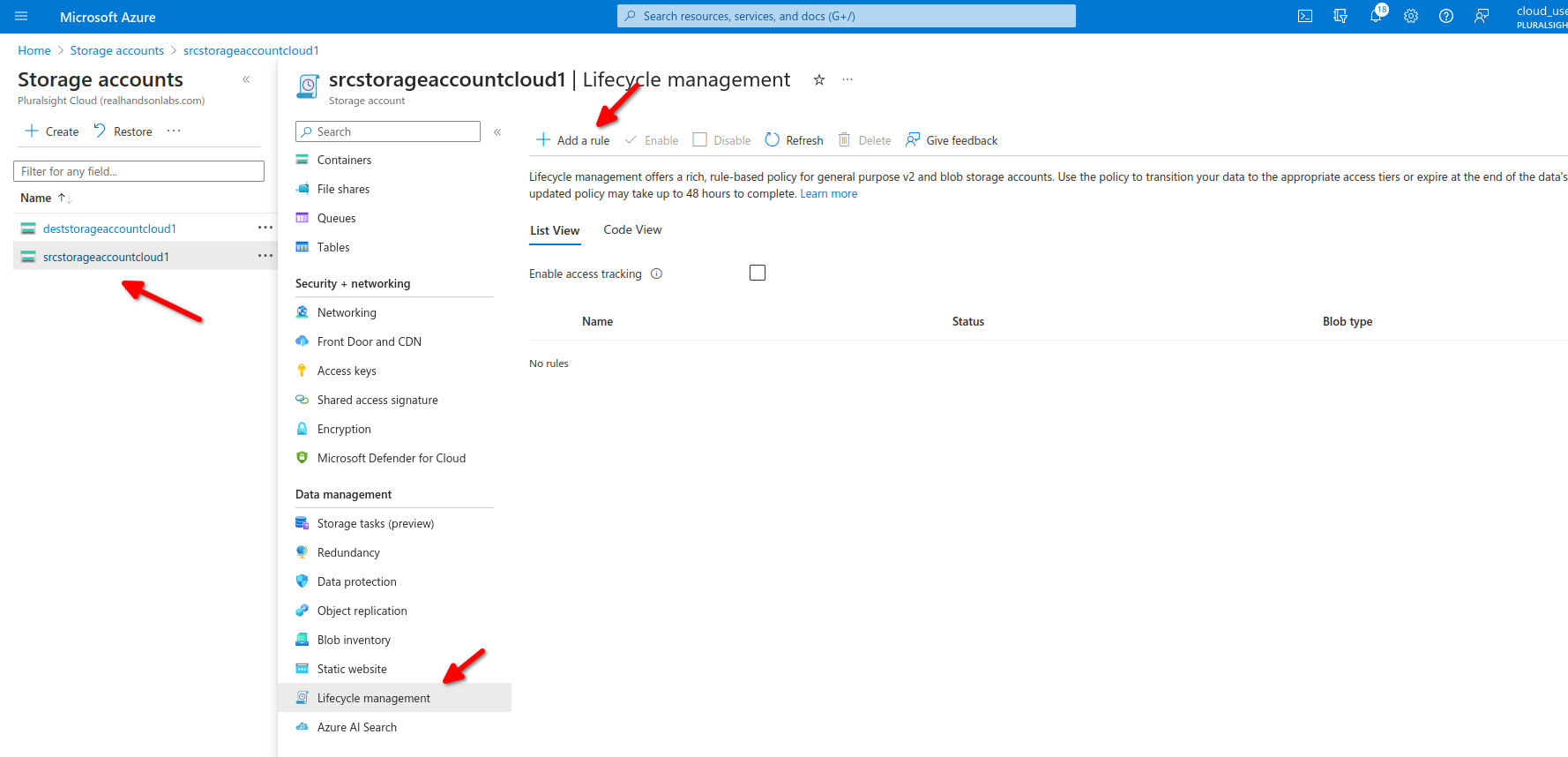
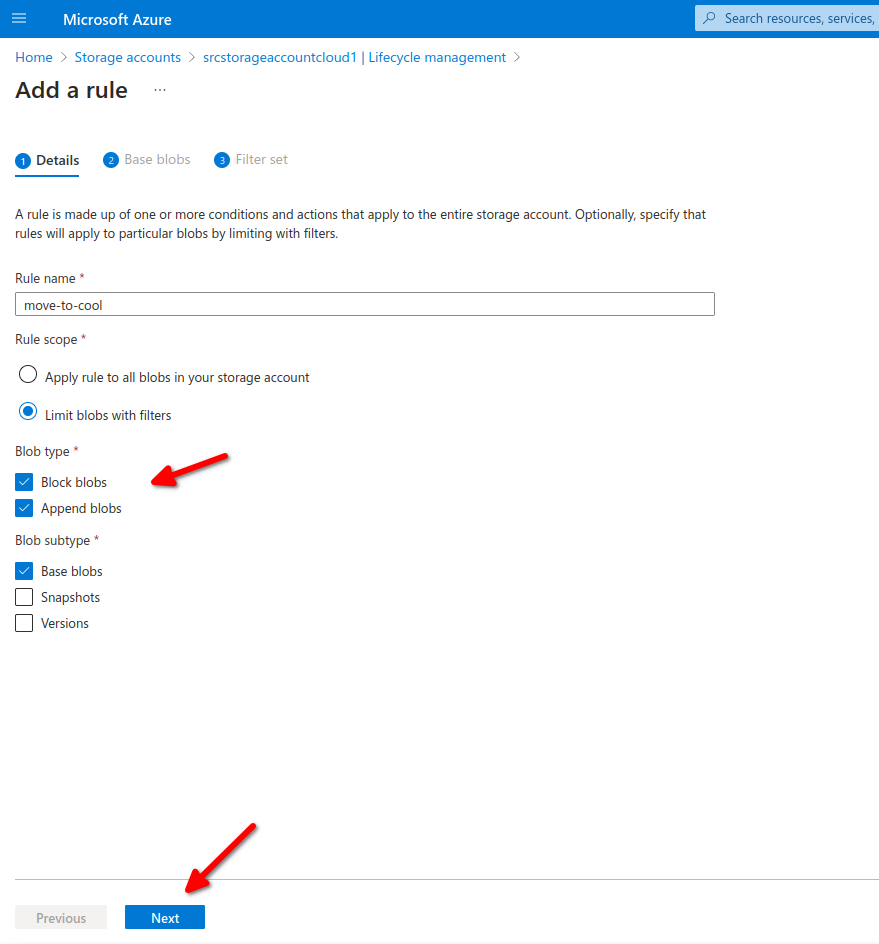
we can also specify a filter to modify only those inside our testcontainer/folder

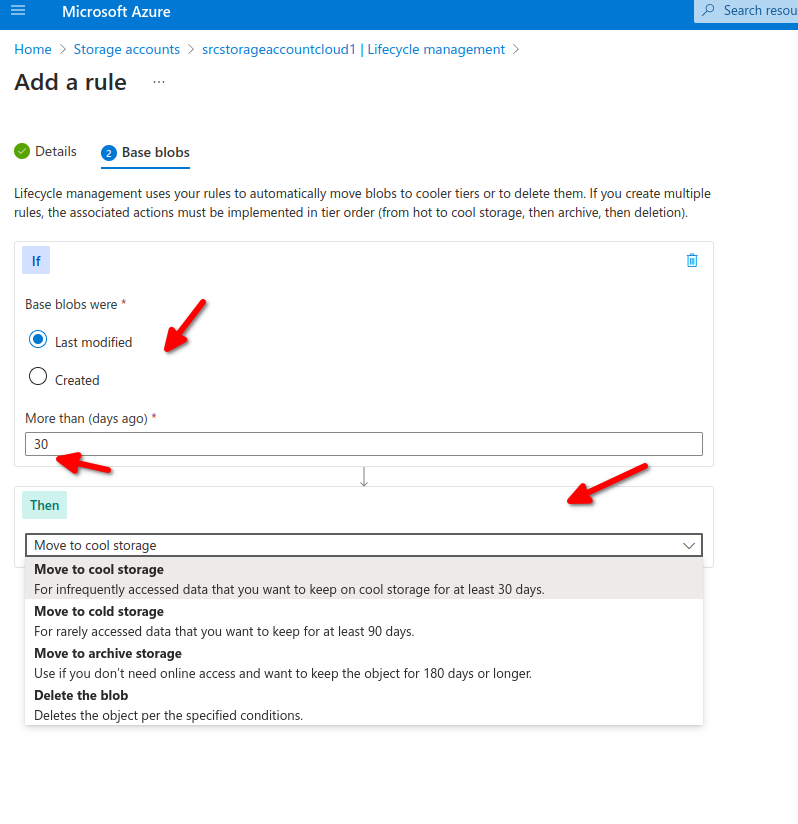
Now after 30 days all our blobs will move from hot to cold.
- Storage accounts: Support GPv2 storage accounts and blob storage accounts.
- Types and Sub-types: Support block and append blobs and support sub-types such as based blobs snapshots and versions.
- Filtering: filter blobs in the rule using prefix or blob index matches.
- Scoping: Scope at the storage account or limit blobs with filters.
- If/Then Logic: Uses logic in lifecycle rules to move blobs through access tiers based on modification and access times.
No Comments