
AZ-104 Azure - Conceptualizing Azure Blog Storage
- Describing Azure Blob Storage
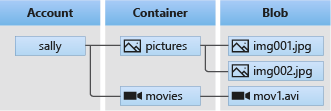
- Components of Blob Architecture
- Type of Blobs
- Container Access Levels
Azure Blob Storage is Microsoft's object storage solution for the cloud. Blob Storage is optimized for storing massive amounts of unstructured data. Unstructured data is data that doesn't adhere to a particular data model or definition, such as text or binary data. Its object based and easily accessible from HTTP/REST
Blob Storage is designed for:
- Serving images or documents directly to a browser.
- Storing files for distributed access.
- Streaming video and audio.
- Writing to log files.
- Storing data for backup and restore, disaster recovery, and archiving.
- Storing data for analysis by an on-premises or Azure-hosted service.
Blob Architecture
- Blob Service: A sub service for storage accounts.
- Blob Container: The container where we store our blobs.
- Blobs: The data we store in our containers.
Types of Blobs
- Block blobs: Storing images or videos best suited for streaming.
- Append blobs: Log files
- Page Blobs: Virtual machine disks
Container Access Level
- Access control: By default, public access to blobs is granted at the storage account level
Container Access Levels:
- Private: No anonymous access.
- Blob: Anonymous access to blob
- Container: Anonymous access to container and blobs it contains.
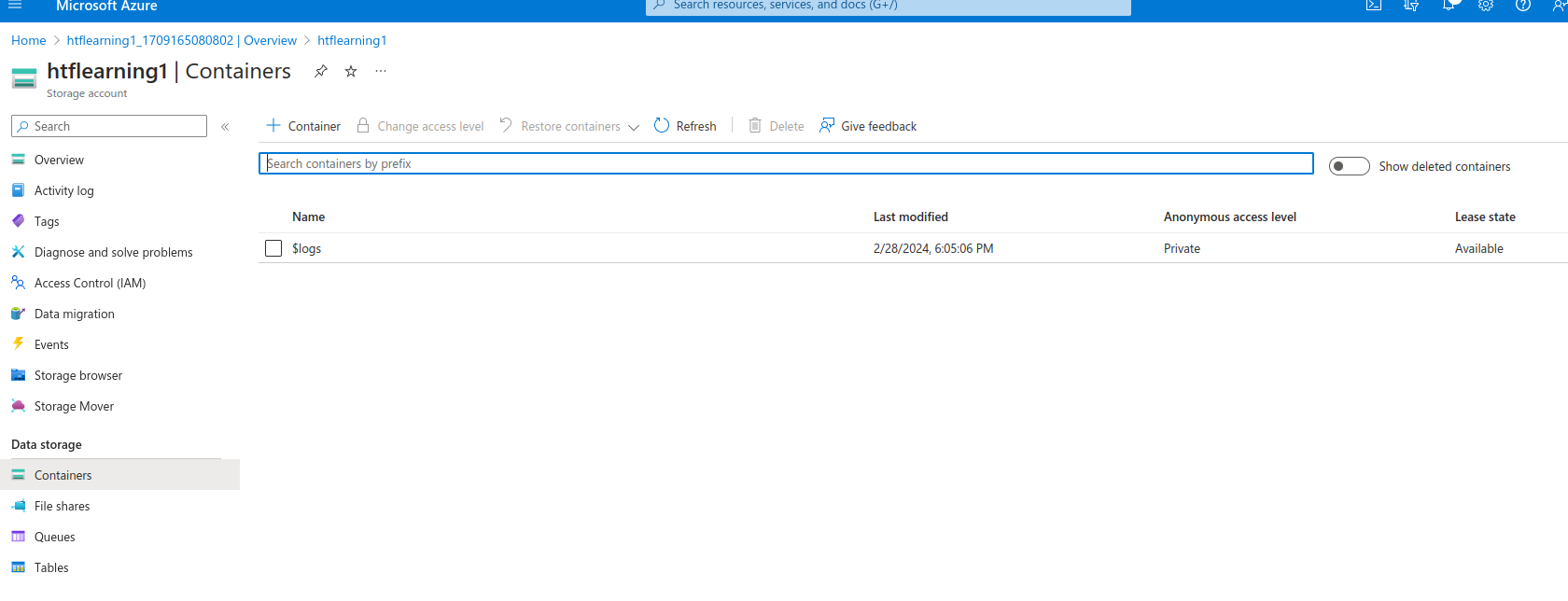
Now let's access our Storage account ,below we can see the system storage account, here we will crate a container
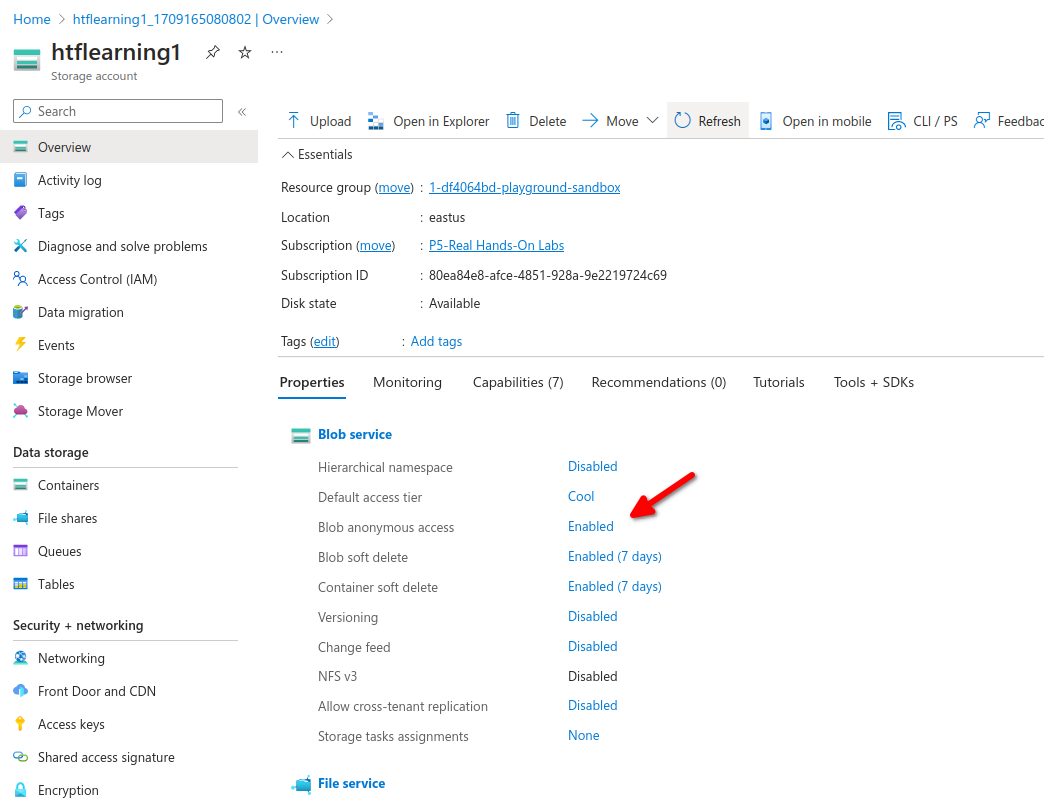
First check if blob anonymous access its enabled if not click on the link to enable
now create a new container, anonymous access level will only be available if blob anonymous access its enabled.

3 different levels of containers with different access.
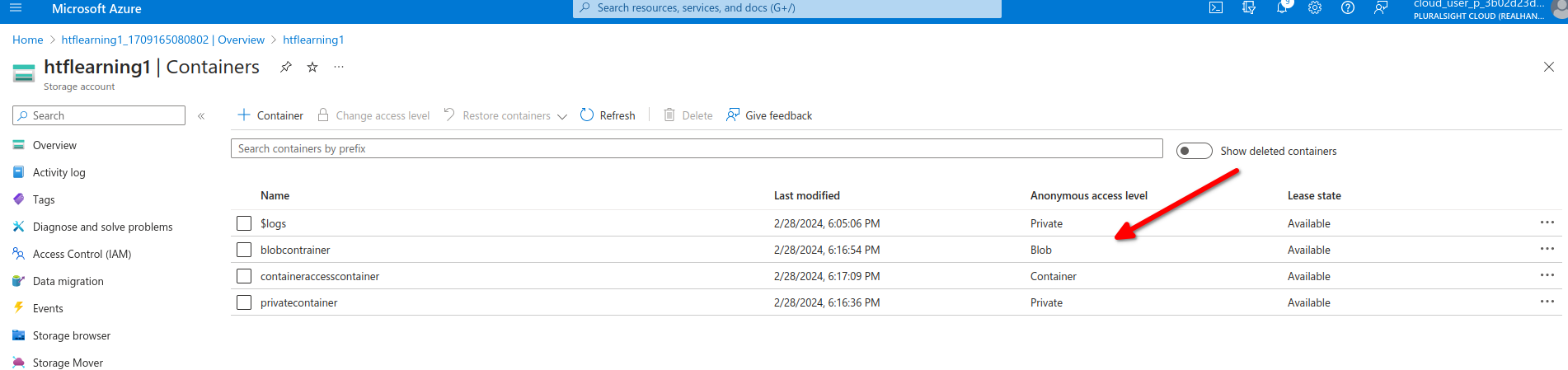
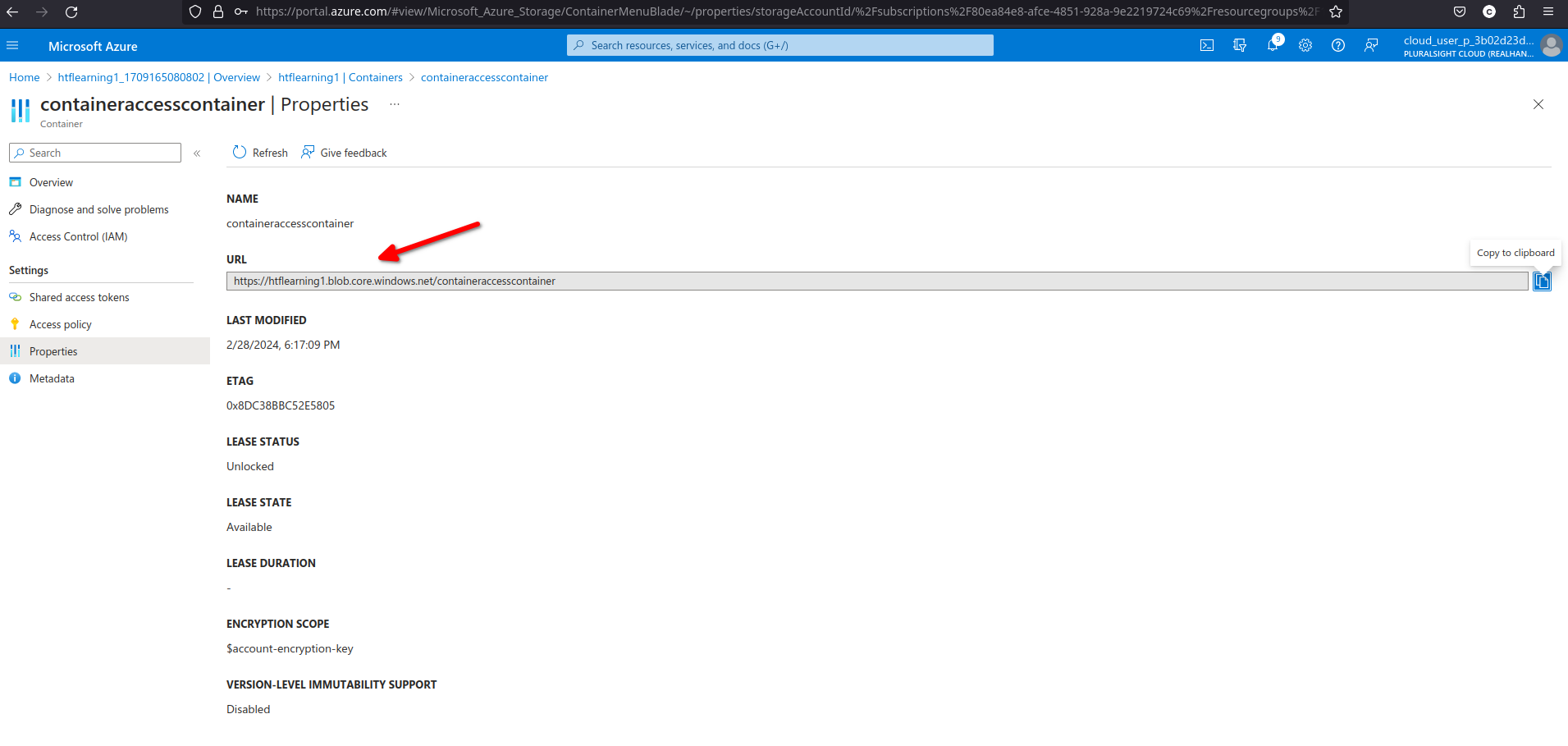
We can see each container has its own url to access the container
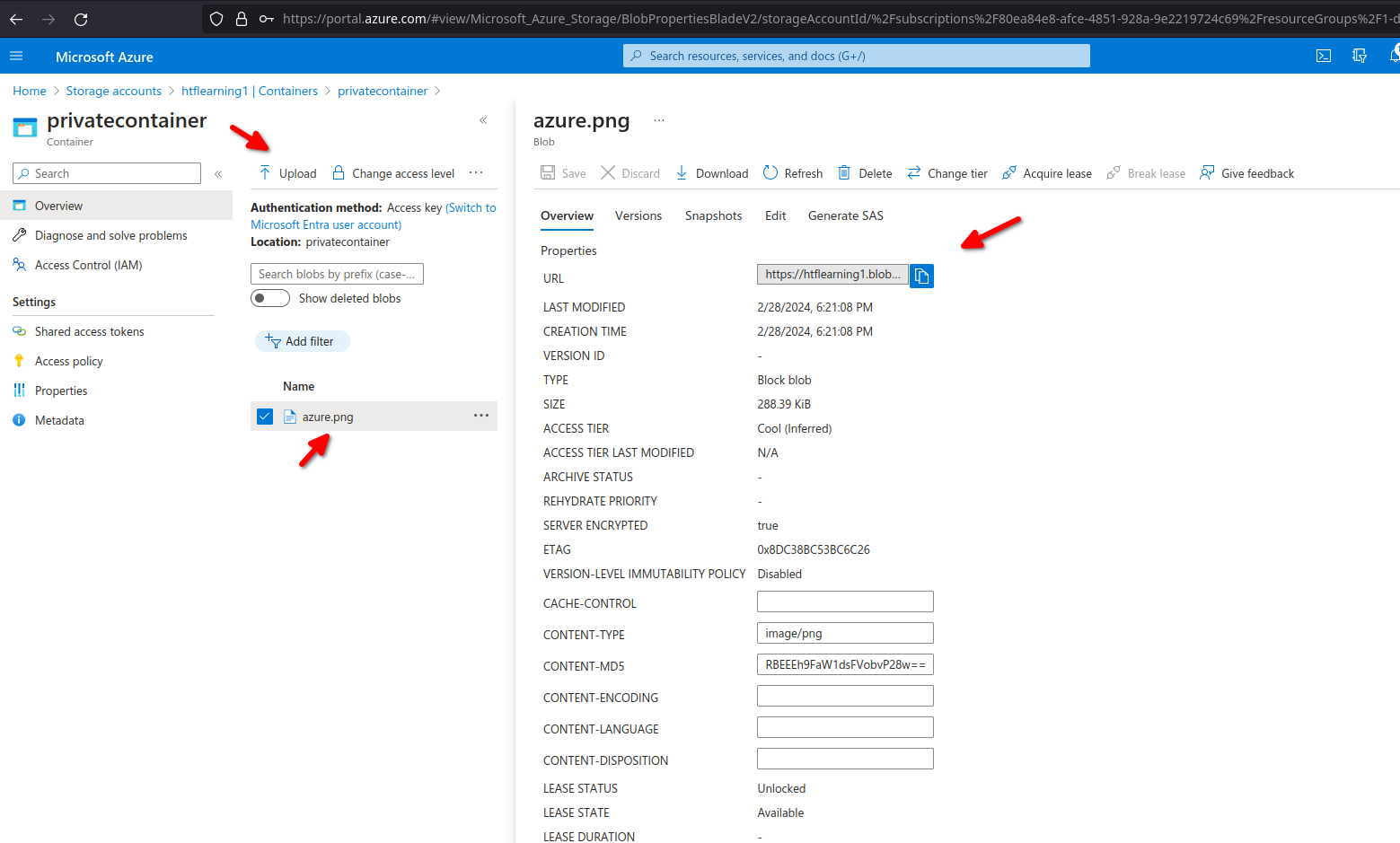
now let's upload a random file to our private container, we can see it has its own url to access the file directly
No Comments