
AZ-104 Azure RBAC - Assigning access to resources
- Explaning Azure RBAC
- Understanding Role definitions
- Additive Property
Explaining Azure RBAC
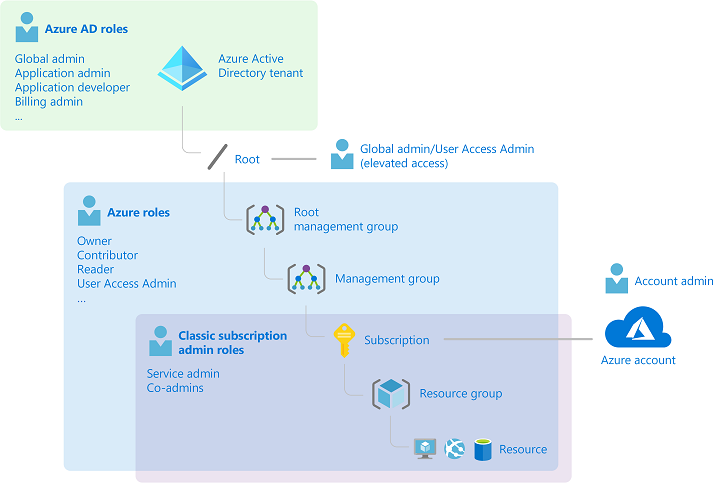
Azure RBAC is an authorization system
- Security Principal: Defining the who we want to authorize, WHO?
- Role Definition: assign a role definition to that identity, WHAT?
- Scope: where we are defining where we are going to perform this actions, WHERE?
We have to provide this access explicit, there is an implicit deny
Understanding Role Definitions
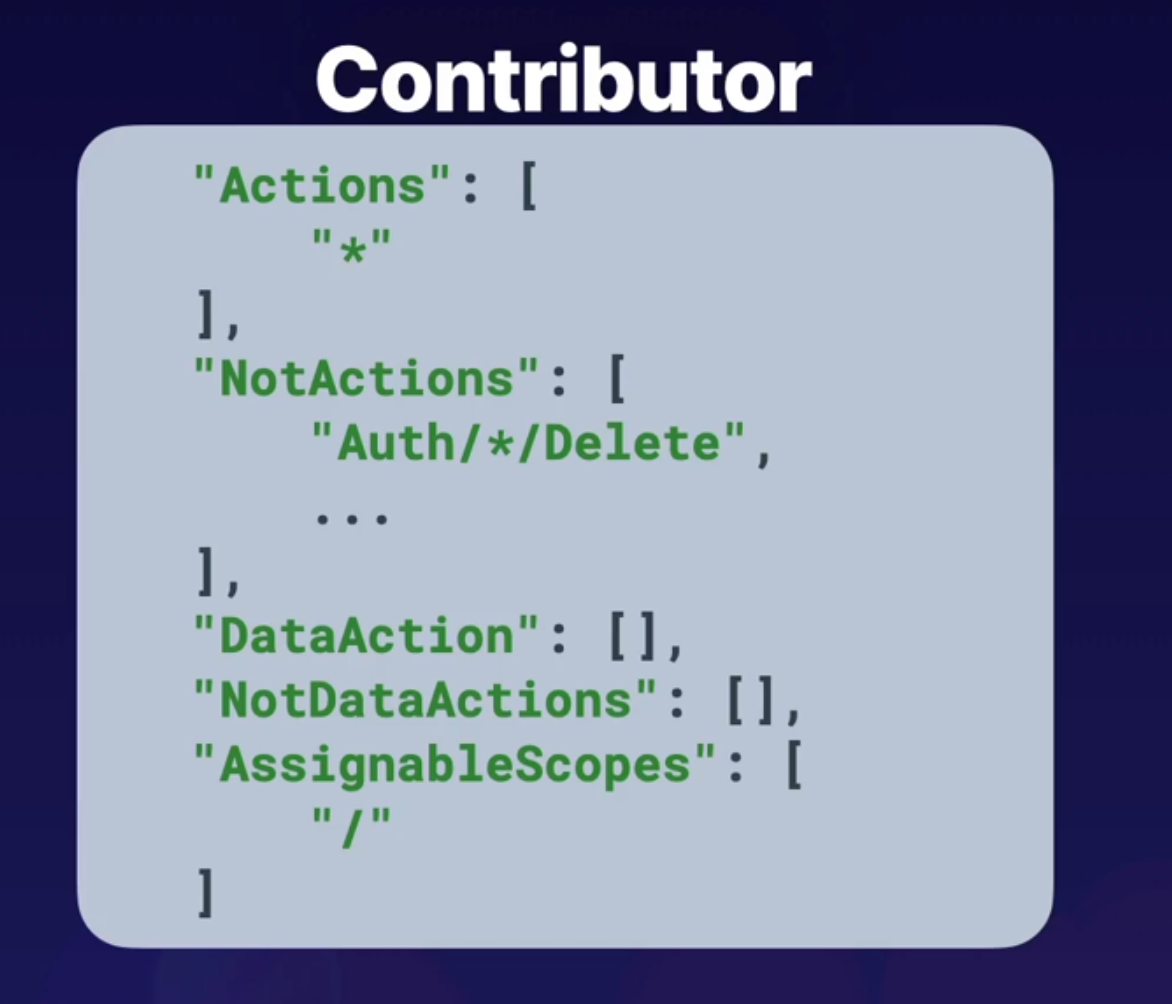
Contributor
- Actions: Define what actions are allowed to be performed on the management plane, managing resources inside of azure like starting or stopping virtual machines.
- NotActions: Actions we are going to deny on managing resources inside of Azure. For example, if we wanted to allow a user to perform a restart on a virtual machine, we could outline that in Actions, but it could be overwritten and overruled by a NotAction denying that same action inside this role definition.
Then we have the next component, which are our DataActions, and our NotDataActions.And these are the same kind of thing as our Actions and NotActions, except for rather than being on the control plane of managing Azure resources, this will take an impact on data-related actionssuch as working with data inside of Azure Storage accounts.
- AssignableScope: where we define where we're going to assign the scope for this resource. And it can be all the way down
to a specific resource, where we assign the scope to a resource group, to a subscription, or even a management group.
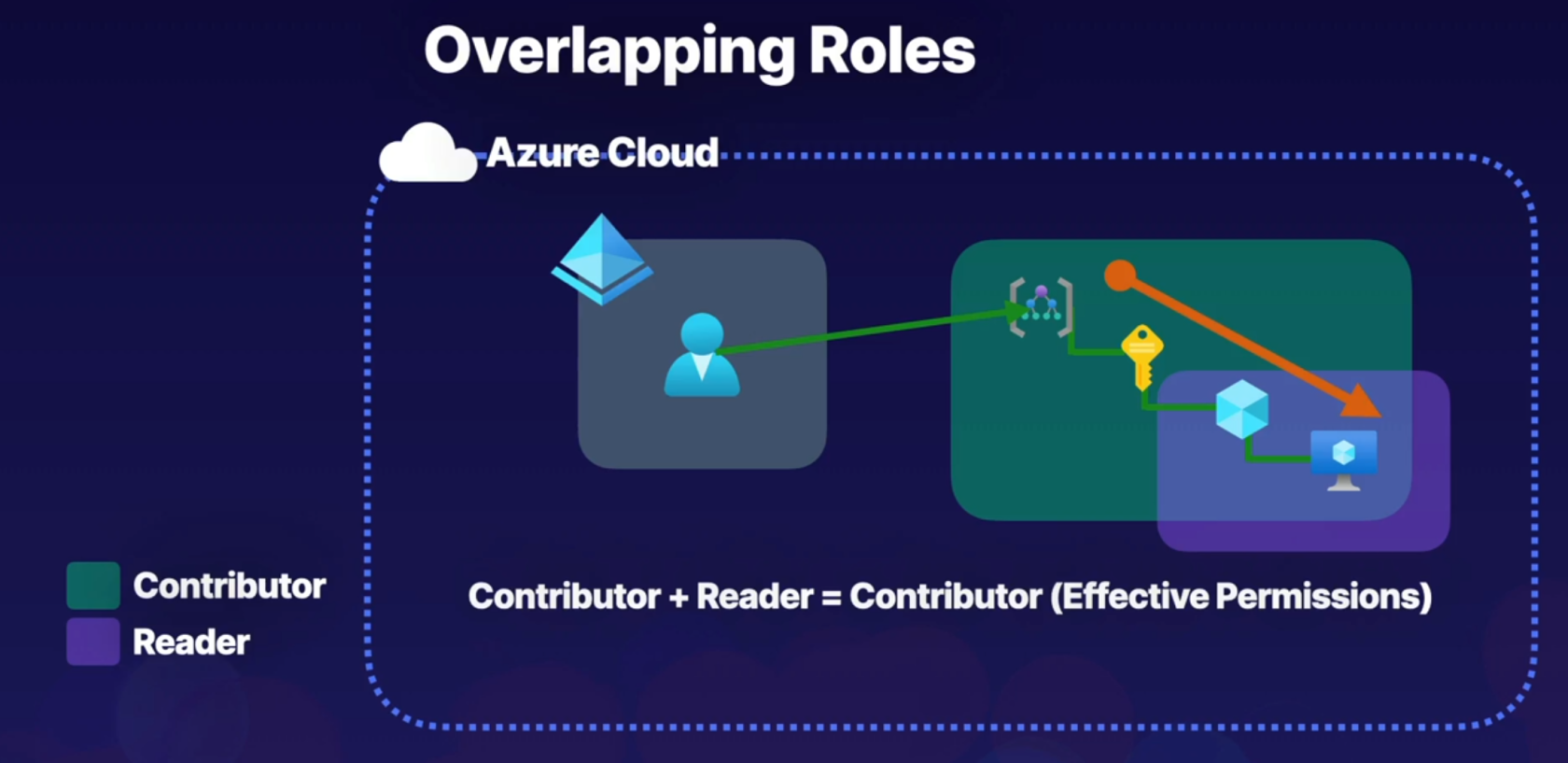
For example, if we have this user here in our Azure Active Directory tenant that is assigned the Contributor role at the management group scope here, but also assigned a Reader role at a resource group scope inside of the same hierarchical structure, what we have to understand when we have overlapping roles like this, and multiple role assignments for a single identity, is that roles follow an additive property. So what we do is we add the effective permissions of each of these role definitions, and by performing this addition, this will inform us what the effective permissions will be. So in this case, Contributor + Reader = Contributor, because Contributor provides Reader functionality. So effectively, this user will have Contributor at the management group scope, and that will be inherited all the way down. And there's no additional permissions that are being provided by actually having the Reader role assignment. So this user's permissions will just waterfall all the way down and be inherited to the lowest level.
Assigning access
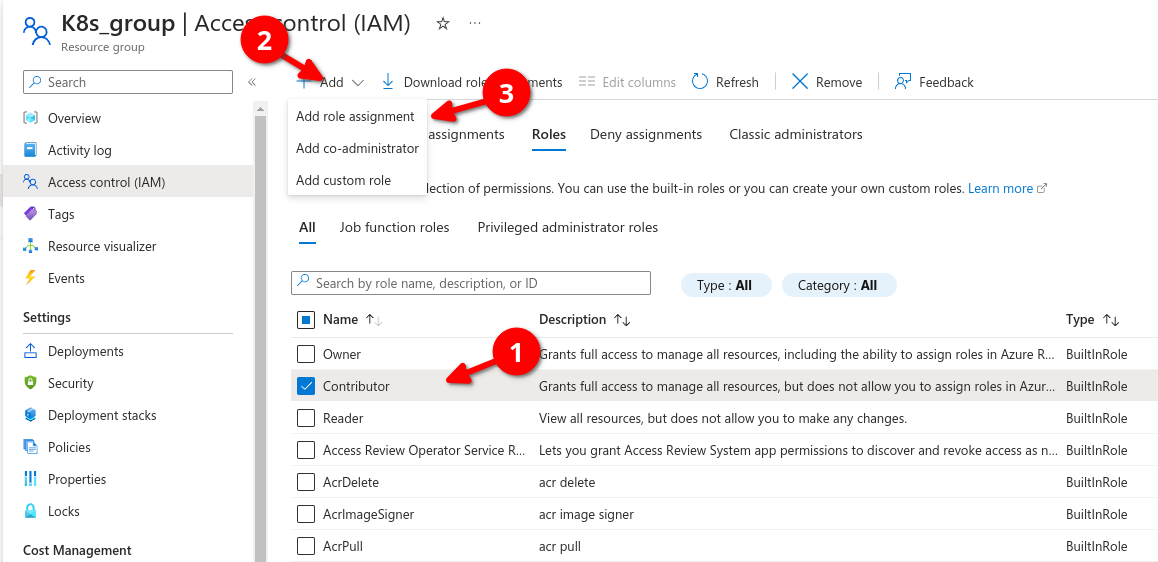
Lets go to resource groups and select a group (K8s_group in example below) then if we go to roles we can see all role assignments, here we can determine a user can be a contributor (grants full access to manage all roesources bu tdoes not allow you to assign roles in Azure RBAC)
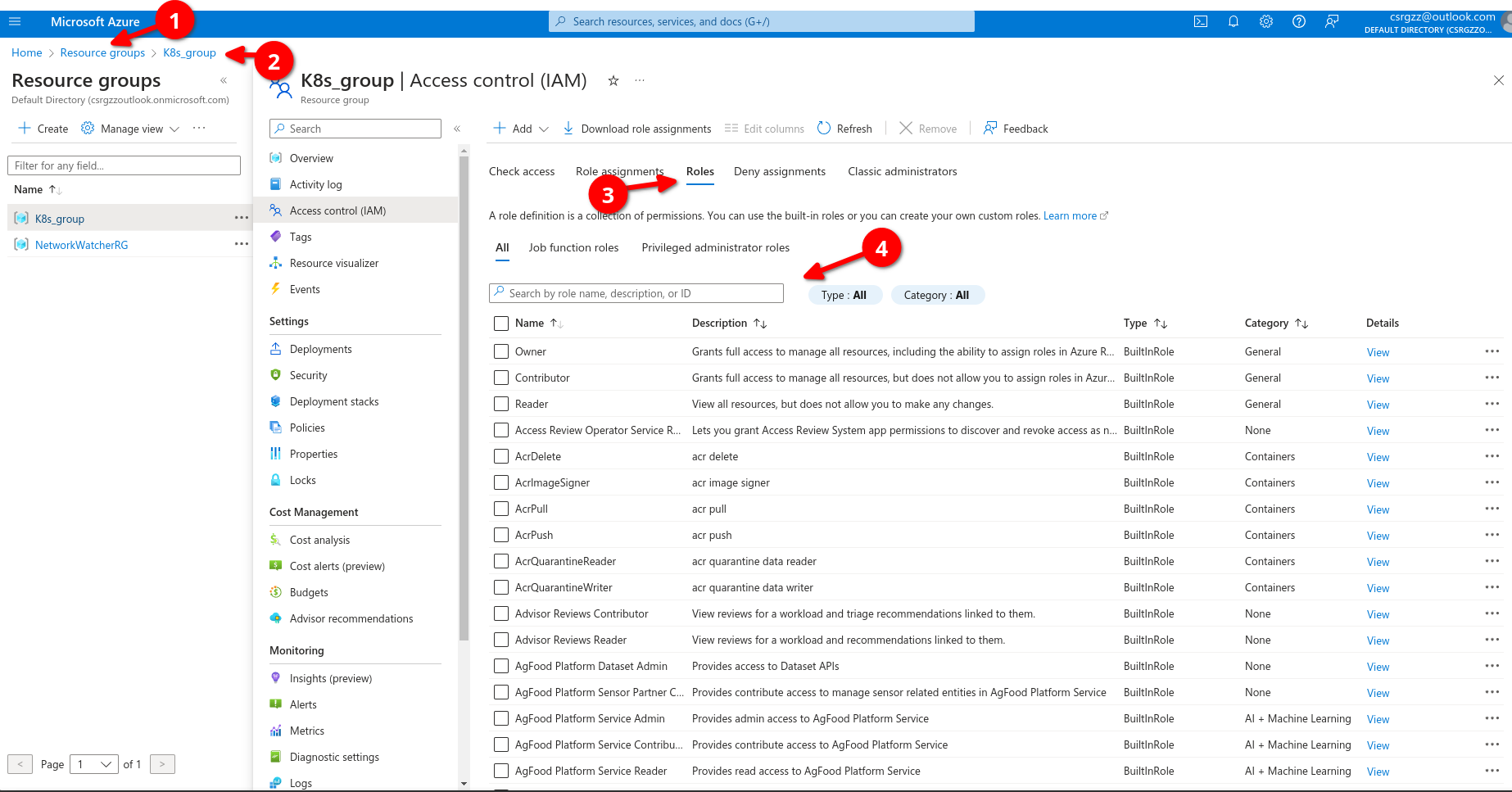
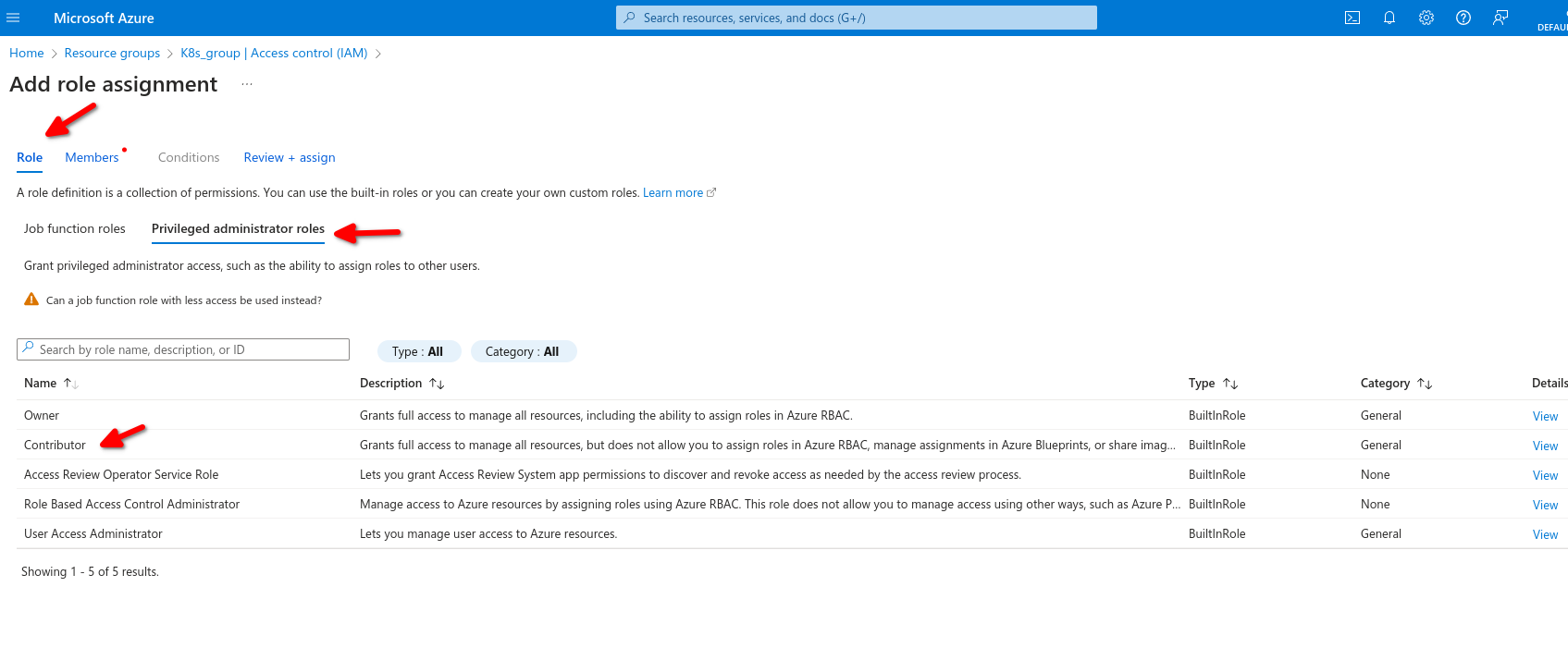
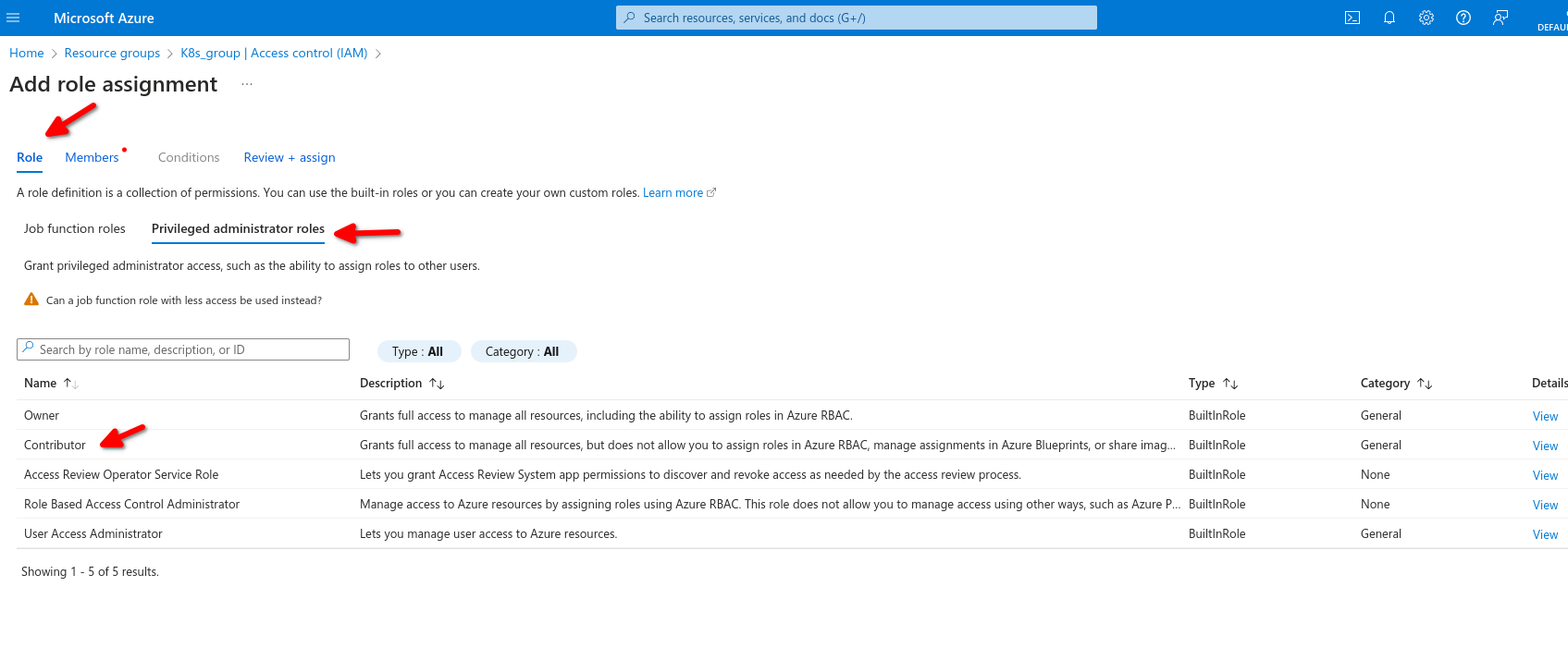
We select contributor,, then add then add role assignment
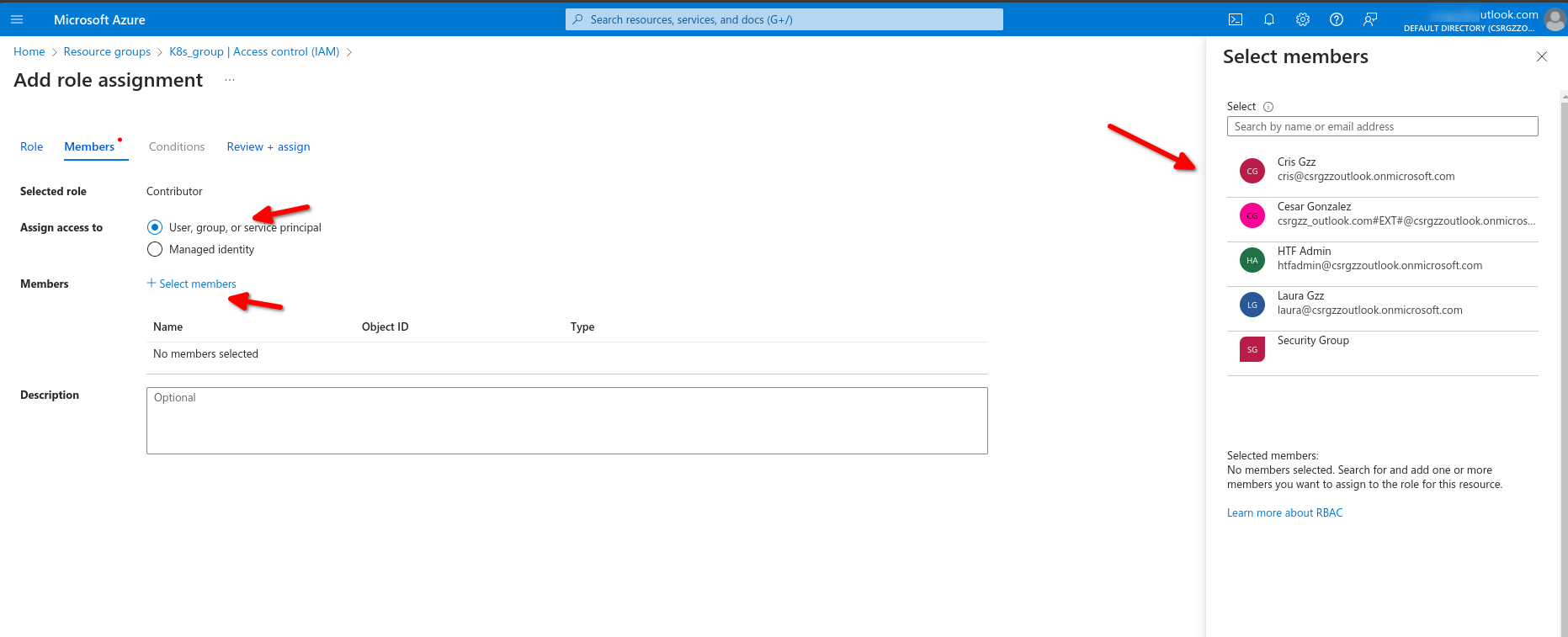
Now back on resources group we can see the role assignments
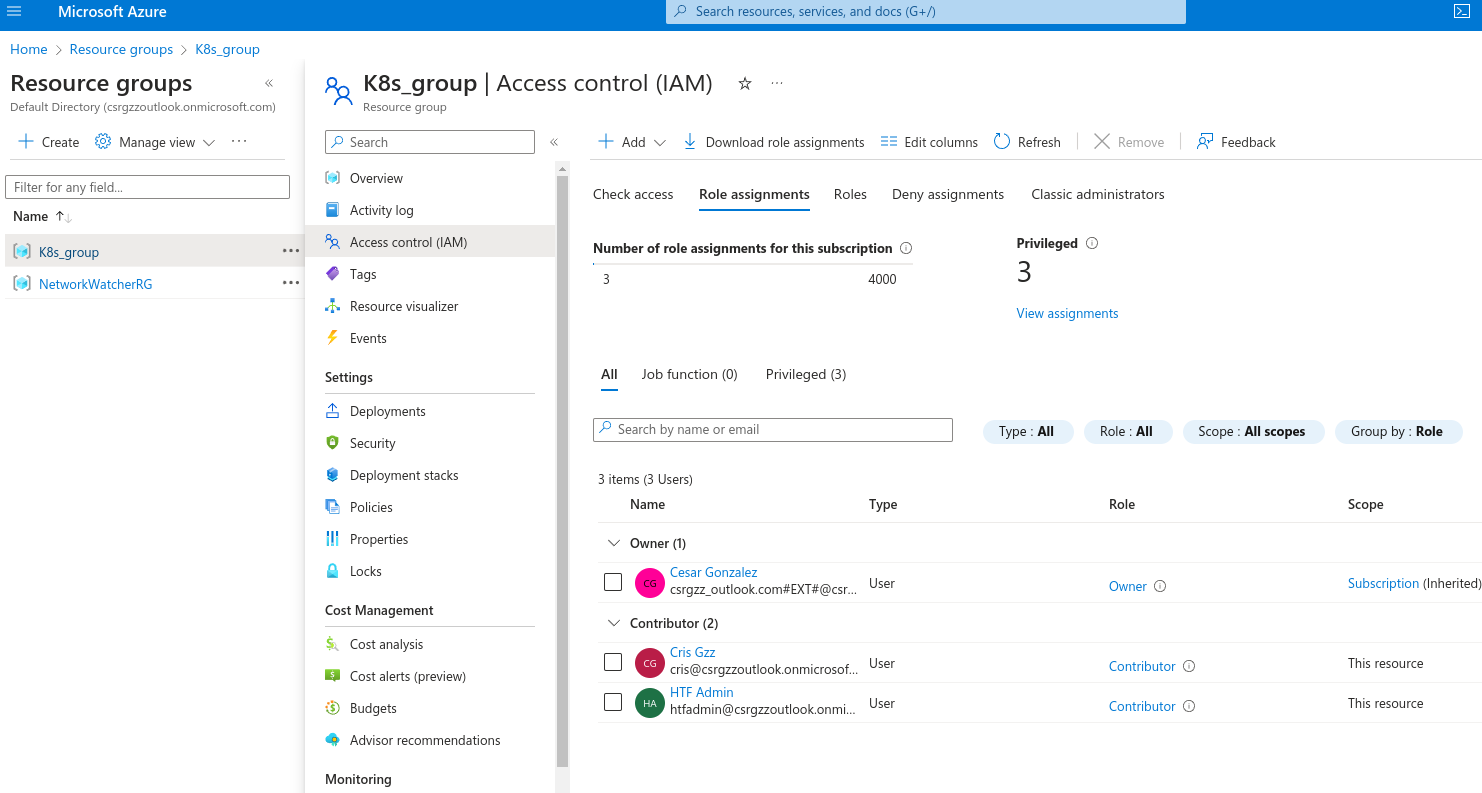
Same inside those resources it inherited the assignment
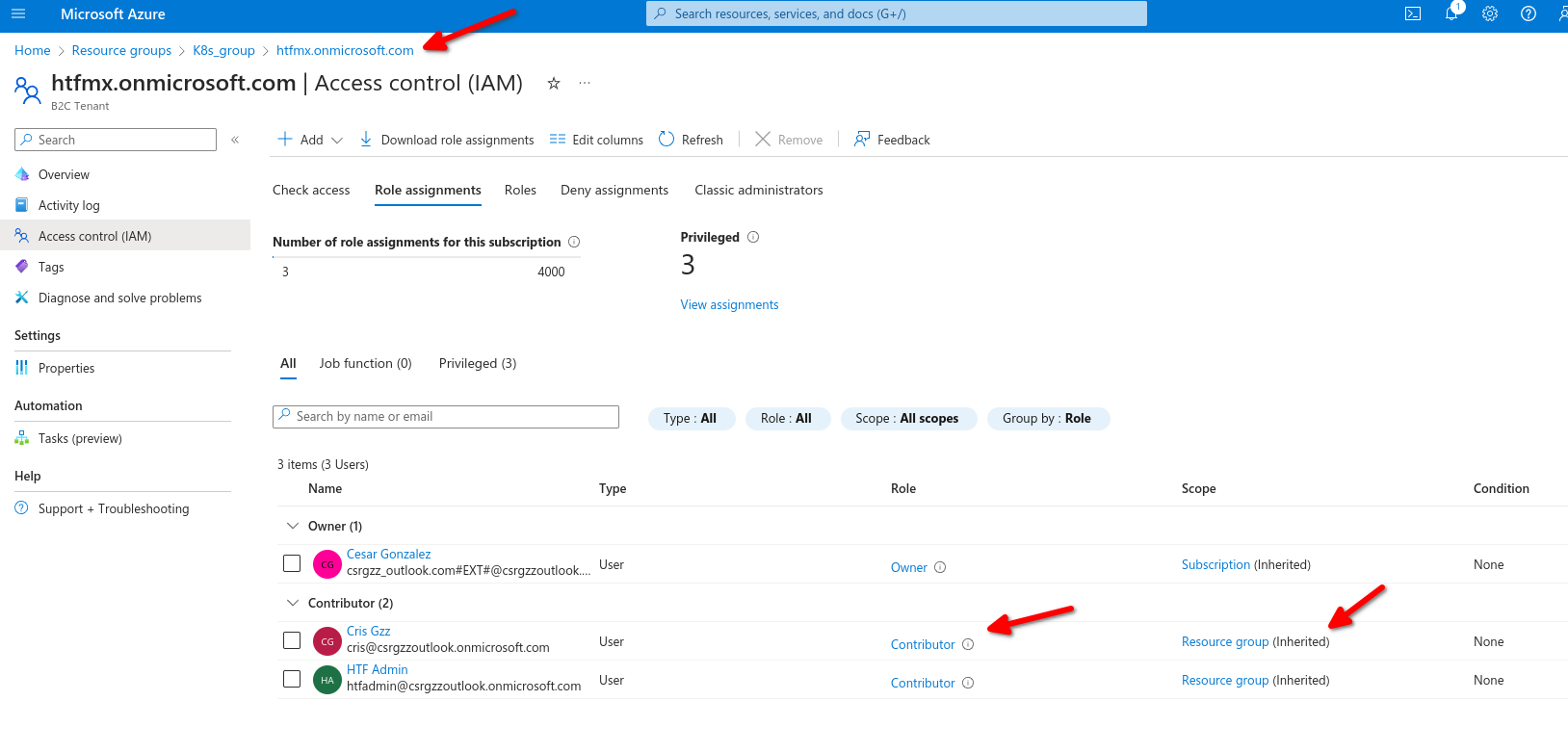
- Provide identities with access to azure resources
- Roles are a collection of permissions
- There is a scoping hierarchy for role assignment
- Implicit deny - Explicit Allow - Explicit Deny
No Comments