
Genesys Cloud - how to - Outbound - Create a set of rules
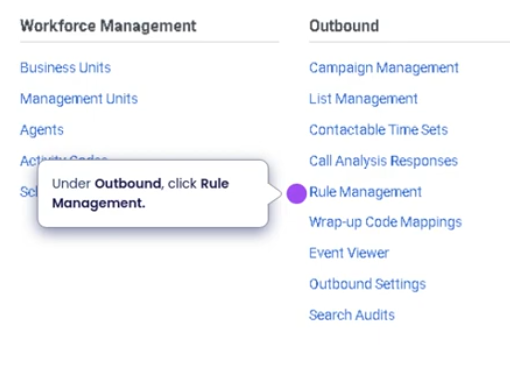
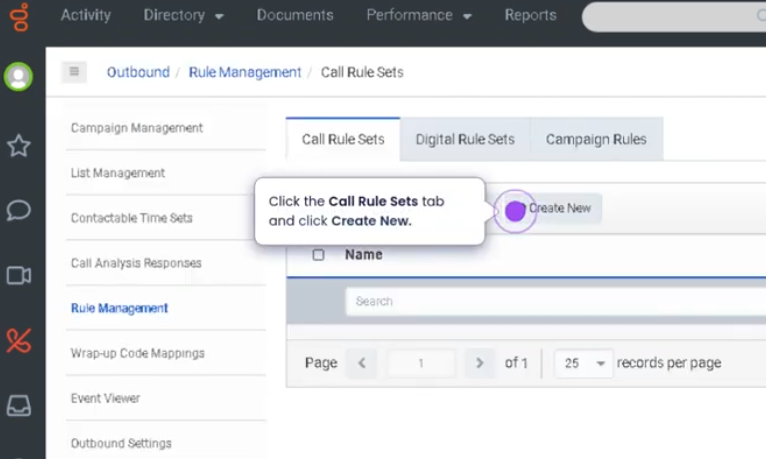
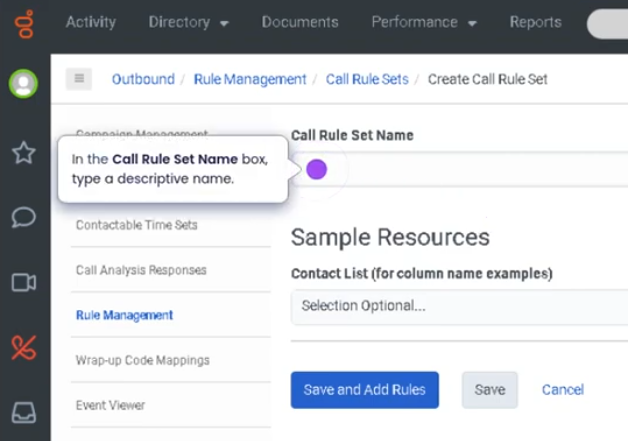
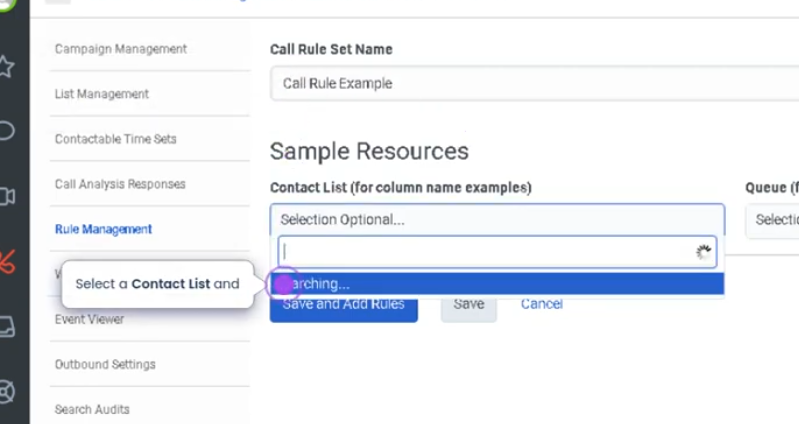
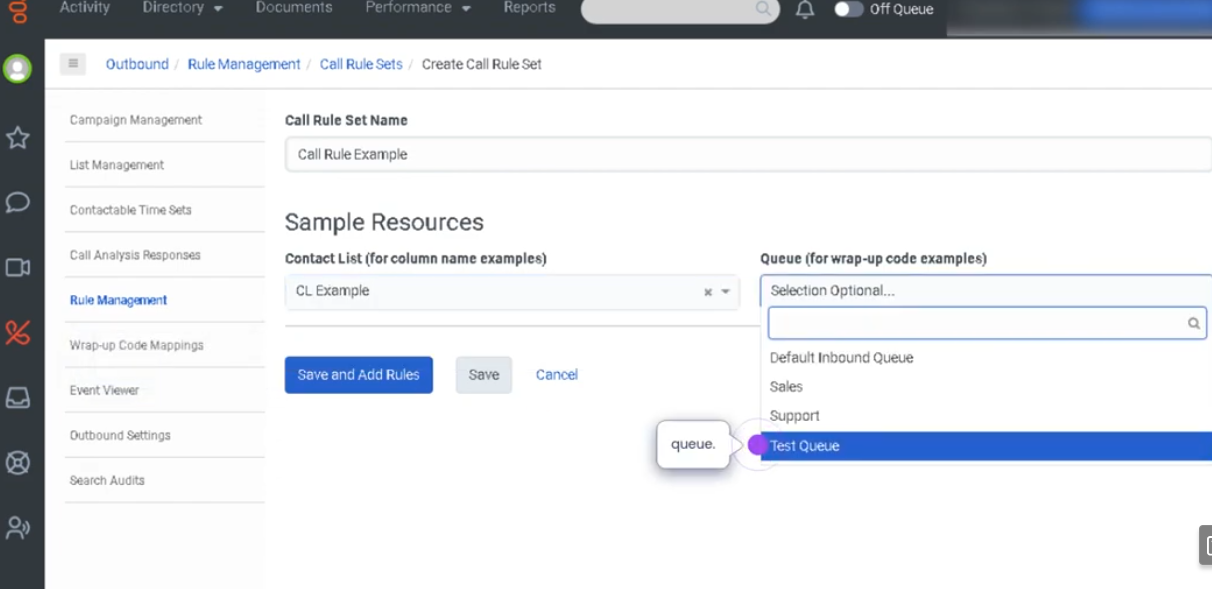
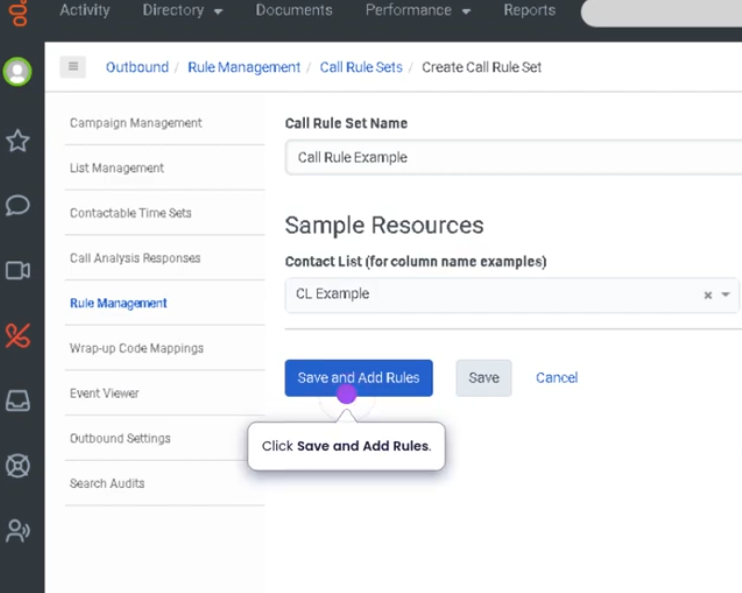
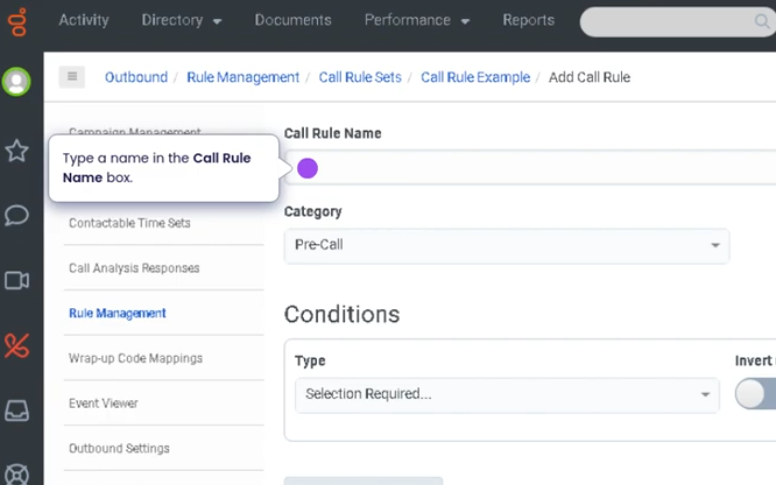
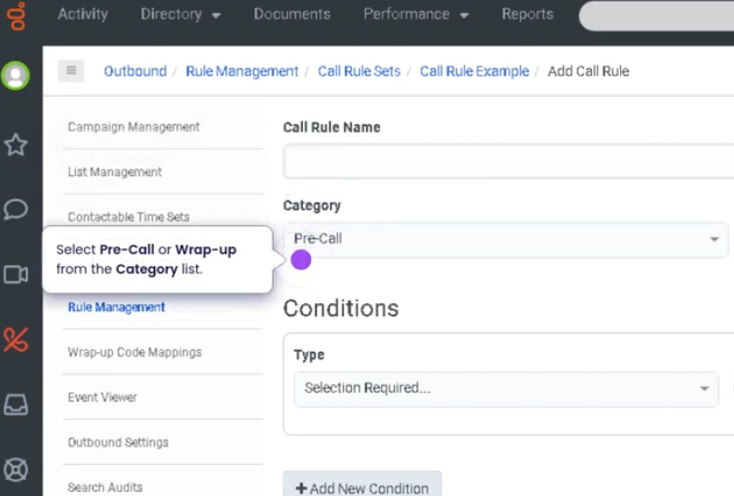
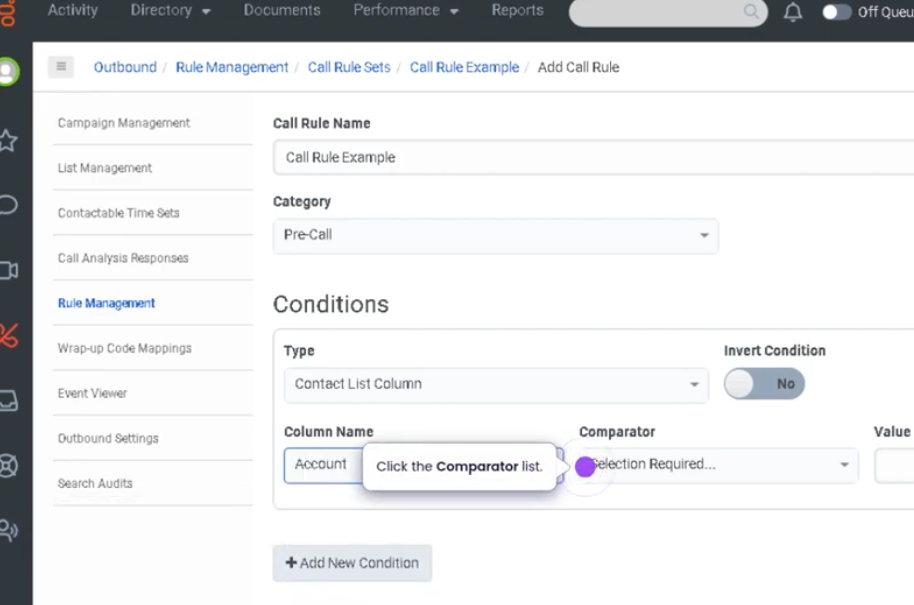
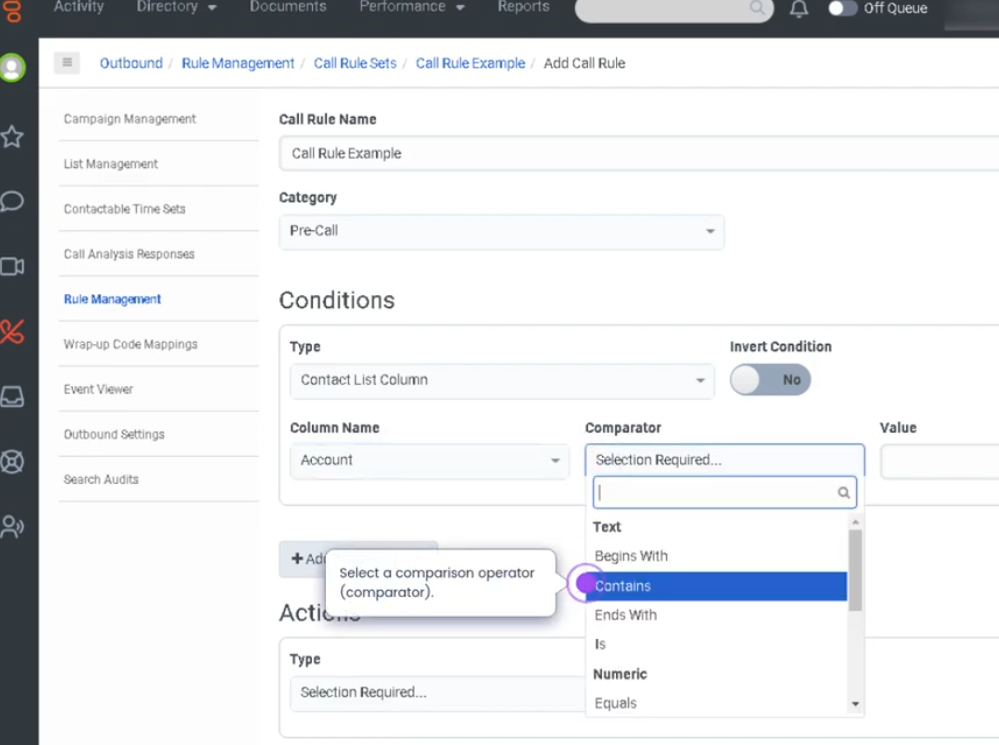
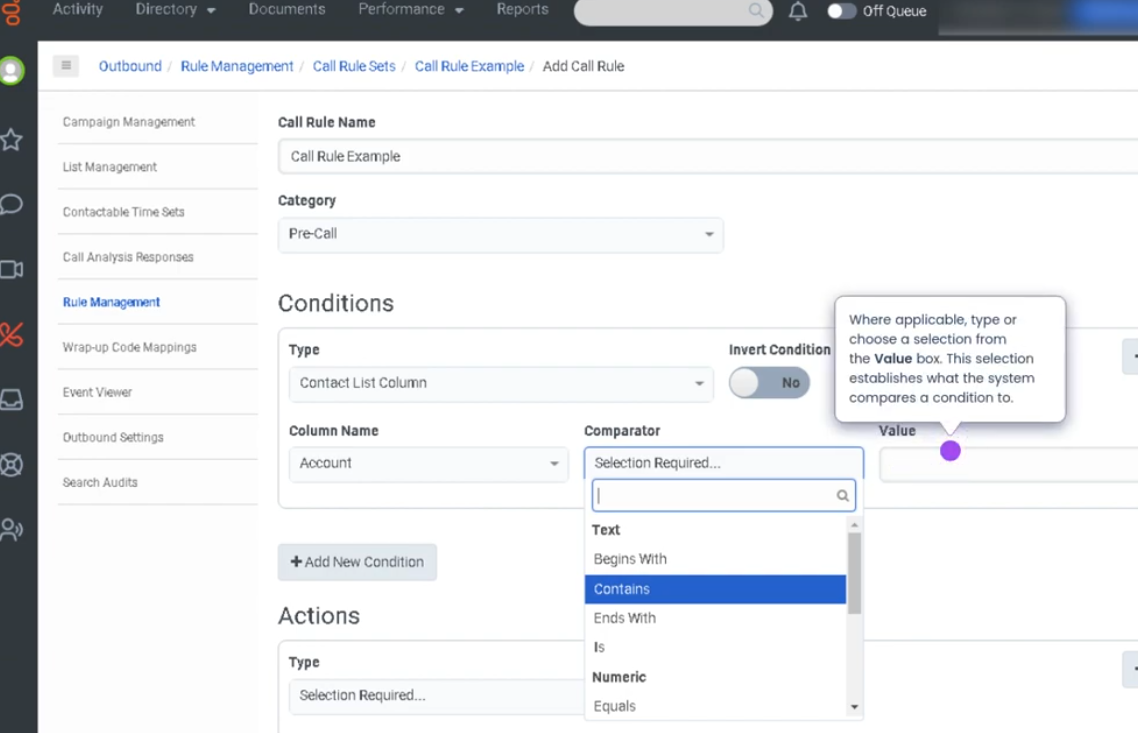
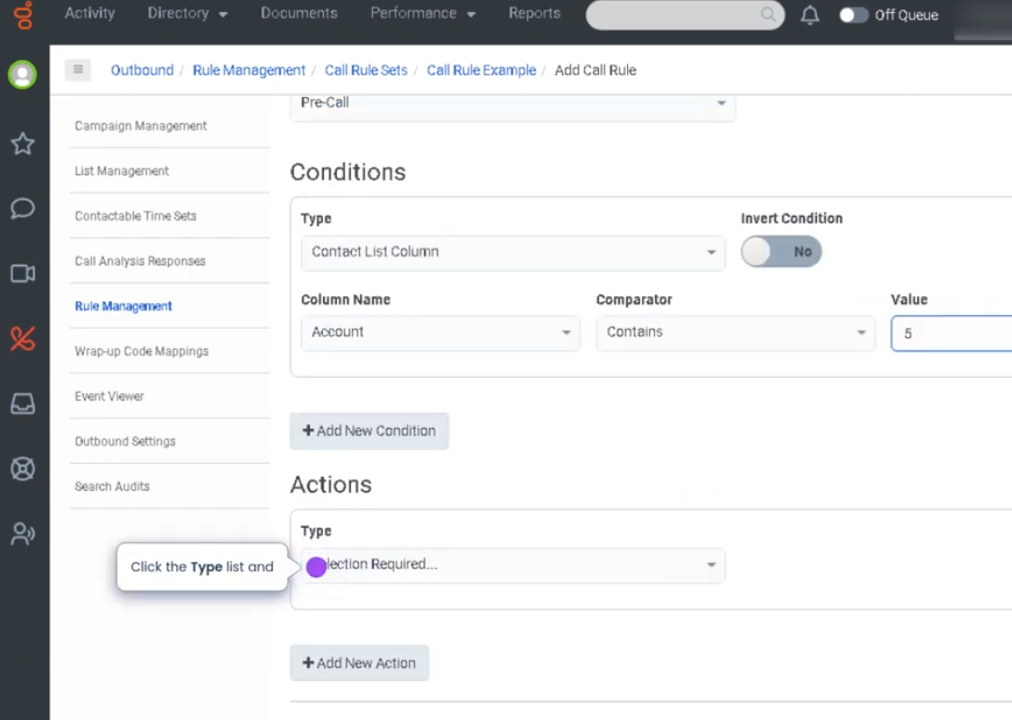
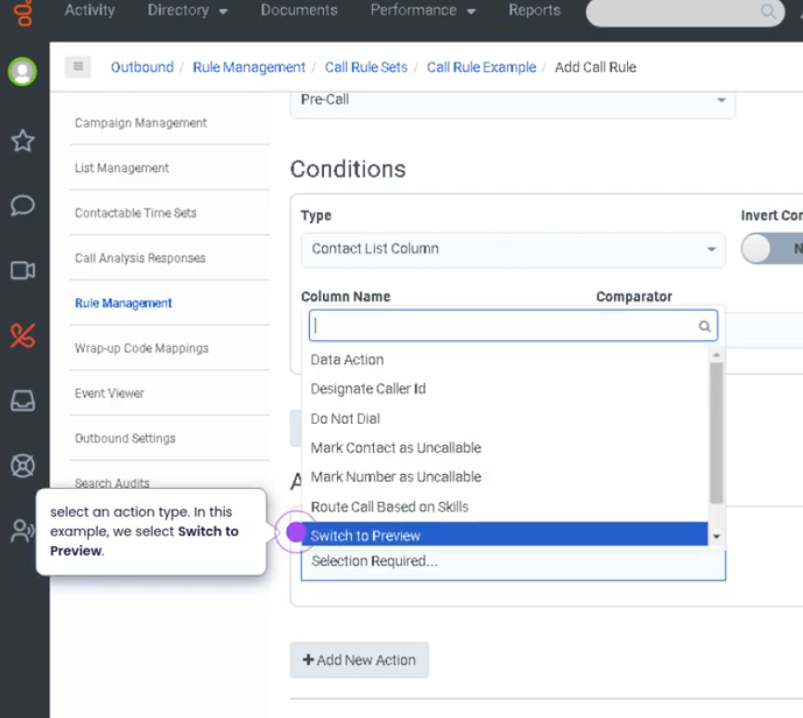
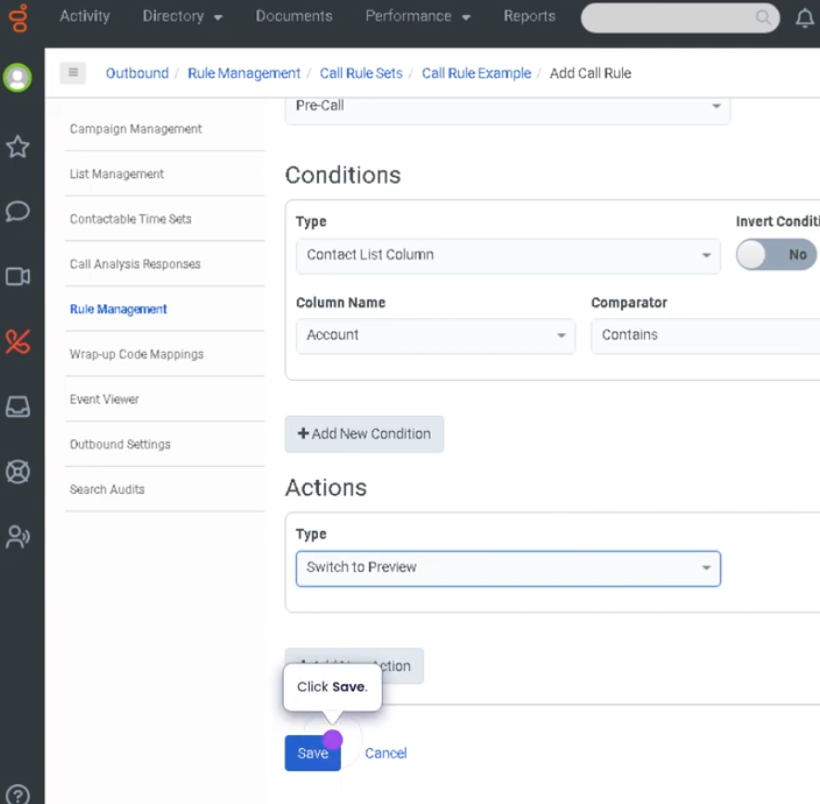
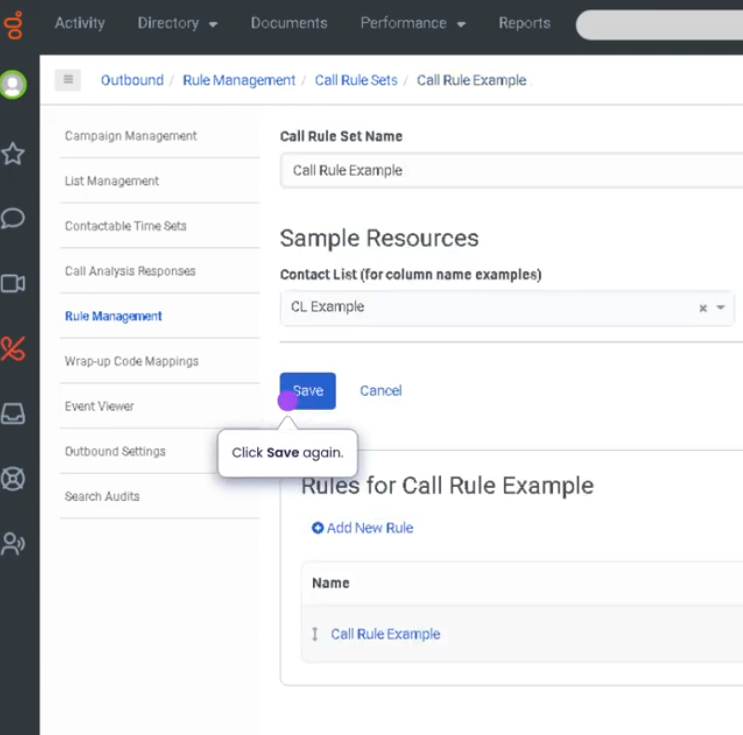
Create a Set of Rules (Genesys Cloud)
Summary
A Set of Rules in Genesys Cloud allows administrators or supervisors to define automated conditions and actions that control how certain platform behaviors occur. These rules can be used in various modules such as routing, dialing campaigns, workforce management, or analytics filters, depending on the feature being configured.
Rule sets help organizations standardize decision logic and automate operational processes, ensuring consistent handling of interactions, contacts, or scheduling conditions without requiring manual intervention.
Utilization
| Use Case | Description |
|---|---|
| Routing logic | Define conditions that determine how interactions are distributed |
| Campaign dialing rules | Control how outbound contacts are handled |
| Workforce management policies | Automate scheduling or shift rules |
| Data filtering | Apply rules for analytics or segmentation |
| Operational automation | Trigger actions based on predefined criteria |
Rule sets help maintain consistent operational behavior across the platform.
Best Practices
| Practice | Reason |
|---|---|
| Clearly define rule conditions | Prevents unintended routing or automation |
| Test rules before deploying to production | Ensures expected outcomes |
| Keep rule logic simple and well documented | Improves troubleshooting and maintenance |
| Avoid overlapping or conflicting rules | Prevents unpredictable behavior |
| Regularly review rule sets | Ensures they remain aligned with operational needs |
| Use descriptive names for rule sets | Makes administration easier |
Example Scenarios
Scenario 1 – Routing Condition for Interactions
Customer interaction enters system
        ↓
System evaluates configured rule set
        ↓
Conditions match routing criteria
        ↓
Interaction routed to appropriate queue
Scenario 2 – Outbound Campaign Rule
Outbound campaign starts
        ↓
Dialer reviews rule set
        ↓
Conditions determine which contacts can be dialed
        ↓
Dialer proceeds with eligible contacts
Scenario 3 – Automated Operational Behavior
System detects defined condition
        ↓
Rule set triggers predefined action
        ↓
Platform applies routing or configuration behavior
Key Benefits
| Benefit | Explanation |
|---|---|
| Automation of processes | Reduces manual intervention |
| Consistent system behavior | Rules enforce standardized logic |
| Operational efficiency | Improves routing and campaign management |
| Scalability | Supports large-scale contact center operations |
| Improved control | Administrators can manage platform behavior through rules |
No Comments