
Genesys Cloud - Agent - Choose Queues to Work
Choose Queues to Work (Genesys Cloud)
Summary
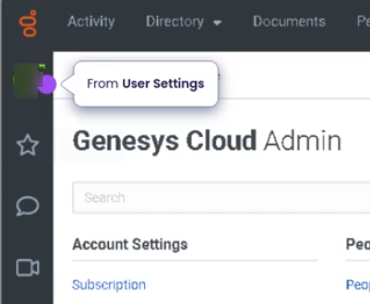
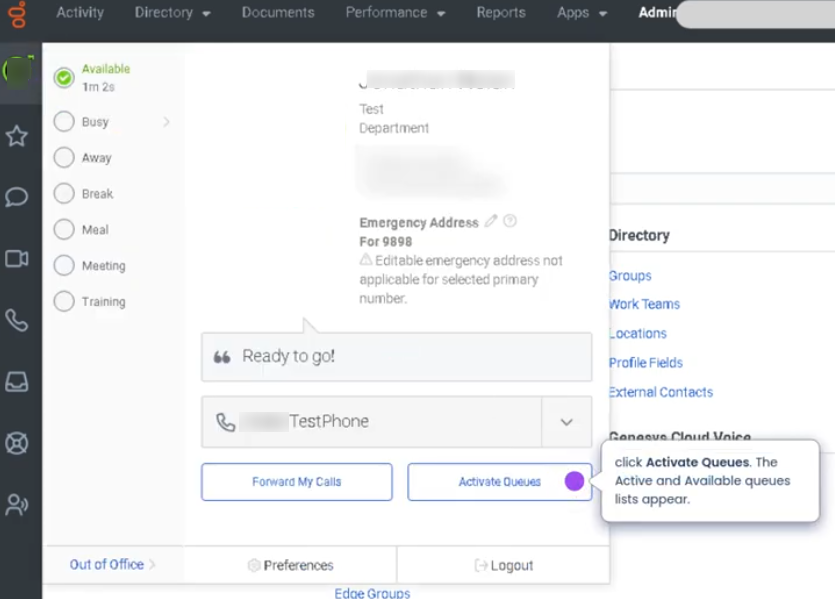
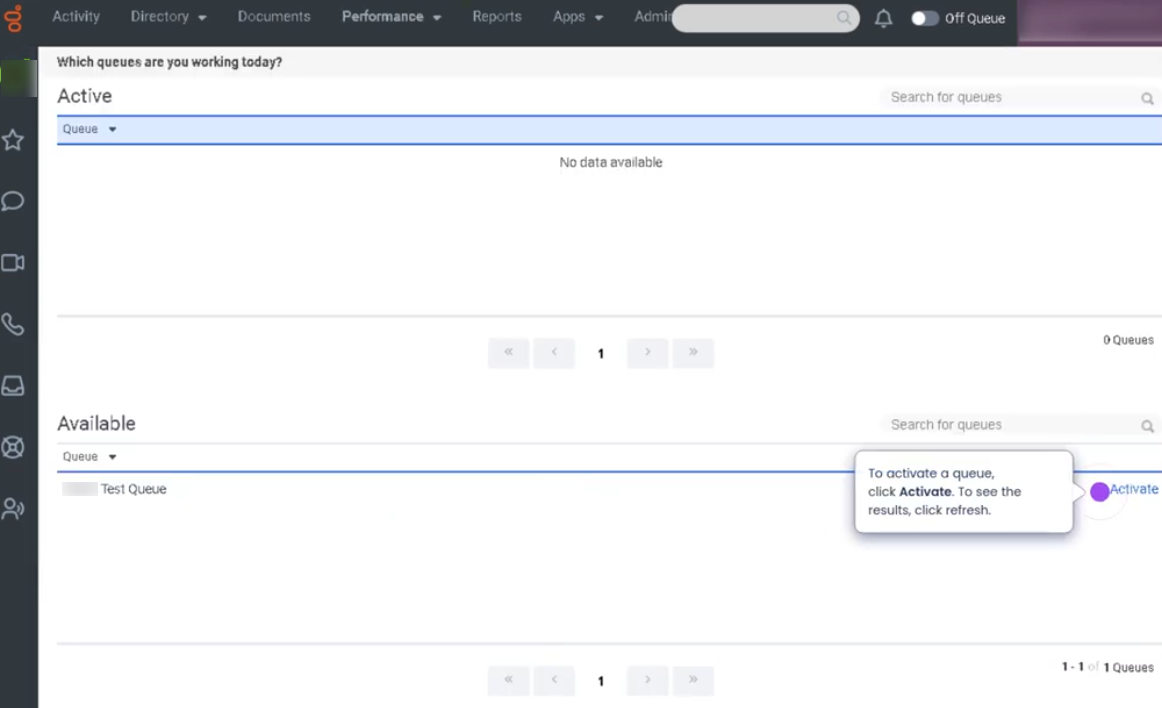
The Choose Queues to Work feature in Genesys Cloud allows agents to select which assigned queues they will actively receive interactions from during their session. Agents may belong to multiple queues, but they can control which ones they are currently working based on workload, skills, or operational instructions.
By enabling or disabling specific queues, agents help optimize interaction routing and workload management while still remaining available for the queues they are responsible for.
Utilization
| Use Case | Description |
|---|---|
| Multi-queue agents | Agents assigned to multiple queues choose which ones they are actively working |
| Skill-based support | Agents enable queues aligned with their expertise |
| Operational load balancing | Supervisors instruct agents to activate specific queues during high volume |
| Temporary queue participation | Agents join additional queues during peak demand |
| Focused work sessions | Agents disable certain queues to concentrate on specific interaction types |
This feature allows organizations to maintain flexible routing strategies and dynamic staffing adjustments.
Best Practices
| Practice | Reason |
|---|---|
| Only enable queues you are trained to support | Ensures customers reach qualified agents |
| Verify queue selections at login | Prevents missed interactions |
| Follow supervisor instructions during high volume | Helps maintain service levels |
| Avoid disabling queues during active staffing needs | Prevents delays in customer support |
| Regularly review queue assignments | Ensures agents remain aligned with operational priorities |
| Stay Available when working selected queues | Allows the routing engine to deliver interactions |
Example Scenarios
Scenario 1 – Agent Assigned to Multiple Queues
Agent logs into Genesys Cloud
        ↓
Agent opens queue selector
        ↓
Agent enables Sales and Customer Support queues
        ↓
Agent begins receiving interactions from both queues
Scenario 2 – Peak Volume Support
Supervisor identifies high call volume in Support queue
        ↓
Supervisor asks agents to enable Support queue
        ↓
Agents update queue selection
        ↓
Routing engine distributes interactions accordingly
Scenario 3 – Focused Queue Work
Agent normally supports multiple queues
        ↓
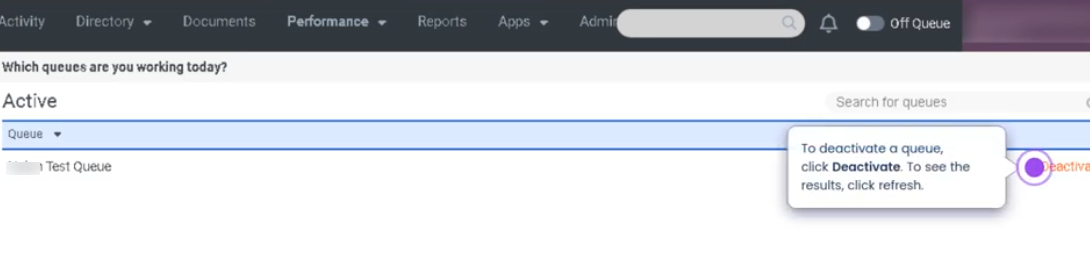
Agent temporarily disables secondary queues
        ↓
Agent focuses on primary queue interactions
        ↓
Queue performance improves for priority workload
Key Benefits
| Benefit | Explanation |
|---|---|
| Flexible queue participation | Agents can control which queues they actively support |
| Improved routing efficiency | Interactions are directed to agents who enabled the queue |
| Better workload management | Teams can adapt to changing demand |
| Operational transparency | Agents clearly see which queues they are working |
| Supports multi-skill environments | Enables dynamic queue participation for skilled agents |
No Comments