
Genesys Cloud - Admin - Drop a shift for someone else
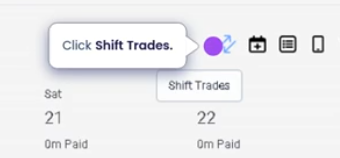
Click shift trades
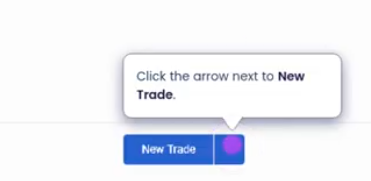
Click the arrow to new trade
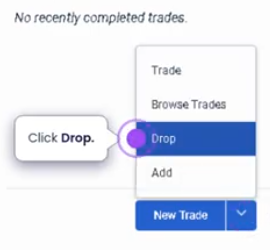
Click drop
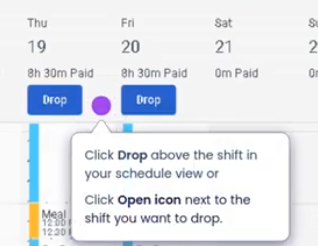
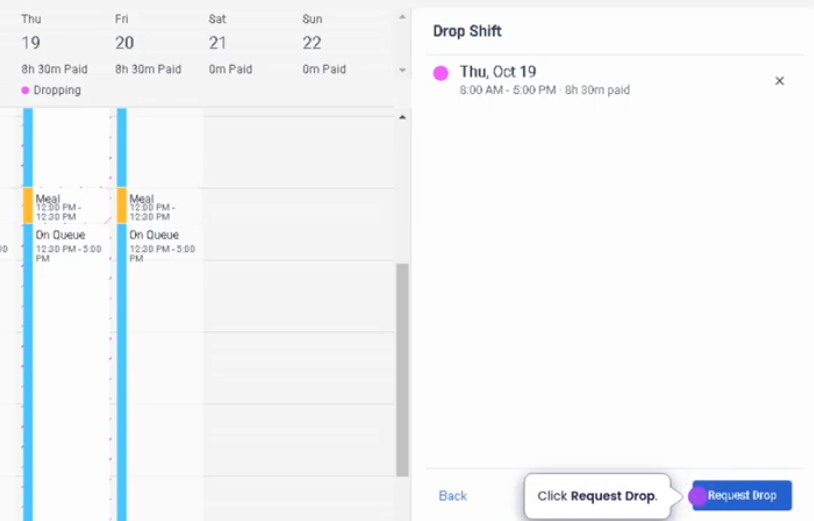
Click drop on your schedule view
Request to drop
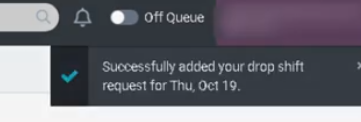
Confirmation message
Drop a Shift for Someone Else (Genesys Cloud)
Summary
Dropping a shift for someone else in Genesys Cloud Workforce Management (WFM) allows an agent to release a scheduled shift so that another qualified agent can claim or pick up the shift. This feature provides flexibility in workforce scheduling while ensuring that staffing levels remain within operational requirements.
The shift drop process typically requires approval or validation through configured workforce management rules, which may include staffing thresholds, skill requirements, or supervisor approval.
Utilization
| Use Case | Description |
|---|---|
| Schedule flexibility | Agents can release shifts when they are unable to work |
| Shift coverage | Other agents can claim available shifts to maintain staffing levels |
| Workforce balancing | Helps maintain required staffing without manual schedule changes |
| Personal schedule adjustments | Agents can manage unexpected personal conflicts |
| Workforce collaboration | Enables teams to support each other by covering shifts |
Shift dropping helps organizations maintain service coverage while providing agents with more control over their schedules.
Best Practices
| Practice | Reason |
|---|---|
| Drop shifts as early as possible | Provides more time for other agents to claim the shift |
| Verify workforce policies before dropping shifts | Ensures compliance with organizational scheduling rules |
| Communicate with team members when necessary | Increases the likelihood that the shift will be picked up |
| Avoid frequent last-minute drops | Prevents staffing disruptions |
| Ensure eligibility requirements are met | Some organizations restrict shift drops based on rules or time windows |
| Monitor shift status after dropping | Confirms whether the shift has been claimed or requires supervisor action |
Example Scenarios
Scenario 1 – Agent Cannot Work Scheduled Shift
Agent reviews upcoming schedule
        ↓
Agent identifies conflict with assigned shift
        ↓
Agent submits request to drop shift
        ↓
Shift becomes available for other agents
        ↓
Another qualified agent claims the shift
No Comments