
Genesys Cloud - Agent - Accept and respond to message interaction
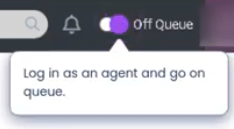
Login as agent
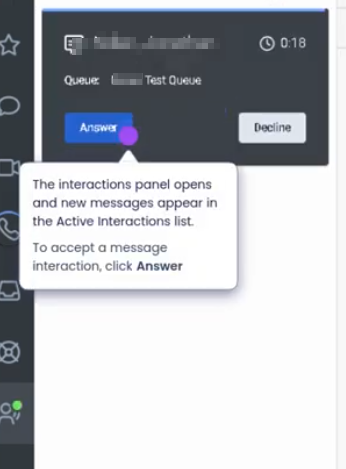
Answer Interaction
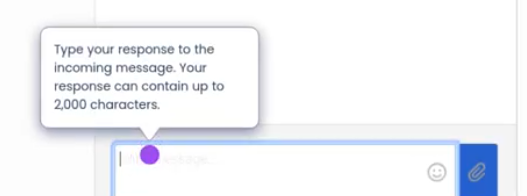
Type your response to the incoming message
To end the interaction click end message

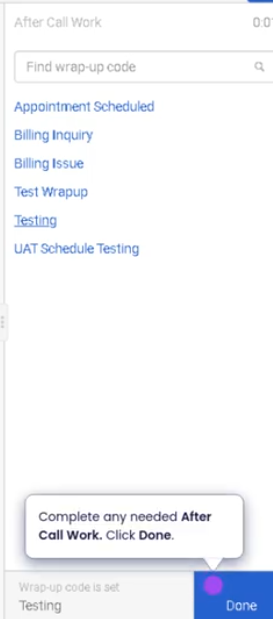
Disposition call and end
Requesting Time Off (Genesys Cloud)
Summary
Requesting time off in Genesys Cloud Workforce Management (WFM) allows agents to submit requests for scheduled leave such as vacation, personal time, or other approved absence types. These requests are reviewed and validated against staffing requirements, scheduling rules, and time-off limits configured by workforce administrators.
The time-off request process helps organizations maintain service-level coverage while providing agents with flexibility to manage their schedules.
Utilization
| Use Case | Description |
|---|---|
| Vacation planning | Agents request time off for planned vacation periods |
| Personal appointments | Agents request short-term leave for appointments or personal commitments |
| Sick leave | Agents notify management of illness or unexpected absence |
| Planned schedule changes | Agents request future schedule adjustments in advance |
| Workforce scheduling compliance | Ensures requests align with staffing and forecast requirements |
Time-off requests are validated against capacity limits and workforce planning rules to ensure the contact center maintains appropriate staffing levels.
Best Practices
| Practice | Reason |
|---|---|
| Submit requests as early as possible | Increases likelihood of approval before staffing limits are reached |
| Verify team policies and blackout periods | Prevents requests during restricted scheduling windows |
| Monitor request status | Allows agents to respond quickly if adjustments are required |
| Use the correct time-off type | Ensures accurate reporting and workforce planning |
| Avoid submitting multiple overlapping requests | Prevents scheduling conflicts |
| Communicate with supervisors if the request is urgent | Helps ensure timely review and approval |
Example Scenarios
Scenario 1 – Planned Vacation
Agent plans vacation weeks in advance
        ↓
Agent submits time-off request in WFM
        ↓
System validates staffing requirements
        ↓
Supervisor reviews and approves request
        ↓
Schedule updates to reflect approved time off
Scenario 2 – Personal Appointment
Agent needs time off for medical appointment
        ↓
Agent submits a partial-day time-off request
        ↓
System checks available time-off capacity
        ↓
Request is approved and schedule updated
Scenario 3 – Sick Leave Notification
Agent becomes ill before scheduled shift
        ↓
Agent submits a time-off request for the shift
        ↓
Supervisor reviews request
        ↓
Schedule reflects absence and staffing is adjusted
Key Benefits
| Benefit | Explanation |
|---|---|
| Improved schedule management | Agents can plan time off without disrupting staffing |
| Workforce compliance | Requests are validated against staffing rules |
| Better visibility for supervisors | Managers can track and approve requests efficiently |
| Enhanced employee satisfaction | Provides flexibility while maintaining operational coverage |
No Comments