
Genesys Cloud - How to - Contact Center - Canned responses
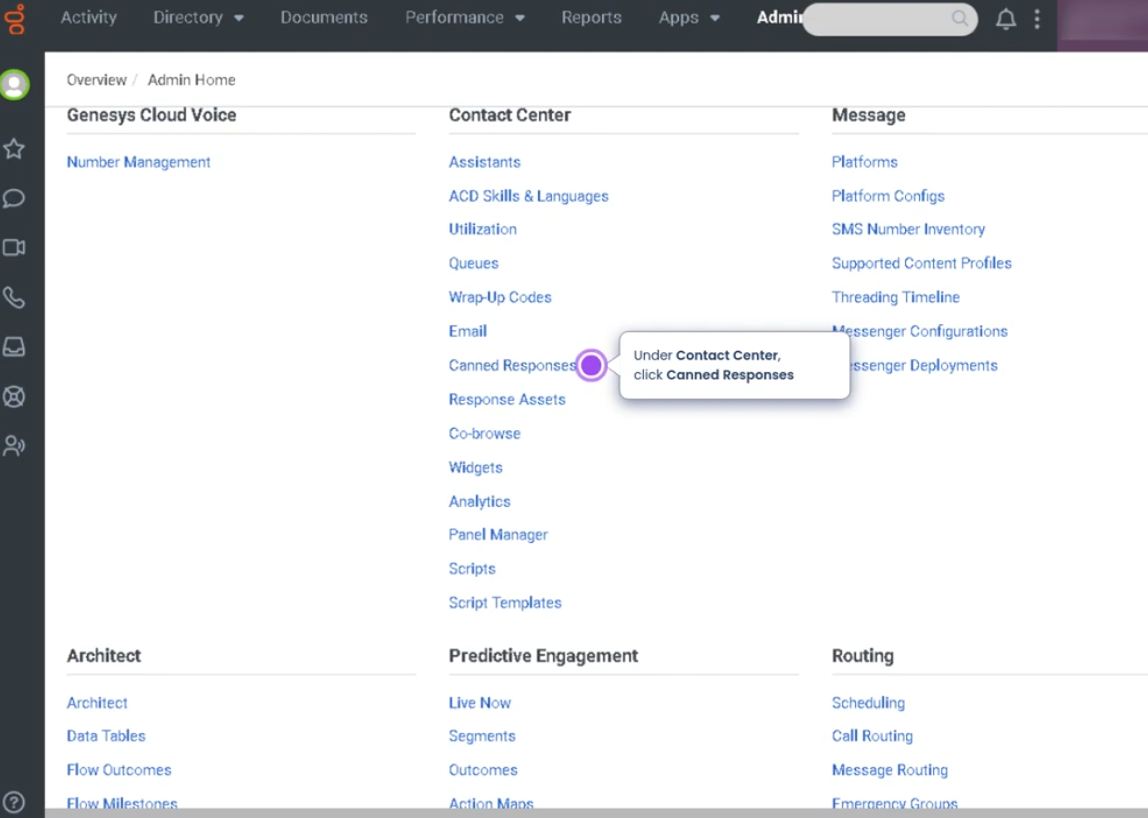
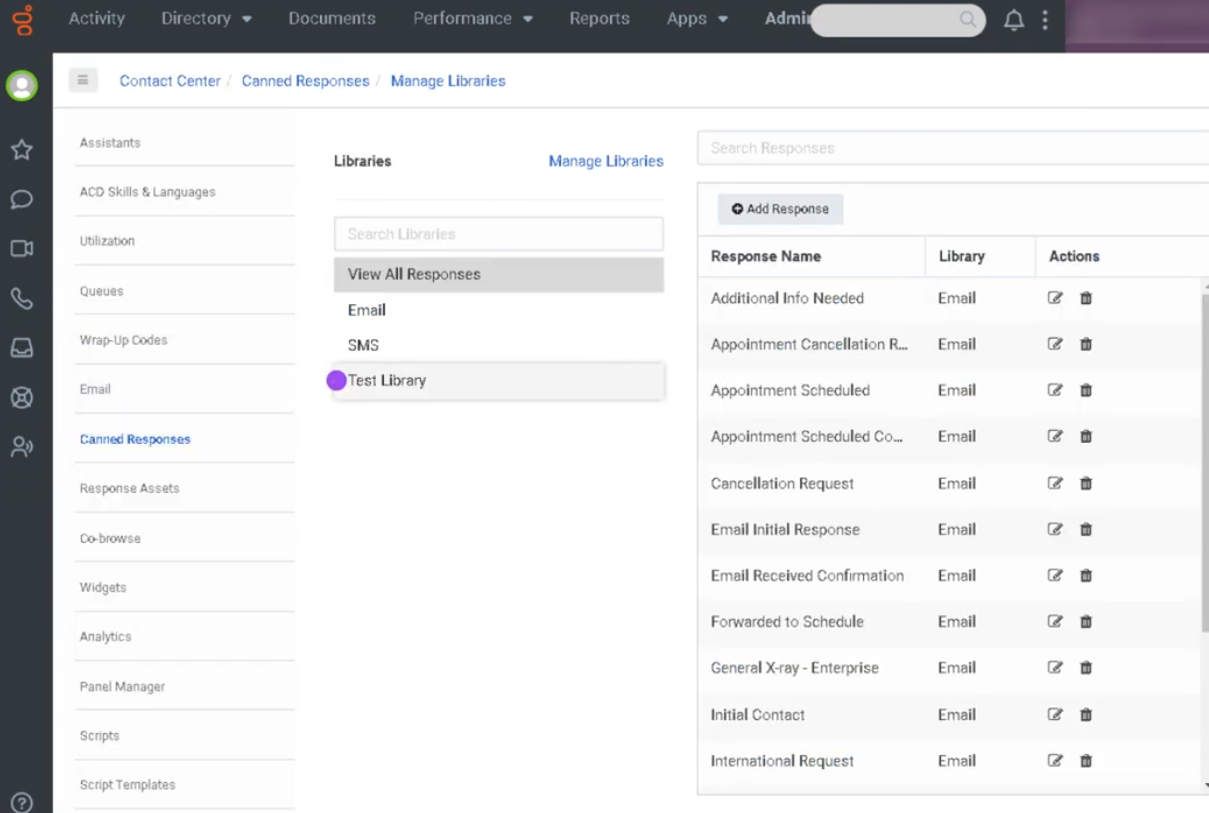
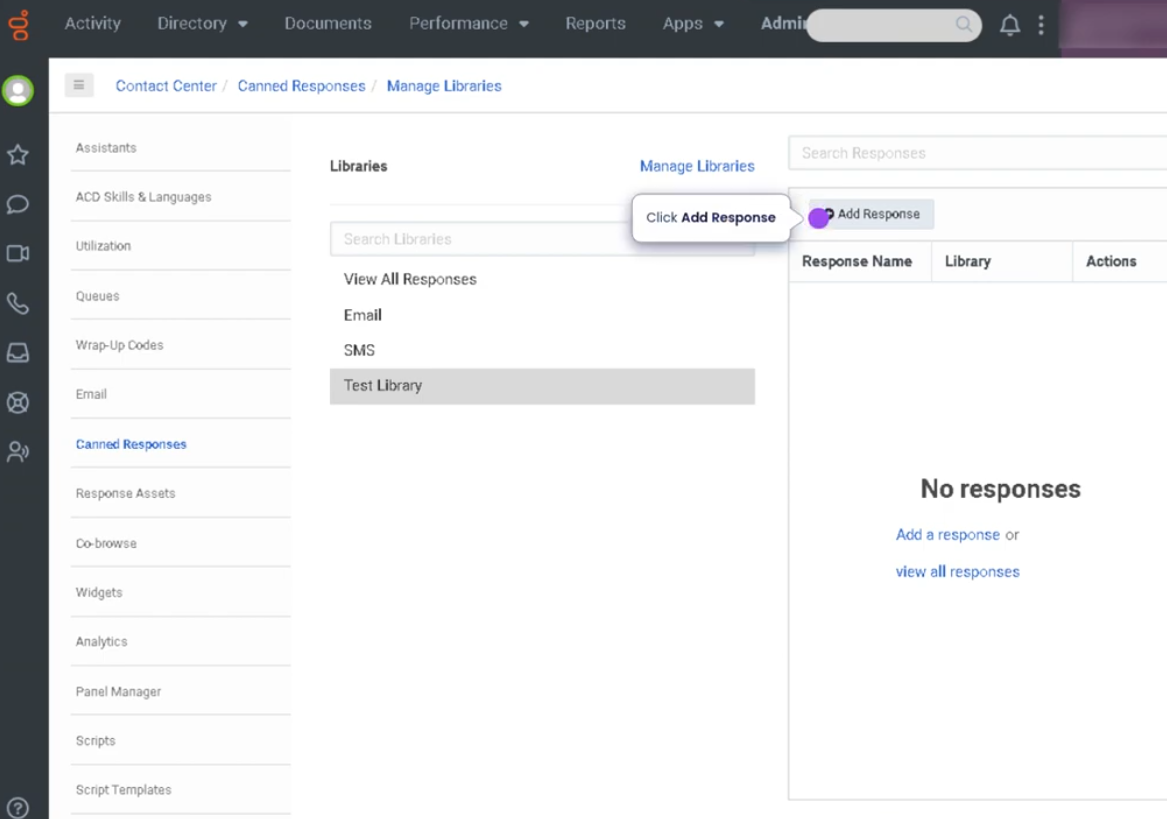
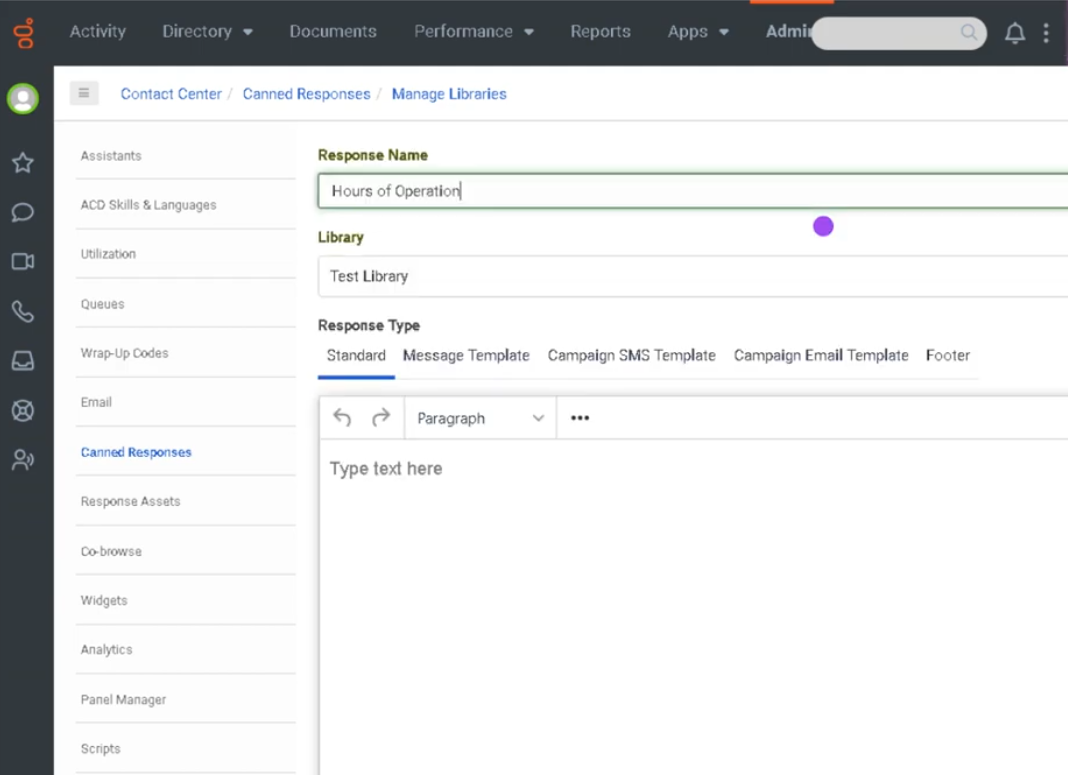
Canned Responses (Genesys Cloud)
Summary
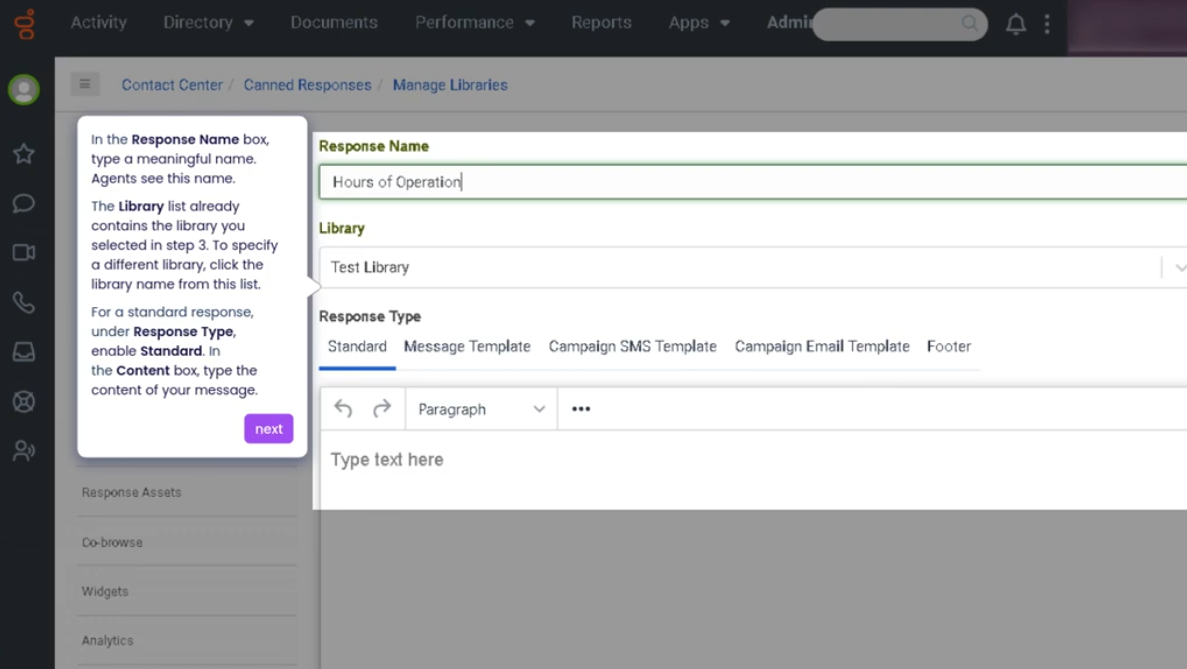
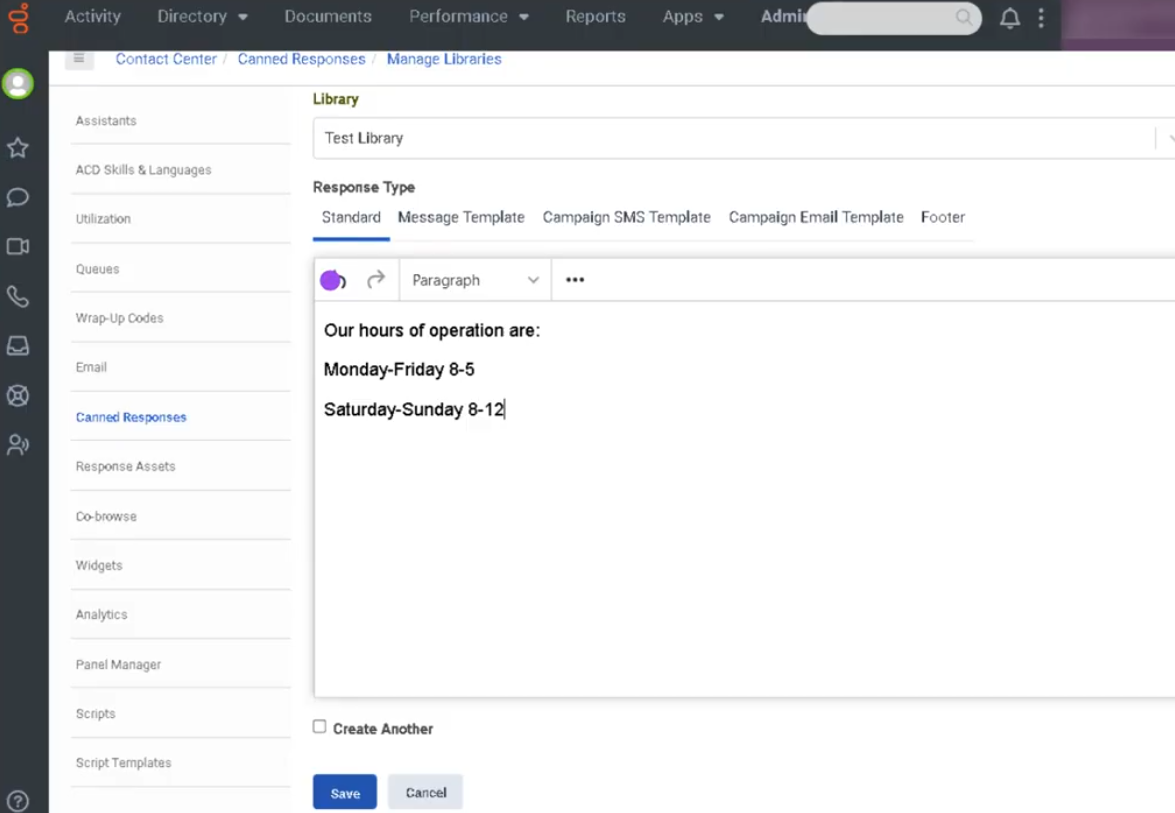
Canned Responses in Genesys Cloud are prewritten message templates that agents can quickly insert into conversations across digital channels such as chat, email, SMS, and social messaging. They are designed to help agents respond faster while maintaining consistent messaging aligned with company policies and support guidelines.
Canned responses are typically organized into categories and can include placeholders for personalization (for example, customer name or case details). Agents can search, select, and edit these responses before sending them to customers.
Utilization
| Use Case | Description |
|---|---|
| Frequently asked questions | Provide quick answers to common inquiries |
| Standard greetings | Use consistent opening messages when starting interactions |
| Troubleshooting guidance | Deliver step-by-step instructions to customers |
| Policy explanations | Share approved company policies or procedures |
| Closing messages | Send consistent closing statements when interactions end |
Canned responses help agents reduce response time and maintain consistent communication across customer interactions.
Best Practices
| Practice | Reason |
|---|---|
| Keep responses concise and easy to read | Customers should quickly understand the message |
| Organize responses into categories | Helps agents locate the correct response quickly |
| Personalize responses when needed | Prevents interactions from feeling automated |
| Regularly review and update templates | Ensures information remains accurate |
| Avoid sending canned responses without context | Improves customer satisfaction |
| Train agents on when to use them | Ensures they enhance rather than replace proper communication |
Example Scenarios
Scenario 1 – Responding to a Common Question
Customer asks a frequently asked question
        ↓
Agent searches canned response library
        ↓
Agent selects appropriate response
        ↓
Agent reviews and personalizes message
        ↓
Agent sends response to customer
Scenario 2 – Troubleshooting Assistance
Customer reports technical issue
        ↓
Agent selects troubleshooting canned response
        ↓
Response provides step-by-step instructions
        ↓
Customer follows instructions to resolve issue
Scenario 3 – Closing an Interaction
Agent resolves customer's issue
        ↓
Agent selects closing canned response
        ↓
Agent sends professional closing message
        ↓
Interaction ends with consistent communication
Key Benefits
| Benefit | Explanation |
|---|---|
| Faster response times | Agents can reply quickly without typing repetitive information |
| Consistent messaging | Ensures customers receive standardized responses |
| Improved agent efficiency | Reduces time spent composing messages |
| Knowledge sharing | Centralized repository of approved responses |
| Better customer experience | Clear and consistent communication |
No Comments