Genesys Cloud - How to - Outbound - Contact Lists Filters
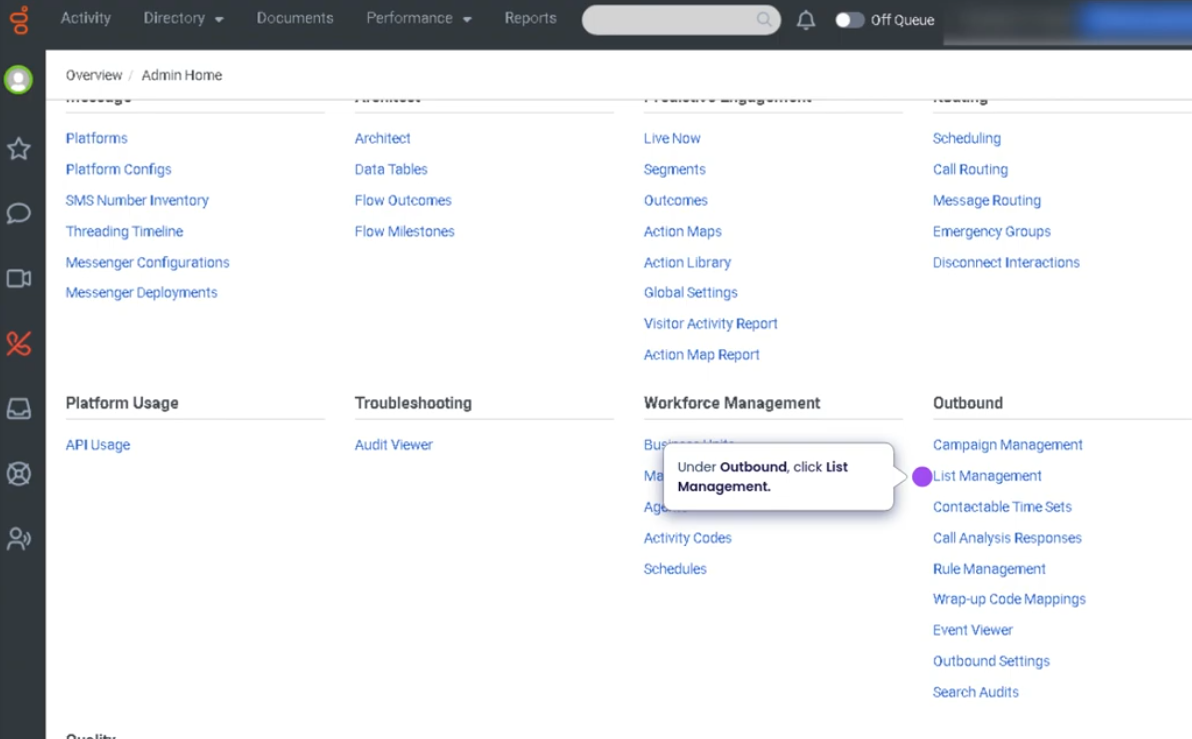
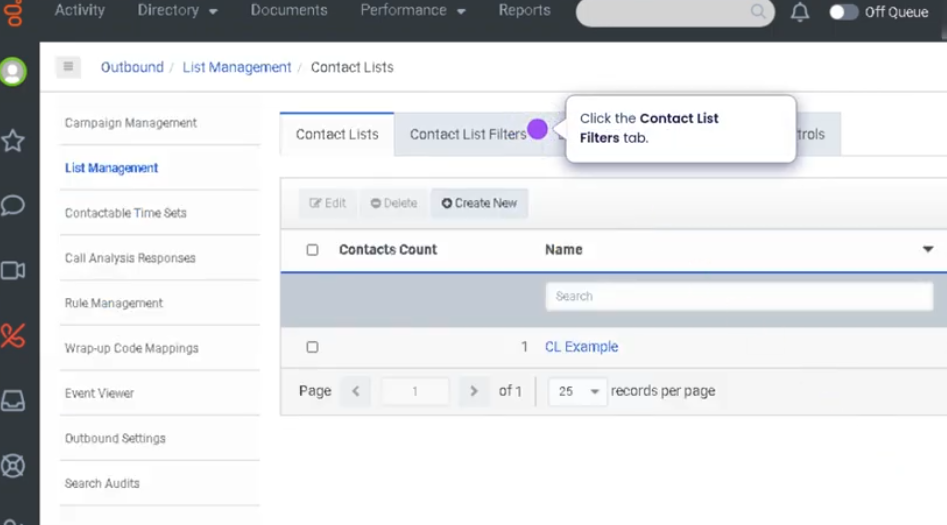
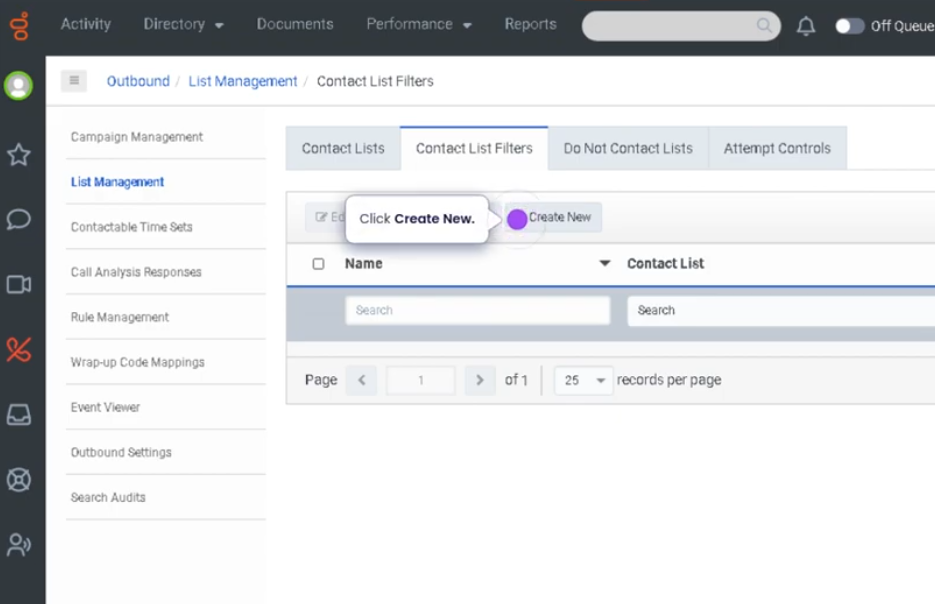
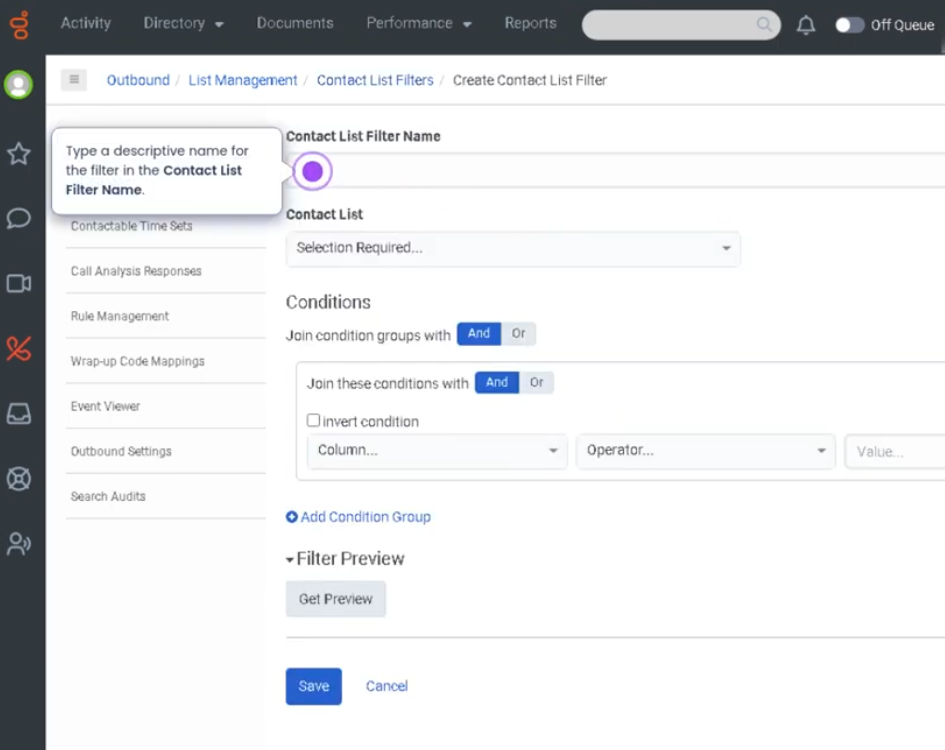
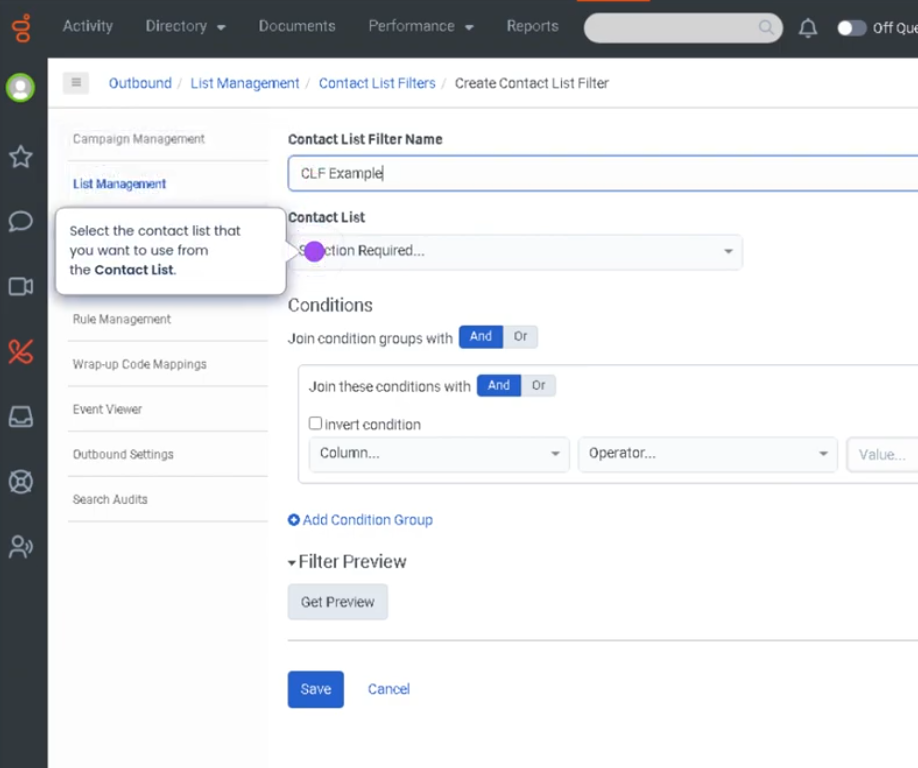
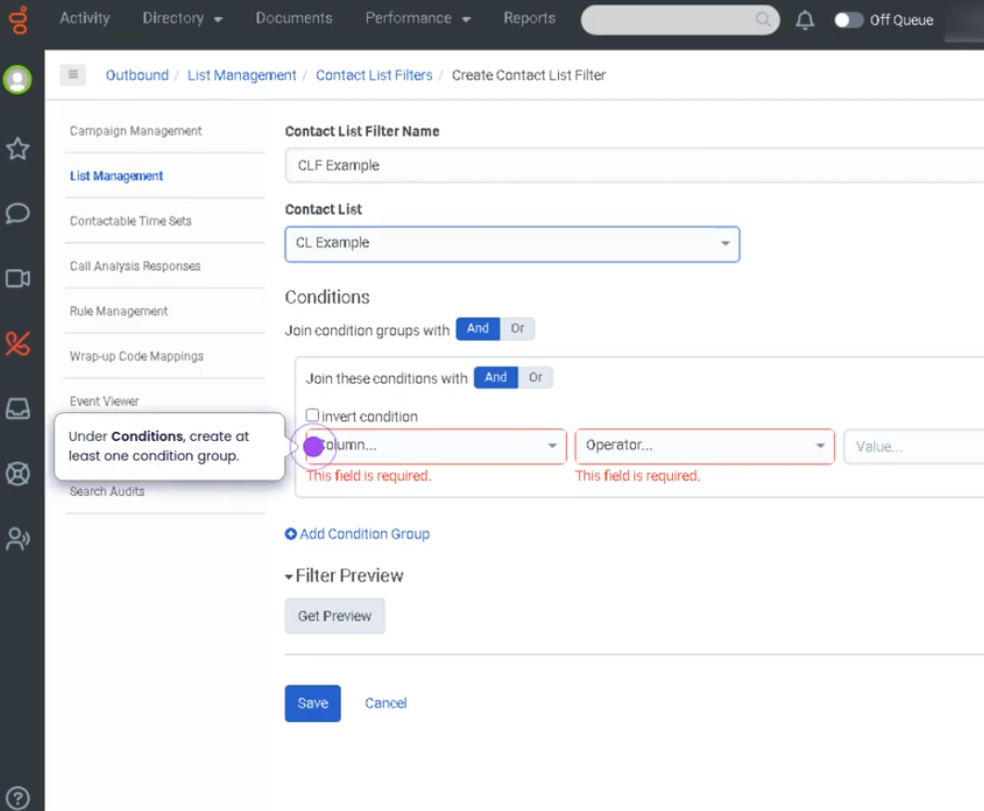
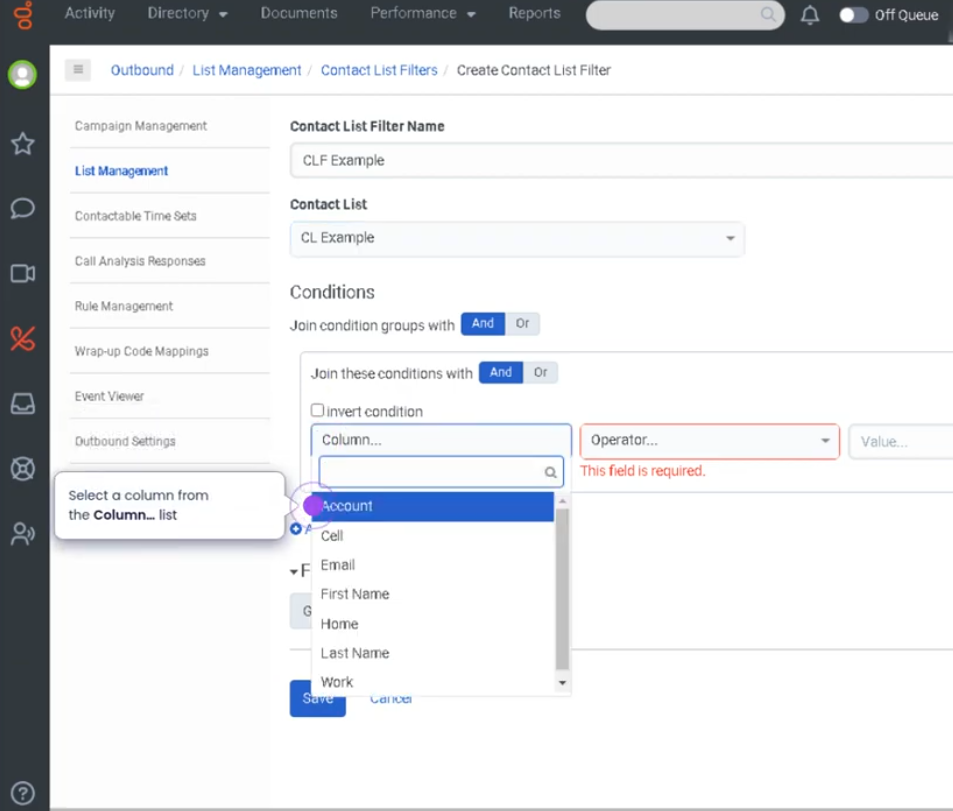
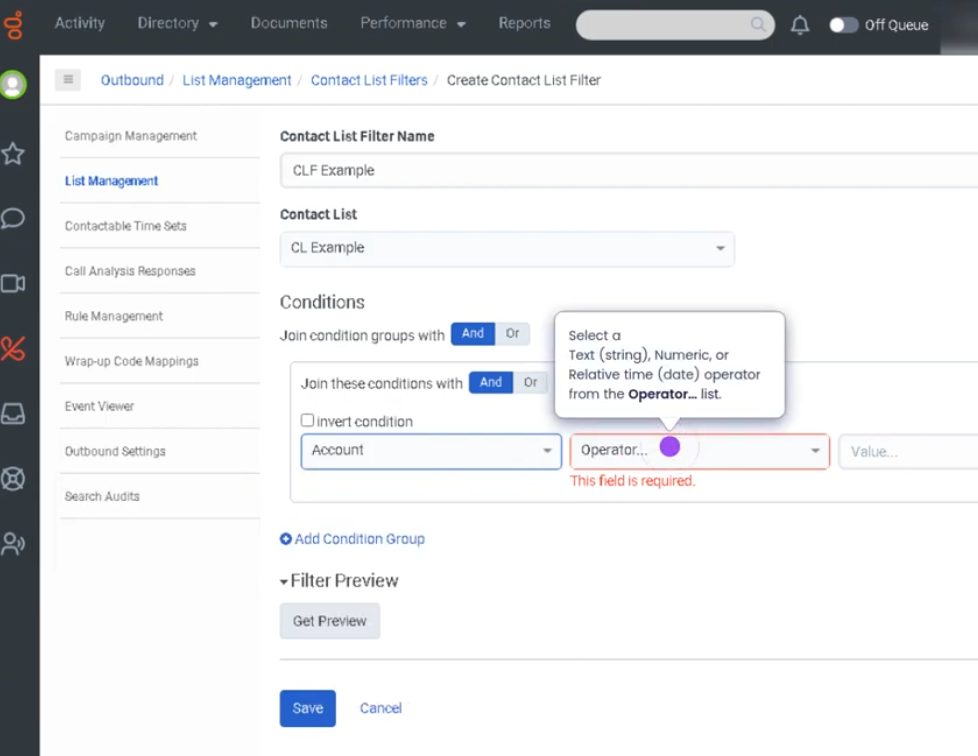
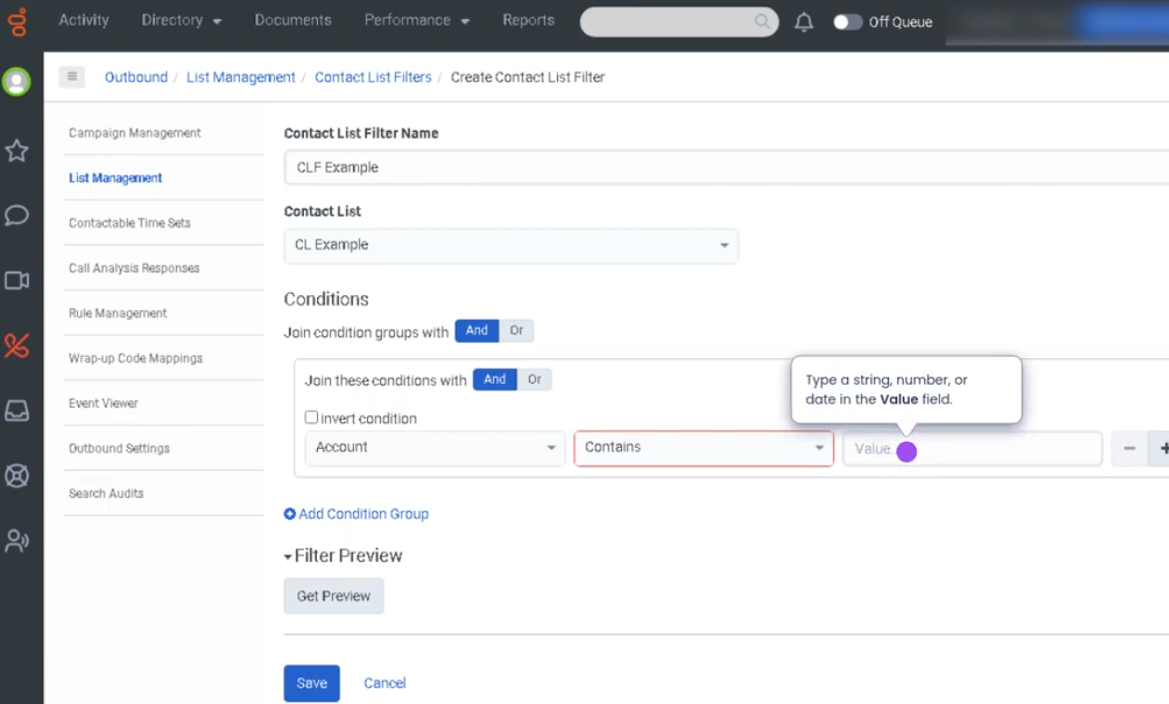
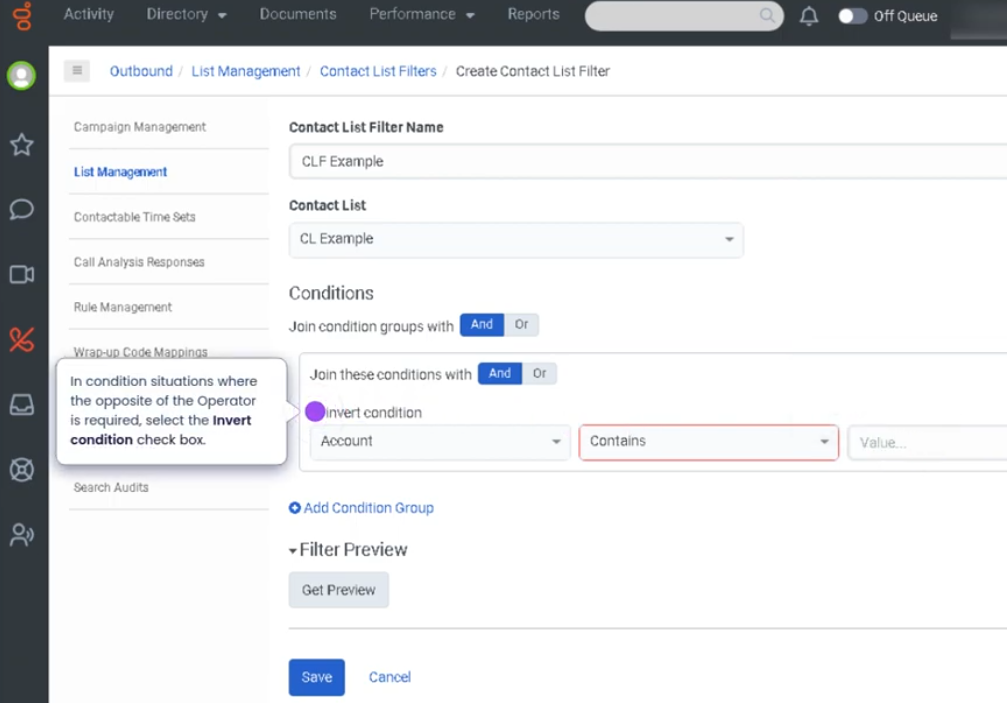
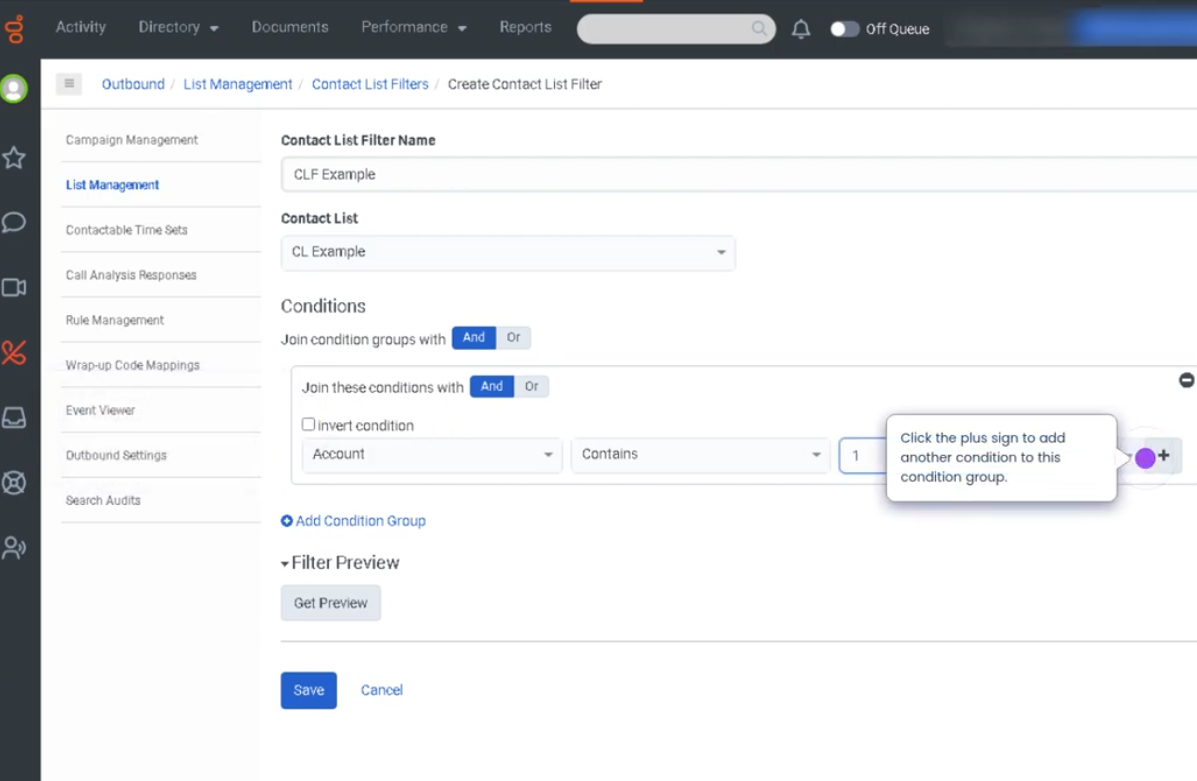
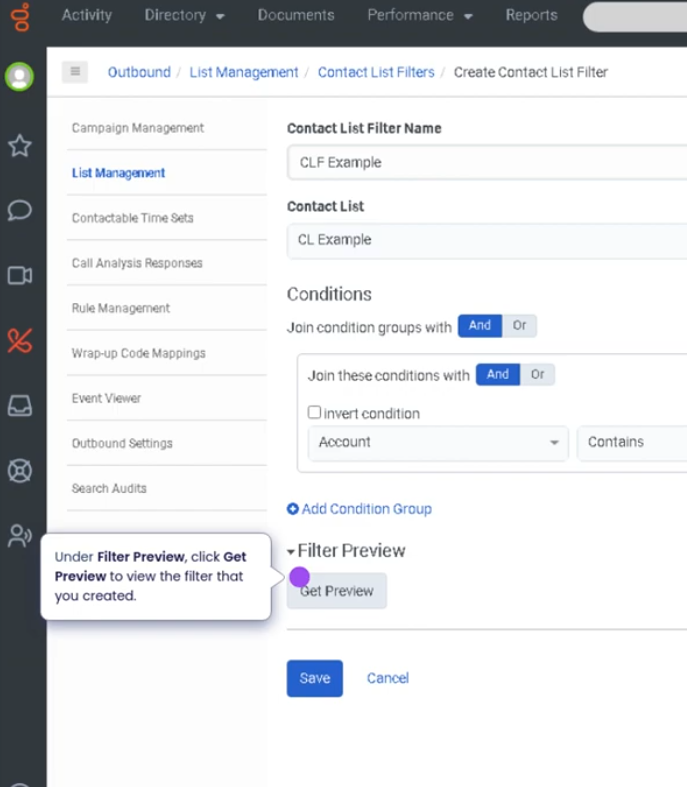
## Outbound Contact List Filters (Genesys Cloud)

### Summary
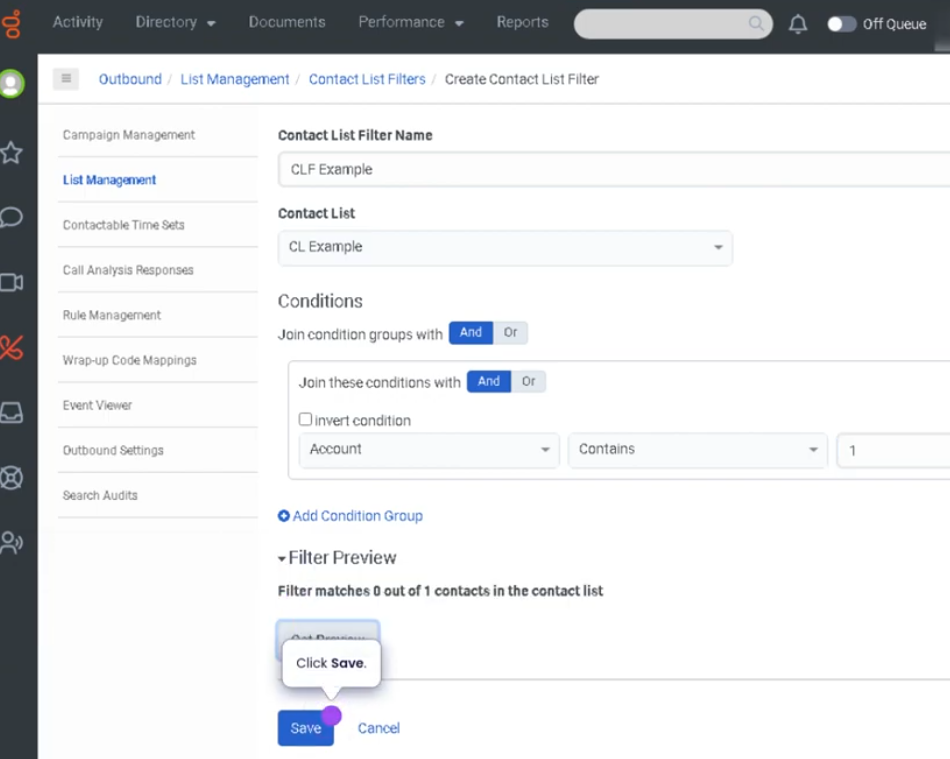
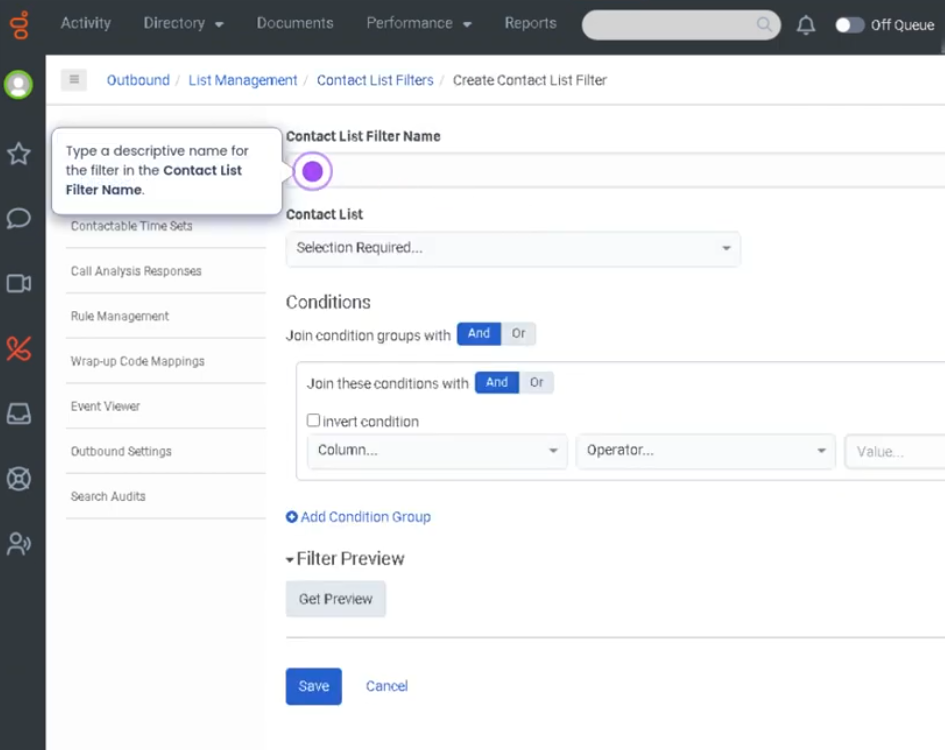
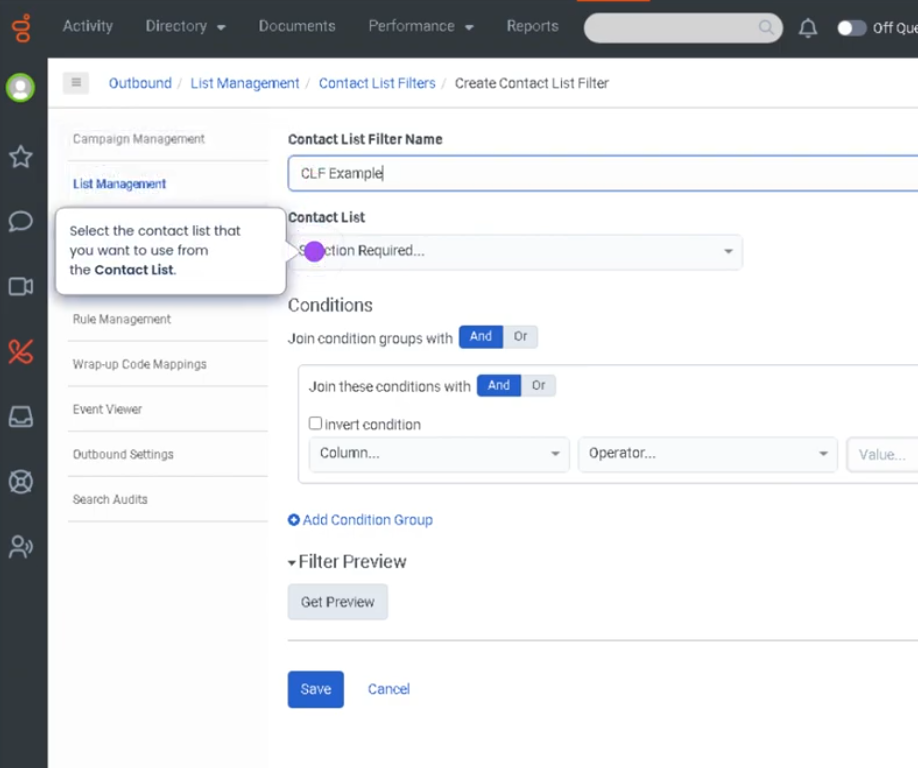
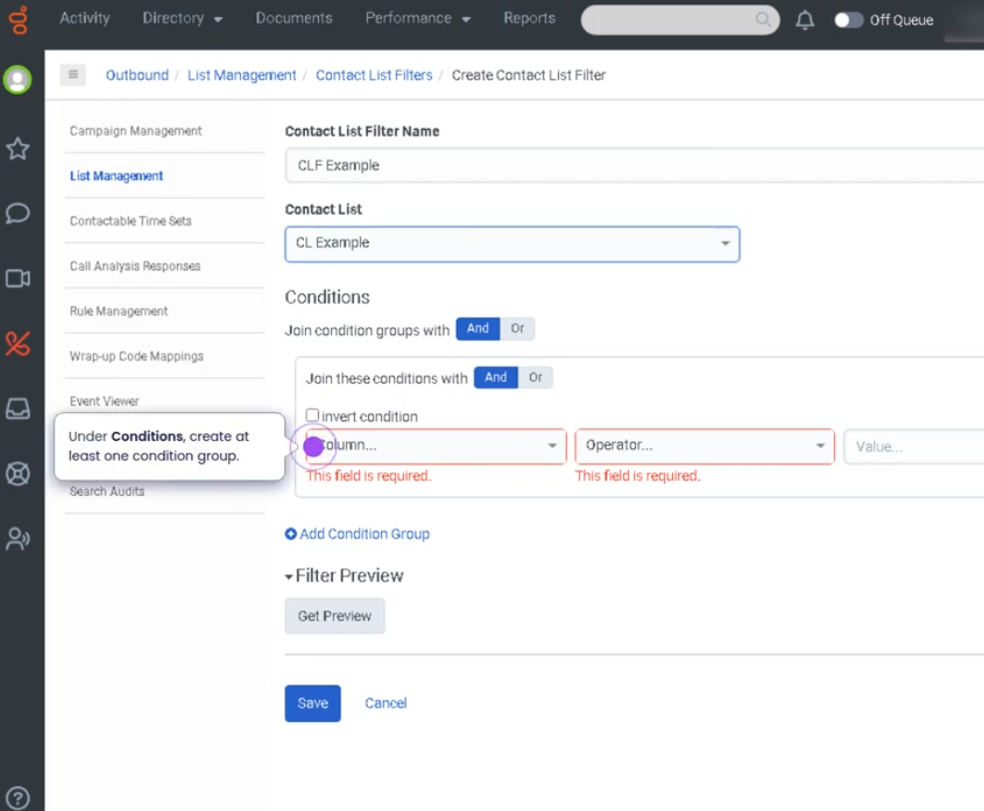
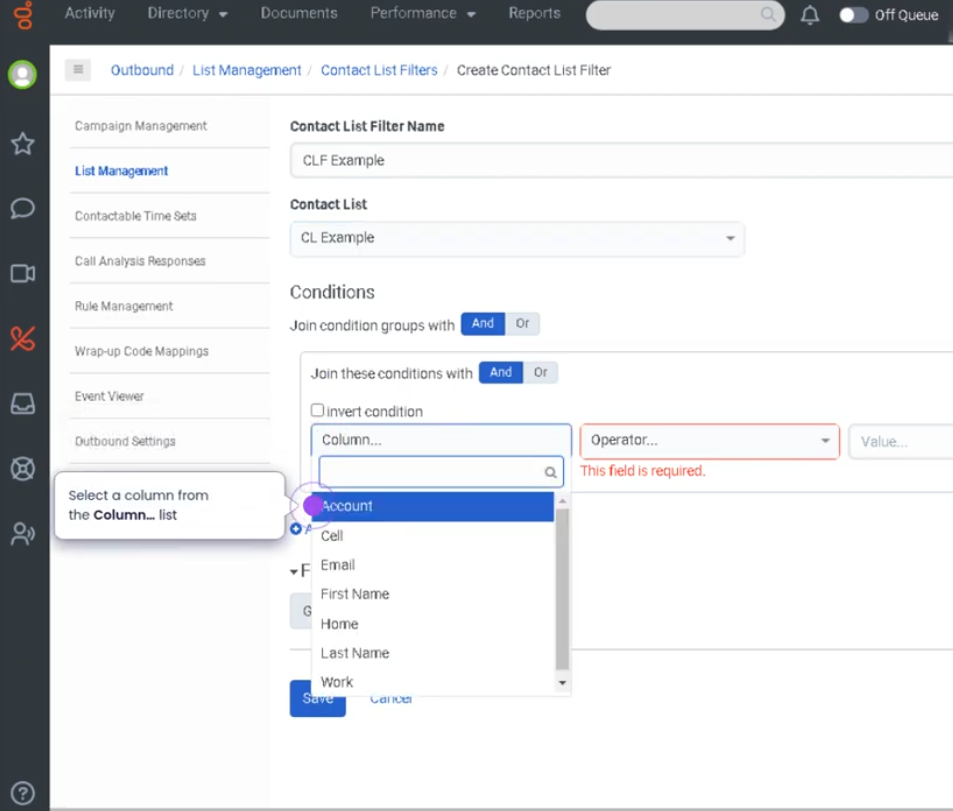
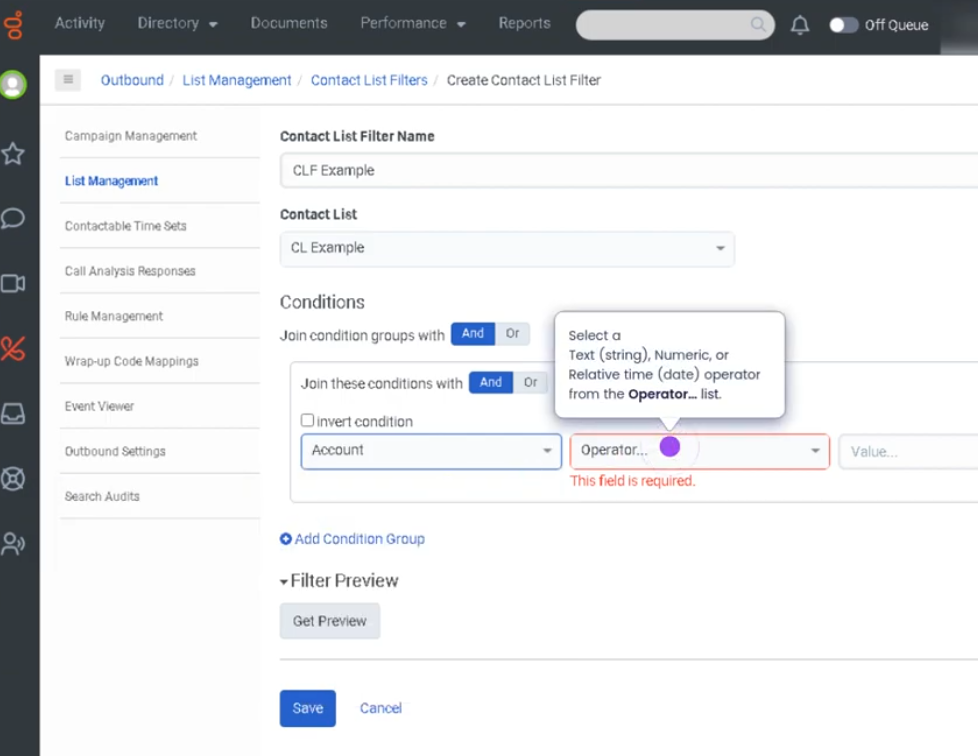
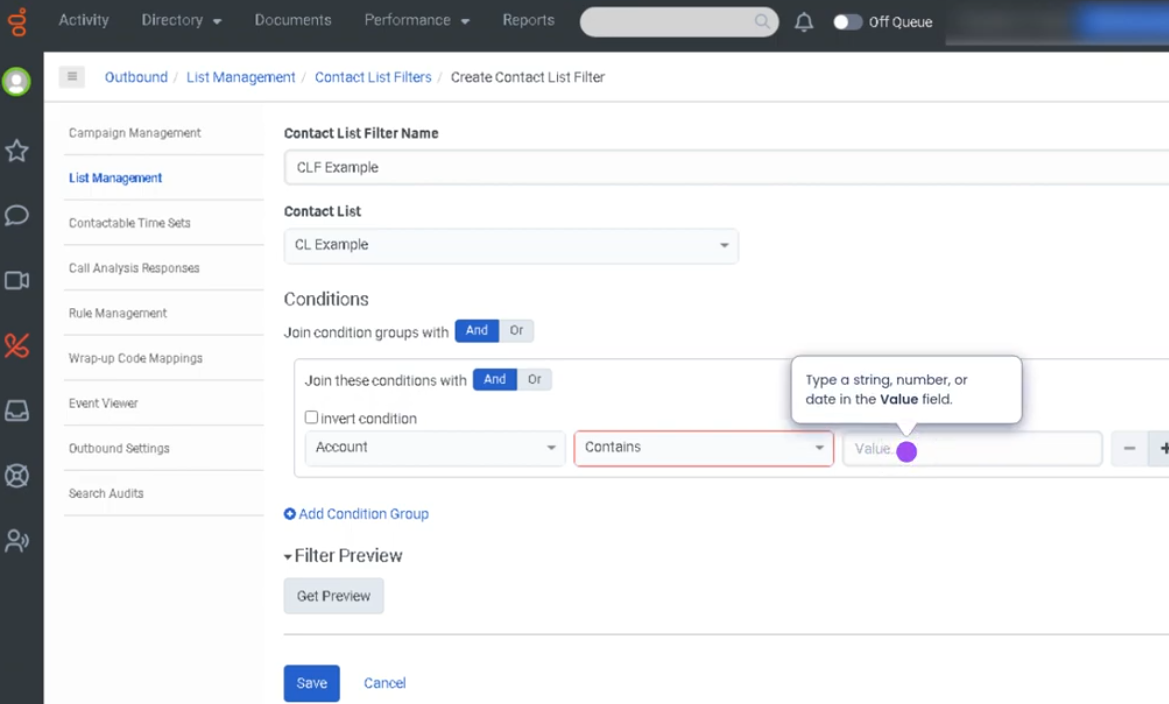
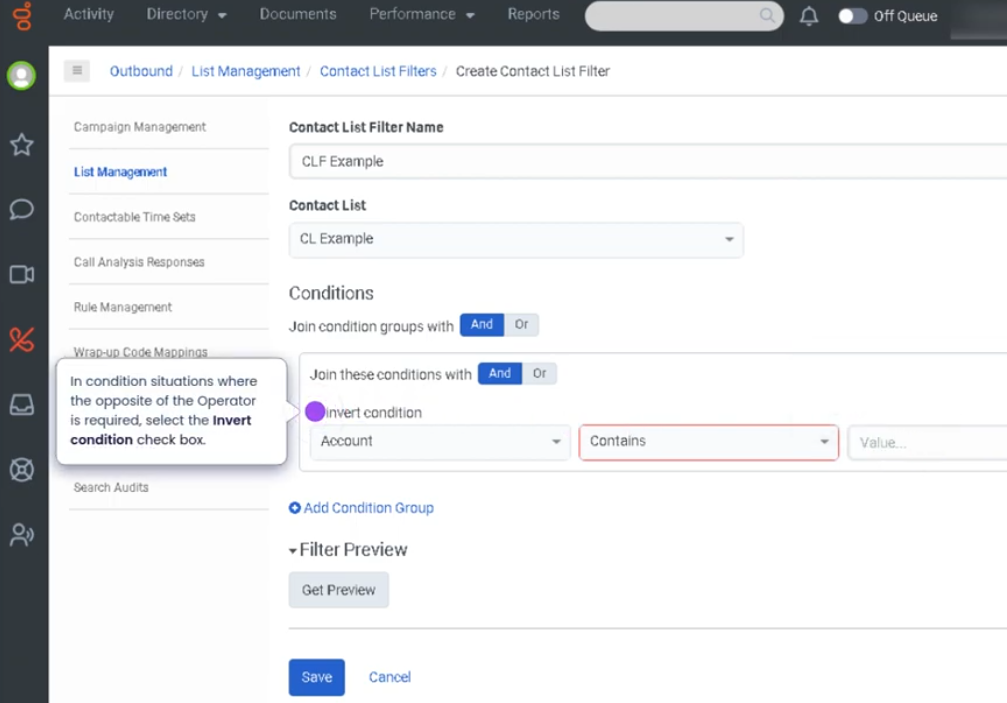
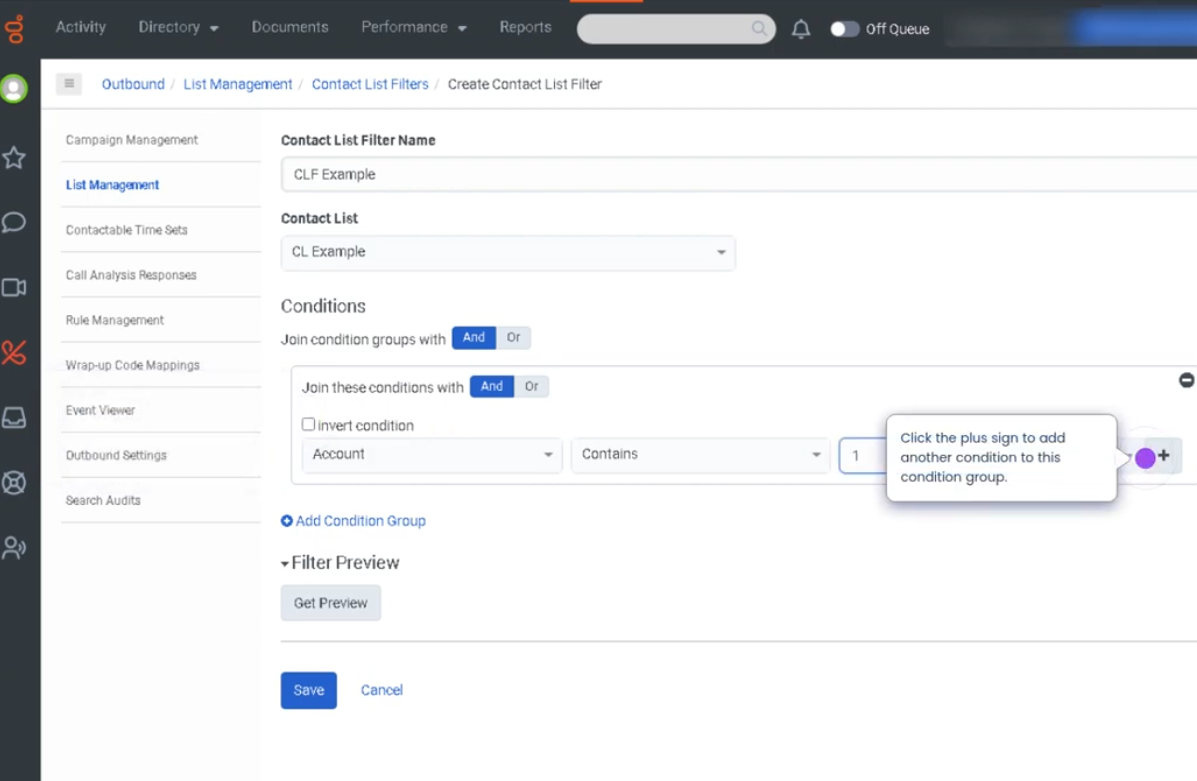
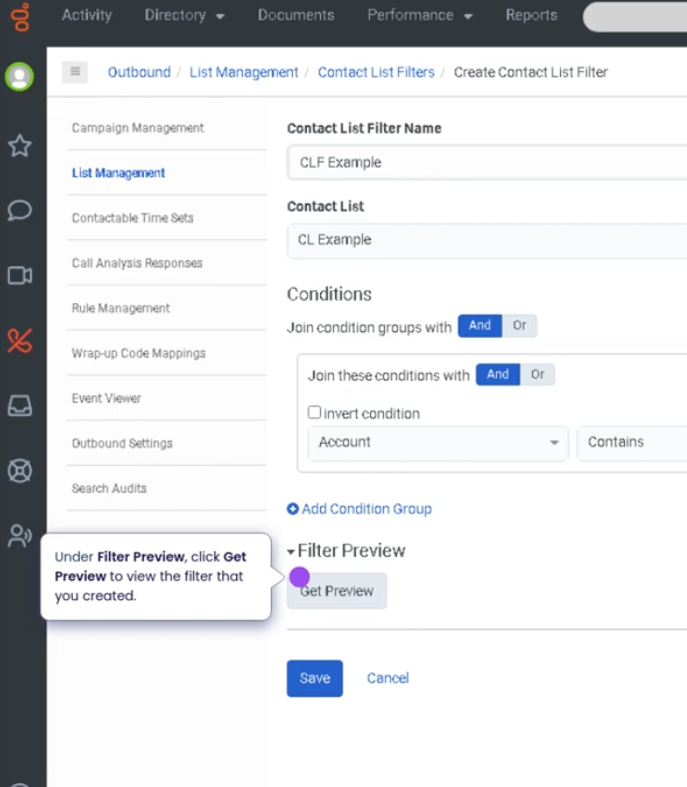
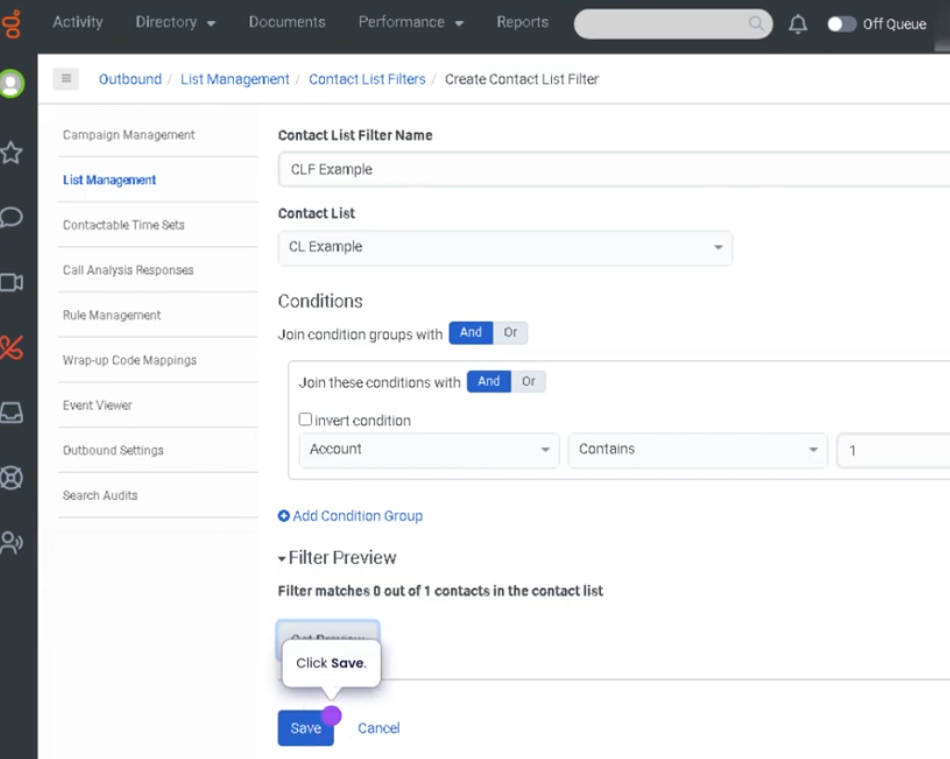
**Outbound Contact List Filters** in Genesys Cloud allow administrators to **define rules that determine which contacts from a contact list are eligible to be dialed during an outbound campaign**. These filters evaluate **contact list fields and conditions** to include or exclude specific records from dialing attempts.

By applying filters, organizations can **target specific customer segments, enforce compliance rules, and improve campaign efficiency**. Filters are commonly used in outbound dialing campaigns to control when and how contacts are called.

---

## Utilization

| Use Case | Description |
|---|---|
| Targeted campaign dialing | Only dial customers matching specific criteria |
| Compliance filtering | Exclude contacts who opted out or should not be called |
| Time-based campaigns | Filter contacts based on region or time zone |
| Priority outreach | Focus dialing on high-value or high-priority customers |
| Campaign segmentation | Separate contacts by demographics or account status |

Outbound contact list filters help ensure that **only the appropriate contacts are dialed during campaigns**.

---

## Best Practices

| Practice | Reason |
|---|---|
| Use clear and logical filter conditions | Ensures accurate contact selection |
| Test filters before launching campaigns | Prevents dialing errors or incorrect targeting |
| Include compliance rules in filters | Helps meet regulatory requirements |
| Keep filters simple and well documented | Makes troubleshooting easier |
| Regularly review filter logic | Ensures campaigns remain aligned with business goals |
| Use descriptive filter names | Helps administrators quickly identify filter purpose |

---

## Example Scenarios

### Scenario 1 – Targeting Active Customers

```text
Administrator creates outbound campaign
        ↓
Contact list contains multiple customer types
        ↓
Filter created to include only active customers
        ↓
Campaign dials only filtered contacts
Scenario 2 – Excluding Do-Not-Call Contacts
Campaign uses contact list
        ↓
Filter checks Do-Not-Call field
        ↓
Contacts flagged as DNC excluded
        ↓
Campaign dials only compliant records
Scenario 3 – Region-Based Campaign
Marketing campaign targets specific region
        ↓
Filter applied based on location field
        ↓
Contacts in selected region included
        ↓
Campaign runs with targeted audience
Key Benefits
| Benefit |
Explanation |
| Improved campaign targeting |
Ensures only relevant contacts are dialed |
| Compliance support |
Helps enforce regulatory dialing restrictions |
| Better dialing efficiency |
Reduces wasted dialing attempts |
| Campaign segmentation |
Enables targeted outreach strategies |
| Operational control |
Administrators manage who gets contacted and when |

No Comments