
AES - Renew AES Cert using System Manager
AES certificate renewal if using SMGR certificate with CA Certificate and End Entity in place.
*This work will need a maintenance window for restarts of the AES.
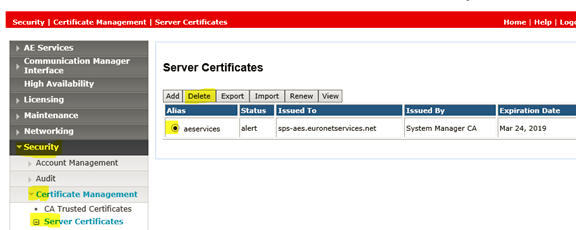
1. Remove Certificate that is about to expire from AES.
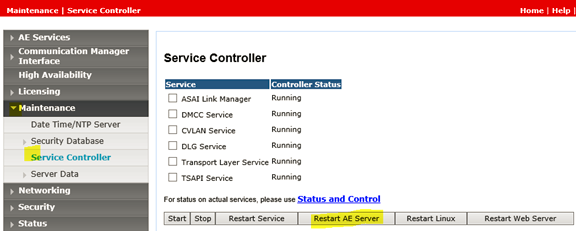
2. Restart AE Server
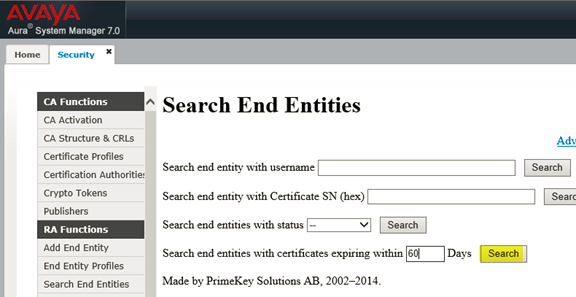
3. Go to the System Manager> Security> Certificates> Authority> Search End Entities
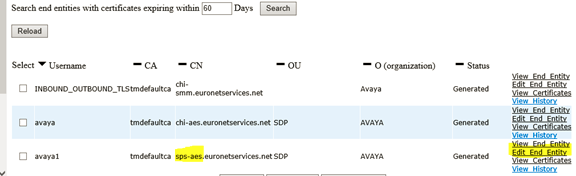
4. Verify the certificate for your AES by the CN and select Edity End Entity
5. Change the status to New, enter the passwords and then Save
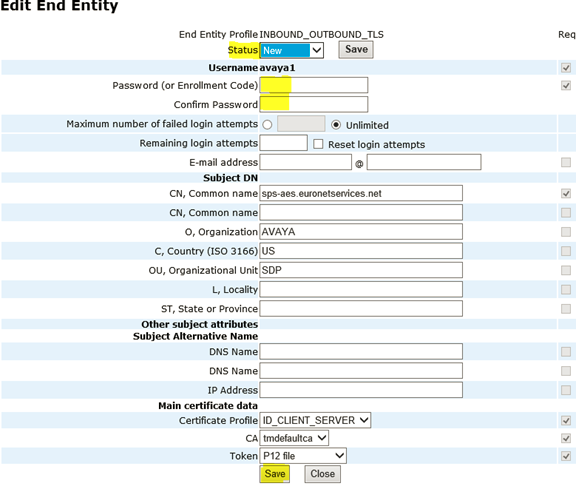
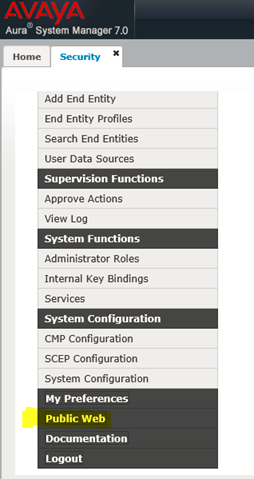
6. Scroll to the bottom of the page and select Public Web.
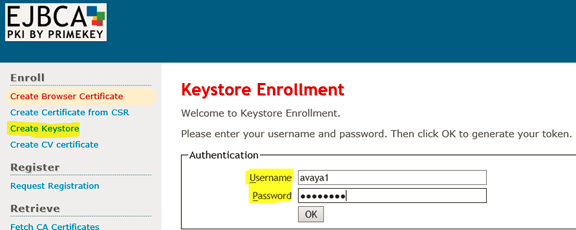
7. Select Create Keystore and then enter the username and password from the End Entity and select OK.
8. Select 2048 bits and then Select Enroll.

Once you click enroll the certificate will be downloaded (depending on your browser you can select where it is saved or find it in downloads from windows explorer.
Next Import the new AE Services server certificate into the AES
1. Using the AE Services Management Console navigate to "Security > Certificate Management > Server Certificates"
2. Click on the Import button and upload the new AE Services server certificate you created above (this will be the .p12 file). Select an alias (server) from the drop down menu
3. Click the "Apply" button.

4. Select Choose file, Establish Chain of Trust and Certificate Alias.
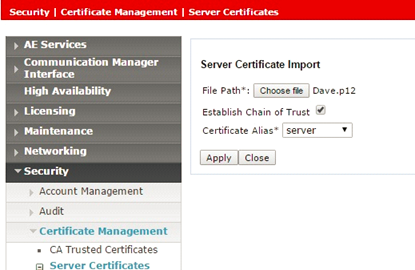
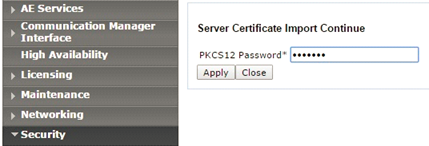
5. Enter the PKCS12 password (from the End Entity) and select Apply and then on the next page Apply again.
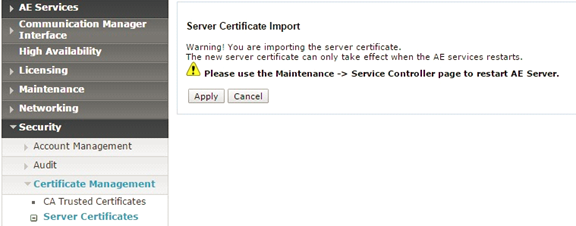
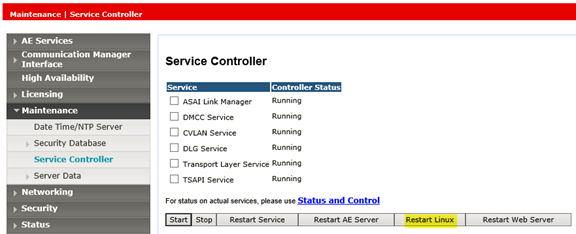
6. Restart the Linux server.
No Comments