
System Manager 8.1 - Geo Replicaition not tworking due o CSYNC2 service down
Problem Clarification
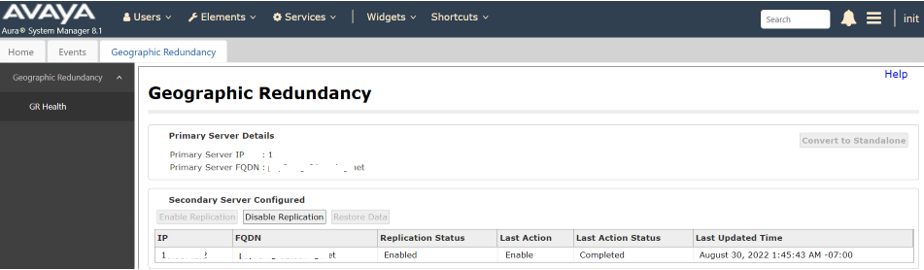
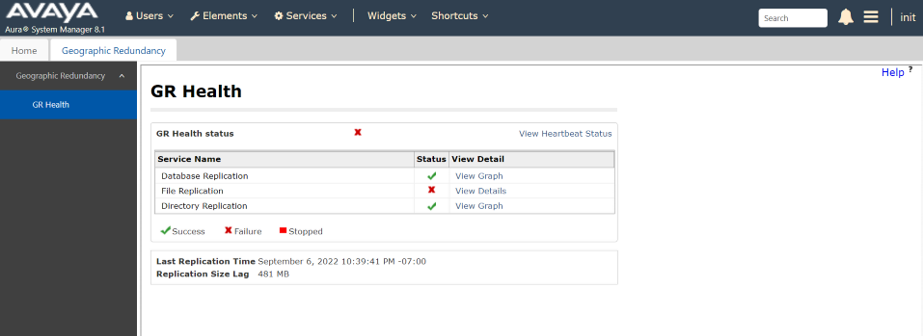
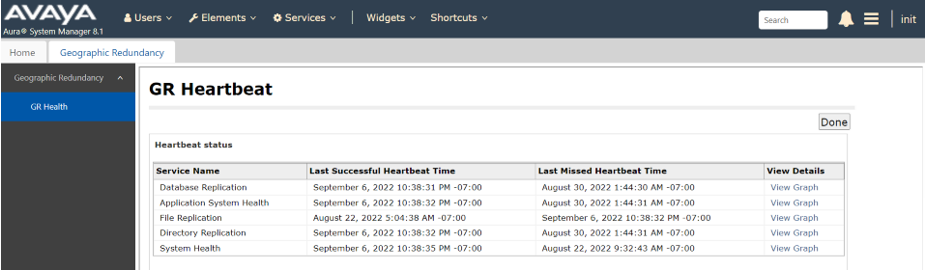
Cause
Primary SMGR csync2.log shows connection to Secondary SMGR failed. TIMESTAMP: 2022-09-07 10:25:02 AEST (GMT+1000) TIMESTAMP: 2022-09-07 10:25:02 AEST (GMT+1000) [10:25:02] ERROR: Connection to remote host `secondarySMGR' failed. [10:25:02] ERROR: Connection to remote host `secondarySMGR' failed. Sniffer trace shows primary SMGR csync2 sent TCP SYNC to secondary SMGR port 30865, but secondary SMGR reset TCP connection. Secondary SMGR is not listening on port 30865 used by Csync2.Found Csync2.socket service is not running on Secondary SMGR which caused the issue

Solution
Peform below actions resolved issue.

1.    Disable GEO from primary server.
2.    Restart csync2 on secondary server.
# systemctl restart csync2.socket
3.    Check csync2 on secondary server to make sure it’s up and running.
# systemctl status csync2.socket
4.    Then enable GEO from primary server.

File replication health status is showing good now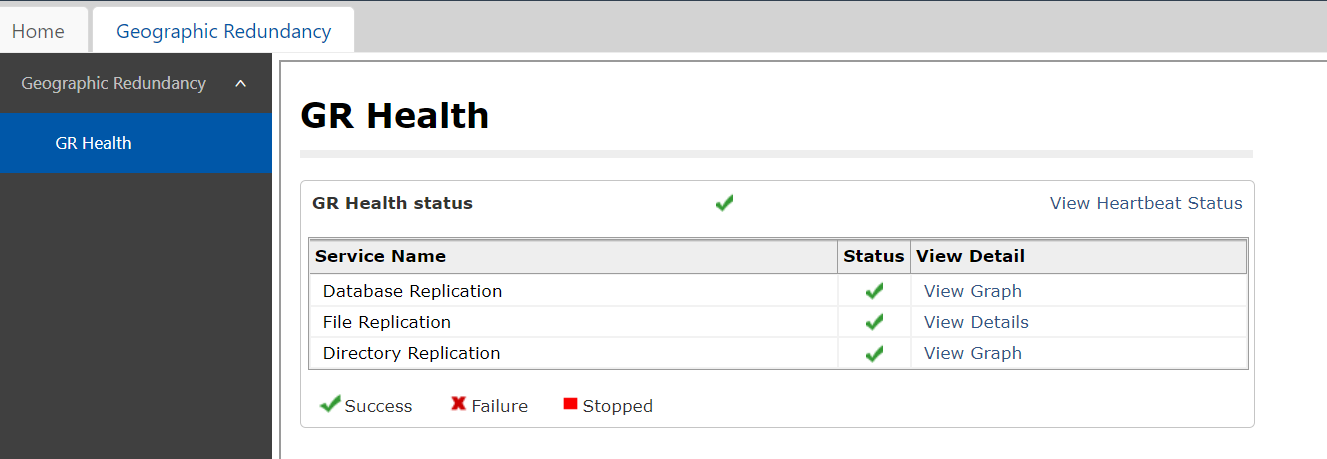
No Comments