
Genesys Cloud - Routing and Queues - Accept and respond to message interaction
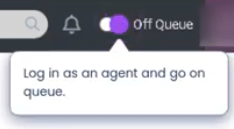
Login as agent
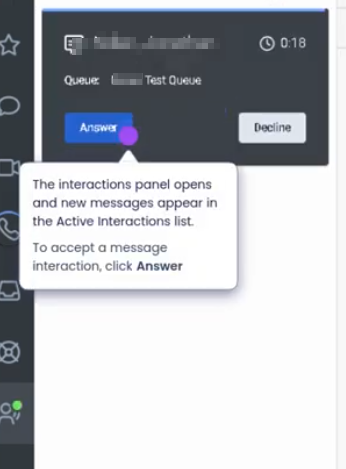
Answer Interaction
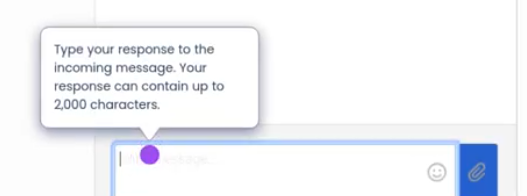
Type your response to the incoming message
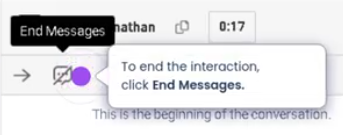
To end the interaction click end message
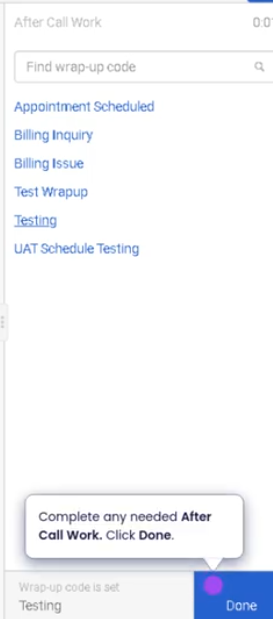
Disposition call and end
Accept and Respond to a Message Interaction (Genesys Cloud)
Summary
Accepting and responding to a message interaction in Genesys Cloud allows agents to communicate with customers through digital messaging channels such as web messaging, SMS, WhatsApp, Facebook Messenger, or other supported messaging integrations. When a message interaction is routed to an agent through a queue, the agent can accept the interaction and reply directly from the Agent Workspace.
Messaging interactions provide an asynchronous communication experience where agents and customers can exchange messages without requiring a continuous voice connection.
Utilization
| Use Case | Description |
|---|---|
| Customer support via messaging | Agents assist customers through chat or messaging channels |
| Asynchronous conversations | Customers and agents can respond without staying continuously connected |
| Digital customer engagement | Organizations provide support through popular messaging platforms |
| Multi-interaction handling | Agents can manage multiple message interactions simultaneously |
| Queue-based routing | Messaging interactions are routed through queues similar to voice calls |
Message interactions help organizations support digital-first customer communication channels while maintaining structured queue routing and agent management.
Best Practices
| Practice | Reason |
|---|---|
| Respond promptly after accepting the interaction | Improves customer experience and response time metrics |
| Use approved response templates or quick replies | Ensures consistency and reduces response time |
| Maintain a professional tone | Messaging interactions still represent the organization's brand |
| Review the conversation history before responding | Provides context for accurate responses |
| Manage multiple interactions carefully | Prevents delayed responses and improves interaction handling |
| Use internal notes when necessary | Allows collaboration with other agents or supervisors |
Example Scenarios
Scenario 1 – Web Messaging Customer Support
Customer opens web messaging chat
        ↓
Interaction routed to support queue
        ↓
Agent receives message interaction
        ↓
Agent accepts interaction
        ↓
Agent responds to customer through messaging panel