
Security & Compliance
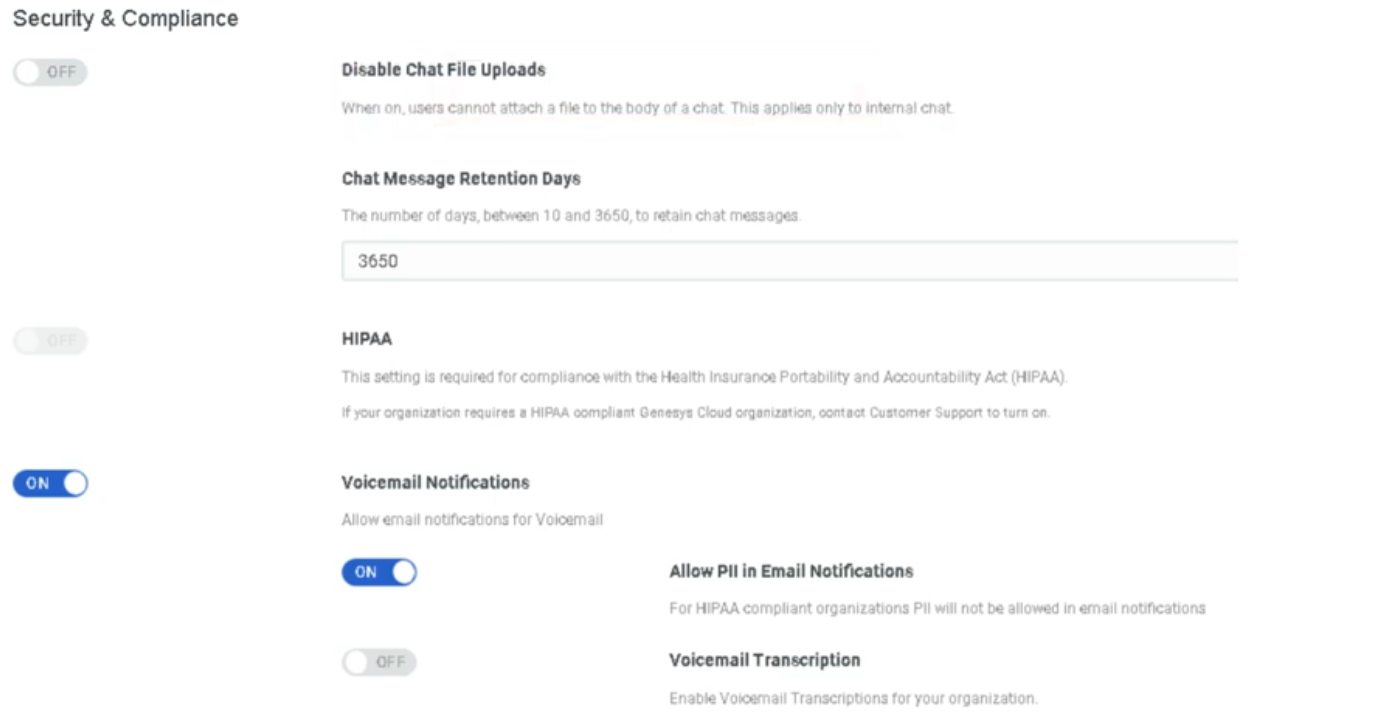
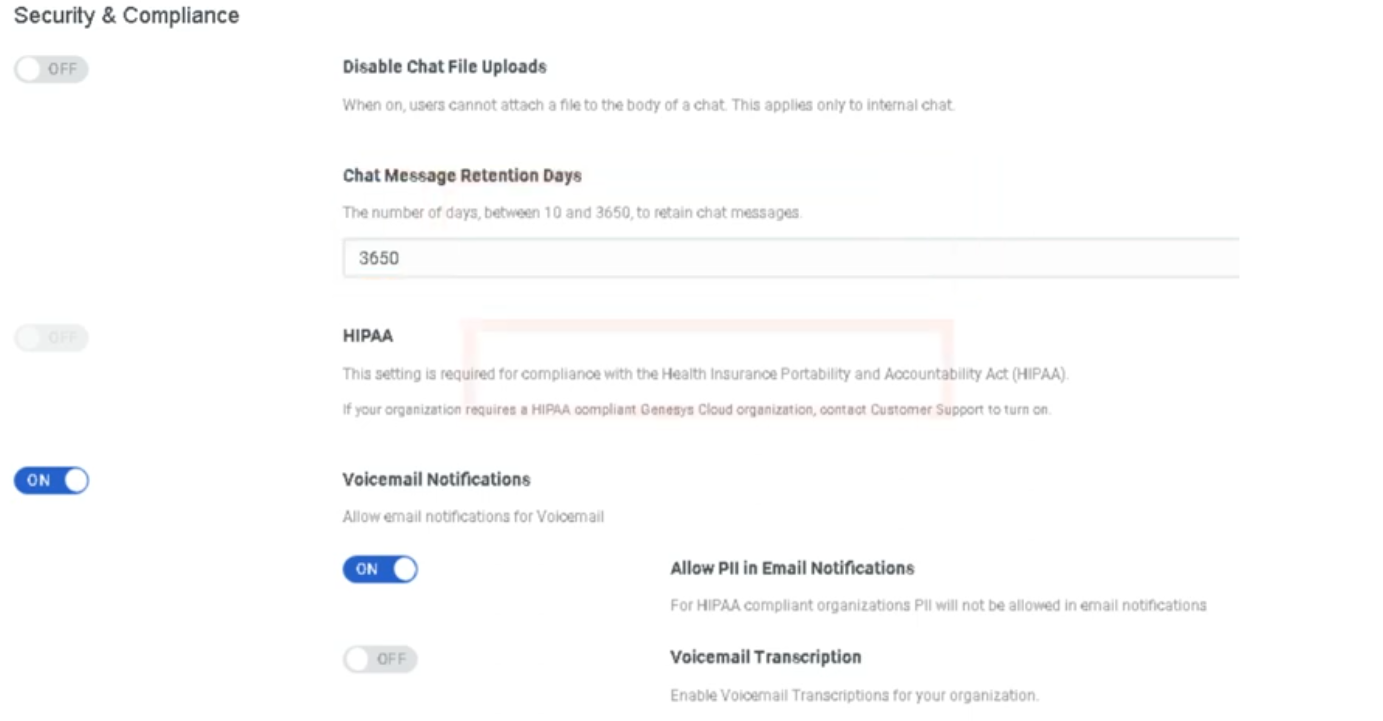
These settings govern how Genesys Cloud protects sensitive data, enforces compliance with regulatory standards, and controls access and authentication across the organization. Configured under Admin → Account Settings → Organization Settings → Settings → Security & Compliance and the Authentication tab.
Navigation Path
| Step | Path |
|---|---|
| 1 | Click Admin |
| 2 | Under Account Settings, click Organization Settings |
| 3 | Click the Settings tab → Security & Compliance section |
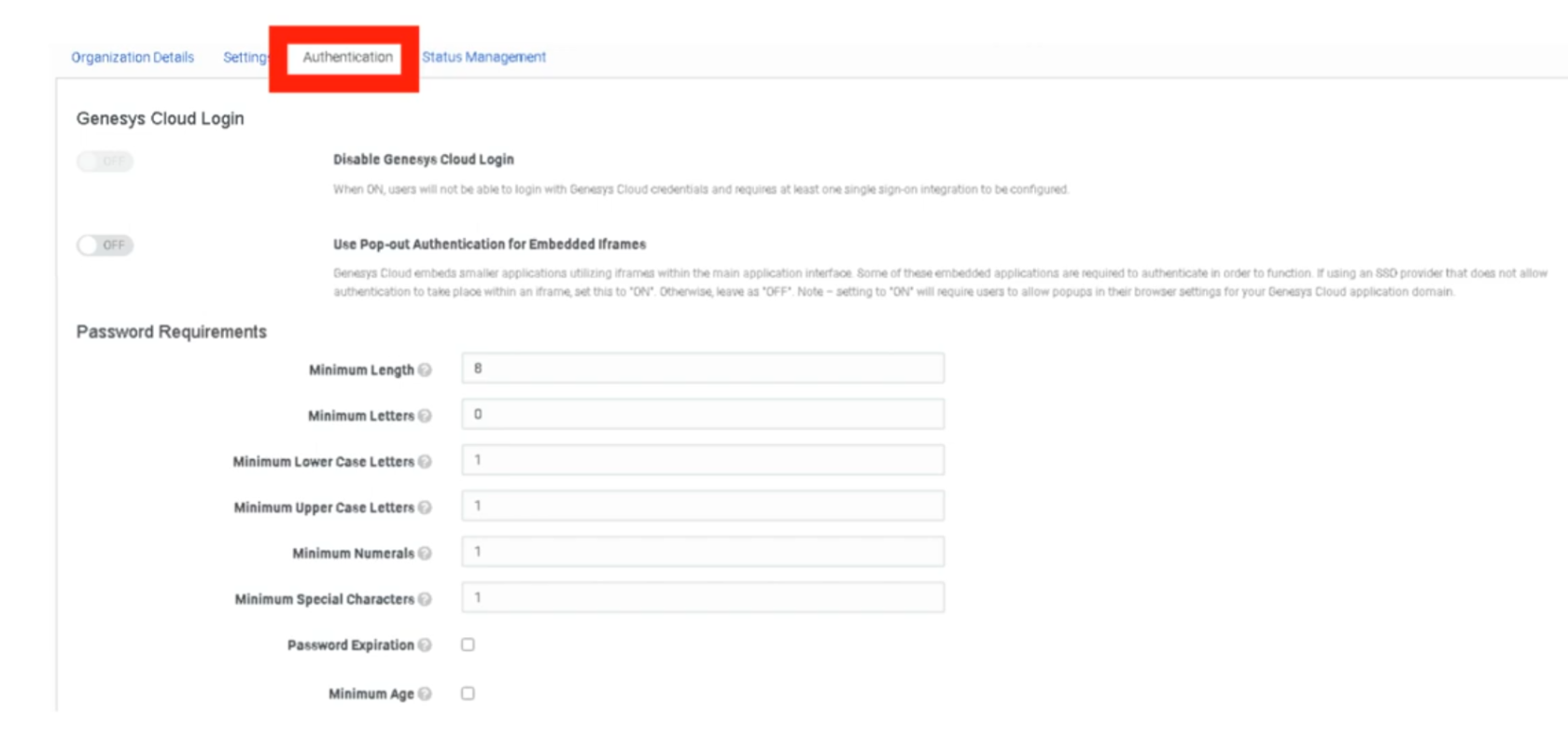
| 4 | For authentication settings → click the Authentication tab |
1. Regulatory Compliance Modes
These modes are not self-service toggles — they must be enabled by contacting Genesys Cloud Customer Care. Once enabled, they impose specific platform behaviors and restrictions.
HIPAA Compliance
| Item | Detail |
|---|---|
| What it does | Secures Protected Health Information (PHI) handled in the contact center. Imposes specific restrictions on data handling, recording, and storage. |
| Inactivity timeout impact | HIPAA organizations have a mandatory 15-minute maximum inactivity timeout, even if the inactivity timeout is toggled off. |
| How to enable | You must first obtain a Business Associate Agreement (BAA) from Genesys. Contact [email protected]. Once you have a BAA, contact Genesys Cloud Customer Care to enable HIPAA mode. |
| Regions | Americas (HIPAA, HITRUST) |
PCI DSS Compliance
| Item | Detail |
|---|---|
| What it does | Enables PCI DSS-compliant handling of payment card data. Disables DTMF logging and media capture by the Edge to prevent cardholder data from being recorded. |
| Compliance level | Genesys Cloud is a Level 1 PCI DSS Service Provider assessed under PCI DSS version 4.0.1. |
| How to enable | Contact Genesys Cloud Customer Care. PCI DSS cannot be self-enabled. |
| Important | Only Genesys Cloud features noted in the Report on Compliance as PCI-certified can be used to process, transmit, or store credit card information. |
PCI DSS deployment options:
| Model | PCI Compliant? |
|---|---|
| Genesys Cloud Voice | ✅ Yes |
| BYOC Cloud | ✅ Yes |
| BYOC Premises | ✅ Yes |
PCI DSS transaction handling options:
| Method | Description |
|---|---|
| Secure Pause | Agent manually initiates a pause in recording before collecting card data. Only Secure Pause and Secure Call Flows are validated as Level 1 PCI DSS compliant by an external Qualified Security Assessor. |
| Secure Call Flow | Architect flow transfers the call to a secure flow for card data collection, keeping the agent out of scope. |
⚠️ Genesys recommends Secure Pause or Secure Call Flows as the first line of defense for PCI DSS. Automatic redaction (below) is best-effort only and is not a substitute for PCI DSS compliance.
2. Data Redaction
Sensitive Data Redaction
| Setting | Description |
|---|---|
| Sensitive Data Redaction for Payment Cards | Automatically redacts PCI entities (credit card numbers, CVVs) from recordings and voice transcriptions on a best-effort basis. |
| Sensitive Data Redaction for Personal Information | Automatically redacts personal information entities (SSNs, dates of birth, etc.) from recordings and voice transcriptions on a best-effort basis. |
Key limitations:
| Item | Detail |
|---|---|
| Availability | Only functions if Speech or Text Analytics is enabled for the interaction |
| Best-effort | Not a guaranteed redaction — not a substitute for Secure Pause or Secure Call Flows for PCI compliance |
| Override | Users with the Recording > Recording > ViewSensitiveData permission can still access the original unredacted recording |
Admin → Account Settings → Organization Settings → Settings → Security & Compliance → Sensitive Data Redaction
3. Access & Authentication Controls
IP Address Allowlist
| Setting | Description |
|---|---|
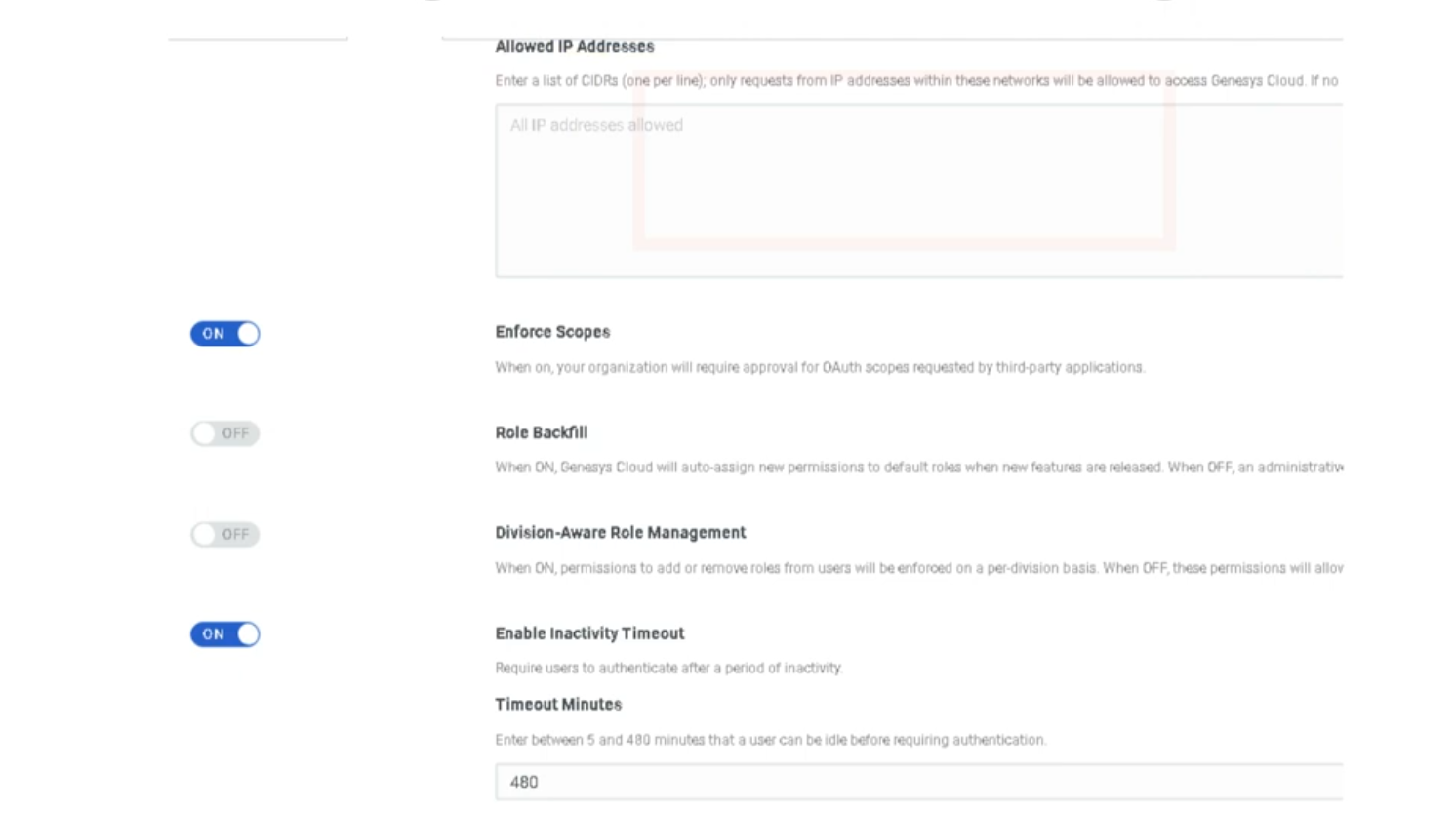
| IP Address Allowlist | Restricts Genesys Cloud access to specific IP addresses or CIDR ranges. Useful for enforcing that agents can only log in from corporate networks or VPNs. |
⚠️ Caution: Before adding IP restrictions, ensure your own admin IP address is included. Locking yourself out requires contacting Genesys Care.
Division-Aware Role Management
| Setting | Description |
|---|---|
| Division-Aware Role Management | When enabled, role assignments are scoped to specific divisions. A user assigned the Supervisor role in the Monterrey division can only supervise agents and resources in that division. |
📌 This is a significant architectural decision. Once enabled, all role assignments must be made with a division context. Coordinate with your access control design before enabling.
Automatic Role Permission Backfill
| Setting | Description |
|---|---|
| Automatically backfill roles with new permissions | When enabled, Genesys Cloud automatically adds new feature permissions to existing roles as new features are released. When disabled, administrators must manually review and assign new permissions as new features roll out. |
Recommendation:
| Organization Type | Recommended Setting |
|---|---|
| Small org, wants to stay current automatically | Enabled |
| Regulated org with strict change control | Disabled — review and approve permissions manually |
OAuth Scope Enforcement
| Setting | Description |
|---|---|
| Enable OAuth Scope Enforcement | Restricts what API integrations can access based on the OAuth scopes explicitly granted to them. Prevents integrations from accessing resources beyond their declared scope. |
4. Authentication Settings
Configured under the Authentication tab of Organization Settings, not the Settings tab.
Password Policy
| Setting | Description |
|---|---|
| Minimum Length | Minimum number of characters required |
| Uppercase Required | Forces at least one uppercase letter |
| Numbers Required | Forces at least one numeric character |
| Special Characters Required | Forces at least one special character |
| Password History | Prevents reuse of previous passwords |
Single Sign-On (SSO)
| Setting | Description |
|---|---|
| SSO Integration | Configure Genesys Cloud to authenticate through an external identity provider such as Azure AD, Okta, or Ping Identity. |
| SSO Only Mode | Forces all users to authenticate exclusively through SSO. Disables native Genesys username/password login entirely. |
📌 Always test SSO with a non-admin account before enabling SSO Only mode. If SSO is misconfigured and SSO Only is enabled, admin accounts may be locked out.
Multi-Factor Authentication (MFA)
| Setting | Description |
|---|---|
| MFA | Requires a second verification factor (e.g., authenticator app, SMS code) at login in addition to the password. |
⚠️ Mandate (March 2026): Genesys has mandated MFA for all administrator accounts with elevated permissions that do not authenticate through SSO. SSO accounts are exempt as SSO providers already enforce MFA. Pure username/password admin logins without MFA are no longer permitted as of this date.
Inactivity Timeout (cross-reference)
Inactivity Timeout is located in the Security & Compliance section of the Settings tab but is documented on the Onboarding & Access page since it also applies to general session management.
| Key detail | Value |
|---|---|
| Range | 5 minutes – 8 hours |
| HIPAA orgs | Mandatory 15-minute maximum |
5. Embedding & Anti-Clickjacking
| Setting | Description |
|---|---|
| Manage Genesys Cloud Embedding | Prevents external websites from embedding your Genesys Cloud instance in an iframe. Combats clickjacking attacks where a malicious site overlays your org's UI to capture credentials or actions. |
⚠️ Warning: Enabling this feature will break any Genesys Cloud integrations, apps, or embeddable framework implementations whose domain is not listed in the Allowed Embeddable Domains list. Read the Genesys embedding documentation and configure allowed domains before enabling this setting.
6. Supported Compliance Standards Reference
| Standard | Region | How to Enable |
|---|---|---|
| HIPAA | Americas | Contact Genesys Care + BAA required |
| HITRUST | Americas | Contact Genesys Care |
| PCI DSS | Global | Contact Genesys Care |
| GDPR | EMEA / Global | No configuration needed — applies to all AWS regions |
| HDS | France | Contact Genesys Care |
| FedRAMP (Moderate) | US Government | Contact Genesys Care |
| SOC 1 & SOC 2 Type 2 | Global | Attestation available under NDA |
| ISO 27001 / 27017 / 27018 | Global | Certifications maintained by Genesys |
| CCPA | California / Americas | No configuration needed |
| LGPD | Brazil | No configuration needed |
| IRAP | Australia | Contact Genesys Care |
Last verified against Genesys Cloud Resource Center – March 2026