Scheduling & Schedule Groups
Scheduling Used by: Call Routing, Architect flows, time-based routing decisions
What Is Scheduling?
A Schedule defines a window of time — a date, time range, or recurring event — that Architect and Call Routing use to decide which flow runs. A Schedule Group bundles multiple schedules into a single routing definition with Open, Closed, and Holiday categories.
Together they answer the question: "Is it business hours right now?"
Schedules vs.& Schedule Groups
| Primary Use | Business hours, after-hours support, holidays, recurring events, maintenance windows, and |
| Admin Location | Admin → Routing → Scheduling |
✅Study
AlwaysNotesbuild
individualSchedulesfirst,Topic thenExplanation assemblethemSchedule A time-based object that determines when routing or flow logic is active. Schedule Group Groups multiple schedules into aOpen, Closed, and Holiday categories for routing.Architect Usage Architect uses schedules to determine how inbound and outbound interactions should be handled. Recurrence Support Schedules can be one-time or repeating (daily, weekly, monthly, yearly, or custom iCal rule). Evaluation Order In Architect: Emergency → Holiday → Closed → Open Default Branch If no schedule matches, Closed is the default branch in Evaluate Schedule Group. Time Zone Set on the Schedule Group — most common misconfiguration is a wrong or missing time zone.
Navigation
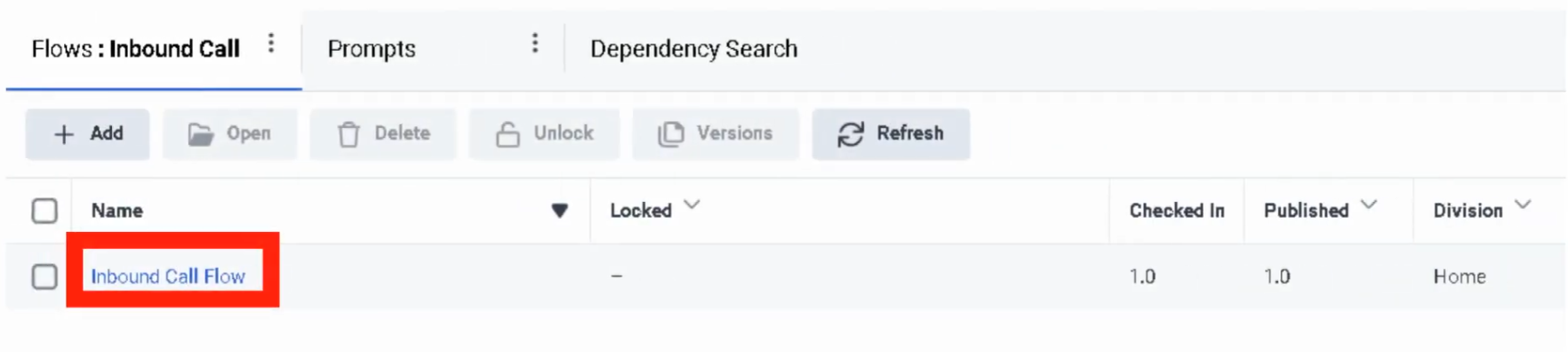
Task Navigation View Schedules Admin → Routing → SchedulingCreate Schedule Admin → Routing → Scheduling → Add ScheduleView Schedule ComponentsGroupsAdmin → Routing → Scheduling → Schedule GroupsUse in Architect Architect → Open Flow → Add Evaluate Schedule Group action
Schedule Configuration Fields
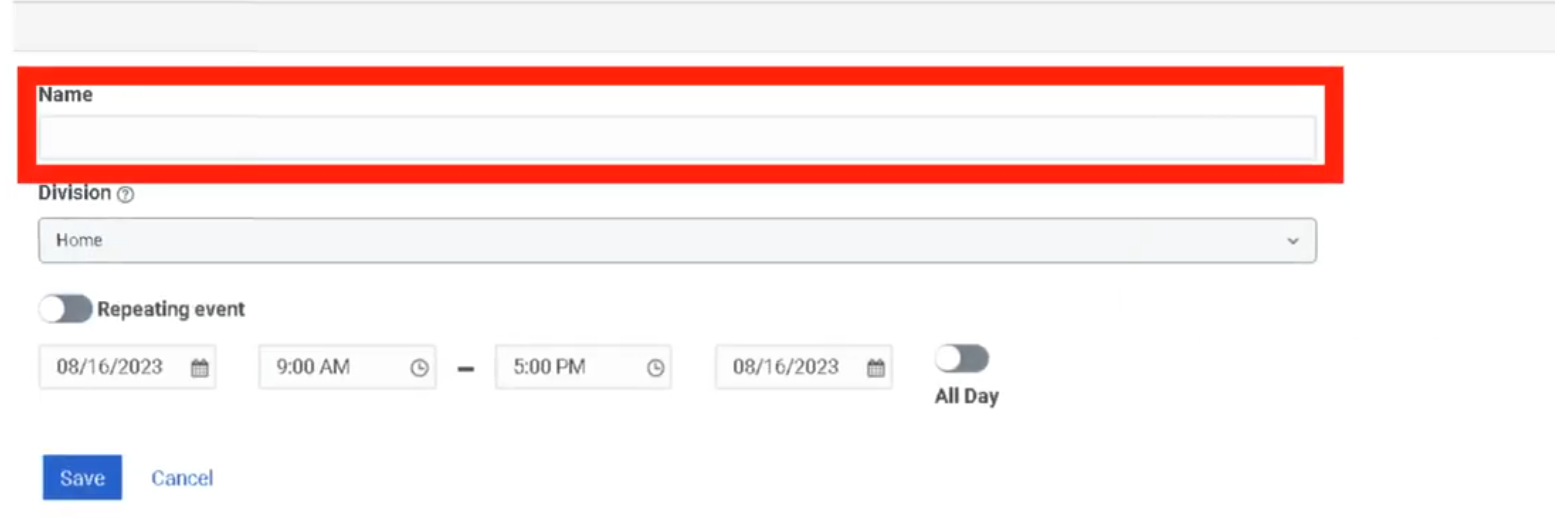
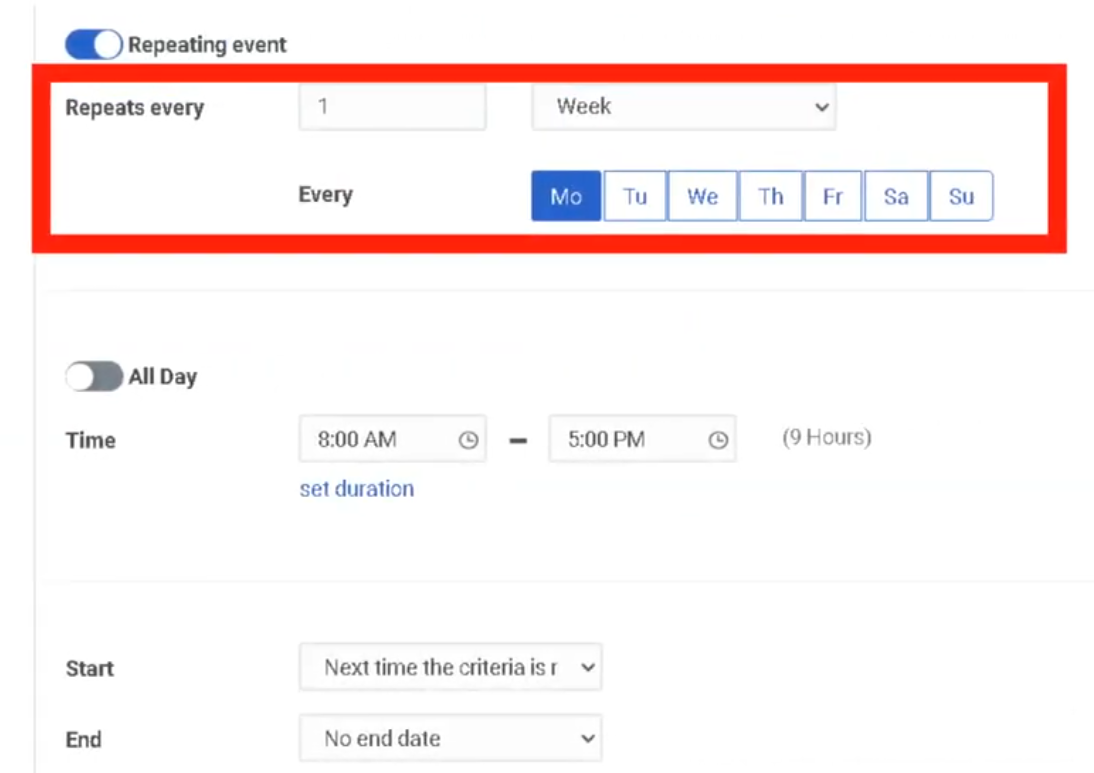
Field Description Example Schedule Name Unique identifier — no spaces recommended for flow referencesDivisionAdministrative ownershipRepeating EventOff = one-time only; On = recurringStart / End DateDate boundsname for the scheduleStart / End TimeTime window; or useAll DayUS_Support_BusinessHoursRecurrence RuleDivisionHowDeterminesoftenadministrativeitownershiprepeatsand(Daily,accessWeekly, Monthly, Yearly, Custom iCal)Home StartRepeatingConditionEventOnEnablesDate,recurringorscheduleNextlogicTime Criteria MetEnabled Start Date Date when the schedule starts 2026-03-01 End ConditionDateDate when the schedule ends 2026-12-31 Start Time Time when the schedule starts 08:00 End Time Time when the schedule ends 18:00 All Day Enables full-day schedule instead of start/end times Disabled Repeats Every Defines recurrence pattern Weekly Start Option Defines when recurrence begins On Date End Option Defines when recurrence stops No End Date,DateAfterNOccurrences,iCal orRuleOnAdvanced recurrence rule configuration FREQ=WEEKLY;BYDAY=MO,TU,WE,TH,FR
Schedule Types
Schedule Type Example One-Time July_4_ClosureDaily After_Hours_DailyWeekly Mon_Fri_BusinessHoursMonthly First_Monday_MaintenanceYearly Christmas_HolidayAdvanced Rule FREQ=WEEKLY;BYDAY=MO,TU,WE,TH,FRExample business-hours schedule:
Field Value Name US_Support_BusinessHoursRepeating Event Enabled Repeats Every Weekly Days Monday–Friday Start Time 08:00 End Time 18:00 End Option No End Date
Group Configuration
RecurrenceSchedule
Types
TypeUse CaseOne-TimeSingle maintenance window, one-off closureDailyEvery day, or every N daysWeeklySelected weekdays (e.g., Mon–Fri)MonthlySpecific day of month or weekday patternYearlyAnnual holidays (e.g., Dec 25 every year)Custom iCal RuleAdvanced recurrence syntax
iCal example — Monday through Friday:FREQ=WEEKLY;BYDAY=MO,TU,WE,TH,FR
Creating a Schedule
Admin → Routing →SchedulingClickAdd ScheduleEnter a uniqueSchedule Nameand selectDivisionToggleRepeating EventOn or OffSetStart DateandStart / End Time(or checkAll Day)If repeating: configure recurrence type, start condition, and end conditionClickSave
Schedule Groups
Components
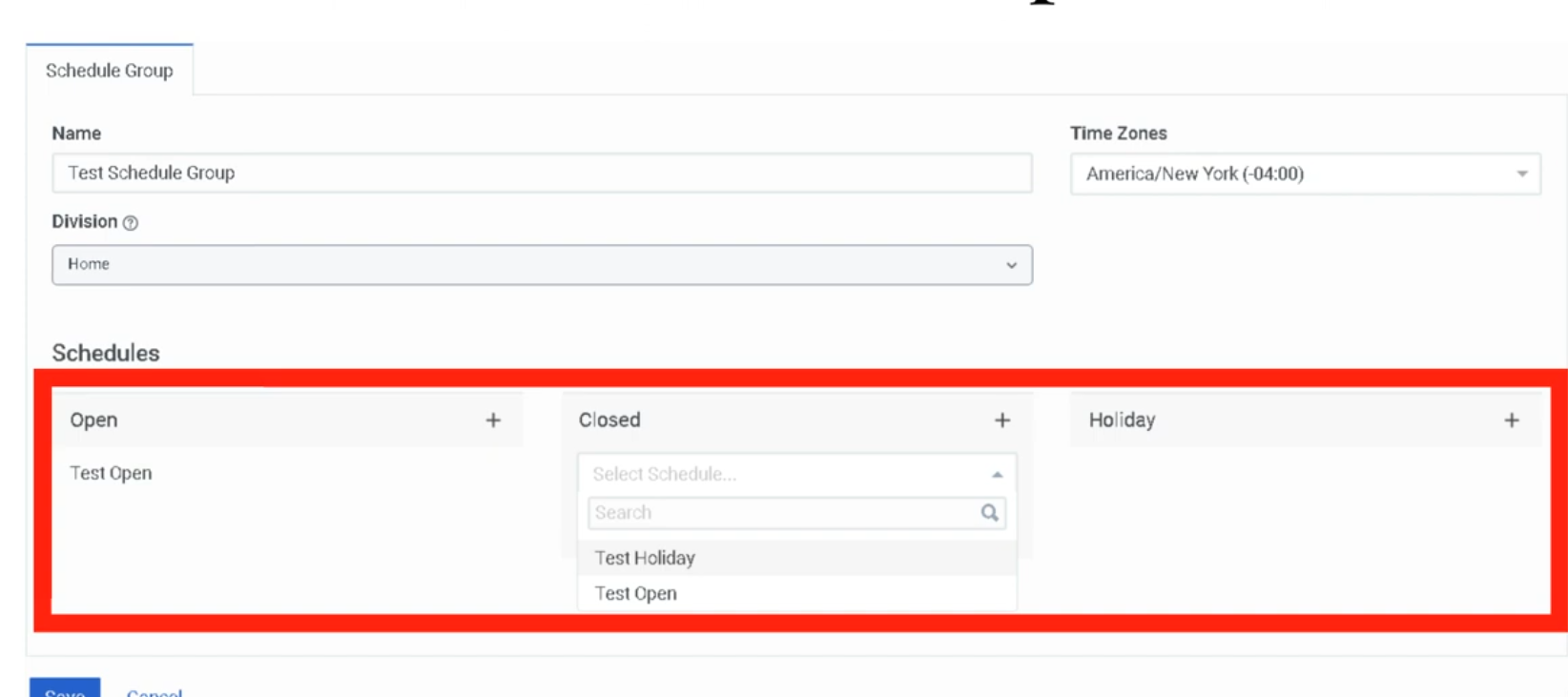
FieldComponentDescription NameOpen ScheduleUniqueDefinesidentifierwhen the business is openDivisionClosed ScheduleAdministrativeDefinesownershipafter-hours or closure periodsTimeHolidayZoneScheduleAllDefinesscheduleholidayevaluations use this time zonedates —criticaloverridesfor accuracyOpenOpenTimeHoursZoneSchedulesAppliedrepresentingatbusinessthehoursSchedule Group level — determines when schedules activateoverrides ClosedEmergencyHoursGroupthat SchedulesSeparaterepresentingobjectafter-hoursall schedule-based HolidayHolidaylogic/whenspecial closure schedulesactivated⚠️
Time zone is the mostMost commonmisconfiguration.misconfiguration:A schedule group set toSetting the wrong time zonewill route calls incorrectly — especially after Daylight Saving Time transitions. Always alignon thetimeSchedulezoneGroup, causing callers tothehitbusinessclosedlocationortheholidaygrouppathsserves.at unexpected times.
CreatingArchitect
aEvaluation OrderEvaluate Schedule Group↓
AdminEmergency?→ Routing →Scheduling→ clickSchedule GroupstabClickAdd Schedule(Emergency Group- matches
Enteractivated?)name,↓selectHoliday?division,(Currentand selectdate/timezoneAssignaschedulesHolidaytoschedule?)each↓category:Closed?(Current
Clickdate/time+besideoutside OpenHoursschedule?)→↓searchOpenand(Defaultselect—schedulecurrent→date/timeclickmatches Open schedule)If nothing matches, the
AddClosedRepeatbranchforisClosedtakenHoursbyand Holiday as neededClickSave
default.
How Schedule Groups Work in Routing
In CallRouting
(AdminArchitecture→CustomerRoutingInteraction→ Call Routing)Evaluation
The↓ Call RoutereferencesoraArchitect Flow ↓ Schedule / Schedule Groupdirectly:
Open Flow— executes when schedule group evaluates to OpenClosed Flow— executes when schedule group evaluates to ClosedHoliday Flow— executes when a Holiday schedule is active (optional — can fall back to Closed Flow)
In Architect Flows
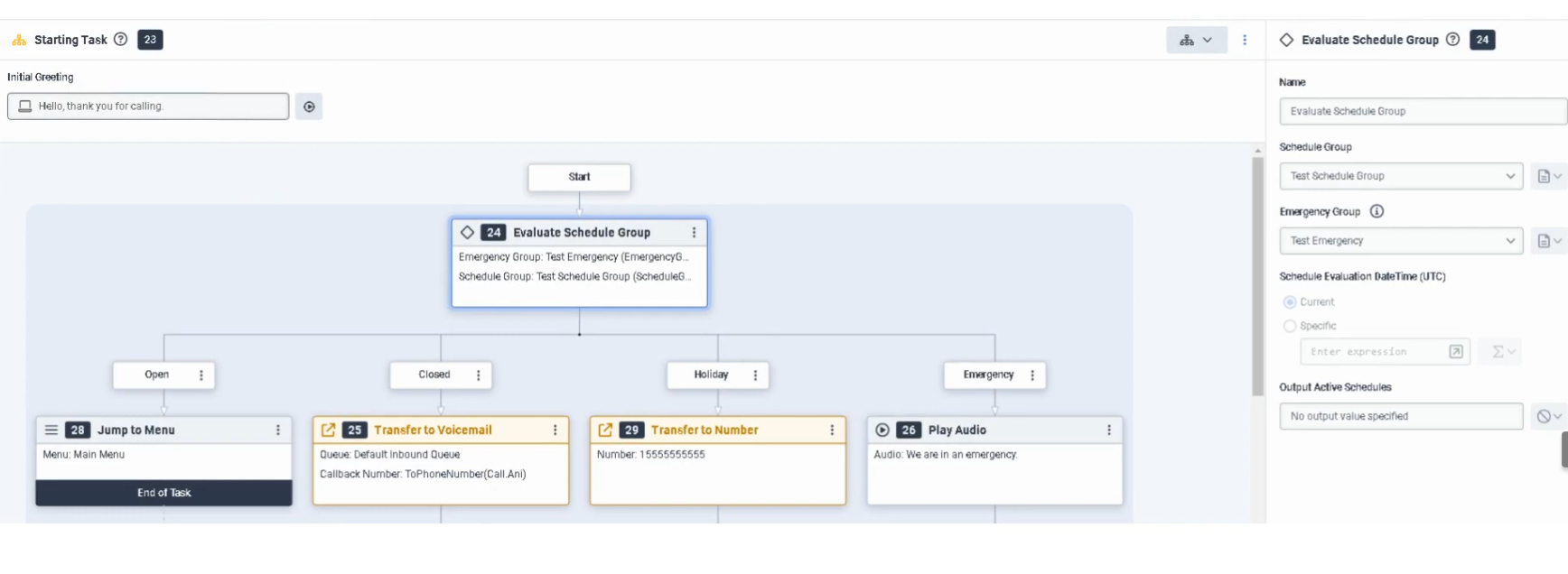
Use theEvaluate Schedule Groupaction inside a flow to branch on↓ Open / Closed / Holidaylogic/— useful when routing decisions need to happen mid-flow rather than at the entry point.
Routing Decision LogicIncoming CallEmergency ↓CallMenuRoute/checksQueueEmergency/GroupVoicemail↓/NoExternalemergencyTransferactive/→ ↓ Schedule Group evaluated ↓ ┌─────────────┬───────────────┬──────────────┐ │ Open │ Closed │ Holiday │ │ Flow │ Flow │ Flow │ └─────────────┴───────────────┴──────────────┘Disconnect
Real Flow Scenarios
CommonScenario 1 — Business Hours MenuCaller Enters Flow ↓ Evaluate SchedulePatternsGroup ↓ Open ↓ Play Welcome Prompt → Send to Menu → Route to AgentScenario 2 — After-Hours Voicemail
Caller Enters Flow
      ↓
Evaluate Schedule Group
      ↓
Closed
      ↓
Play Closed Prompt → Route to Voicemail
Scenario 3 — Holiday Transfer
Caller Enters Flow
      ↓
Evaluate Schedule Group
      ↓
Holiday
      ↓
Play Holiday Prompt → Transfer to External Number
Scenario 4 — Emergency Shutdown
Caller Enters Flow
      ↓
Evaluate Schedule Group
      ↓
Emergency
      ↓
Play Issue Prompt → Disconnect Call
Implementation Steps
PatternStepSchedule SetupActionMon–FriStep8am–6pm business hours1WeeklyNavigaterecurrence,toMon–Fri, 08:00–18:00Admin →assignRoutingto→ SchedulingStep 2 Click OpenAddHoursScheduleAfter-hoursStep(everything outside Open)3NoEnterexplicit closedunique scheduleneeded — anything not matching Open = ClosednameAllStepUS federal holidays4CreateSelectone yearly schedule per holiday → assign all toHolidaydivisionHolidayStepwith custom message5AssignChooseholidayone-timeschedulesortorepeatingHoliday category; build a dedicated Holiday Flow in ArchitecteventMaintenanceStepwindow (one-time)6One-TimeConfigureschedule,startspecificdate,date/end date, and time→range (or All Day)Step 7 Configure recurrence settings if repeating Step 8 Save the schedule Step 9 Create a schedule group and assign schedules to Open / Closed Hours/ HolidayStep 10 Set the correct time zone on the schedule group Step 11 Use the schedule group in call routing or Architect
Convention
Naming
Conventions
FormatResourceExample Schedule<Region>_<Dept>_BusinessHoursUS_Support_BusinessHoursHoliday Schedule<Region>_<Dept>_Holiday_<Name>US_Support_Holiday_ChristmasUS_Support_ChristmasMaintenance Schedule<Region>_<Dept>_MaintenanceEU_Support_MaintenanceUS_Support_MaintenanceWindowSchedule Group US_Support_Main_SGRecommended pattern:
<Region>_<DeptDepartment>_ScheduleGroup_<Purpose>
Best Practices
Practice Reason Use clear schedule names Makes routing easier to understand and maintainUS_Support_ScheduleGroupSeparate business hours and holidays into distinct schedules Improves flexibility and troubleshooting Always use Schedule Groups for production routing Simplifies open/closed/holiday branching Set the correct time zone on the Schedule Group Prevents incorrect routing behavior Test all branches (Open, Closed, Holiday, Emergency) Ensures callers hear the correct experience Review holiday schedules annually Keeps routing accurate over time
Troubleshooting
Issue LikelyCauseFixResolutionCallsFlowroutingalwaystorouteswrong flowClosedTime zone mismatch onor no active Open schedulegroupVerify schedule times and schedule group time zone matches business locationScheduleHolidaynotpathtriggeringnever triggersRecurrenceHolidayrule misconfiguredReview start/end conditions and recurrence settingsCalls always treated as closedSchedule groupschedule not assigned tocall routegroupEditAddcallholidayroutescheduleand assign theto schedule groupHolidayEmergencyroutingpath does notworkingworkHolidayEmergencyschedulesgroup not activated or not assigned toHoliday categoryflowMoveVerifyholiday schedules to the Holiday slot in theemergency group setup and flow logicDST-relatedRecurringroutingscheduleerrorsnot firingTimeRecurrencezonesettingsdoesincorrectReview repeating event settings and end conditions External transfer not observe DST automaticallyreachedUseHolidayabranchnamedmisconfiguredtimeCheck zoneArchitect(e.g.,holidayAmerica/Chicago)branchnotandaexternalUTCnumberoffsetSchedule group unavailable in flow Permission or object visibility issue Confirm access and division permissions
Sheet
KeyInterview
FactsCheatfor Exam / Interview
TopicQuestionAnswer WhereWhatareis a schedule in Genesys Cloud?A time-based object that determines when routing or flow logic is active What can schedules configured?be used for?AdminBusiness→hours,Routingafter-hours,→holidays,Schedulingrecurring events, and special situationsWhat is a schedule group? A containergroupingcombiningof schedules into Open, Closed, and Holidayschedules into a routing definitioncategoriesWhat evaluatesis thescheduleevaluationgrouporder ina flow?Architect?TheEmergencyEvaluate→ScheduleHolidayGroup→actionClosedin ArchitectCan you have multiple open schedules in one group?Yes — multiple schedules can be assigned to→ OpenHoursWhat handleshappensroutingifoutsidenothingOpen Hours?matches?TheClosedFlow — no explicit closed scheduleisrequiredthe default path in Evaluate Schedule GroupWhat overridesisschedule-basedtheroutingmostentirely?common misconfiguration?AnWrongactivetimeEmergencyzone set on the Schedule Group
See Also
Emergency Groups— overrides all schedule-based routing when activatedCall Routing— where schedule groups are assigned to inbound numbersArchitect Overview— the Evaluate Schedule Group action in flow logic