Edges & Edge Groups
What Are Edges?
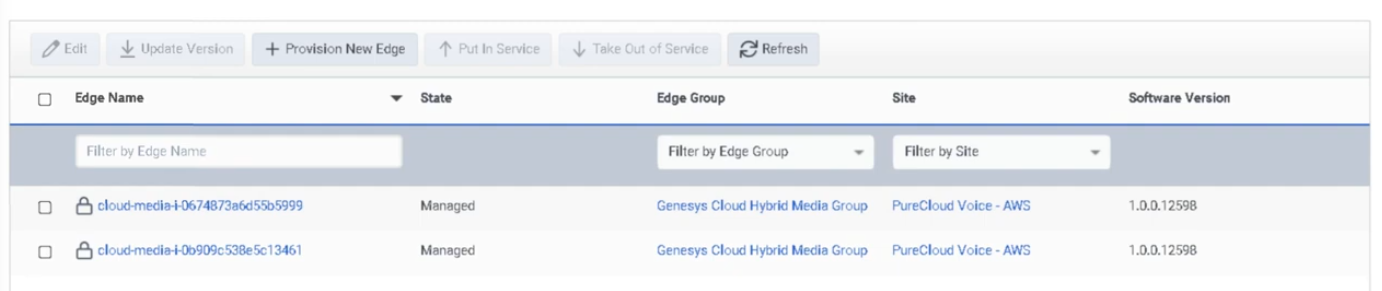
An Edge is a BYOC Premises network appliance that handles local media and provides telephony services including media server, SIP registrar, and SIP proxy functions. Edges are the core infrastructure component of BYOC Premises deployments.
ℹ️ Edges and Edge Groups are a BYOC Premises concept. They do not apply to BYOC Cloud or Genesys Cloud Voice deployments.
What Are Edge Groups?
An Edge Group is a set of BYOC Premises Edges directly connected over a high-bandwidth, low-latency network (LAN or WAN). Edges in the same group can share trunks and related telephony resources with each other.
| Resource Types That Can Be Shared | Examples |
|---|---|
| Phone trunks | SIP phone trunks |
| Communication provider trunks | Carrier SIP trunks |
| External gateways | SBC/gateway resources |
| SIP carriers and VoIP gateways | Shared across grouped Edges |
⚠️ Different Edge Groups do not share resources with each other. Only group Edges that are on a suitably low-latency, high-bandwidth link.
Navigation
| Task | Path |
|---|---|
| Open Edges | Admin → Telephony → Edges |
| Provision new Edge | Edges → Provision New Edge |
| View Edge details | Edges → select Edge → information panel |
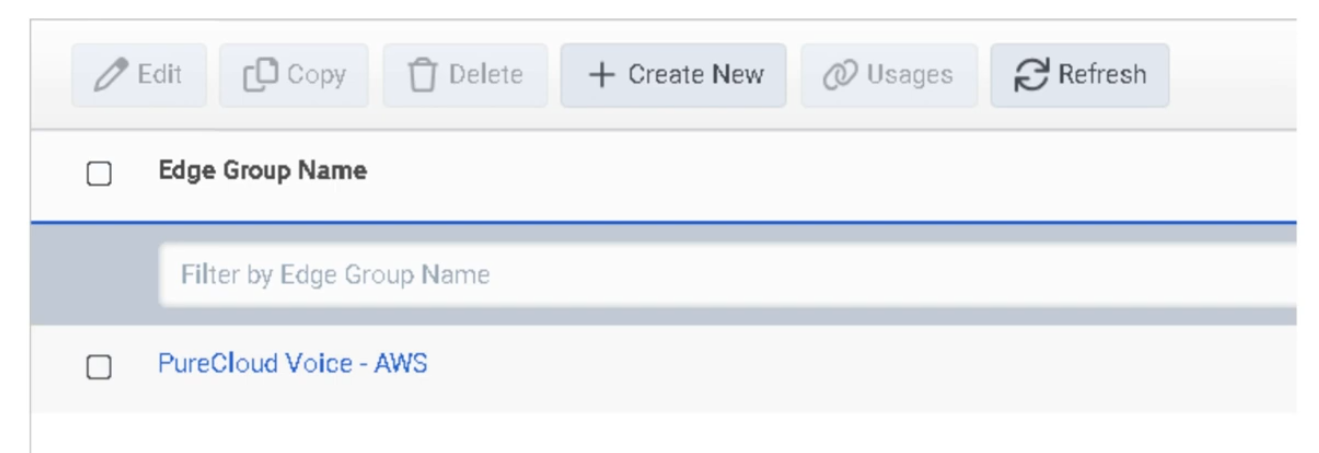
| Open Edge Groups | Admin → Telephony → Edge Groups |
| Create Edge Group | Edge Groups → Create |
Provisioning an Edge
| Step | Action |
|---|---|
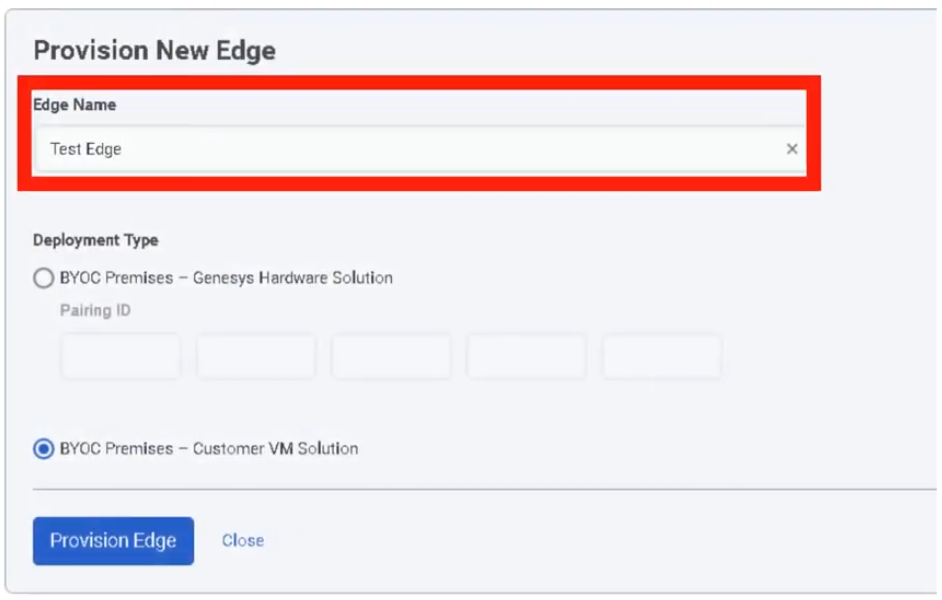
| Step 1 | Navigate to Admin → Telephony → Edges |
| Step 2 | Click Provision New Edge |
| Step 3 | Enter Edge Name |
| Step 4 | Select the hardware solution type (e.g. BYOC Premises – Customer Hardware Solution) |
| Step 5 | Enter Serial Number and confirm it |
| Step 6 | Click Provision Edge |
| Step 7 | Configure the Edge's network interface(s) |
| Step 8 | Associate with the correct Site and Edge Group |
Edge Provisioning Fields
| Field | Description |
|---|---|
| Edge Name | Identifier for the Edge |
| Hardware Solution Type | Selects the Edge model/solution (e.g. Customer Hardware Solution) |
| Serial Number | Physical hardware serial number |
| Confirm Serial Number | Confirmation field to prevent entry errors |
Edge Information Panel
After provisioning, the Edge information panel shows:
| Field | Description |
|---|---|
| Connectivity status | Cloud connectivity and operational state |
| Trunk status | Associated trunk state |
| Software version | Installed/staged version |
| Hardware model | Edge hardware model |
| Serial number | Hardware serial number |
| Pairing ID | Used during provisioning |
| Metrics | Call capacity and CPS visibility |
Creating an Edge Group
| Step | Action |
|---|---|
| Step 1 | Navigate to Admin → Telephony → Edge Groups |
| Step 2 | Click Create |
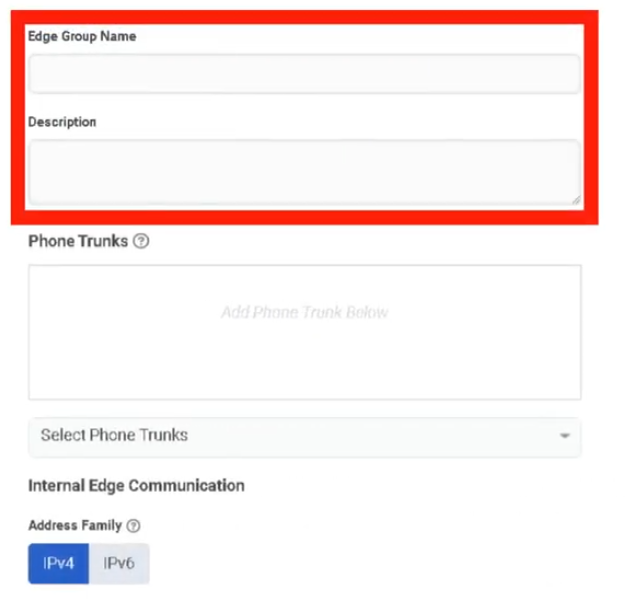
| Step 3 | Enter the Edge Group Name |
| Step 4 | Add one or more Edges to the group |
| Step 5 | Associate trunk(s) as needed |
| Step 6 | Save |
ℹ️ Plan sites and trunks before creating Edge Groups. Genesys recommends determining required trunks and sites first.
Redundancy
Genesys recommends N+1 redundancy for BYOC Premises Edges. Managed phones register with both a primary and secondary Edge. If the primary Edge becomes unavailable, phones switch to the secondary — though UI lag of up to 15 seconds may occur during the transition.
For proper load distribution, keep Edge call capacities similar within the same design.
Edge Security
| Security Feature | Description |
|---|---|
| Mutual TLS | Edge control communications use mTLS/HTTPS to Genesys Cloud |
| Outbound-only connections | Edges initiate connections outbound — no need to expose the Edge directly on the internet |
| CA trust | Related to Certificate Authorities configuration for remote TLS endpoints |
Key Design Rules
| Rule | Detail |
|---|---|
| Network requirement | Edge Groups require high-bandwidth, low-latency LAN or WAN between grouped Edges |
| Cross-group isolation | Different Edge Groups do not share resources |
| Build order | Create sites and plan trunks before grouping Edges |
| Capacity | Keep Edge capacities similar for predictable load distribution and failover |
Troubleshooting
| Issue | Cause | Resolution |
|---|---|---|
| Edge offline / unavailable | Network, pairing, software, or service issue | Check Edge information panel, connectivity, software version, and network path |
| Trunks not shared across Edges | Edges not in same Edge Group or network latency too high | Verify Edge Group membership and low-latency connectivity |
| Phones fail over unexpectedly | Primary Edge unavailable | Validate primary/secondary Edge design and registration behavior |
| Calls fail after update | Edge software change or maintenance timing issue | Review staged/installed version; schedule updates with call draining |
| Edge not provisioning | Incorrect hardware type or serial entry | Verify hardware type and serial number before reprovisioning |
Quick Reference
| Question | Answer |
|---|---|
| What is an Edge? | A BYOC Premises media appliance — media server, SIP registrar, and SIP proxy |
| What is an Edge Group? | A set of BYOC Premises Edges on a high-bandwidth, low-latency network that share trunks and resources |
| What fields are used to provision an Edge? | Name and serial number |
| Why use Edge Groups? | To share trunks/resources and support local routing and resiliency |
| What redundancy model does Genesys recommend? | N+1 |
| Do different Edge Groups share resources? | No |
Naming Convention
| Resource | Example |
|---|---|
| Edge | MTY_Edge_01 |
| Edge | MTY_Edge_02 |
| Edge Group | MTY_Core_Group |
| Customer Hardware Edge | MTY_CHS_Edge_01 |
Pattern: <Location>_<ObjectType>_<Sequence>
See Also
- Sites — Edges are assigned within site-based telephony design
- Trunks — External SIP trunks attach to Edges and are shared through Edge Groups
- Certificate Authorities — required for TLS trust between Edge and remote endpoints
- Topology — visualize Edge status and phone-to-edge assignments
- Architectural Build Order — Edges are built in Phase 2
Screenshots