
Avaya SDM Client - System Manager ova deployment
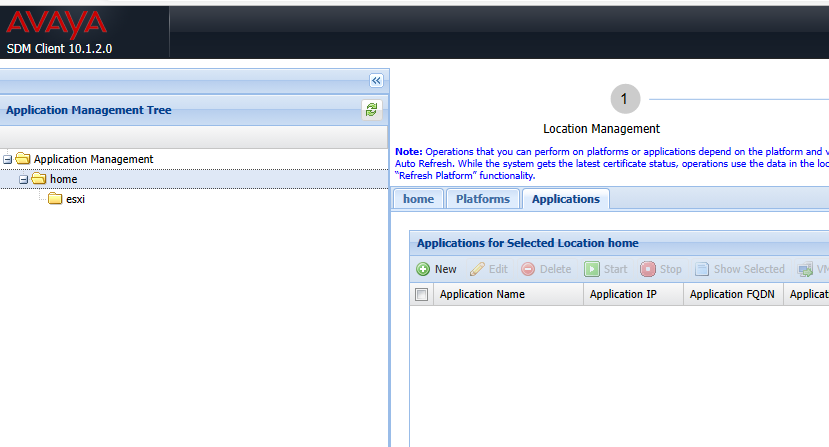
Go to home/esxi/applications
add new application
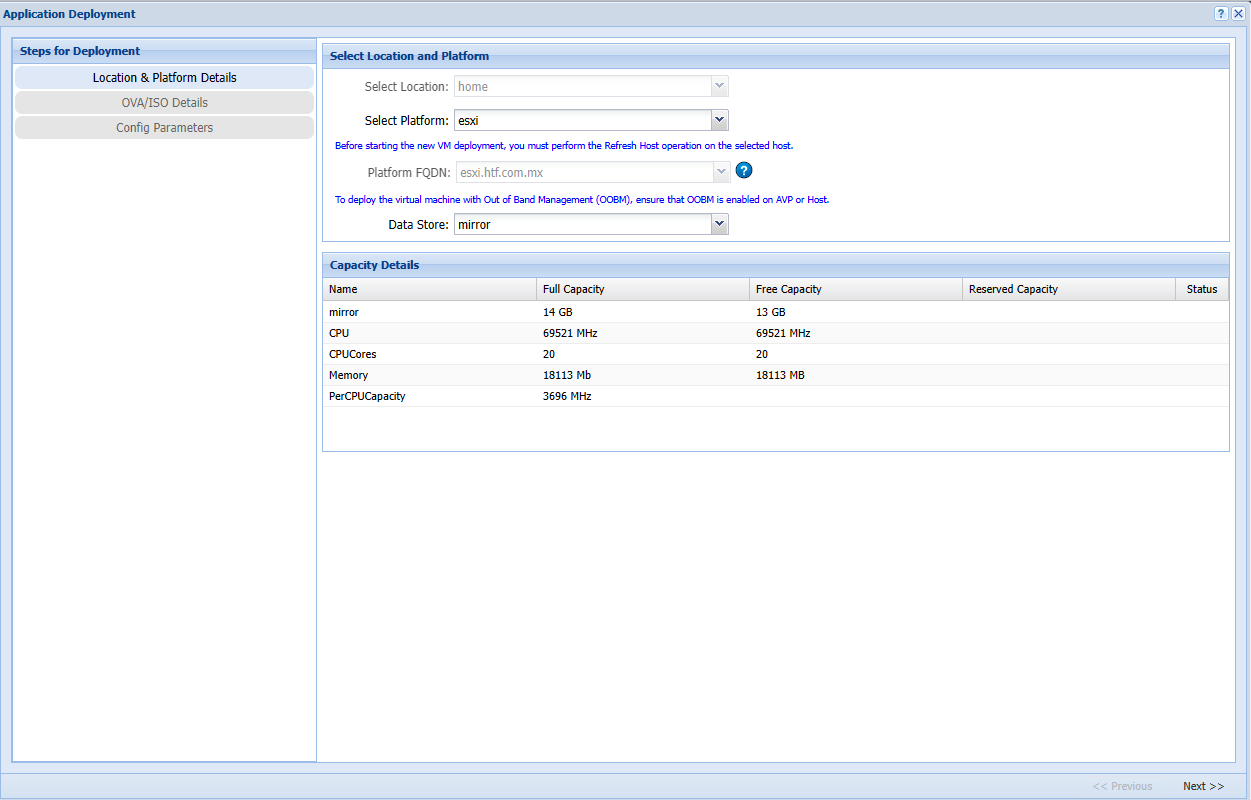
Select your platform (esxi on our case) and your data store
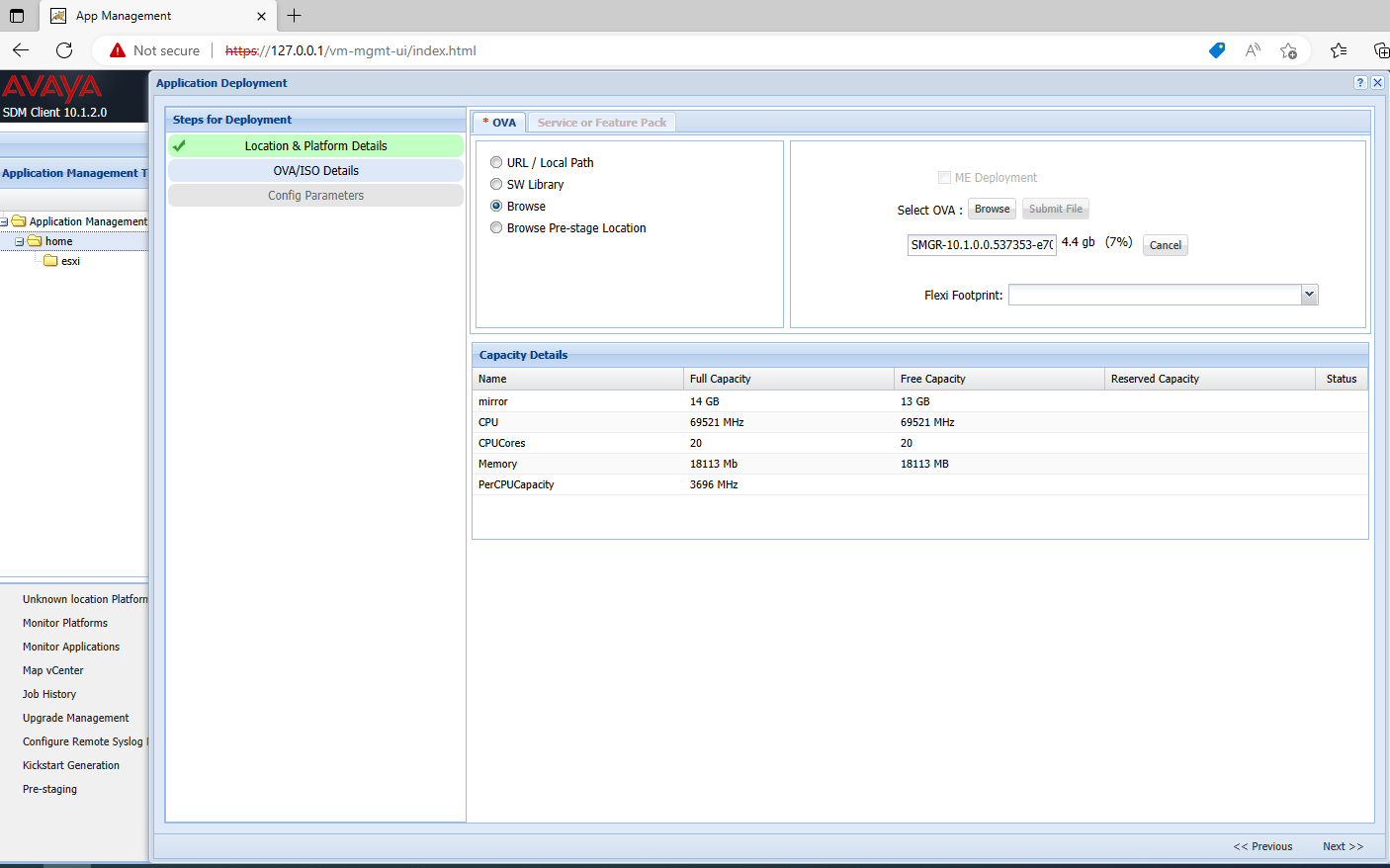
Select browse, search your local PC for the system manager ova and click ok, wait until it reach 100% then click submit file
Fill out details for System manager, remember to setup root password, scroll down and last option is where you enable root.
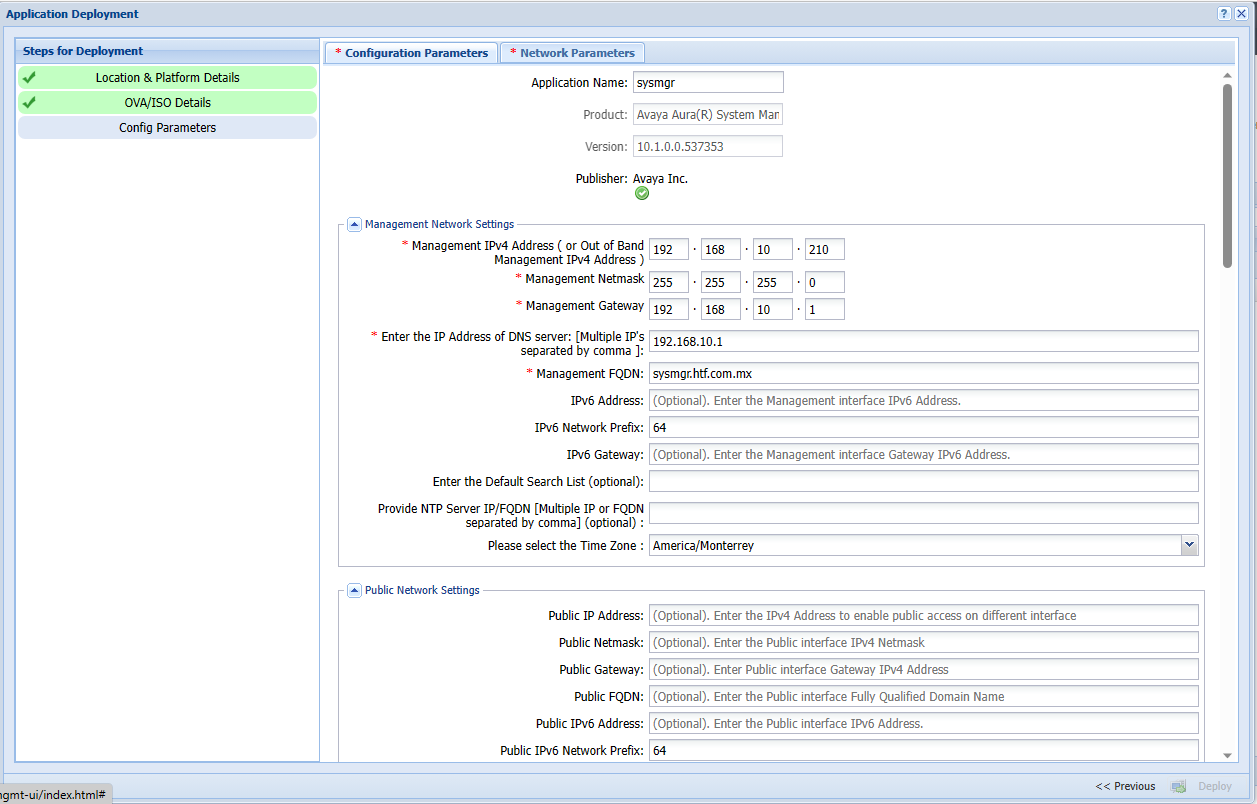
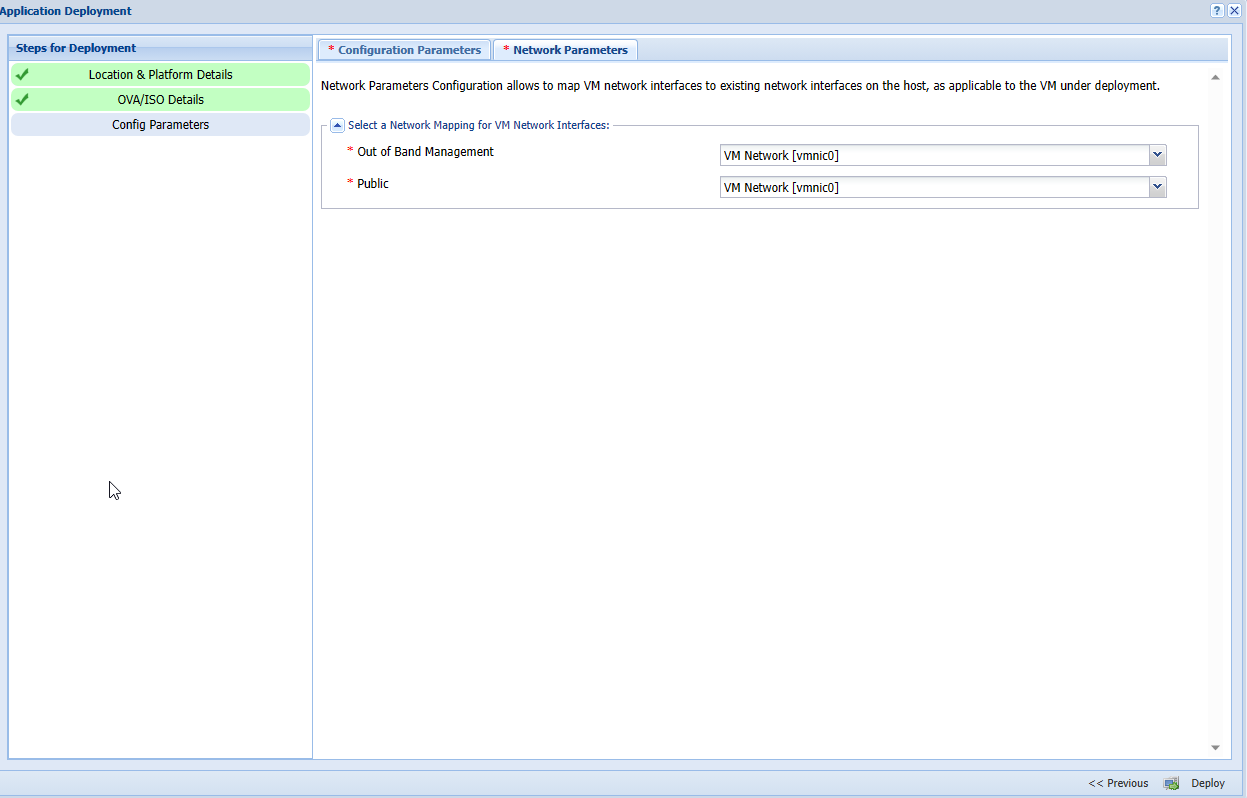
Setup network parameters and click deploy
No Comments