
Genesys Cloud - How to - Directory - Profile Fields
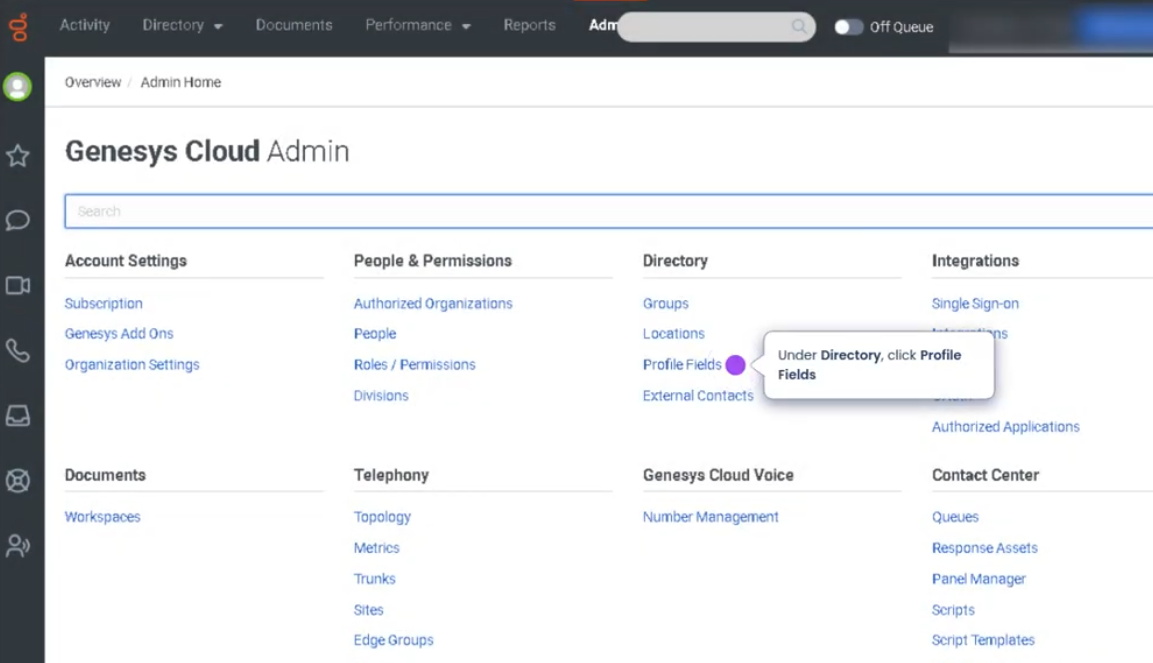
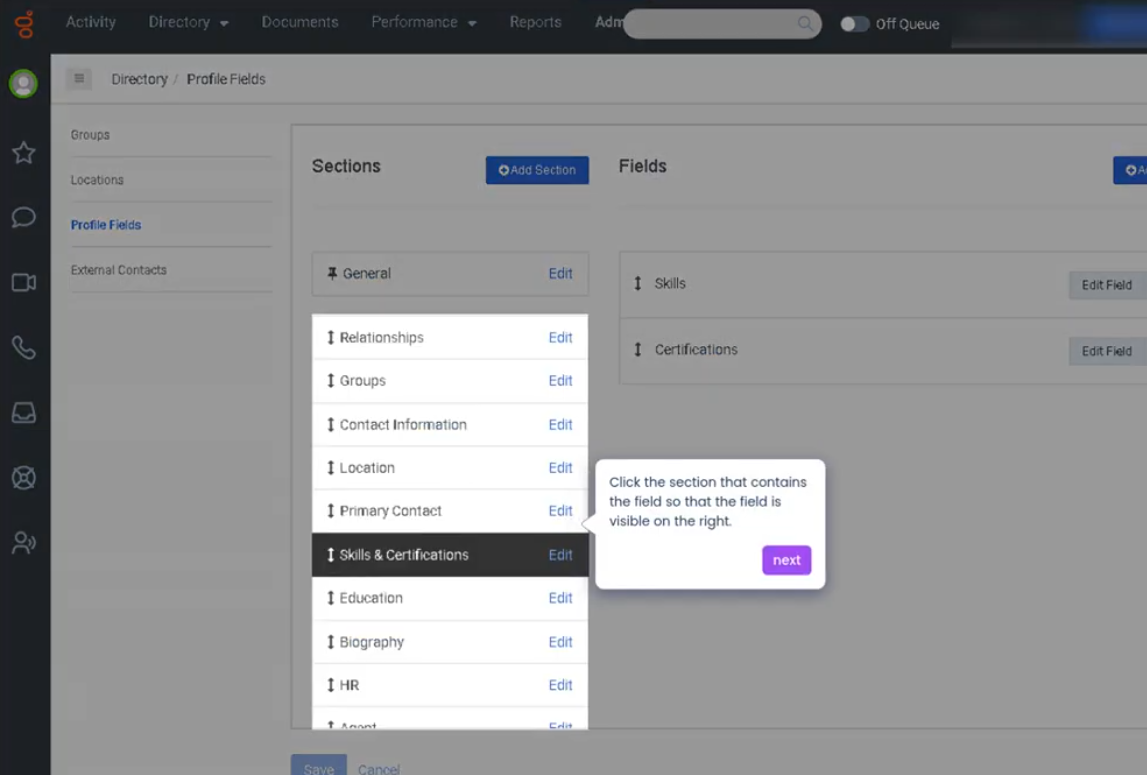
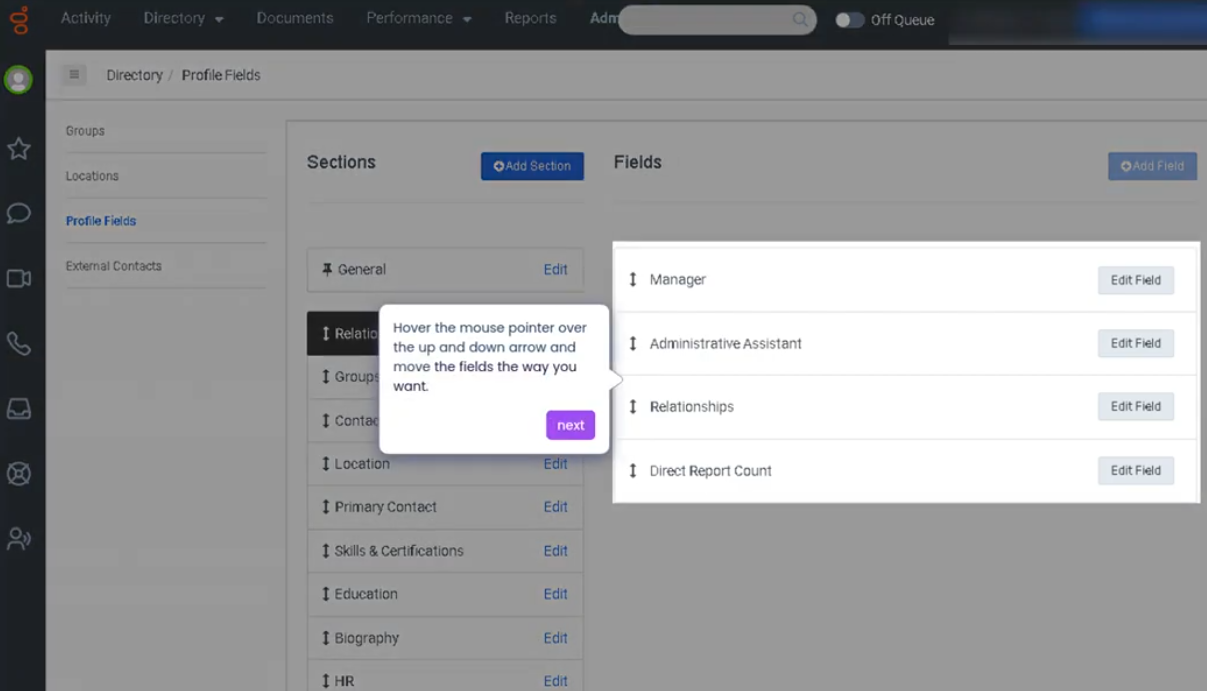
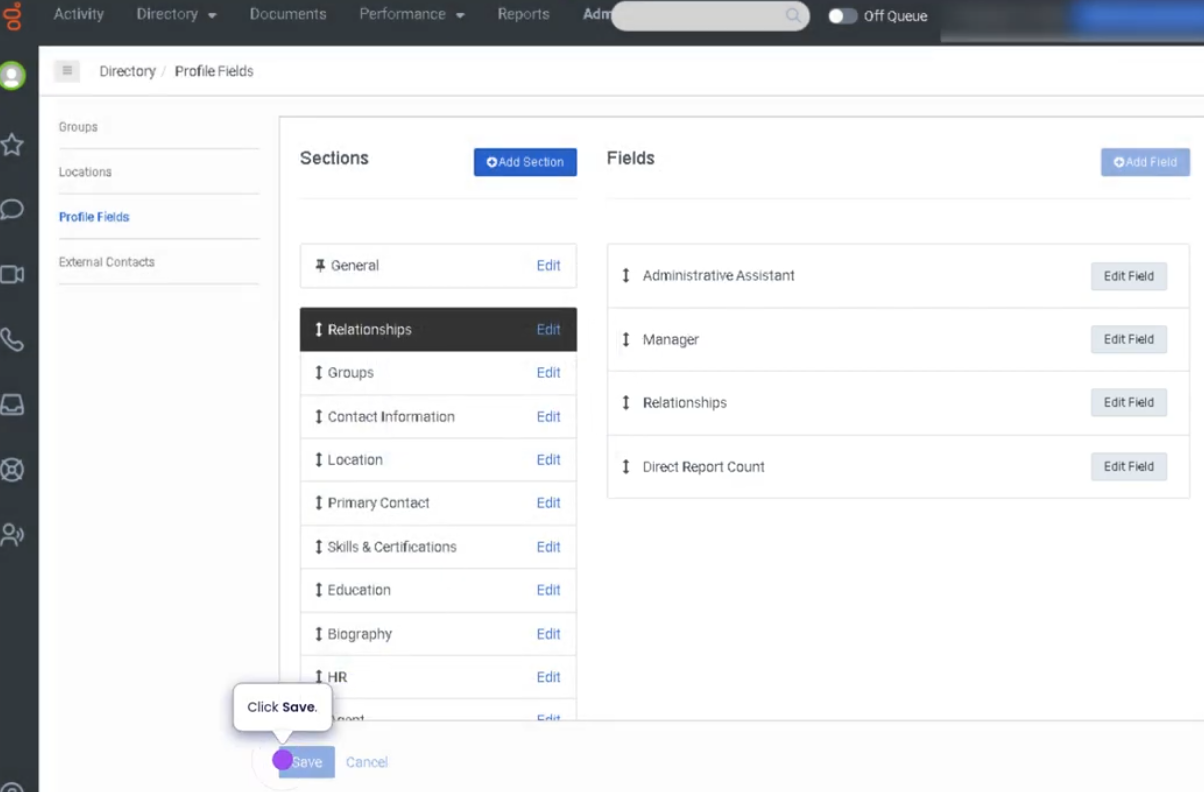
Reorder Fields in the Profile Configuration (Genesys Cloud)
Summary
The Reorder Fields in the Profile Configuration feature in Genesys Cloud allows administrators to control the order in which profile fields appear in the user interface. Profile fields typically include information such as name, contact details, department, location, or custom attributes that are displayed in user profiles or interaction views.
Reordering fields helps organizations prioritize important information, making it easier for agents and administrators to quickly access relevant data when viewing customer or user profiles.
Utilization
| Use Case | Description |
|---|---|
| Prioritizing important information | Key profile fields appear first in the interface |
| Improved agent workflow | Agents can quickly locate frequently used information |
| Custom profile layouts | Organizations align the field order with operational needs |
| Data organization | Makes profile views cleaner and easier to navigate |
| Interaction context | Agents see the most relevant customer information during interactions |
Reordering profile fields improves usability and efficiency by presenting critical information first.
Best Practices
| Practice | Reason |
|---|---|
| Place frequently used fields at the top | Helps agents find important information quickly |
| Group related fields together | Improves readability and organization |
| Avoid excessive field customization | Keeps the interface simple and intuitive |
| Review profile configuration regularly | Ensures the layout matches operational needs |
| Align field order with agent workflows | Reduces time spent searching for data |
Example Scenarios
Scenario 1 – Prioritizing Customer Contact Information
Administrator reviews profile configuration
        ↓
Administrator moves phone and email fields to the top
        ↓
Agents can immediately view customer contact details
Scenario 2 – Organizing Custom Fields
Administrator adds custom profile fields
        ↓
Administrator reorders fields to group related data
        ↓
Agents see organized customer information during interactions
Scenario 3 – Improving Agent Efficiency
Agent opens customer profile during interaction
        ↓
Important fields appear at the top of the profile
        ↓
Agent quickly finds relevant information
Key Benefits
| Benefit | Explanation |
|---|---|
| Improved usability | Agents quickly locate critical information |
| Better data organization | Profile layouts become clearer and easier to navigate |
| Faster interaction handling | Agents spend less time searching for data |
| Customizable interface | Organizations tailor profiles to operational needs |
| Enhanced workflow efficiency | Supports smoother interaction management |