
Genesys Cloud - How to - Create widget for web chat
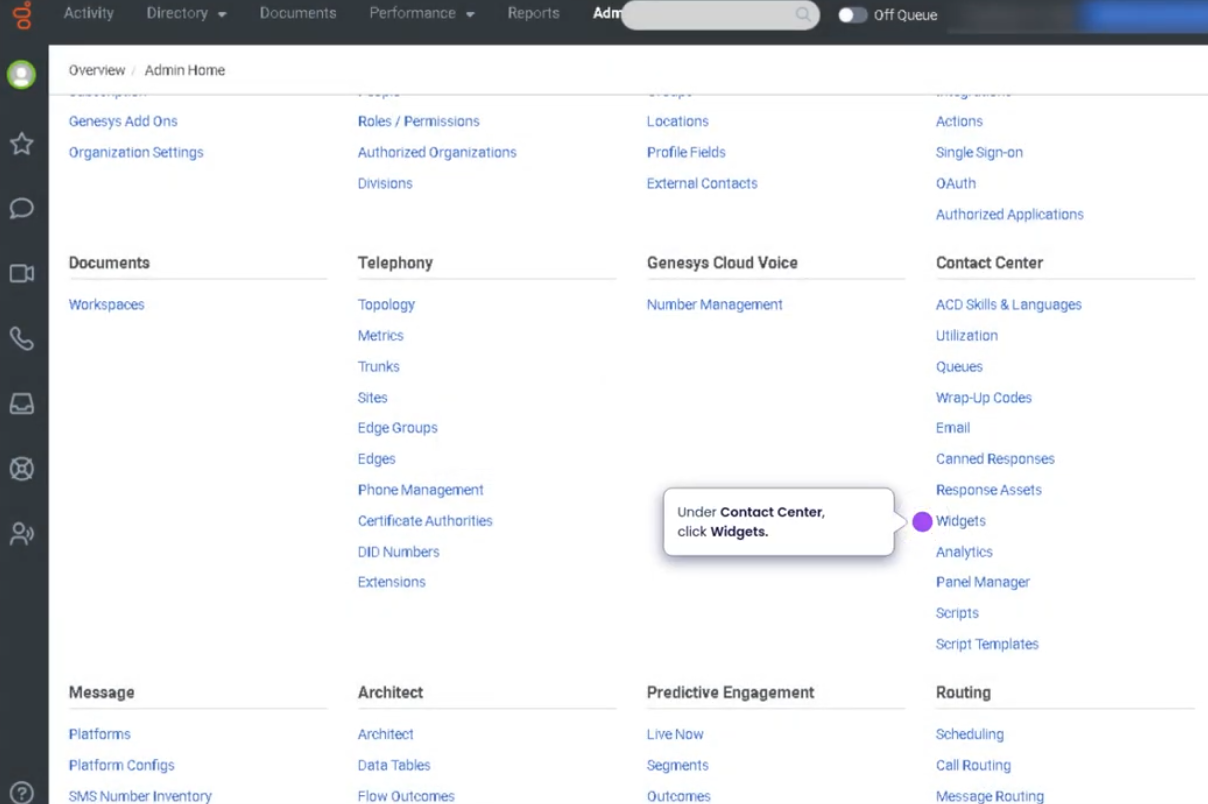
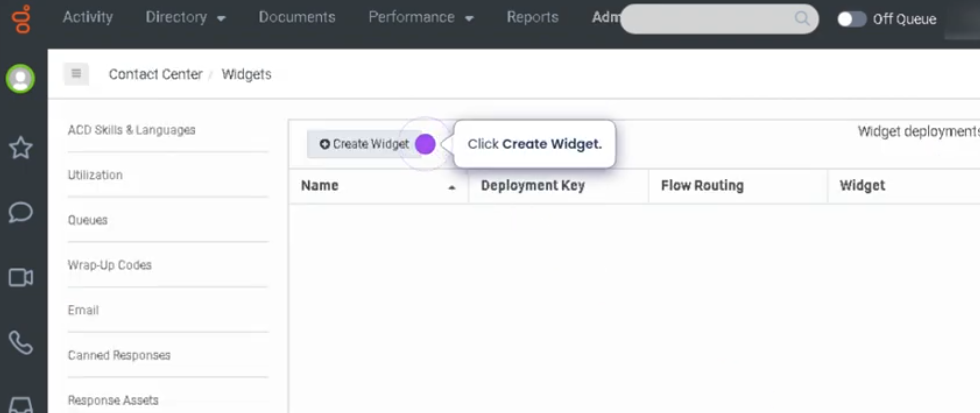
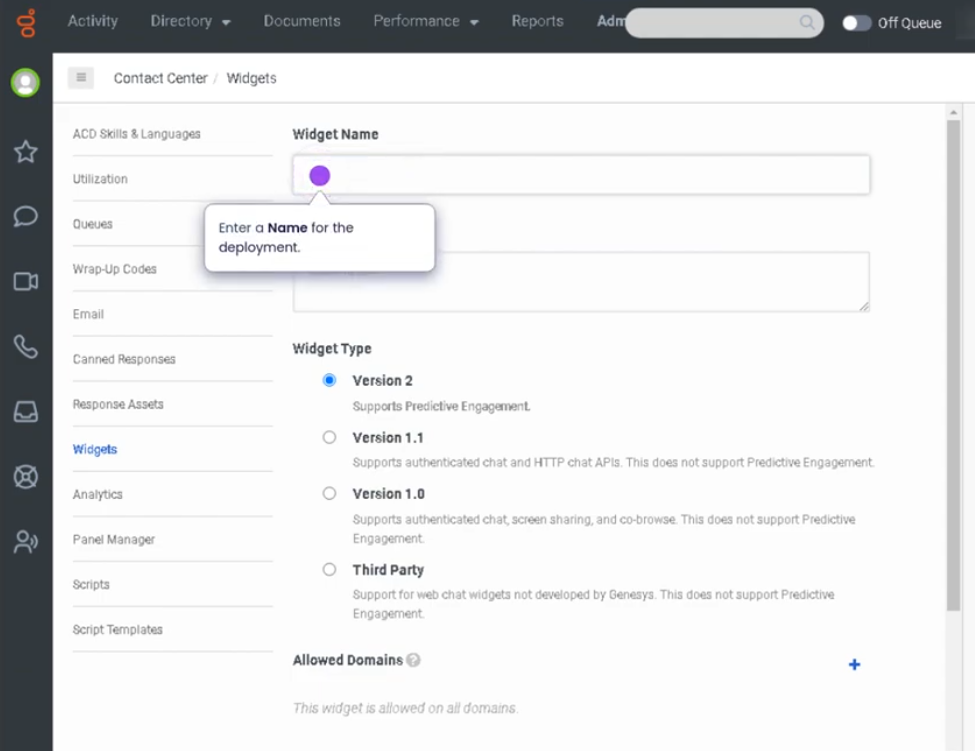
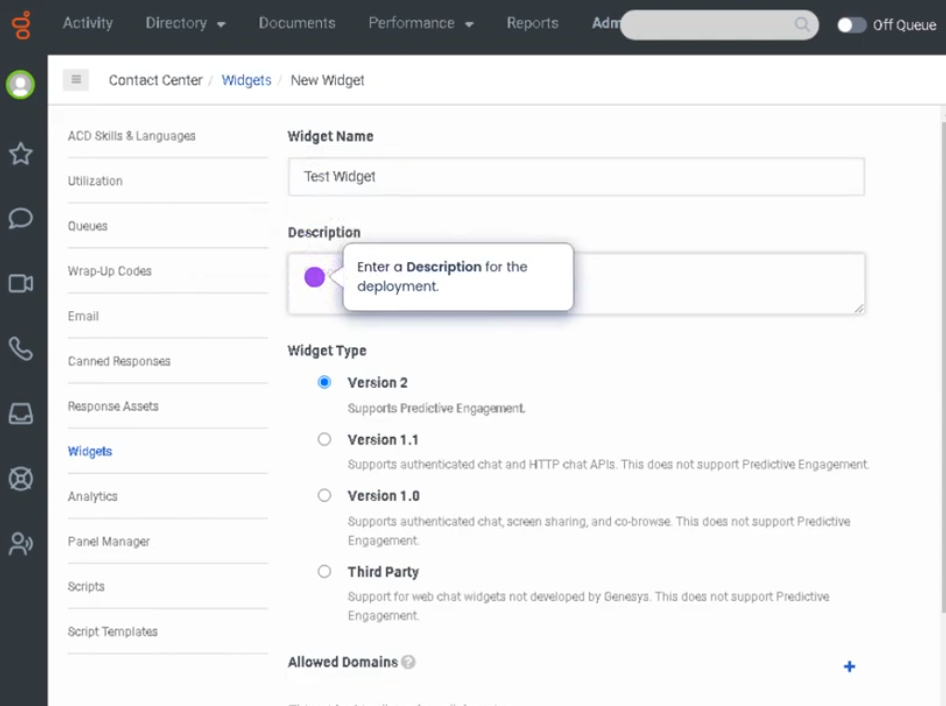
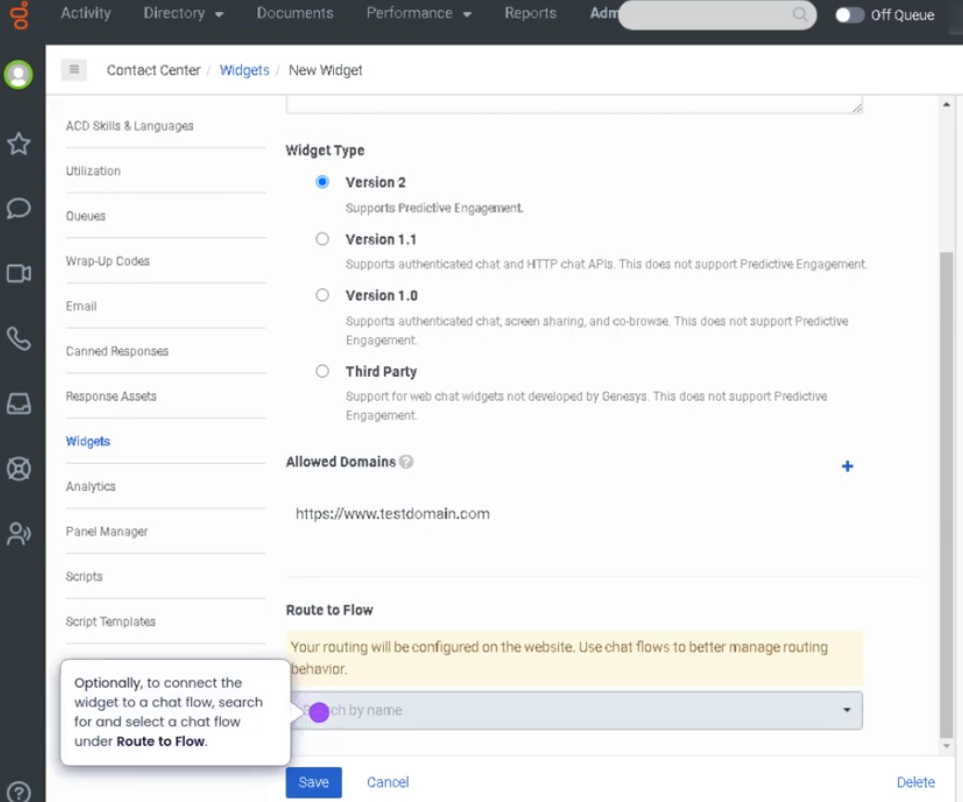
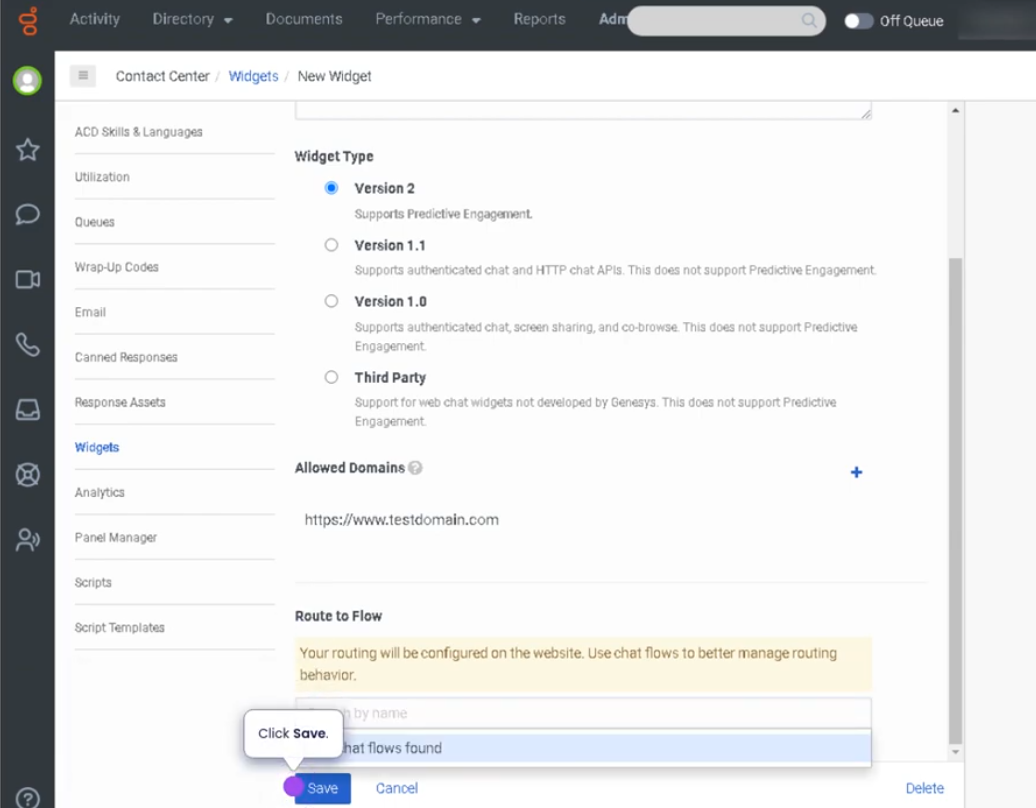
Create a Widget for Web Chat (Genesys Cloud)
Summary
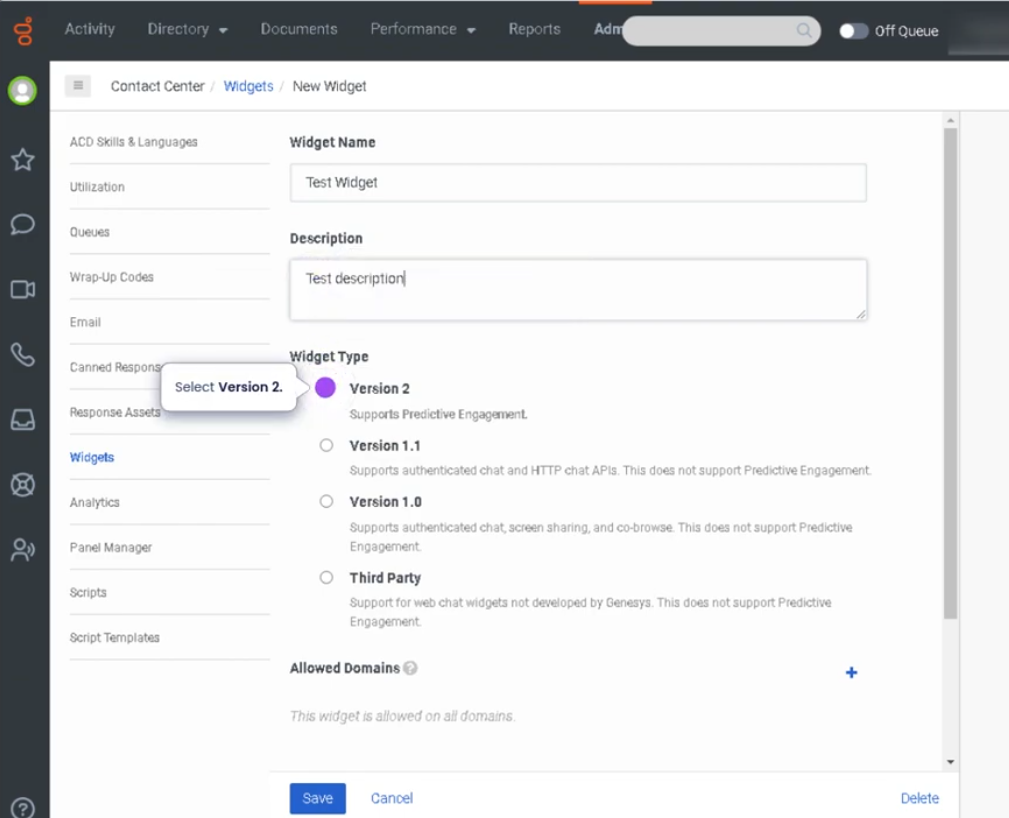
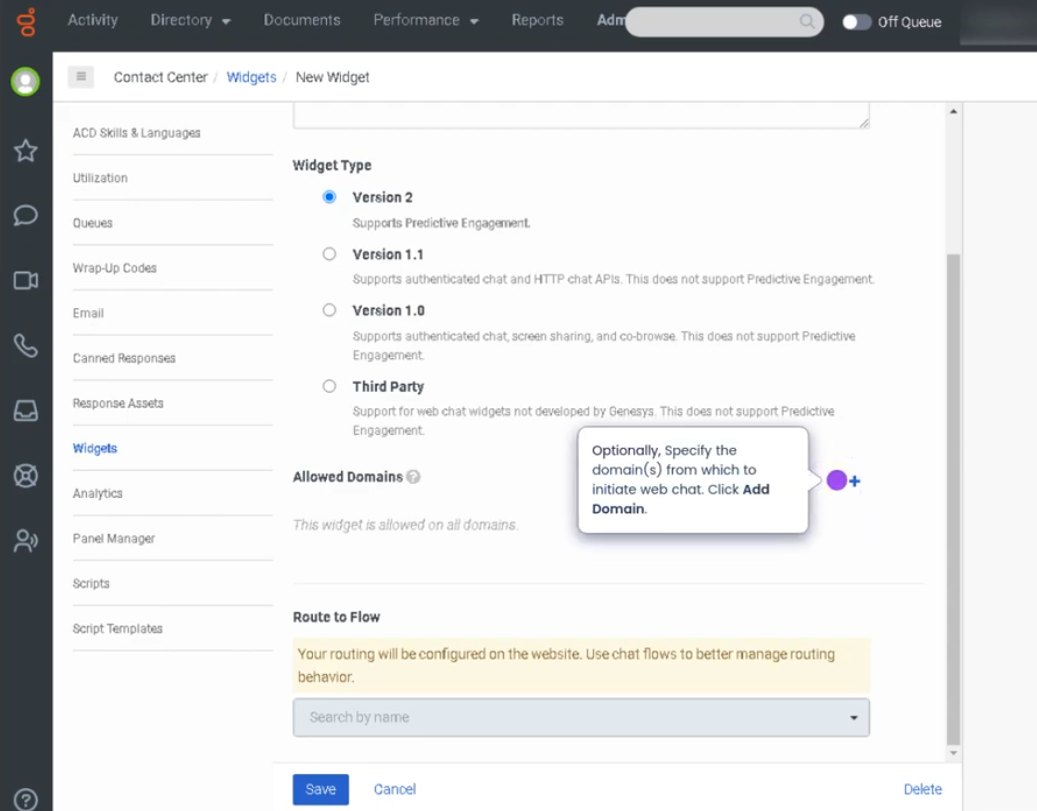
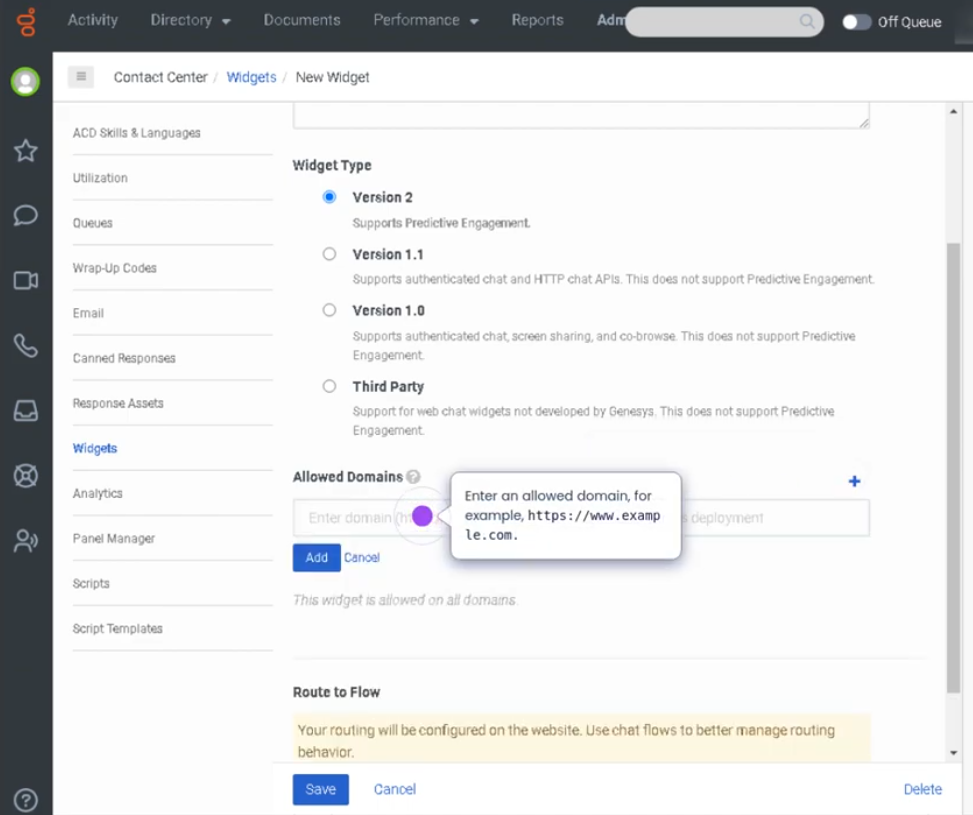
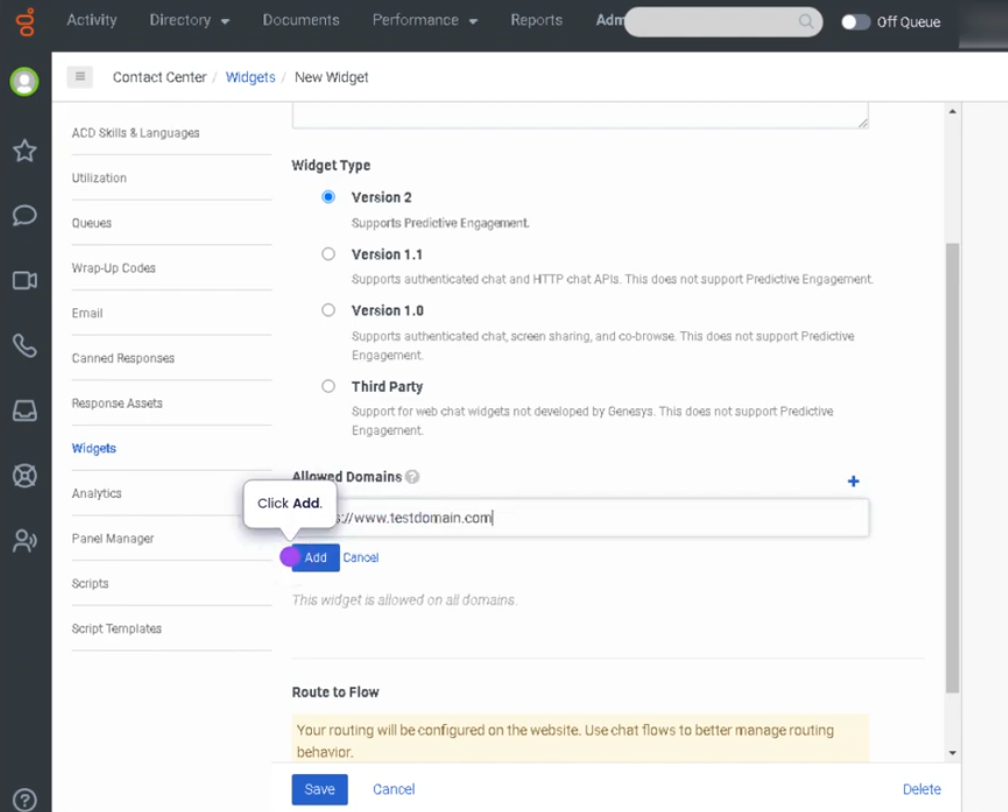
Creating a Web Chat Widget in Genesys Cloud allows organizations to embed a chat interface on their website so customers can communicate directly with support agents. The widget provides a simple way for visitors to start a conversation with the contact center without making a phone call.
Once configured, the widget connects to Genesys Cloud chat flows and queues, allowing interactions to be routed through the ACD (Automatic Contact Distribution) system. Customers initiate chat from the website, and agents handle the interaction within the Agent Workspace.
Utilization
| Use Case | Description |
|---|---|
| Website customer support | Customers can chat with agents directly from a website |
| Pre-sales assistance | Sales teams assist customers browsing products or services |
| Technical support | Users receive help with troubleshooting or product questions |
| Customer engagement | Organizations offer real-time help during online sessions |
| Omnichannel support | Chat integrates with other interaction channels such as voice, email, and messaging |
Web chat widgets provide a convenient and accessible way for customers to communicate with support teams in real time.
Best Practices
| Practice | Reason |
|---|---|
| Customize the widget to match brand design | Provides a consistent user experience |
| Configure proper chat routing to queues | Ensures chats reach the correct team |
| Use pre-chat forms when necessary | Collects useful information before starting the conversation |
| Set clear business hours for chat availability | Prevents customer frustration when agents are unavailable |
| Test the widget before publishing on the website | Ensures proper functionality and routing |
| Monitor chat performance metrics | Helps improve response times and service quality |
Example Scenarios
Scenario 1 – Customer Initiates Web Chat
Customer visits company website
        ↓
Customer clicks chat widget
        ↓
Chat session starts
        ↓
Chat interaction routed to support queue
        ↓
Agent accepts and responds
Scenario 2 – Pre-Chat Information Collection
Customer opens chat widget
        ↓
Pre-chat form asks for name and issue
        ↓
Customer submits form
        ↓
Interaction routed to appropriate queue
        ↓
Agent begins conversation with context
Scenario 3 – Website Sales Assistance
Customer browsing product page
        ↓
Customer opens chat widget
        ↓
Customer asks product questions
        ↓
Agent provides information and guidance
Key Benefits
| Benefit | Explanation |
|---|---|
| Real-time customer support | Customers receive immediate assistance |
| Improved customer engagement | Website visitors can easily contact support |
| Omnichannel integration | Chat interactions integrate with Genesys Cloud routing |
| Efficient interaction handling | Agents manage chats alongside other channels |
| Enhanced customer experience | Reduces friction compared to phone support |