
Genesys Cloud - CCaaS - Select a Phone
Select a Phone (Genesys Cloud)
Summary
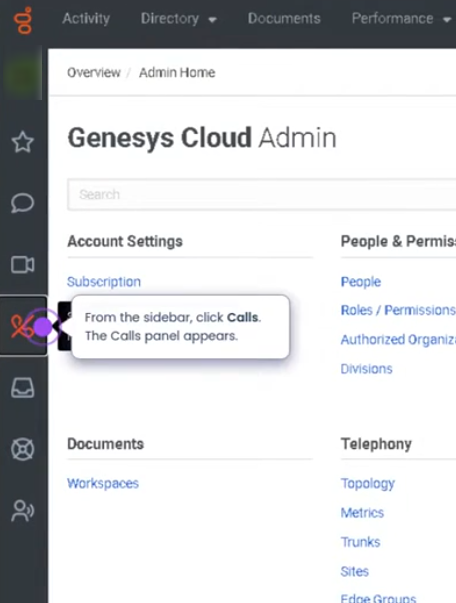
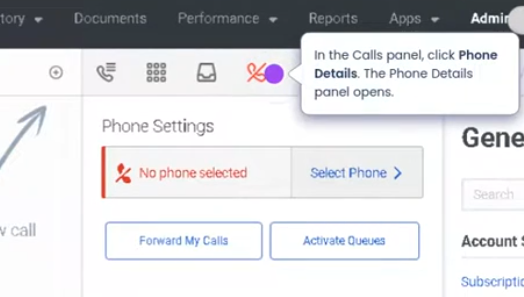
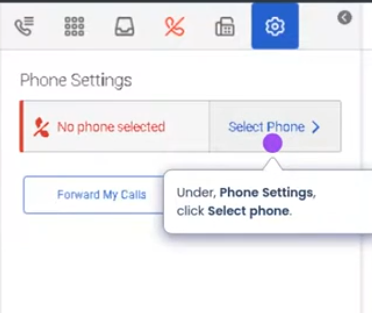
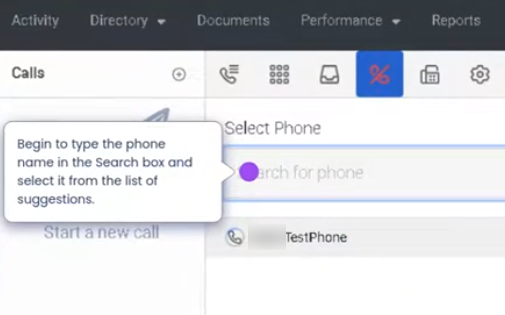
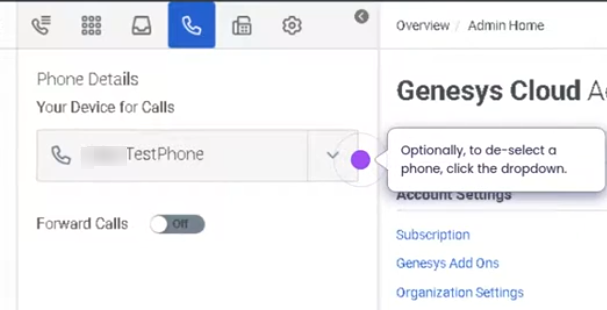
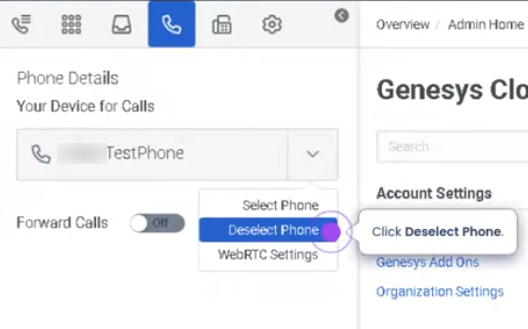
The Select a Phone feature in Genesys Cloud allows agents to choose the device or endpoint they will use to handle voice interactions during their session. Before making or receiving calls, agents must select a phone type such as WebRTC phone, desk phone, or remote phone from the phone selector in the Calls panel.
Selecting the correct phone ensures that voice interactions are routed to the appropriate device and that the agent can properly manage inbound and outbound calls.
Utilization
| Use Case | Description |
|---|---|
| Agent starting shift | Agent selects a phone device before handling calls |
| Remote work environment | Agent chooses WebRTC phone for browser-based calling |
| Desk phone users | Agent selects assigned physical phone |
| Temporary workstation usage | Agent selects a different phone depending on location |
| Call routing readiness | System requires a phone selection to route voice interactions |
Selecting a phone ensures that Genesys Cloud knows where to deliver voice interactions for that agent session.
Best Practices
| Practice | Reason |
|---|---|
| Select a phone before changing status to Available | Ensures the agent can receive ACD calls |
| Verify audio devices when using WebRTC | Prevents call audio issues |
| Use the correct assigned phone | Avoids routing calls to the wrong device |
| Confirm phone selection at login | Prevents missed interactions |
| Recheck phone selection if switching workstations | Ensures calls are routed correctly |
| Test the phone device if issues occur | Helps validate microphone and speaker functionality |
Example Scenarios
Scenario 1 – Agent Starting Workday
Agent logs into Genesys Cloud
        ↓
Agent opens Calls panel
        ↓
Agent selects assigned phone
        ↓
Agent changes status to Available
        ↓
System begins routing voice interactions
Scenario 2 – Remote Agent Using WebRTC
Agent logs in from home workstation
        ↓
Agent selects WebRTC phone
        ↓
Agent verifies headset and microphone
        ↓
Agent begins receiving calls
Scenario 3 – Switching Workstations
Agent logs into Genesys Cloud on a different workstation
        ↓
Agent opens phone selector
        ↓
Agent selects the appropriate phone
        ↓
Agent resumes handling calls
Key Benefits
| Benefit | Explanation |
|---|---|
| Proper call routing | Ensures calls reach the correct device |
| Flexible endpoint usage | Agents can choose between WebRTC, desk phones, or remote phones |
| Supports remote and hybrid work | Enables browser-based calling from any workstation |
| Reduces call handling issues | Correct phone selection prevents missed or misrouted calls |
| Improves operational readiness | Agents can quickly prepare to receive interactions |