
Genesys Cloud - Agent - Accept and respond to SMS Interactions
SMS Interactions (Genesys Cloud)
Summary
SMS Interactions in Genesys Cloud allow organizations to communicate with customers through text messaging channels directly from the contact center platform. SMS interactions are routed through queues, enabling agents to manage conversations similarly to chat, messaging, or voice interactions.
Agents can accept, respond, and manage SMS conversations within the Agent Workspace, while supervisors can monitor performance, track interaction metrics, and maintain service quality. SMS communication provides customers with a convenient and asynchronous way to interact with support teams.
Utilization
| Use Case | Description |
|---|---|
| Customer support via text messaging | Customers send inquiries or requests through SMS |
| Appointment reminders | Businesses send automated notifications or confirmations |
| Customer follow-ups | Agents follow up on cases or service requests |
| Marketing or notification campaigns | Organizations send informational messages or alerts |
| Two-way customer engagement | Customers can respond and continue the conversation with an agent |
SMS interactions enable organizations to extend customer support to mobile messaging channels, improving accessibility and response flexibility.
Best Practices
| Practice | Reason |
|---|---|
| Respond quickly to incoming SMS messages | Customers expect fast responses when using text messaging |
| Use clear and concise language | SMS messages should be short and easy to understand |
| Avoid sharing sensitive information through SMS | SMS is not always considered a secure communication channel |
| Maintain professional tone | Ensures brand consistency and positive customer experience |
| Confirm resolution before closing the conversation | Prevents unresolved issues |
| Use templates or canned responses when appropriate | Improves efficiency and consistency |
Example Scenarios
Scenario 1 – Customer Sends SMS Support Request
Customer sends SMS message to support number
        ↓
Genesys Cloud receives the message
        ↓
Interaction routed to SMS support queue
        ↓
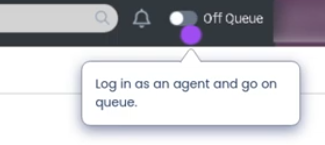
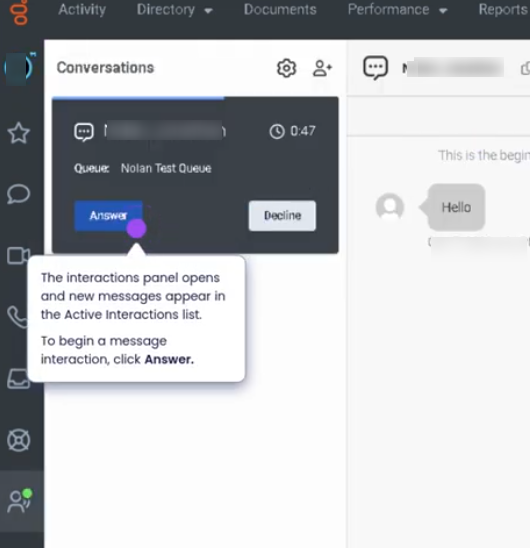
Agent accepts the SMS interaction
        ↓
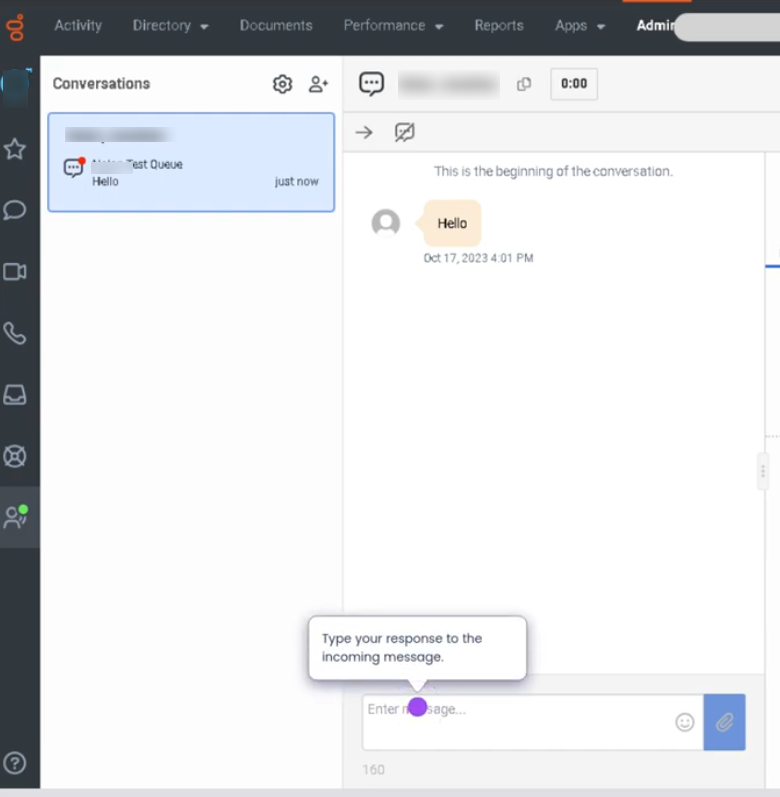
Agent responds to the customer via text
Scenario 2 – Follow-Up via SMS
Customer previously contacted support
        ↓
Agent sends SMS follow-up message
        ↓
Customer replies with additional information
        ↓
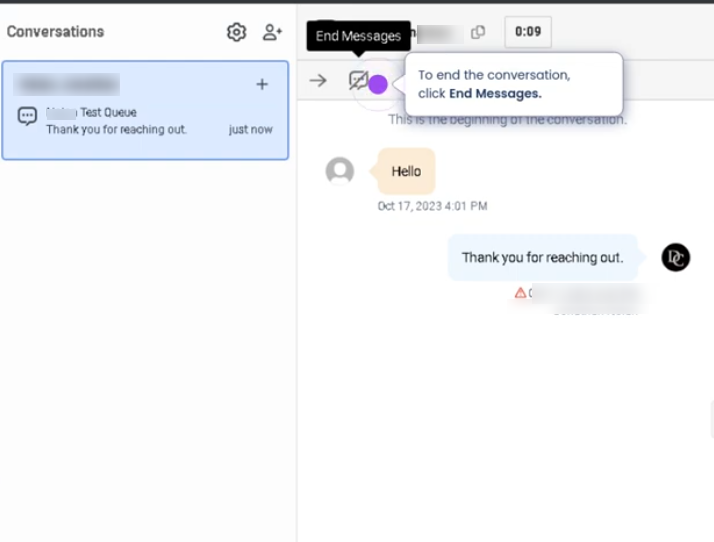
Agent continues conversation until issue is resolved
Scenario 3 – Appointment Confirmation
Organization sends automated SMS reminder
        ↓
Customer receives notification
        ↓
Customer replies to confirm or reschedule
        ↓
Agent reviews and responds if necessary
Key Benefits
| Benefit | Explanation |
|---|---|
| Convenient communication channel | Customers can interact using mobile devices |
| Asynchronous messaging | Conversations can continue even if agents or customers step away |
| Increased customer engagement | Many customers prefer text messaging over voice calls |
| Queue-based routing | SMS interactions follow standard contact center routing rules |
| Interaction tracking | SMS conversations are recorded and available for reporting |