
Genesys Cloud - CCaaS - Accept and respond to a social media interaction
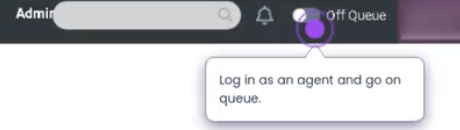
Logon to a queue as agent
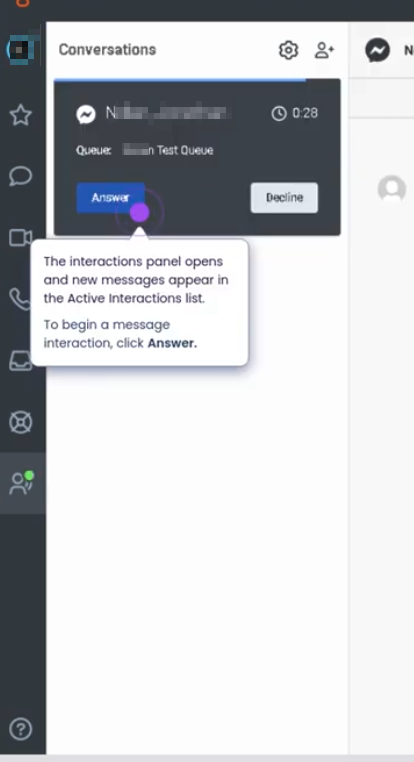
Interaction panel
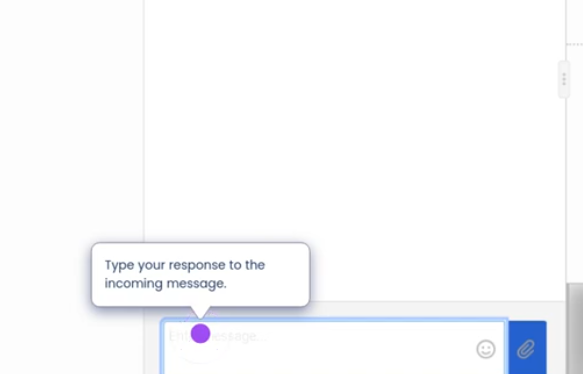
Reply to message
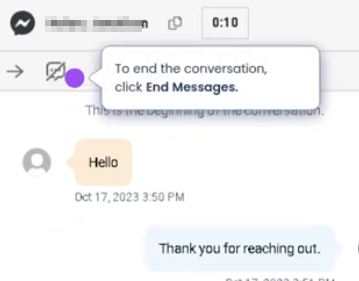
End interaction
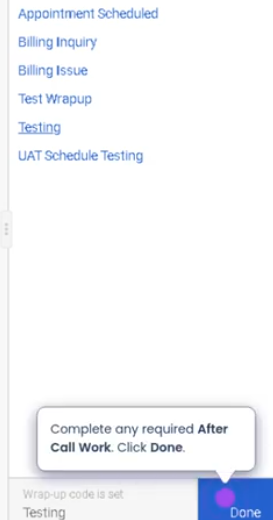
Disposition interaction
Summary
Accepting and responding to social media interactions in Genesys Cloud allows agents to engage with customers through social platforms such as Facebook, X (Twitter), Instagram, or other supported social integrations. These interactions are routed to agents through queues, similar to voice or messaging interactions, and can be managed directly within the Agent Workspace.
Utilization
| Use Case | Description |
|---|---|
| Customer support through social platforms | Agents respond to customer inquiries posted on social media |
| Brand reputation management | Organizations address public complaints or feedback quickly |
| Digital customer engagement | Customers interact with support teams through preferred social channels |
| Queue-based routing | Social media interactions are routed through support queues |
| Public and private responses | Agents may respond publicly or through direct messaging depending on the platform |
Best Practices
| Practice | Reason |
|---|---|
| Respond promptly to social media interactions | Public posts can impact brand reputation if left unanswered |
| Maintain professional tone and brand voice | Responses are often visible to a public audience |
| Review the entire conversation thread before responding | Ensures accurate and relevant responses |
| Use private messaging for sensitive information | Protects customer privacy and security |
| Escalate complex issues when necessary | Prevents misinformation and improves resolution quality |
| Follow company social media policies | Ensures consistent and compliant communication |
Example Scenarios
Scenario 1 – Customer Complaint on Social Media
Customer posts complaint on social media
        ↓
Interaction captured and routed to support queue
        ↓
Agent receives notification
        ↓
Agent accepts the interaction
        ↓
Agent responds publicly to acknowledge issue
Scenario 2 – Direct Message Support Request
Customer sends direct message through social platform
        ↓
Interaction routed to social support queue
        ↓
Agent accepts interaction in Agent Workspace
        ↓
Agent responds to customer message
Scenario 3 – Public Post Escalation
Customer posts urgent complaint publicly
        ↓
Interaction routed to social media support queue
        ↓
Agent accepts interaction
        ↓
Agent acknowledges publicly and moves conversation to private message
        ↓
Issue resolved through private communication
Key Benefits
| Benefit | Explanation |
|---|---|
| Centralized social engagement | Agents manage social interactions alongside other channels |
| Faster response to public feedback | Helps protect brand reputation |
| Structured queue routing | Ensures interactions reach the appropriate team |
| Improved customer accessibility | Customers can contact support through social platforms |
| Integrated reporting | Social interactions are tracked within Genesys Cloud analytics |