
Genesys Cloud - Admin - Your Schedule
Navigate to Performance
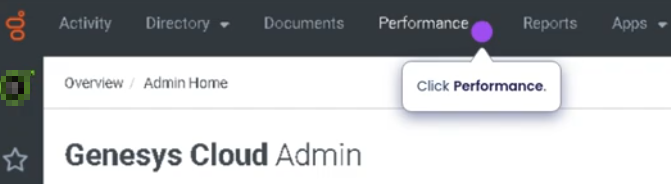
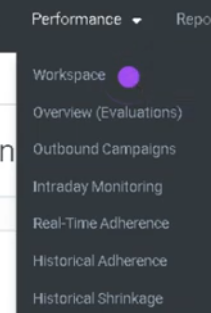
Workspace
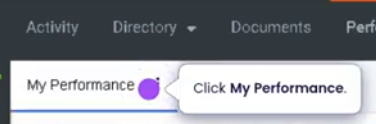
Schedule tab

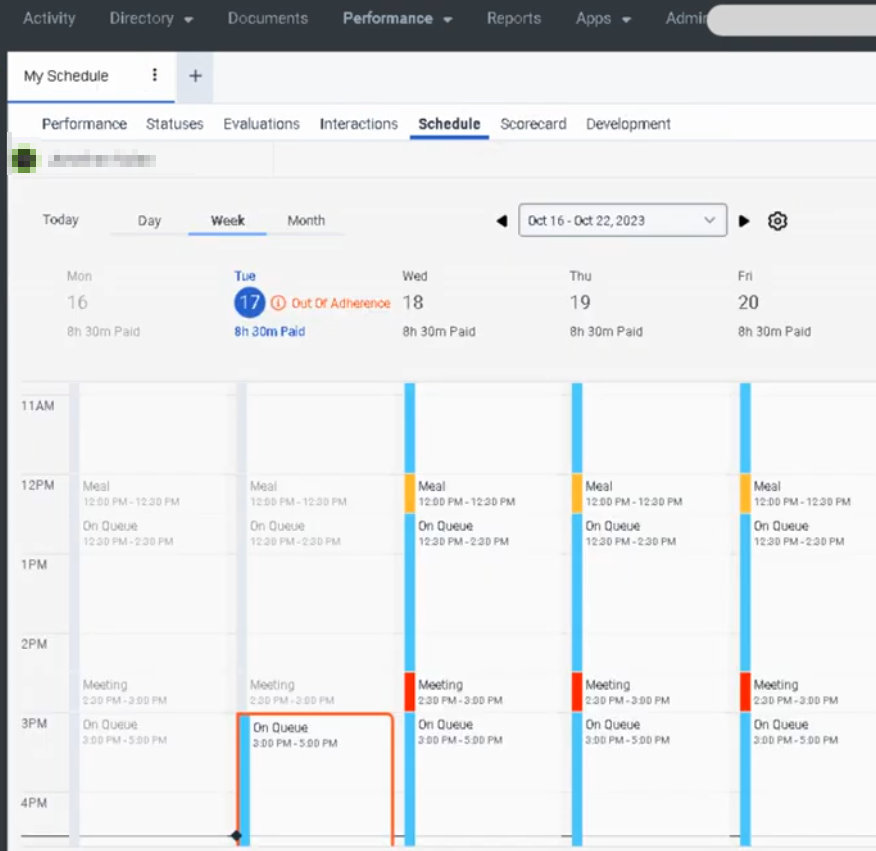
Your Schedule (Genesys Cloud Workforce Management)
Definition
Your Schedule in Genesys Cloud is a Workforce Management (WFM) view that allows supervisors or authorized users to see the scheduled activities of another agent. It displays the planned work activities assigned to an agent, such as handling interactions, breaks, meetings, or training sessions.
This view helps supervisors monitor staffing coverage, verify schedules, and compare planned activities with real-time agent status.
Summary
| Item | Description |
|---|---|
| Feature | Your Schedule |
| Module | Workforce Management (WFM) |
| Purpose | View another agent's assigned schedule |
| Primary Users | Supervisors, Workforce Managers |
| Data Displayed | Scheduled activities, time blocks, and assigned tasks |
Best Practices
| Best Practice | Explanation |
|---|---|
| Monitor adherence regularly | Compare scheduled activity with the agent's real-time status |
| Verify coverage during peak hours | Ensure agents are scheduled during forecasted demand |
| Use schedule views for staffing adjustments | Identify gaps or overstaffing situations |
| Communicate schedule changes clearly | Inform agents if WFM updates their schedules |
| Review schedules daily | Helps supervisors proactively manage operations |
Source: Genesys Documentation / Operational Best Practice