
Genesys Cloud - Admin - My status view
Go to performance

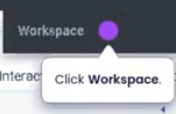
Select your workspace
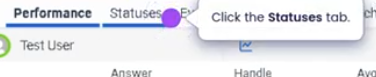
Click statuses tab
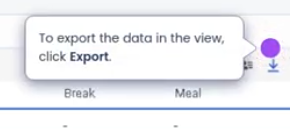
To export data
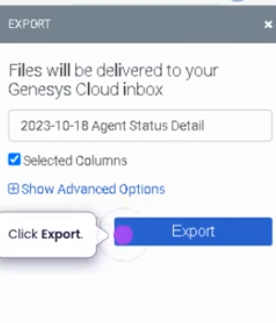
My Status View (Genesys Cloud)
Summary
The My Status view in Genesys Cloud allows agents to monitor and control their current availability status within the contact center. This view shows whether the agent is available to receive interactions or currently in a non-routable state such as break, meeting, training, or offline.
Managing status correctly is critical for queue routing, workforce management adherence, and real-time reporting. When an agent changes their status, Genesys Cloud immediately updates their availability in the routing engine and operational dashboards.
Utilization
| Use Case | Description |
|---|---|
| Availability control | Agents mark themselves Available to receive interactions |
| Break or non-working states | Agents change status to break, meeting, lunch, or training |
| Workforce adherence | Supervisors track adherence against scheduled activities |
| Interaction routing | Routing engine uses agent status to determine availability |
| Personal activity tracking | Agents view how long they have been in a specific status |
Proper use of status helps ensure accurate reporting, effective queue routing, and adherence to workforce schedules.
Best Practices
| Practice | Reason |
|---|---|
| Set status accurately before leaving the workstation | Prevents missed or misrouted interactions |
| Return to Available when ready to receive interactions | Ensures proper routing and staffing coverage |
| Follow WFM schedule adherence guidelines | Maintains staffing levels and operational planning |
| Avoid manually forcing statuses outside policy | Prevents inaccurate reporting |
| Use the correct break or activity status | Helps supervisors track adherence and performance |
Example Scenarios
Scenario 1 – Agent Starting Shift
Agent logs into Genesys Cloud
        ↓
Agent checks My Status view
        ↓
Agent changes status to Available
        ↓
Routing engine begins sending interactions