
Genesys Cloud - Admin - Favorites

Favorites (Genesys Cloud)
Summary
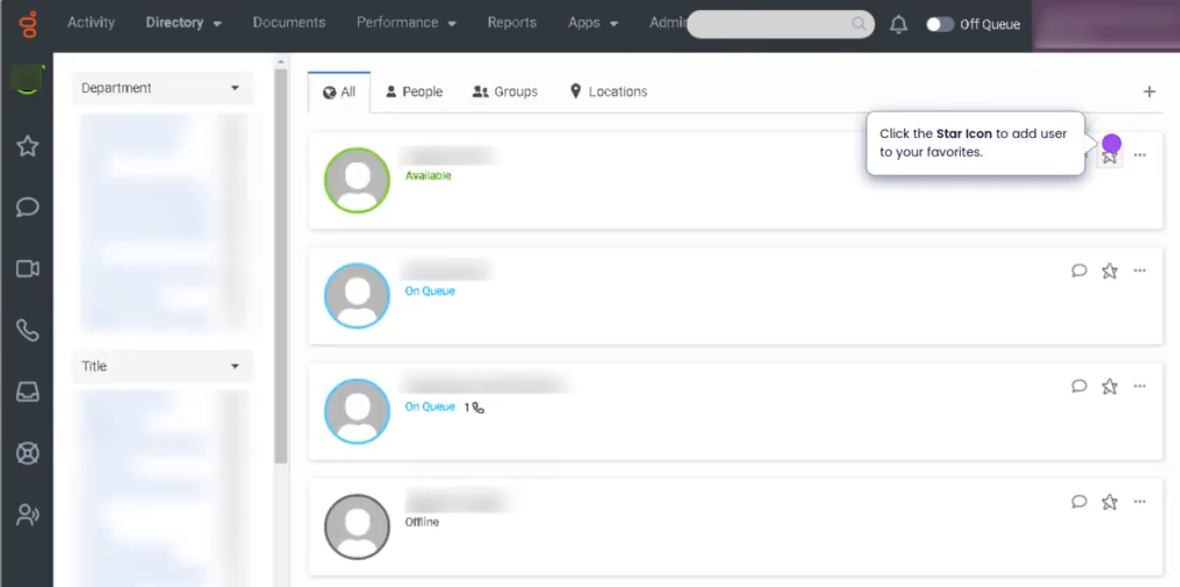
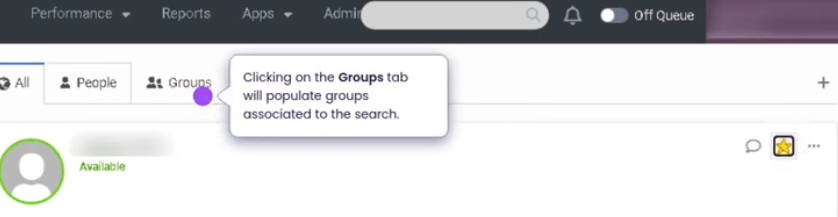
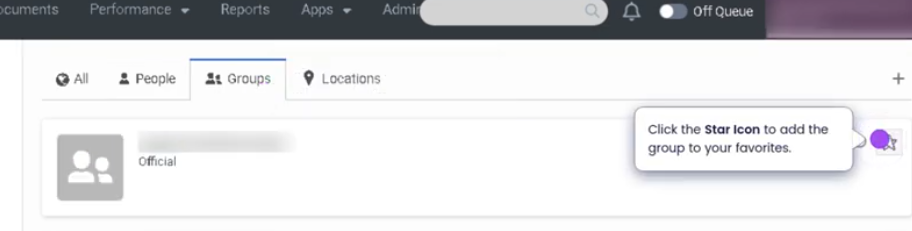
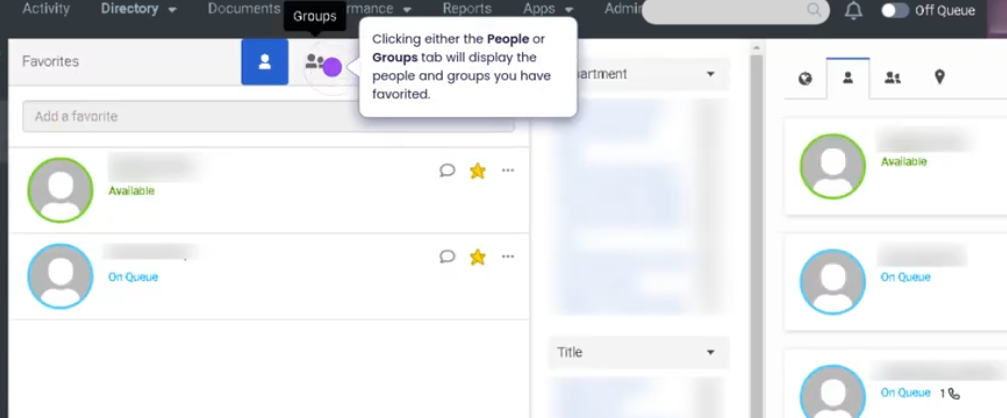
The Favorites feature in Genesys Cloud allows users to mark frequently contacted coworkers, agents, or resources for quick access within the platform. By adding contacts to Favorites, users can easily locate them for internal communication, call transfers, consultations, or collaboration without searching through the full directory.
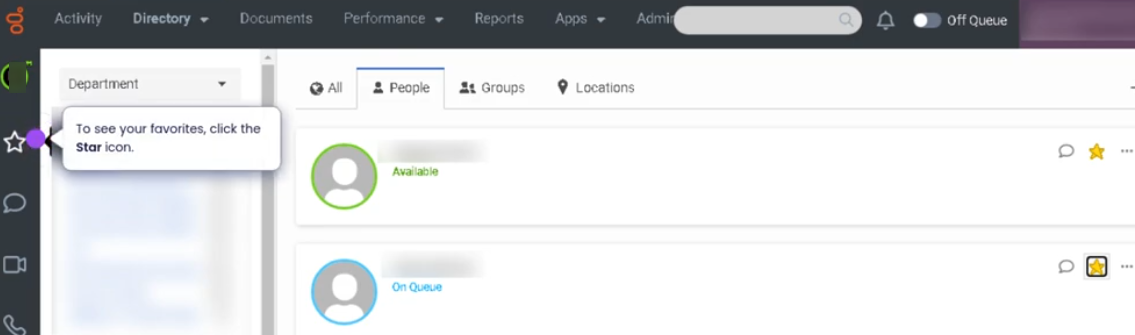
Favorites appear in the Agent Workspace or directory panel, enabling faster navigation and improving operational efficiency when working with team members or commonly used contacts.
Utilization
| Use Case | Description |
|---|---|
| Quick contact access | Agents quickly locate supervisors or team members |
| Frequent call transfers | Common transfer destinations added to Favorites |
| Internal collaboration | Agents contact teammates during interactions |
| Escalation support | Supervisors or specialists added for rapid escalation |
| Operational efficiency | Reduces time spent searching through the directory |
Using Favorites helps agents streamline internal communication during customer interactions.
Best Practices
| Practice | Reason |
|---|---|
| Add frequently contacted users to Favorites | Speeds up collaboration and call handling |
| Include supervisors or escalation contacts | Makes escalation easier during interactions |
| Keep Favorites organized and relevant | Prevents clutter and confusion |
| Review Favorites periodically | Ensures contacts remain current |
| Use Favorites during transfers or consultations | Improves efficiency while assisting customers |
Example Scenarios
Scenario 1 – Agent Transfers Call to Specialist
Customer requires specialized assistance
        ↓
Agent opens Favorites list
        ↓
Agent selects specialist from Favorites
        ↓
Call transferred quickly
Scenario 2 – Agent Consults Supervisor
Agent handling complex customer issue
        ↓
Agent opens Favorites list
        ↓
Agent selects supervisor
        ↓
Agent initiates consultation
Scenario 3 – Quick Internal Communication
Agent needs help locating information
        ↓
Agent opens Favorites panel
        ↓
Agent selects teammate
        ↓
Agent sends message or initiates call
Key Benefits
| Benefit | Explanation |
|---|---|
| Faster collaboration | Frequently contacted users are easily accessible |
| Improved agent efficiency | Reduces time spent searching the directory |
| Better interaction handling | Helps agents transfer or consult quickly |
| Simplified navigation | Agents can quickly find important contacts |
| Supports escalation workflows | Specialists and supervisors are readily available |