Evluation form
| Section |
Description |
| Module Context |
Part of Quality Management within Genesys Cloud WEM |
| Navigation |
Admin → Quality → Evaluation Forms |
–
Key
UIAlt FieldsNavigation |
ExplainedMenu → Conversational Intelligence → Quality Management → Evaluation Forms |
| Required Permissions |
Quality > Evaluation Form > Add / Edit / Delete |
| Primary Function |
Create and manage forms are used by supervisors and evaluators to score recorded interactions.
These fields control how scoring behaves, how compliance failures are handled,interactions and howmeasure evaluatorsagent interactperformance and compliance |
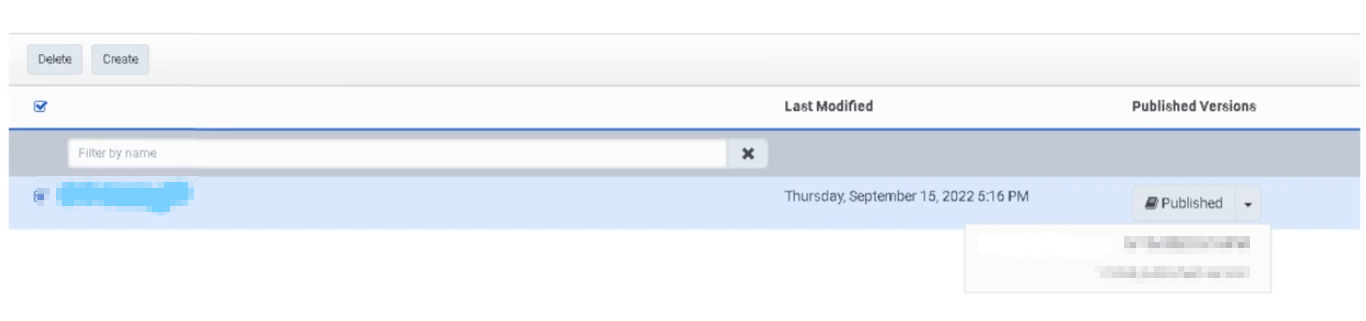
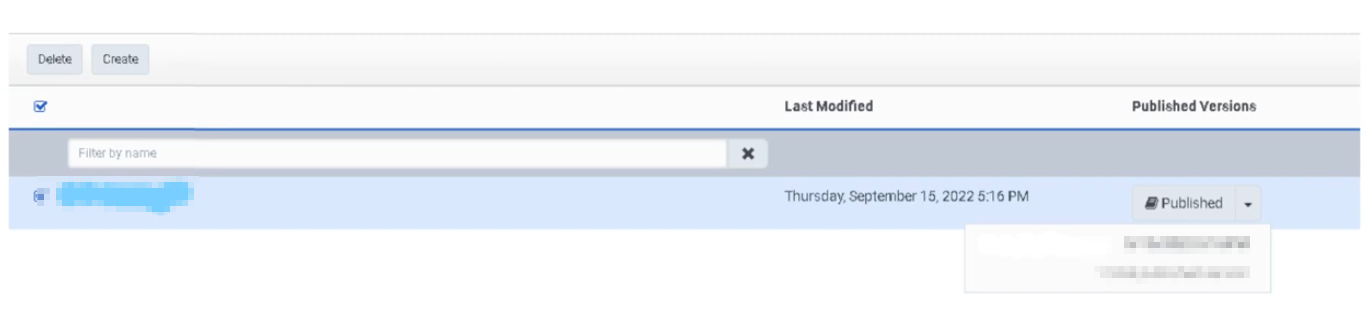
The Evaluation Forms page is a dashboard for form management activities. It lists all evaluation forms with the form name and the date and time each form was last modified — this timestamp serves as the form's version ID.
Study Notes
| Topic |
Explanation |
| Evaluation Form |
A structured scoring template used to assess recorded interactions |
| Question Group |
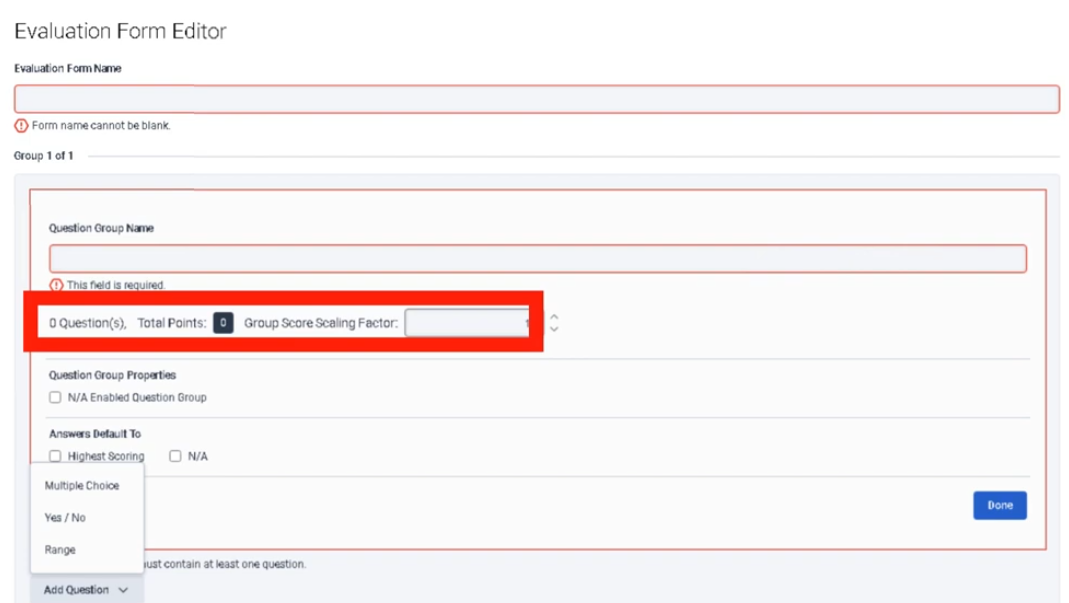
A logical grouping of related questions within a form (e.g., Compliance, Greeting, Product Knowledge) |
| Question Type |
Defines how the evaluator responds to a question (Multiple Choice, Yes/No, Range) |
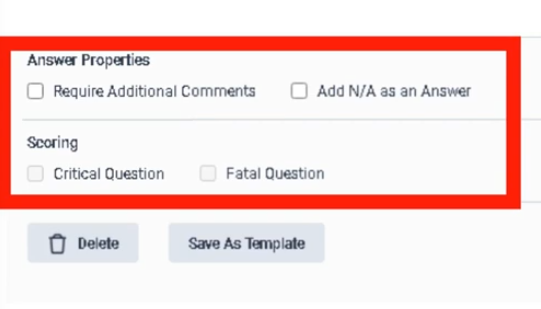
| Fatal Question |
If answered incorrectly, the entire evaluation automatically fails regardless of total score |
| Critical Question |
High-importance question that impacts score but does not cause automatic failure |
| Range Question |
Evaluator scores on a numeric scale (e.g., 1–5) |
| Yes/No Question |
Binary scoring — used for compliance checks |
| Multiple Choice Question |
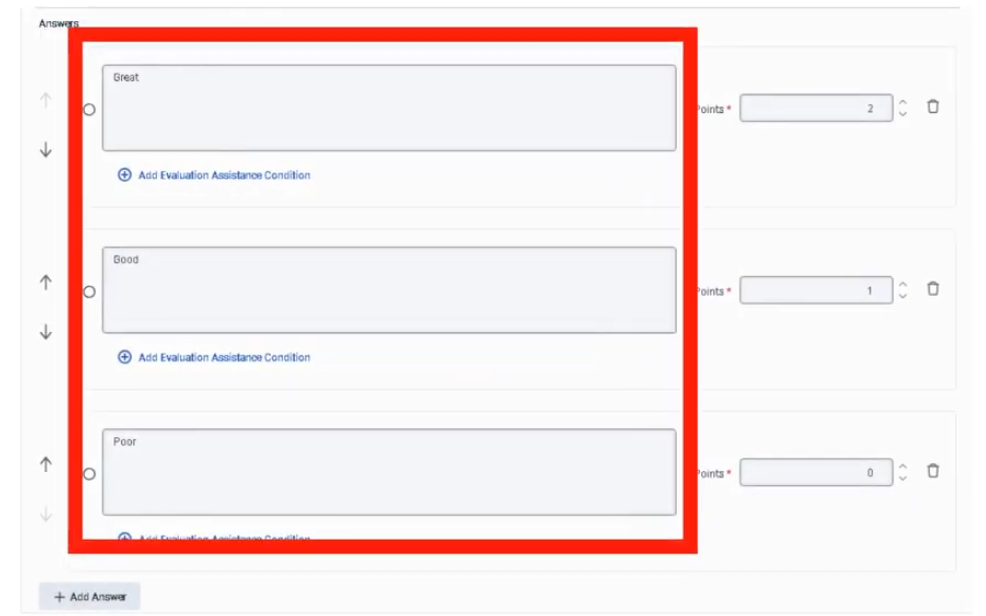
Evaluator selects from predefined options, each worth a point value |
| Points |
Numeric score value assigned per answer option |
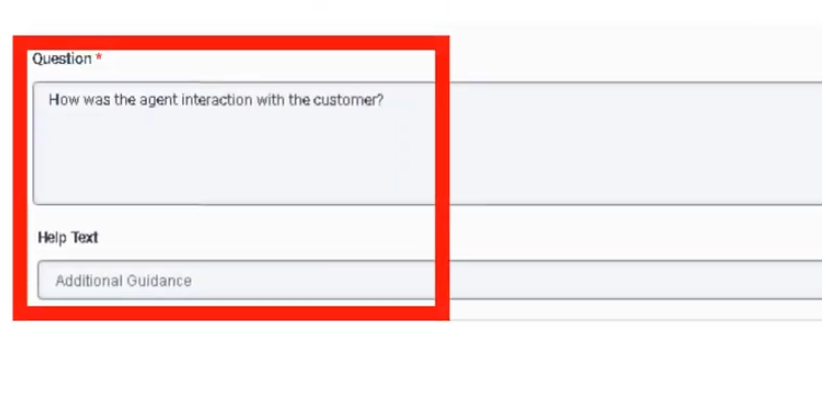
| Help Text |
Tooltip shown to evaluator when hovering over a question — improves scoring consistency |
| Require Additional Comments |
Forces evaluator to enter a comment for that question — used for coaching or compliance evidence |
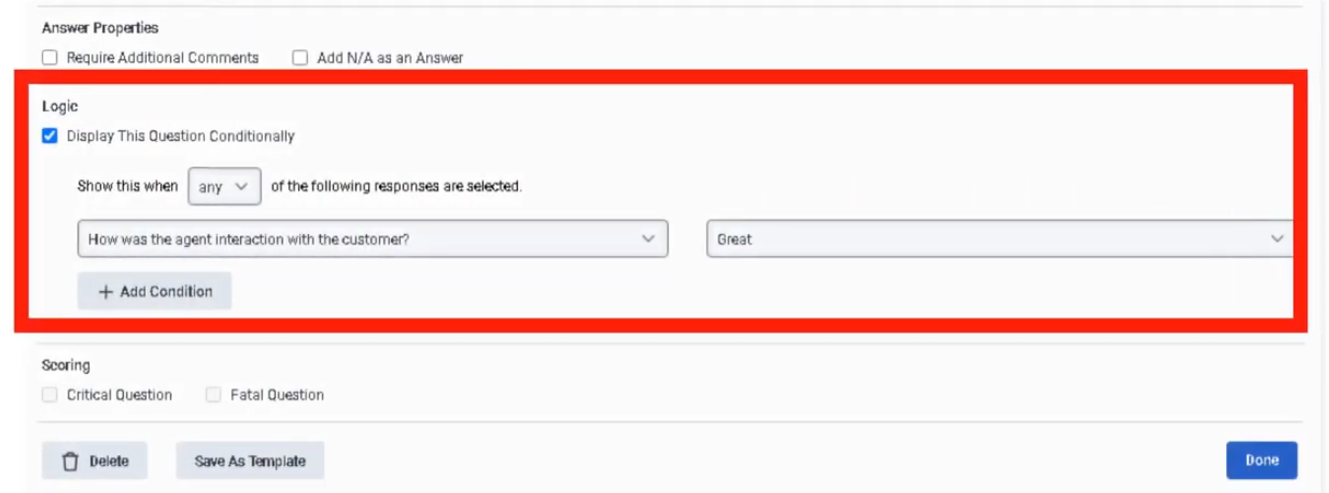
| Conditional Question |
Displays a question only when a prior condition is met — reduces form complexity |
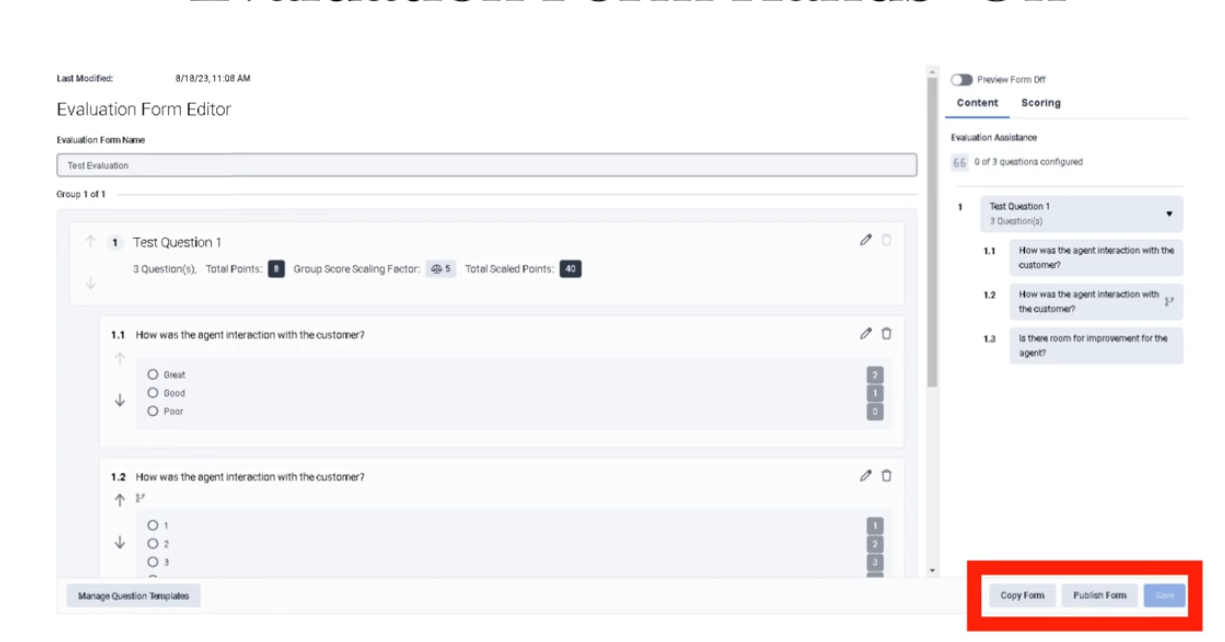
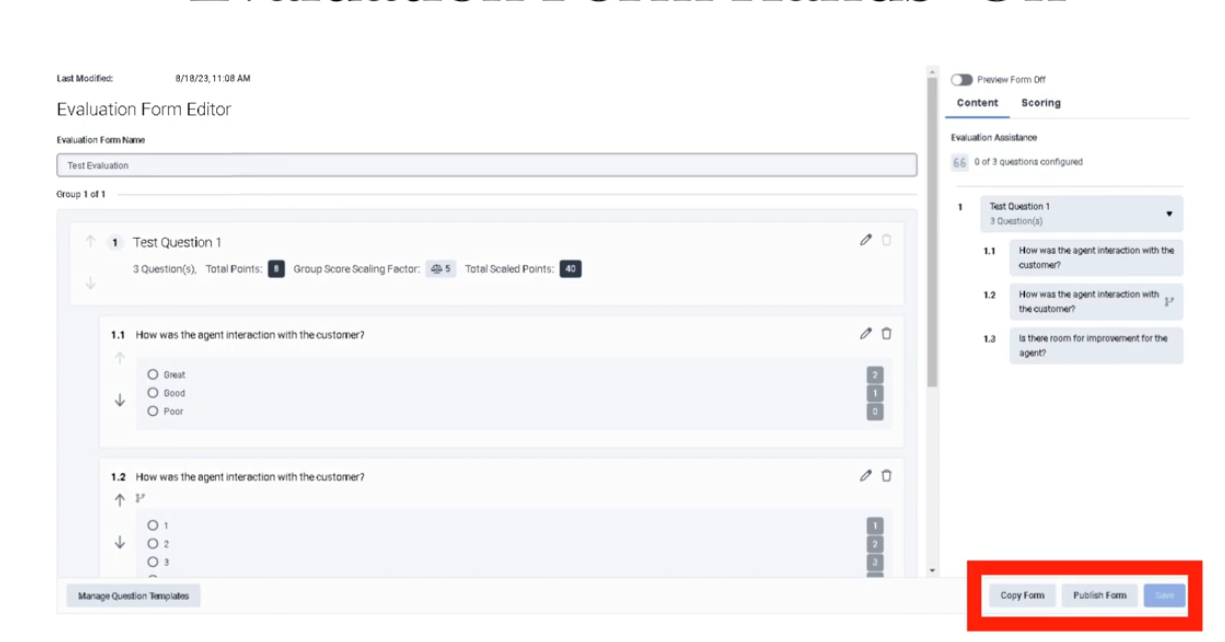
| Publish |
Makes the form available for use in evaluations and policies |
| Version ID |
The last-modified timestamp on the form list page |
Navigation
| Task |
Navigation |
| Open Evaluation Forms |
Admin → Quality → Evaluation Forms |
| Alt Navigation |
Menu → Conversational Intelligence → Quality Management → Evaluation Forms |
| Create a new form |
Admin → Quality → Evaluation Forms → Create |
| Edit a form |
Admin → Quality → Evaluation Forms → select form → Edit |
| Publish a form |
Inside the form editor → Publish button |
| UI Field |
Description |
| Form Name |
Name of the evaluation form |
| Last Modified (Date/Time) |
Timestamp of last modification — also serves as the version ID for the form |
| Create |
Opens a new evaluation form |
| Search |
Search for forms by name |
| Edit |
Open form for editing |
| Delete |
Remove the form |
Critical Evaluation Fields
| Field |
Description |
Implementation Purpose |
Example Use |
| Question Group |
Logical grouping of related questions within the evaluation form. |
Organizes the evaluationform into sections such as compliance, greeting, and product knowledge. |
Compliance / Greeting / SoftProduct SkillsKnowledge |
| Question Type |
Defines howHow the evaluator answers the question.question |
Determines scoring behavior.behavior |
Multiple Choice / Yes-No / Range |
| Points |
Numeric value assigned to eachper answer option.option |
Used to calculate the final evaluation score.score |
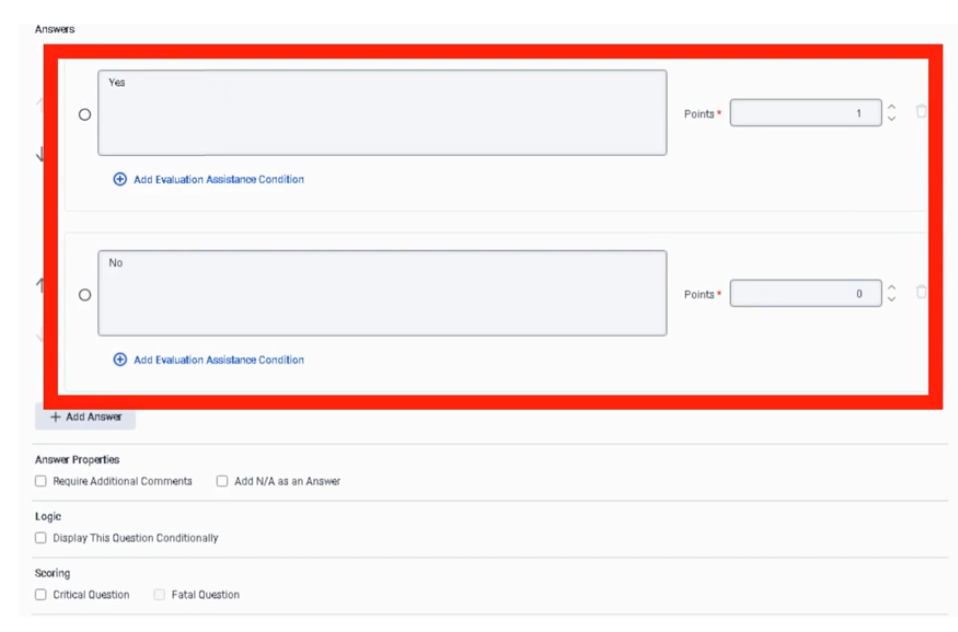
Correct answer = 1, Incorrect = 0 |
| Help Text |
Tooltip displayedshown to thewhen evaluator when hoveringhovers over the question.question |
ProvidesGuidance guidancefor onconsistent how to score the question.scoring |
“"Agent must verify customer identity before proceeding.”" |
| Require Additional Comments |
Forces the evaluator to enter comments for the question. |
Ensures detailed feedback for coaching or compliance.coaching/compliance |
Required for low low-scoring answers |
| Conditional Question |
Displays the questionShows only if a prior condition is met.met |
Keeps evaluationform forms shorterconcise and more context-aware.aware |
Only showShow escalation question only if customer asked for supervisor |
Fatal Question
| Field |
Description |
Implementation Purpose |
Example |
| Fatal Question |
If theanswered evaluator marks this question as incorrect,incorrectly, the entire evaluation automatically fails, regardless of the total score.score |
Used for critical compliance or legal requirements where failure is unacceptable. |
“"Did the agent verify customer identity?”" |
Fatal Question Behavior
Agent Interaction
        ↓
Evaluator answers Fatal Question
        ↓
Incorrect Answer Selected
        ↓
Entire Evaluation Score = FailFAIL
(regardless of all other question scores)
When to Use Fatal Questions
| Scenario |
Reason |
| Compliance violations |
Regulatory requirement — failure is not acceptable |
| Security verification failure |
Customer identity not verifiedconfirmed |
Mandatory scriptlegal disclosures not followed |
Legal disclosuresor contractual obligation |
Best practice: Use fatal questions sparingly — reserve them only for true compliance or legal requirements where failure is unacceptable.
Critical Question
| Field |
Description |
Implementation Purpose |
Example |
| Critical Question |
ImportantHigh-importance question that significantly impacts the evaluation score but does not automatically fail the entire evaluation. |
Ensures high high-impact scoring without automatic failure.failure |
“"Did the agent provide the correct product information?”" |
Critical Question Behavior
Agent Interaction
        ↓
Evaluator answers Critical Question
        ↓
Incorrect Answer
        ↓
Points Deducted from Score
(evaluation does NOT automatically fail)
When to Use Critical Questions
| Scenario |
Reason |
| Customer experience standards |
Greeting orquality, empathy |
| Product knowledge verification |
Accuracy of information given |
| Process adherence |
ProperCorrect workflow followed |
Question Types
Range Question
| Field |
Description |
Implementation Purpose |
Example |
| Range Question |
AllowsEvaluator evaluator to scorescores on a scale.numeric scale |
Used to measureMeasures qualitative performance.performance |
1–5 rating scale |
Example:Example scale:
| Score |
Meaning |
| 1 |
Poor |
| 3 |
Acceptable |
| 5 |
Excellent |
Yes / No Question
| Field |
Description |
Implementation Purpose |
Example |
| Yes / No Question |
Binary scoring question. |
UsedCompliance for compliance checks.checks |
“"Did the agent greet the customer properly?”" |
Points Example:example:
Multiple Choice Question
| Field |
Description |
Implementation Purpose |
Example |
| Multiple Choice |
Evaluator choosesselects from multiple predefined answers.options |
UsefulStructured for structured scoring.scoring |
Greeting quality rating |
Example Options:options:
| Answer |
Points |
| Excellent |
5 |
| Good |
3 |
| Poor |
1 |
Evaluation Form: Customer Service Review

Section 1: Compliance
    Fatal Question → Identity Verification (Yes/No)

Section 2: Customer Experience
    Range Question → Professionalism (1–5)
    Critical Question → Issue Resolution (Yes/No)

Section 3: Product Knowledge
    Multiple Choice → Correct Information Provided
    Conditional Question → Escalation Handling
        (appears only if customer requested supervisor)
Permissions
| Permission |
Description |
Quality > Evaluation Form > Add |
Create new evaluation forms |
Quality > Evaluation Form > Edit |
Modify existing forms |
Quality > Evaluation Form > Delete |
Remove forms |
Dependencies
| Component |
Purpose |
| Interaction Recording |
Provides interactions to be evaluated using the form |
| Quality Policies |
Reference evaluation forms when assigning evaluations |
| Evaluators |
Use the form to score interactions |
| Quality Management (Admin) |
Parent feature area |
Implementation Checklist
| Task |
Status |
| Define evaluation categories (question groups) |
☐ |
| Decide which questions require fatal logic |
☐ |
| Select appropriate question types per question |
☐ |
| Add help text to all questions |
☐ |
| Configure scoring (points per answer) |
☐ |
| Add conditional questions where appropriate |
☐ |
| Save the form as draft |
☐ |
| Review and validate the form |
☐ |
| Publish the form |
☐ |
| Reference the form in quality policies |
☐ |
Implementation Guide
| Step |
Action |
| Step 1 |
Navigate to Admin → Quality → Evaluation Forms |
| Step 2 |
Click Create |
| Step 3 |
Enter form name |
| Step 4 |
Add Question Groups |
| Step 5 |
Add questions to each group with the appropriate Question Type |
| Step 6 |
Configure Points, Help Text, and Comments settings per question |
| Step 7 |
Toggle Fatal or Critical where applicable |
| Step 8 |
Add Conditional logic where appropriate |
| Step 9 |
Save draft |
| Step 10 |
Click Publish to make the form available for use |
Workflow
Admin Creates Evaluation Form
        ↓
Question Groups Added
        ↓
Questions Added (with type, points, help text)
        ↓
Fatal / Critical Flags Set
        ↓
Form Published
        ↓
Policy References Form
        ↓
Evaluator Uses Form to Score Interaction
Best Practices for Evaluation Forms
| Practice |
Reason |
| Use fatal questions sparingly |
Prevent unnecessary evaluation failures |
| Reserve fatal for legal/compliance requirements |
Only true pass/fail scenarios should auto-fail |
| Use range questions for soft skills |
Better measuremeasures qualitative performance like empathy |
| Provide help text for every question |
Improves evaluator consistency and reduces subjectivity |
| Group questions logically by topic |
Makes evaluation easier to followcomplete accurately |
| Use conditional questions |
Reduces form complexity and irrelevant questions |
| Keep forms focused |
Forms covering too many topics are harder to score consistently |
| Calibrate evaluators regularly against published forms |
Ensures form is interpreted consistently |
QuickNaming Convention
| Resource |
Example |
| Evaluation Form |
Support_Call_Evaluation_Form |
| Question Group |
Compliance / CustomerExperience / ProductKnowledge |
Limitations / Constraints
| Constraint |
Description |
| Form must be published |
Forms in draft state cannot be used in policies or evaluations |
| Version tracking |
Last-modified timestamp is the version ID — no formal versioning system |
| Arabic dialect limitation |
Date/time display does not currently appear in standard Arabic format — to be resolved in a future update |
Interview Cheat Sheet
| Question |
Answer |
| Where are evaluation forms managed? |
Admin → Quality → Evaluation Forms |
| What permissions are required? |
Quality > Evaluation Form > Add / Edit / Delete |
What is a Fatal Question in Genesys Cloud?Question? |
A question that automatically fails the entire evaluation if answered incorrectly.incorrectly |
| When should fatal questions be used? |
ComplianceOnly for true compliance or regulatorylegal requirements.requirements |
| What is a Critical Question? |
High-importance question that impacts score but does notNOT automatically auto-fail the evaluation.evaluation |
| Why use range questions? |
To evaluate qualitative performance like empathy or professionalism.professionalism |
| What is the version ID of a form? |
The last-modified date/time timestamp shown on the form list |
| What does publishing a form do? |
Makes it available for evaluators and for reference in quality policies |
Key TakeawayTakeaways
Fatal
questions
enforce
complianceTopic |
requirements,Summary |
while
critical
questions
and
scoring questions help measure agent performance and customer experience quality.
Structured 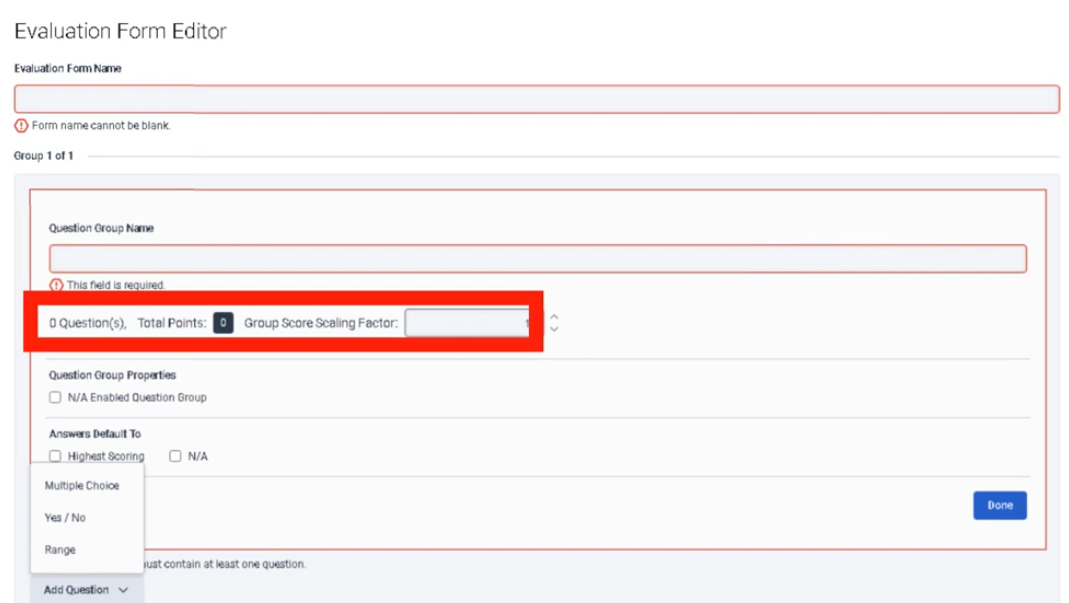
templates Multipleused askby questionevaluators 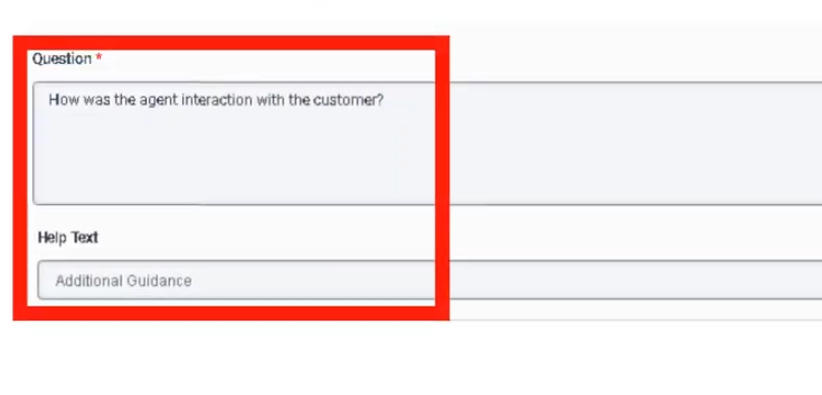 Correctscore answersrecorded valueinteractions
|
of
1
incorrectNavigation |
valueAdmin of→ 0Quality 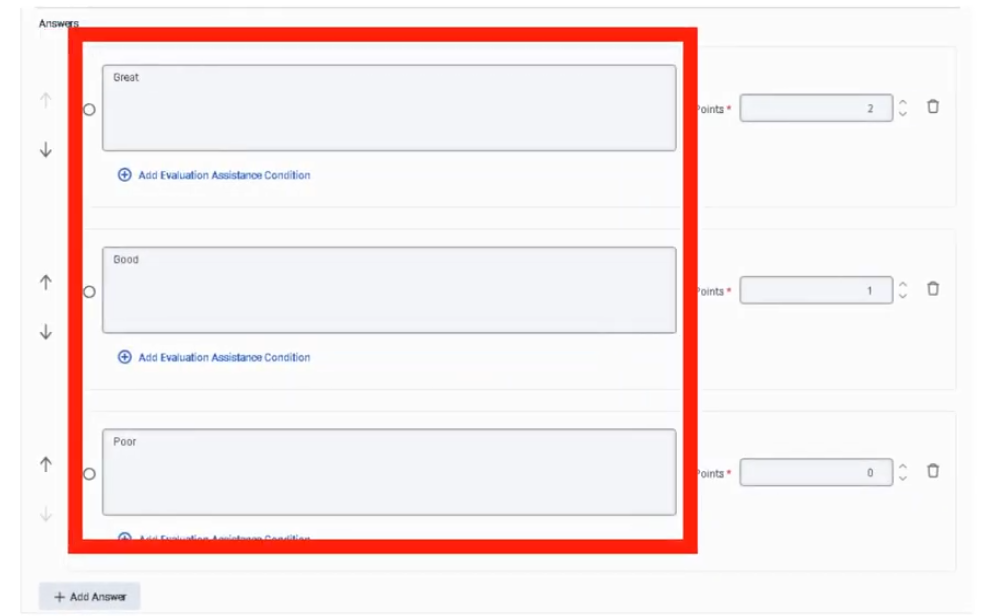 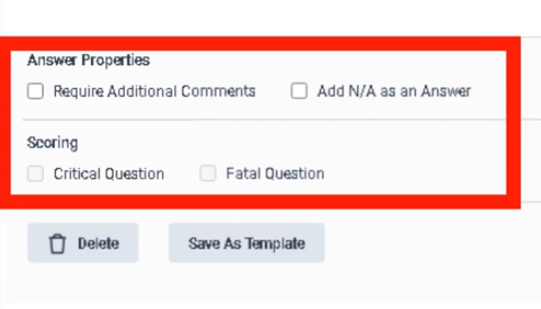 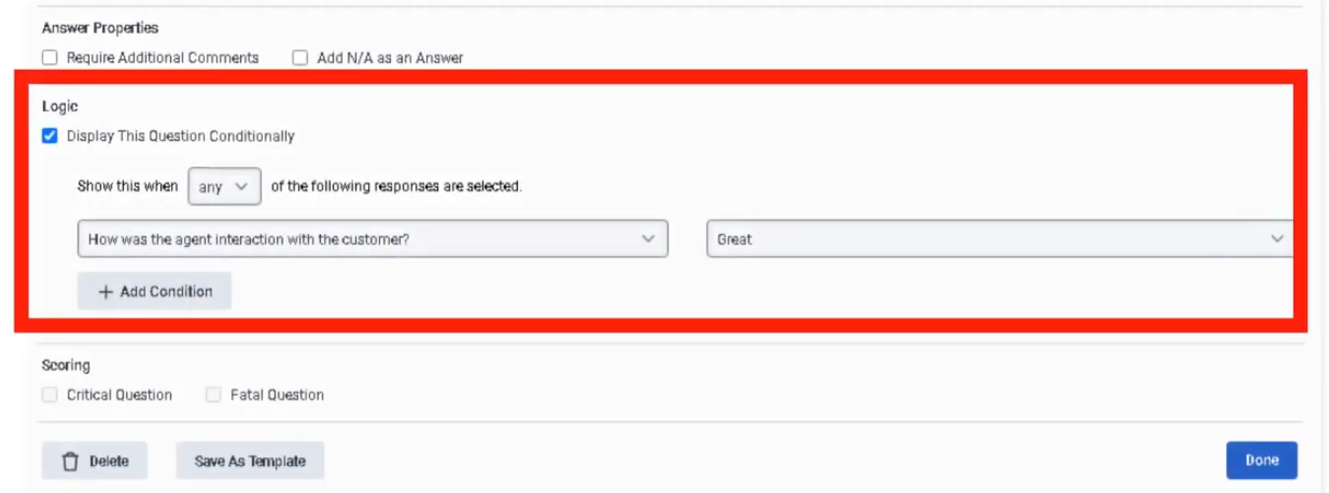
YesForms
or Menu → Conversational Intelligence → Quality Management → Evaluation Forms |
| Version ID |
Last-modified timestamp on the form list page |
| Fatal Questions |
Auto-fail the entire evaluation — reserve for compliance/legal requirements only |
| Critical Questions |
High impact on score but do not auto-fail |
| Question Types |
Multiple Choice / Yes-No question/ 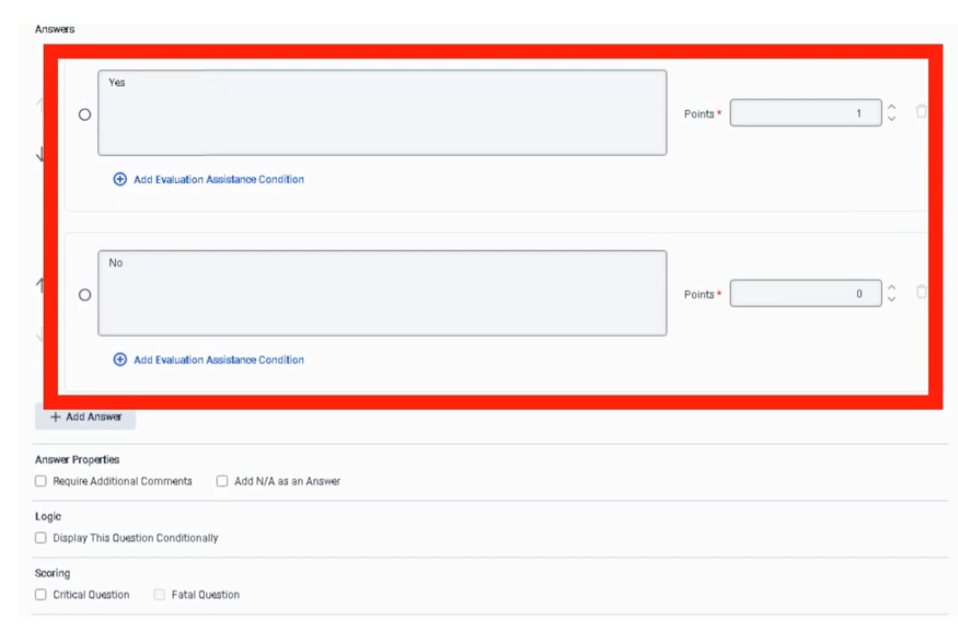 |
| Publish Required |
Forms must be published before they can be used |
| Permissions |
Quality > Evaluation Form > Add / Edit / Delete |