
AZ-104 Azure RBAC - Creating custom roles
- Describing custom roles
- Creating role definitions
- Custom role definition
- No built in role met requirement
- user access administrator or owner role for the account
Sometimes, built-in roles don't grant the precise level of access you need. Custom roles allow you to define roles that meet the specific needs of your organization. You can assign the Azure custom roles you create to users, groups, and service principals at the scope of subscription, resource group, or resource.
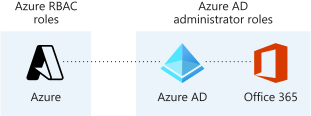
Microsoft Entra roles and Azure roles are often confused when you first work with Azure. Microsoft Entra roles provide the mechanism for managing permissions to Microsoft Entra resources, like user accounts and passwords. Azure roles provide a wealth of capabilities for managing Azure resources like virtual machines (VMs) at a granular level
helpdesk.json
Name    "Helpdesk Administrators"
Description    "Can Read, Restart VMs, and log support tickets with Microsoft"
Actions
0    "*/read"
1    "Microsoft.Compute/virtualMachines/start/action"
2    "Microsoft.Support/*"
NotActions    []
DataActions    []
NotDataActions    []
AssignableScopes
0    "/subscriptions/subscriptionId"
Open powershell tytpe ini code and name of the json file, right click on top bar to save and exit editor

create custom role


Assign, you can assign to members groups, etc.

Here we can check our own access or check someone else access

- Provide identities with access to Azure Resources
- Roles are collection of permissions
- Scoping hierarchy for role assignments
- Custom role definition