# Governance
# Different Types of Entity
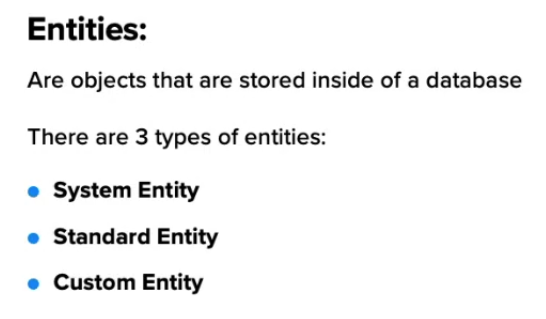
System Entity
Standard Entity
Custom Entity
# Global Roles
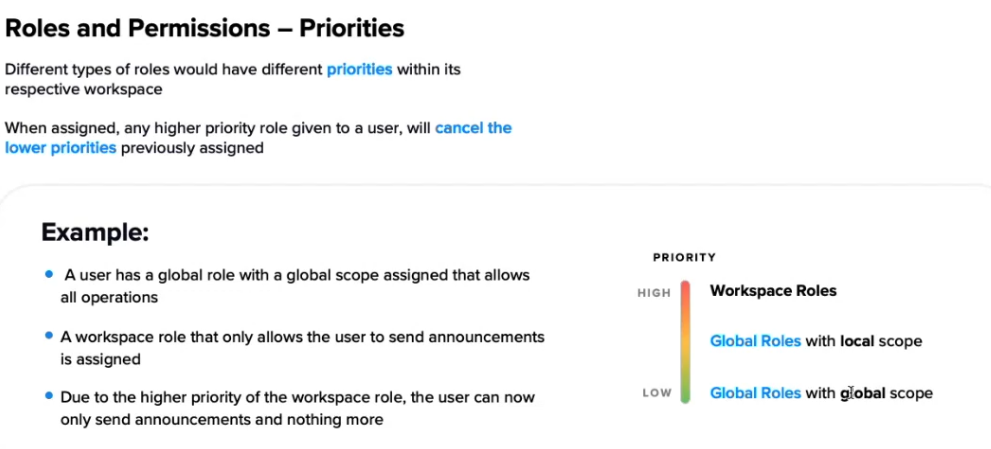
Best practice is to set global roles, otherwise if there is a workspace role it takes higher priority meaning that if on global role you can reject calls but workspace role you cannot reject calls, the agent wont be able to reject calls as workspace role takes presedence
# Entity
# Users
# Custom Fields
# custom fields
[https://sprinklr.atlassian.net/wiki/spaces/CCAAS/pages/4618355531/Custom+Field](https://sprinklr.atlassian.net/wiki/spaces/CCAAS/pages/4618355531/Custom+Field "https://sprinklr.atlassian.net/wiki/spaces/CCAAS/pages/4618355531/Custom+Field")
Important thing to notice are asset types
### 1. Profile
- Represents the **end customer / contact profile** (the person you’re talking to).
- Use when the data is about the **customer themselves**, not about a single case or message.
- Examples:
- Customer segment, VIP flag, language preference.
- Opt‑out / unsubscribe flag.
- Phone number or ID coming from CRM.
Profiles are used across interactions, so Profile fields are reusable for many cases/tickets.
---
### 2. Case
- Represents a **ticket / case** in Sprinklr Service.
- Use when the data is **specific to one interaction / issue**.
- Examples:
- Case reason, sub‑reason.
- Channel type, journey step.
- Internal resolution category, refund type, complaint code.
In the tickets KB, these are “ticket fields” implemented as **case custom fields**:
[What are Tickets and Ticket Fields in Sprinklr?](https://sprinklr.atlassian.net/wiki/spaces/CCAAS/pages/5168890010/What+are+Tickets+and+Ticket+Fields+in+Sprinklr)
---
### 3. Message
- Represents an individual **message / interaction event** (e.g., a single chat message, social post, email, etc.).
- Use when data changes **per message**, not per case or per profile.
- Examples:
- Sentiment tag on a message.
- Message category / intent.
- Flags for certain keywords or compliance conditions.
Good for granular analytics and routing based on message‑level attributes.
---
### 4. Users (WFM)
- Represents internal **users/agents** in **Workforce Management**.
- Use when the data is about the **agent’s attributes** relevant for scheduling and routing.
- Examples (from WFM custom fields KB):
- Workload group, shift pattern, skill cluster.
- Region, site, employee type.
This is configured under WFM > Settings > Governance > Custom Fields with **Asset Type = Users**:
[Create Custom Fields with WFM Entities](https://sprinklr.atlassian.net/wiki/spaces/CCAAS/pages/5386010806/Create+Custom+Fields+with+WFM+Entities)