# AZ-104 - Governance and Compliance - Using management groups
#### [What are Azure management groups?](https://learn.microsoft.com/en-us/azure/governance/management-groups/overview)
#### Management groups
- Define management groups
- Understanding hierarchy
- Scoping
##### Managing subscriptions
Organize and manage subscriptions by logically grouping them into management groups
- Organizational hierarchy
- Provides another scope for enforcing governance and compliance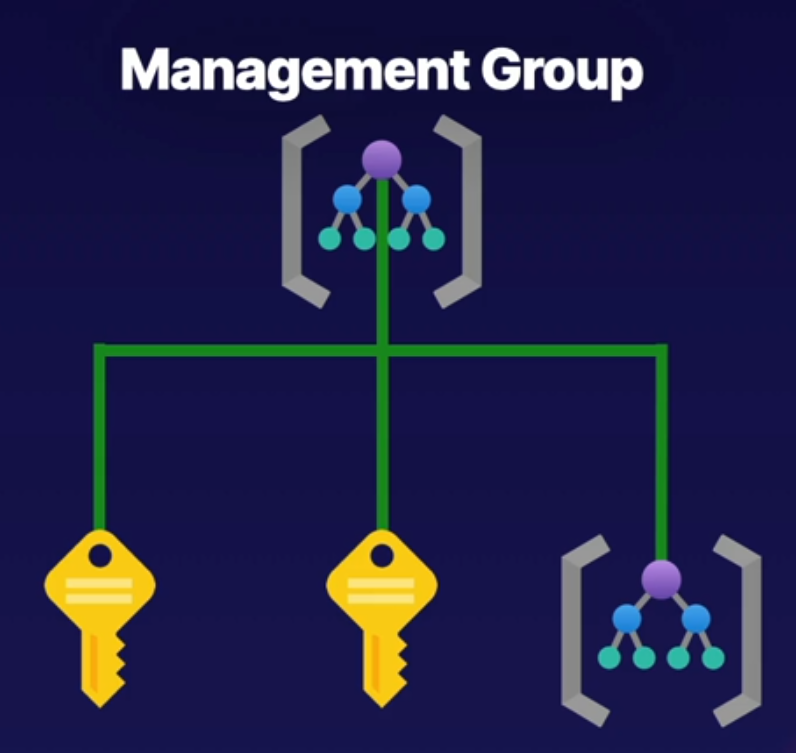
Parent-child relationships
- Root management group is the top level
- Management groups and subscriptions can have a single parent
- Supports six levels of hierarchy
Compliance Support
- Azure Policies
- Azure role-based access control (RBAC)
Next diagram shows how to represent an organizational hierarchy by having a Root management group, under root we have a subscription for EA, a Marketing management group and an IT management group.
The Marketing group also have 2 child subscriptions under the marketing management group and IT has another management group as a child management group.
This helps identify the hierarchy levels for our organization
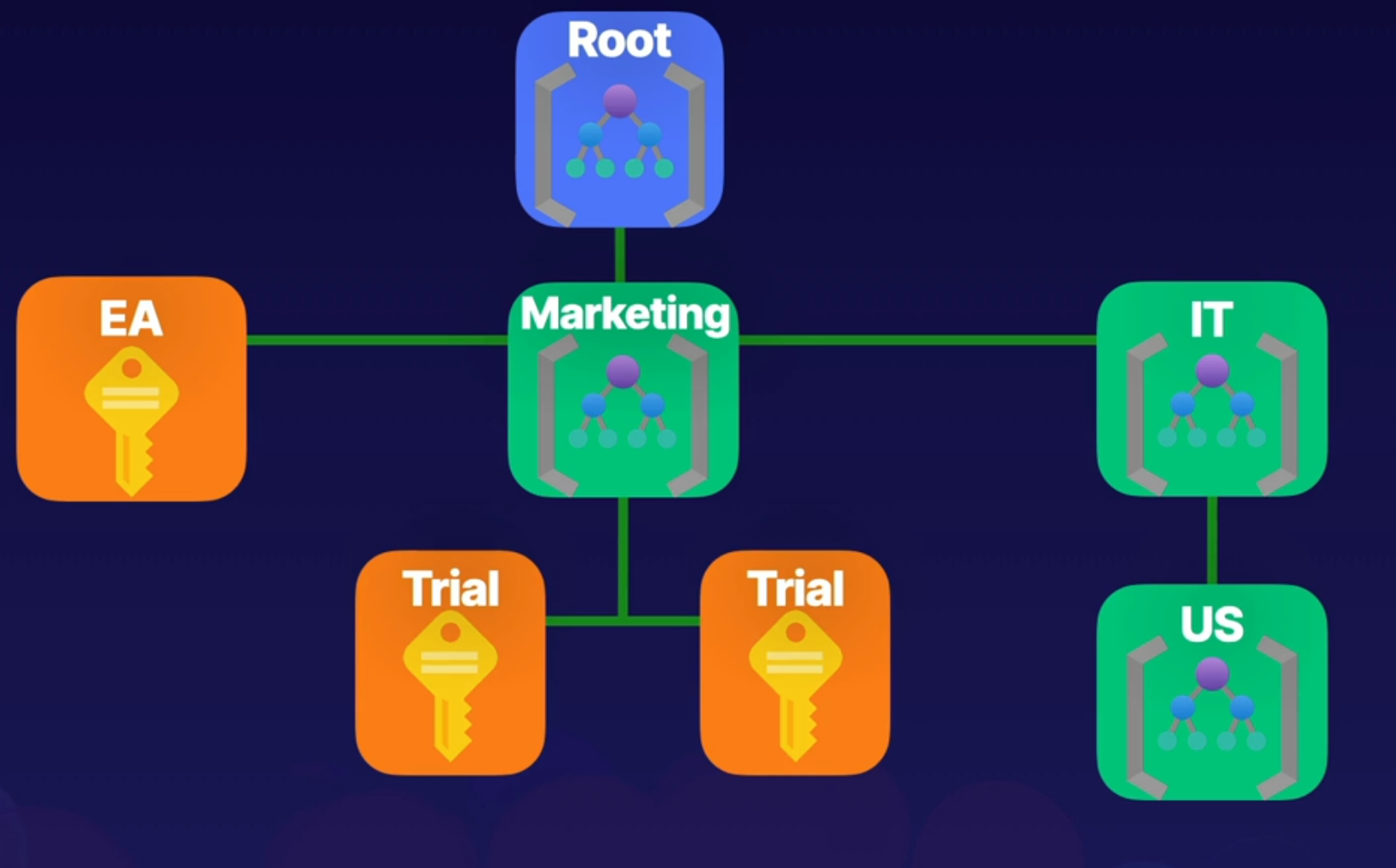
All resources, permissions, etc will flow down in the hierarchy, for example if you give access to the root management group it will have access to IT, Marketing, etc it flow down in the hierarchy.
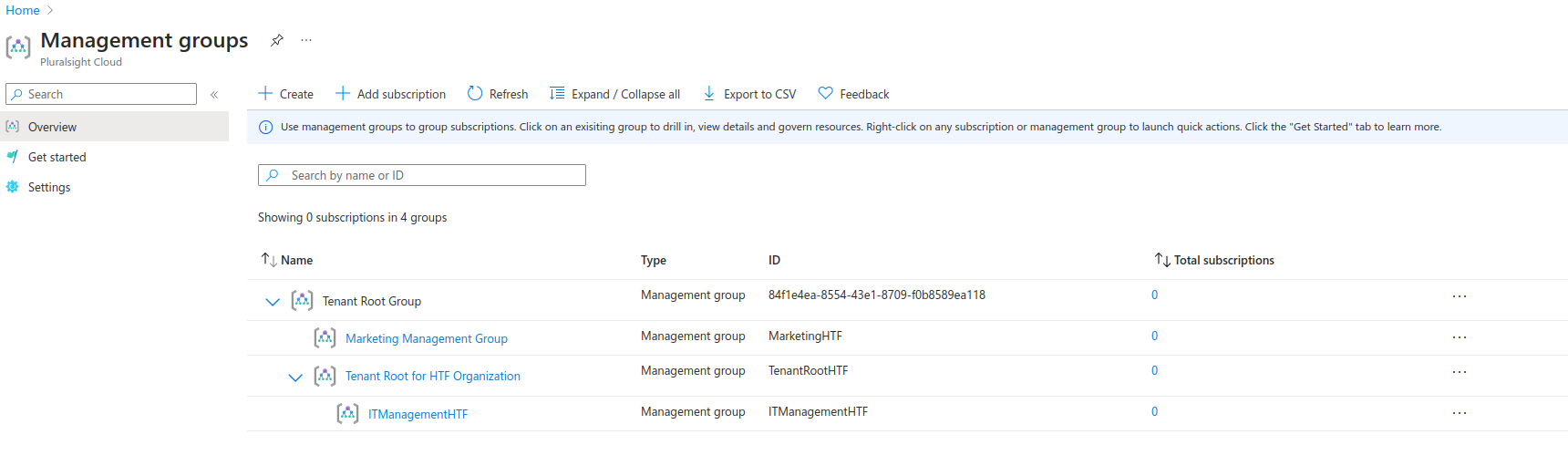
Illustration below shows 2 management groups under the main root Tenant group, we can access and add subscriptions or management groups inside an existing management group.
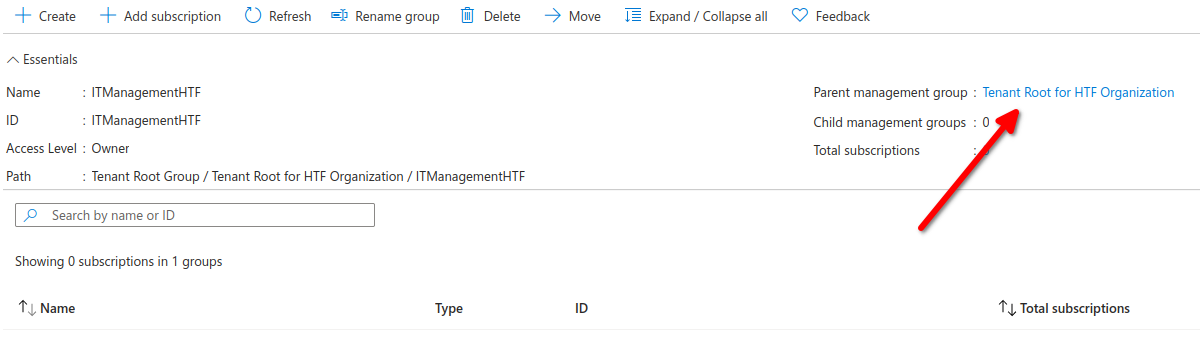
Here we can see the Parent management group for IManagementHTF its Tenant Root for HTF Organization since we created this management group inside our root
Root management group is not given by default
Root Management group cannot be moved or deleted
Azure RBAC is supported for management groups
Global Administrators must be elevated to User Access Administrator of root group