# AZ-104 Azure Identity - Conceptualizing Entra ID (Azure Active Directory)
[What is Microsoft Entra ID](https://learn.microsoft.com/en-us/entra/fundamentals/whatis)
- Identity and Access Management (IAM) Basics
- What is Azure AD (Entra ID)?
- Azure AD Tenant ARchitecture
- Azure AD Features
- Active Directory vs Azure AD (Entra ID)
##### **Identity and Access Management (IAM) Basic**
- IAM: A global cloud-based identity service for azure that provides an identity repository
- Principal: An unauthenticated entity that will seek to authenticate as an identity.
- Identity: An Identity profile that is authenticated against using credentials
- Authorization: Actions that are permitted/prohibited for an identity to perform
- Create Identity Resources - Create users and groups
- Manage Identity Security - Enable multi-factor authentication (MFA) control resources access and provide policy based controls
##### **Azure AD Tenant Architecture**
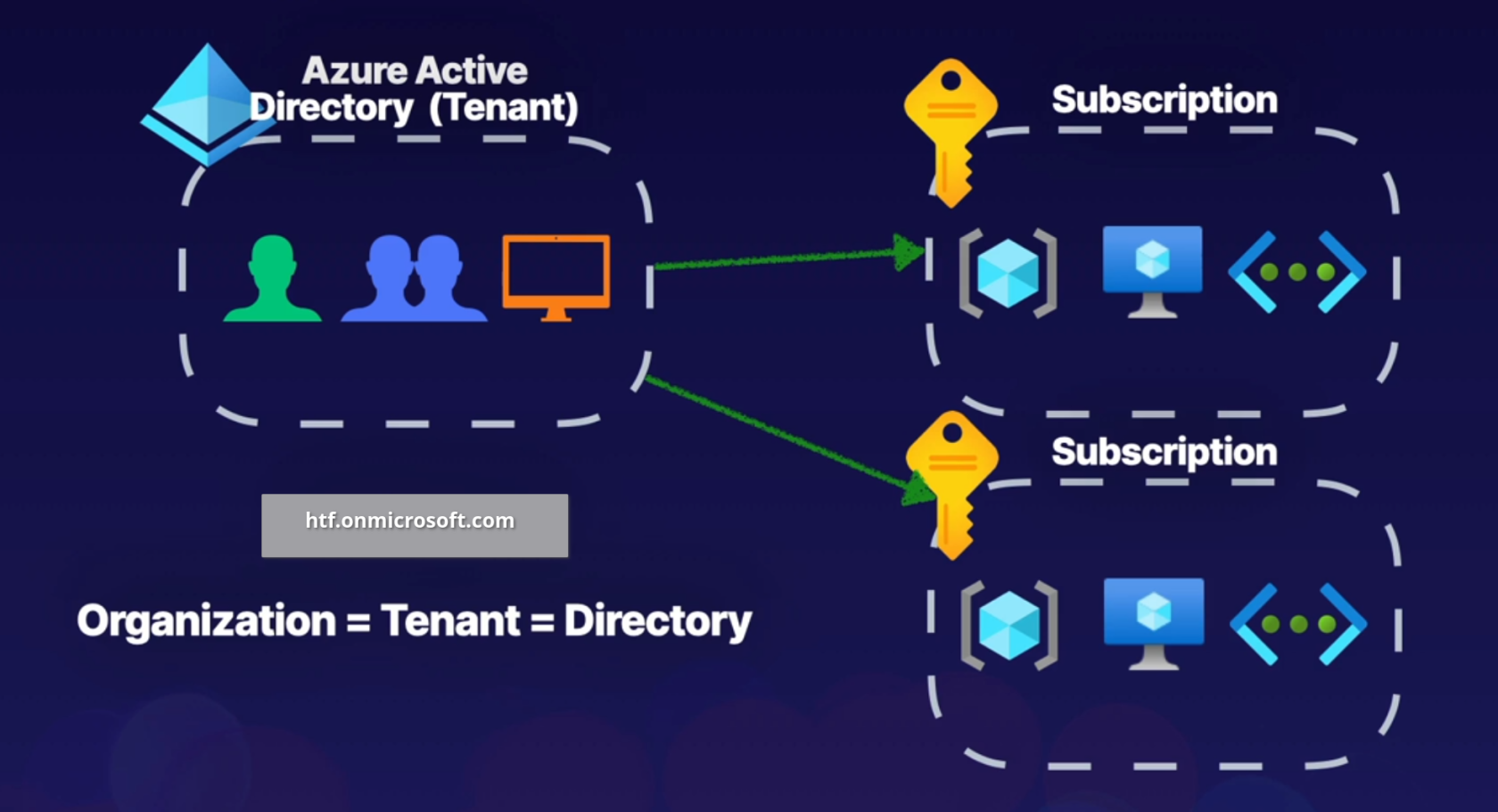
When crating a tenant it will automatically assign a domain for us, for example htf.onmicrosoft.com, you can also register a custom domain name.
A tenant can be associated to multiple subscriptions but a subscription can only be associated to one tenant.
##### **Azure AD Features**
- IAM Platform - for azure cloud based resources.
- Identity security - additional security with MFA and Privileged Identity Management (PIM).
- Collaboration and Development - Azure AD B2B collaboration and Azure AD B2C to support development.
- Monitoring - Audit logs, security monitoring, identity protection and risk management.
- Identity Integration - Hybrid identity and single sign-on (SSO) using Azure AD connect and Azure AD Domain Services.
- Enterprise Access - Additional security for applications and devices both on-premises and in the cloud
| **Active Directory**
| **Entra ID**
|
| Organizational units (OUs)
| Administrative units
|
| Group Policy Objects (GPOs)
| SAML, WS-Federation, OAuth
|
| Kerberos, LDAP, NTLM
| Flat Directory Structure
|
| Hierarchical
| Cloud-based solution |
| On-Premises
| Global
|
As part of Hybrid solution we can use Entra Connect to manage on prem infrastructure.